
Introduction
The Nintendo Robotic Operating Buddy (R.O.B.) Model HVC-012 is an accessory designed for the Nintendo Entertainment System (NES). R.O.B. was introduced to demonstrate the interactive capabilities of the NES console beyond traditional controllers. This manual provides essential information for the proper setup, operation, and care of your R.O.B. unit.
Safety Information
- Keep R.O.B. away from water and moisture to prevent electrical hazards.
- Do not attempt to disassemble or modify the R.O.B. unit. This may cause damage and void any potential warranty.
- Ensure R.O.B. is placed on a stable, flat surface during operation to prevent tipping.
- Use only the specified power source (batteries) as indicated in the specifications.
- Keep small parts, such as Gyros or Spinners, out of reach of young children to prevent choking hazards.
Package Contents
Your R.O.B. package typically includes the following components. Please note that specific bundles may vary.
- R.O.B. (Robotic Operating Buddy) unit (Model HVC-012)
- Two Gyros (for Gyromite game)
- Two Spinners (for Stack-Up game)
- Four colored blocks (for Stack-Up game)
- Instruction Manual (this document)
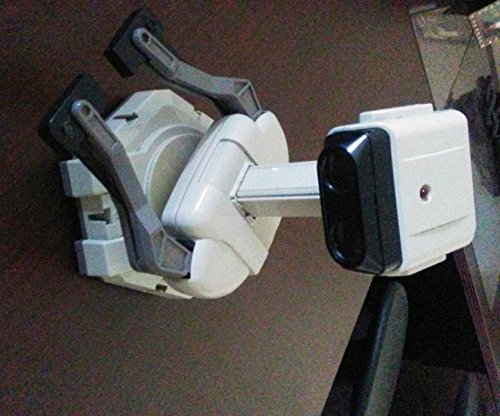
Figure 1: The Nintendo NES R.O.B. (Robotic Operating Buddy) unit. This image shows the main robot body with its arms in an extended position, ready for interaction.
Setup
- Insert Batteries: Open the battery compartment on the back of the R.O.B. unit. Insert four (4) AA batteries, ensuring correct polarity. Close the compartment securely.
- Position R.O.B.: Place R.O.B. on a flat, stable surface directly in front of your television screen. Ensure there are no obstructions between R.O.B.'s optical sensors (located on its head) and the television.
- Connect to NES: R.O.B. does not directly connect to the NES console via a cable. It receives commands optically from the television screen. Ensure your NES console is connected to the TV and powered on.
- Prepare Accessories (if applicable): For games like Gyromite, place the Gyros in R.O.B.'s hands. For Stack-Up, arrange the colored blocks and Spinners as instructed by the game.

Figure 2: A side view of the Nintendo NES R.O.B. unit. This perspective highlights the arm mechanism and the optical sensor on the head, crucial for receiving commands from the television screen during gameplay.
Operating Instructions
R.O.B. operates by detecting flashing light patterns emitted by the television screen. These patterns are interpreted as commands for movement and action.
- Power On: Press the power button located on R.O.B.'s back or side. R.O.B. will perform a brief self-test.
- Start a Compatible Game: Insert a R.O.B.-compatible game cartridge (e.g., Gyromite or Stack-Up) into your NES console and power on the NES.
- Game Interaction: Follow the on-screen instructions within the game. The game will display specific light patterns on the TV screen that R.O.B. will detect.
- R.O.B.'s Actions: Based on the light patterns, R.O.B. will perform actions such as:
- Rotating its base left or right.
- Moving its arms up or down.
- Opening or closing its grippers.
- Player Input: In games like Gyromite, you will control a character while R.O.B. manipulates physical objects (Gyros) to open and close gates. In Stack-Up, you instruct R.O.B. to stack colored blocks according to patterns displayed on screen.
- Power Off: When finished, power off R.O.B. by pressing its power button. Remove batteries if R.O.B. will not be used for an extended period.
Maintenance
- Cleaning: Use a soft, dry cloth to wipe down the exterior of R.O.B. Do not use liquid cleaners or abrasive materials.
- Battery Replacement: Replace batteries when R.O.B.'s movements become sluggish or it fails to respond to commands. Always replace all batteries at once with new ones of the same type.
- Storage: Store R.O.B. in a cool, dry place away from direct sunlight and extreme temperatures. If storing for a long time, remove the batteries.
Troubleshooting
| Problem | Possible Cause | Solution |
|---|---|---|
| R.O.B. does not power on. | Dead or incorrectly inserted batteries. | Check battery polarity. Replace with fresh AA batteries. |
| R.O.B. does not respond to game commands. |
|
|
| R.O.B.'s movements are slow or erratic. | Low battery power. | Replace all batteries with fresh AA batteries. |
| R.O.B. makes unusual noises. | Internal mechanical issue. | Discontinue use. Contact support if within warranty. Do not attempt to repair. |
Specifications
- Model Number: HVC-012
- Manufacturer: Nintendo
- Compatibility: Nintendo Entertainment System (NES)
- Power Source: 4 x AA Batteries (not included)
- Dimensions (Approximate): 15 x 11 x 7 inches (Height x Width x Depth)
- Weight (Approximate): 0.01 ounces (excluding batteries)
- Communication: Optical sensor via television screen light patterns
Warranty Information
Nintendo products are manufactured to high standards. For specific warranty details, please refer to the warranty card included with your original purchase or visit the official Nintendo support website. Keep your proof of purchase for warranty claims.
Support
For further assistance, troubleshooting, or inquiries regarding your Nintendo NES R.O.B., please visit the official Nintendo support website or contact Nintendo customer service. Support resources may include FAQs, additional manuals, and contact information for technical assistance.
Nintendo Official Website: www.nintendo.com


