
Introduction
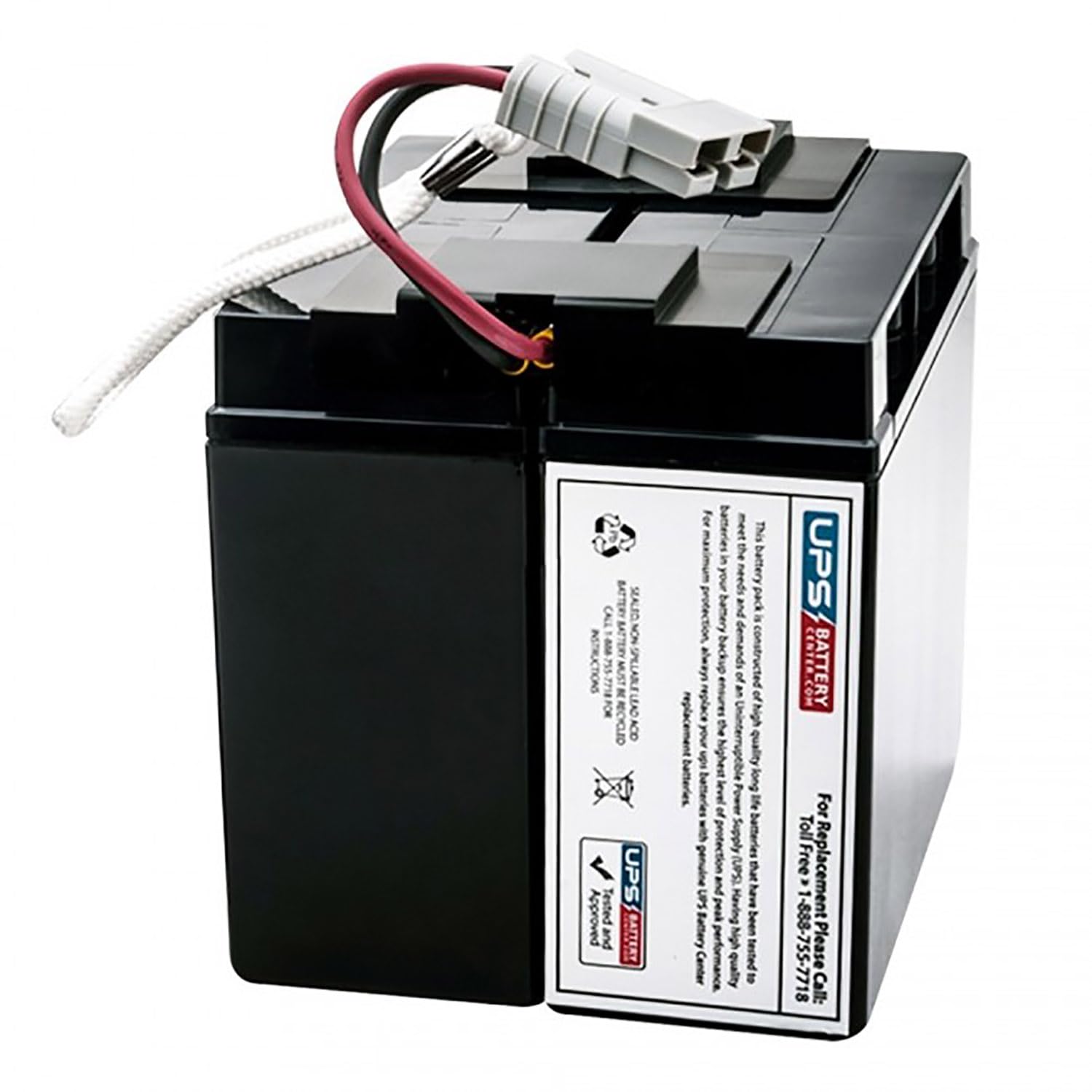
This manual provides essential information for the safe and effective installation, operation, and maintenance of your APC RBC7 Replacement Battery Cartridge. This battery pack is designed to meet the power demands of various APC SMART-UPS models, ensuring reliable backup power and protection for your electronic equipment. Please read this manual thoroughly before proceeding with installation or use.
Important Safety Information
Always observe the following safety precautions when handling batteries:
- Risk of Electric Shock: Batteries can present a risk of electric shock and high short circuit current. Exercise caution when working with batteries.
- Do Not Dispose of Batteries in Fire: Batteries may explode.
- Do Not Open or Mutilate Batteries: Released electrolyte is harmful to the skin and eyes. It may be toxic.
- Wear Protective Equipment: Always wear safety glasses and rubber gloves when handling batteries.
- Avoid Short Circuits: Do not lay tools or metal objects on the battery.
- California Proposition 65 Warning: This product contains chemicals known to the State of California to cause cancer and birth defects or other reproductive harm.
Package Contents
Verify that your package contains the following items:
- One (1) APC RBC7 Replacement Battery Cartridge
Installation Instructions
Follow these steps to safely replace the battery cartridge in your APC SMART-UPS unit. Refer to your specific UPS model's user manual for detailed instructions on accessing the battery compartment.
- Power Down the UPS: Turn off the UPS and any connected equipment.
- Disconnect from AC Power: Unplug the UPS power cord from the wall outlet.
- Locate Battery Compartment: Identify and open the battery compartment on your UPS. This may involve removing a front panel or cover.
- Disconnect and Remove Old Battery: Carefully disconnect the battery connector from the UPS. Gently slide the old battery cartridge out of the compartment. Note that the battery can be heavy.
- Insert New Battery: Slide the new APC RBC7 Replacement Battery Cartridge into the battery compartment. Ensure it is fully seated.
- Connect Battery Cables: Connect the battery connector from the new cartridge to the corresponding port within the UPS. Ensure a secure connection.
- Close Battery Compartment: Securely close the battery compartment cover or panel.
- Reconnect AC Power and Power On: Plug the UPS power cord back into the wall outlet. Turn on the UPS. The UPS will typically perform a self-test and begin charging the new battery.
Operation
After installation, allow the new battery cartridge to charge for at least 24 hours to reach its full capacity. During this time, the UPS will provide power protection, but optimal runtime may not be available until the battery is fully charged. The UPS will automatically manage the charging process.
Maintenance and Recycling
The APC RBC7 is a sealed, non-spillable lead-acid battery that requires minimal maintenance. For optimal battery life, ensure the UPS operates within recommended environmental conditions (temperature and humidity). Avoid exposing the UPS to extreme temperatures.
Battery Recycling: This battery is a sealed, non-spillable lead-acid battery and MUST BE RECYCLED. Do not dispose of the battery with household waste. For recycling instructions and assistance, please call 1-888-755-7718. Proper recycling helps protect the environment and conserves resources.
Troubleshooting
If you encounter issues after installing the new battery, consider the following:
| Problem | Possible Cause | Solution |
|---|---|---|
| UPS does not power on after battery replacement. | Battery connector not fully seated. | Ensure the battery connector is firmly plugged into the UPS. |
| Short runtime or battery not holding charge. | Battery not fully charged; UPS self-test needed. | Allow 24 hours for initial charge. Perform a UPS self-test (refer to UPS manual). |
| UPS indicates a battery fault. | Battery not recognized or faulty connection. | Verify battery connection. If issue persists, contact technical support. |
Product Specifications
- Brand: APC
- Model: RBC7 Replacement Battery Cartridge
- Voltage: 12 Volts
- Amperage: 18 Amps
- Material: Lead-acid battery with Absorbent Glass Mat (AGM) technology
- Color: Black
Warranty Information
This APC RBC7 Replacement Battery Cartridge is covered by a manufacturer's warranty. Please refer to the warranty documentation provided with your purchase or contact the manufacturer directly for specific terms and conditions.
Technical Support
For further assistance, technical support, or recycling inquiries, please contact:
UPSBatteryCenter Support: 1-888-755-7718


