
1. Introduction
Welcome to NHL 09, the ultimate hockey simulation for the Xbox 360. This manual provides essential information to help you get started and make the most of your gaming experience. NHL 09 introduces an all-new Be A Pro mode, allowing you to immerse yourself in a complete career as a professional hockey player. The game features an intuitive control system designed to be accessible for new players while offering depth for seasoned veterans. Experience the thrill of a Dynasty career in European leagues and strive to become a hockey legend.
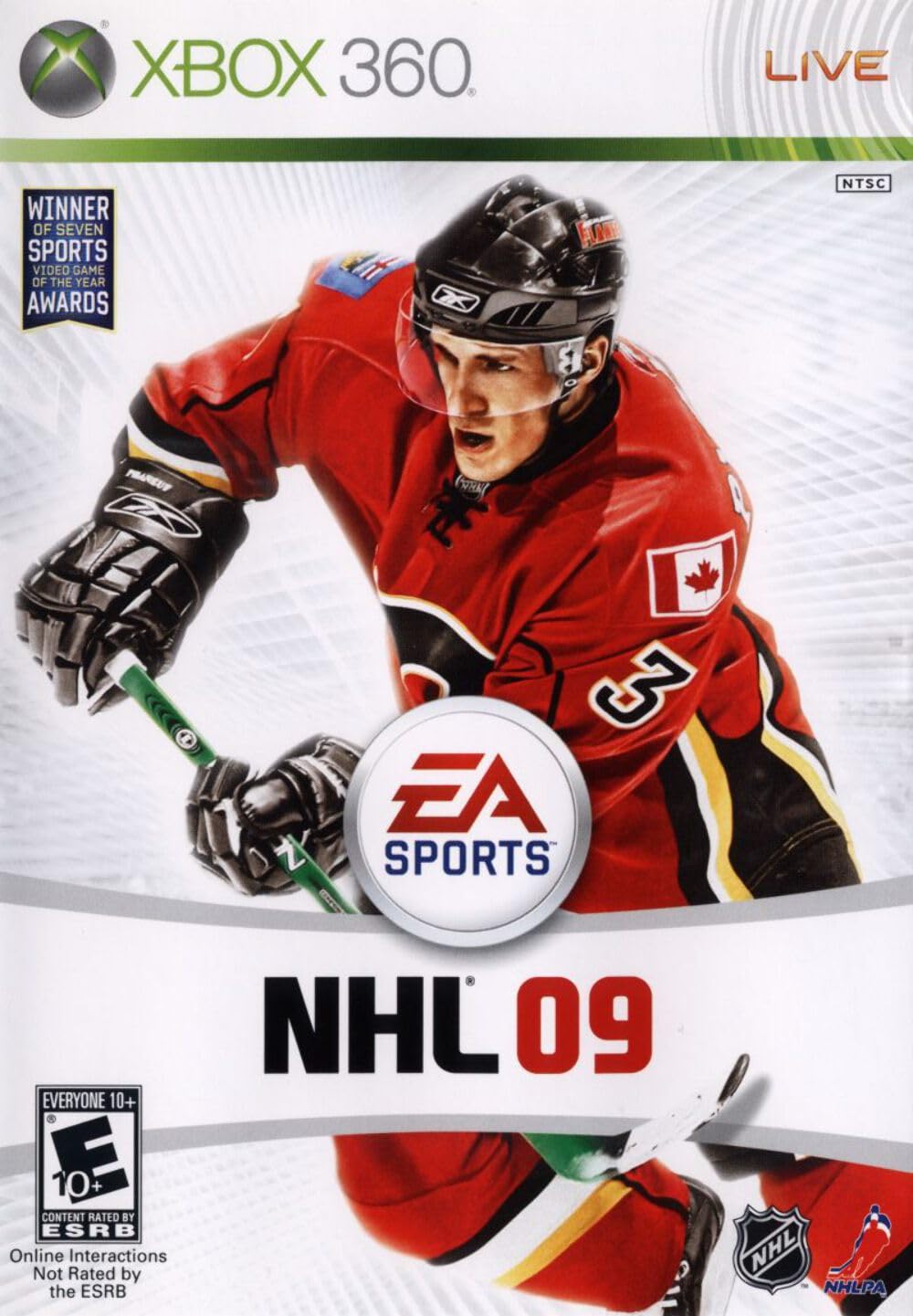
Figure 1: NHL 09 Xbox 360 Game Box Art
2. Key Features
NHL 09 offers a range of features designed to enhance your gameplay:
- Be A Pro Mode: Play an entire career as a created or existing player from a dynamic camera angle.
- Massive Multiplayer Online: Engage in six vs. six team play online.
- Enhanced Physics Engine: Experience an all-new physics-based checking and fighting engine for increased game intensity.
- Defensive Skill Stick: Utilize 360° stick control to block passing lanes or disrupt opponent one-timers.
- Flip Dumps: Execute strategic puck dumps to initiate forechecks and offensive plays.
- One-Handed Dekes: Perform advanced one-handed dekes to outmaneuver goalies and score.
- Protect the Puck: Shield the puck effectively to drive to the net and maintain possession.

Figure 2: Back of NHL 09 Game Box highlighting key features and system requirements.
3. Setup
- Insert Game Disc: Gently insert the NHL 09 game disc into your Xbox 360 console's disc tray.
- System Requirements: Ensure your Xbox 360 console meets the following requirements:
- Players: 1-4 (Offline)
- Co-op: 2-4 (Offline)
- Save Game: 3 MB minimum
- HDTV: Supports 720p/1080i/1080p (separate cables may be required, sold separately)
- Gamepad: Required
- Headset: Supported
- Custom Soundtracks: Supported
- In-game Dolby Digital: Supported
- Xbox LIVE Requirements (Optional): For online multiplayer and content downloads:
- Paid subscription to Xbox LIVE required.
- Broadband Internet service (sold separately).
- Windows Live ID account.
- Hard drive or memory unit.
- Online multiplayer: 2-12 players.
- Online co-op: 2-8 players.
- Parental consent required for players under 13.
- Visit xbox.com/live/countries for more information on service availability.
- Installation: Follow on-screen prompts to install the game to your console's hard drive if desired. This may improve loading times.
4. Operating Instructions
4.1. Basic Gameplay
Navigate through the game menus using your gamepad. Select game modes such as "Play Now," "Be A Pro," "Dynasty Mode," or "Online Play."
4.2. Key Gameplay Mechanics
- Defensive Skill Stick: Use the right analog stick for precise 360-degree stick control. This allows you to actively block passing lanes, poke check opponents, and lift their sticks to prevent shots or passes.
- Flip Dumps: To execute a flip dump, cross the center line and use the designated button combination (refer to in-game controls for specifics). This sends the puck deep into the offensive zone, allowing your teammates to forecheck and regain possession.
- One-Handed Dekes: When approaching the goalie, you can pull the puck to one side and then perform a one-handed deke to slip the puck past the goalie. This requires precise timing and control.
- Protect the Puck: Hold down the "Protect Puck" button (refer to in-game controls) to shield the puck from opposing players. Your player will use their body to maintain possession, allowing you to drive to the net or create space.
- Be A Pro Mode: In this mode, you control a single player throughout their career. Focus on improving your player's skills, completing objectives, and making strategic decisions to advance from the AHL to the NHL and become a legend.
4.3. Official Product Videos
Watch these official videos for a visual guide to some of NHL 09's features and gameplay:
NHL 09 - Trailer 3
Video 3: Explaining the new Flip Dumps and improved checking mechanics.
NHL 09 - Trailer 4
Video 4: Showcasing advanced offensive moves like One-Handed Dekes and puck protection.
5. Maintenance
- Disc Care: Keep the game disc clean and free from scratches. Hold the disc by its edges and store it in its original case when not in use.
- Console Ventilation: Ensure your Xbox 360 console has adequate ventilation to prevent overheating, which can affect game performance and console longevity.
- Software Updates: Periodically check for and install any available system software updates for your Xbox 360 console to ensure optimal game compatibility and performance.
6. Troubleshooting
- Disc Read Error: If you encounter a "Disc Read Error," ensure the disc is clean and free of scratches. Try cleaning the disc with a soft, lint-free cloth. If the issue persists, try another game disc to determine if the problem is with the console or the game disc.
- Game Freezes/Crashes: If the game freezes or crashes, try restarting your Xbox 360 console. Ensure your console's software is up to date. If the game is installed to the hard drive, try deleting and reinstalling it.
- Online Connectivity Issues: For problems connecting to Xbox LIVE or online multiplayer, verify your internet connection and Xbox LIVE subscription status. Check network settings on your console and consult the Xbox LIVE support website for further assistance.
- Controller Issues: If your gamepad is not responding, ensure it is properly connected or has sufficient battery charge.
7. Specifications
| Attribute | Value |
|---|---|
| Brand | Electronic Arts |
| Model Number | 15582 |
| Platform | Xbox 360 |
| Release Date | September 9, 2008 |
| ESRB Rating | Everyone 10+ (Mild Violence) |
| Product Dimensions | 7.5 x 5.5 x 0.75 inches |
| Item Weight | 3.2 ounces |
| Language | English |
| UPC | 014633155822, 014633358629 |
8. Important Warnings
WARNING: Read the instruction manual for information about photosensitive seizures and other important safety and health information.
For further details, please refer to the full manual included with your game or visit the official Electronic Arts website.
This product is for use only with Xbox 360 entertainment systems with NTSC designation. Unauthorized copying, reverse engineering, transmission, public performance, rental, pay for play, or circumvention of copy protection is strictly prohibited.
9. Warranty and Support
For warranty information, technical support, or to access online features, please visit the official Electronic Arts website:
- Official Website: www.ea.com
- Online Features: Registration and subscription may be required for online features. You must be 13+ to register with EA Online. EA may retire online features after 30 days' notice posted on www.ea.com or 30 days after the last day of the 2008-2009 NHL season.
- Xbox LIVE Support: For issues related to Xbox LIVE, visit www.xbox.com/live.
Game and manual are available in English and French.


