
1. Introduction
Welcome to the instruction manual for your Value Roline Manual USB 2.0 Printer Switch. This device allows two computers to share a single USB 2.0 printer, providing a convenient solution for environments with multiple PCs and one printer. Please read this manual carefully before use to ensure proper installation and operation.
2. Product Overview
Key Features
- Allows two computers to share one USB printer.
- Supports USB 2.0 connectivity.
- PC-to-device assignment is controlled via a push-button switch.
- Two LED indicators display the currently active port.
- Requires no external power supply.
Package Contents
- 1 x Roline Manual USB 2.0 Printer Switch
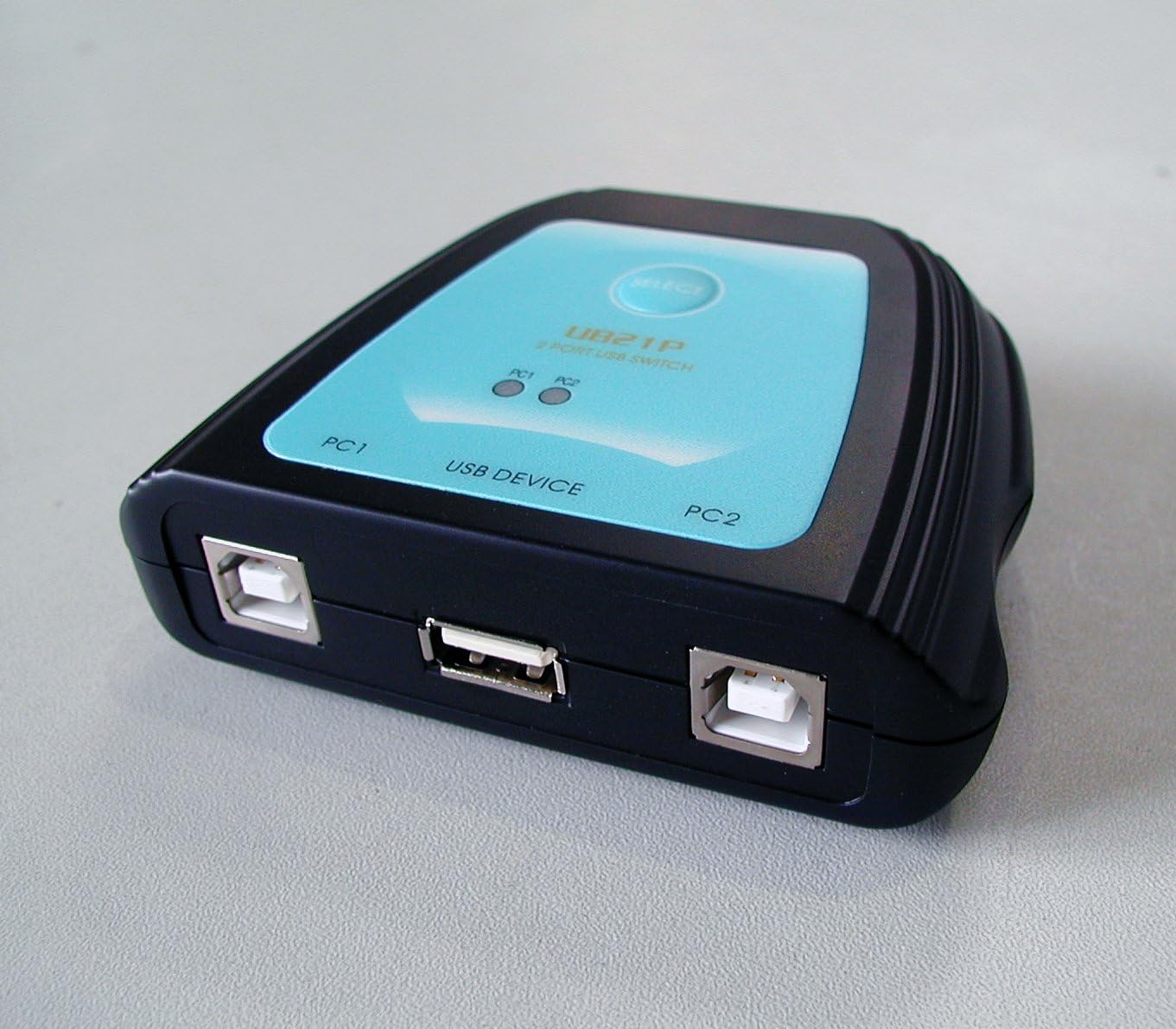
The top of the Roline USB switch features a 'SELECT' button to toggle between connected computers. Two LED lights, labeled 'PC1' and 'PC2', indicate which computer is currently active and connected to the shared USB device.
3. Setup
Connecting the Device
- Ensure all computers and the printer are powered off.
- Connect the USB cable from the printer to the "USB DEVICE" port on the Roline switch.
- Connect a USB cable from the first computer (PC1) to the "PC1" port on the Roline switch.
- Connect a USB cable from the second computer (PC2) to the "PC2" port on the Roline switch.
- Power on your computers and printer.
Driver Installation
The Roline Manual USB 2.0 Printer Switch is a plug-and-play device and typically does not require specific drivers. However, ensure that the necessary drivers for your printer are installed on both connected computers. If drivers are missing, install them according to your printer's manufacturer instructions.

This diagram illustrates the connection flow: two computers (PC1 and PC2) connect to the Roline USB switch, and the switch then connects to a single USB printer. This setup allows both computers to share the printer.
4. Operating Instructions
Switching Between Computers
The Roline Manual USB 2.0 Printer Switch features a push-button selector on its top panel.
- To select PC1, press the button until the LED indicator for "PC1" illuminates. The printer is now accessible by PC1.
- To select PC2, press the button until the LED indicator for "PC2" illuminates. The printer is now accessible by PC2.
Only one computer can access the printer at a time. The illuminated LED indicates which computer currently has control of the printer.
5. Maintenance
- Keep the device in a dry, dust-free environment.
- Clean the exterior with a soft, dry cloth. Do not use liquid cleaners or solvents.
- Avoid placing heavy objects on the switch.
- Ensure proper ventilation around the device.
6. Troubleshooting
Common Issues and Solutions
- Printer not responding:
- Ensure the correct PC (PC1 or PC2) is selected on the switch, indicated by the illuminated LED.
- Verify all USB cables are securely connected to the switch, computers, and printer.
- Check if the printer is powered on and has paper/ink.
- Restart the computers and the printer.
- Confirm that printer drivers are correctly installed on the active computer.
- LED indicators not lighting up:
- The device does not require external power; it draws power from the USB connection. Ensure at least one computer is powered on and connected correctly.
- Try connecting the switch to a different USB port on the computer.
- Slow printing or data transfer:
- While the switch supports USB 2.0, performance can be affected by cable quality and length. Use high-quality USB 2.0 cables.
- Ensure no other high-bandwidth USB devices are connected to the same USB hub on the computer.
7. Specifications
| Model Number | 14.99.5032 |
| Brand | Value |
| Product Dimensions (L x W x H) | 7 x 9 x 2.5 cm |
| Weight | 90 g |
| Connectivity | USB 2.0 |
| Ports | 2 x USB-B (input for PCs), 1 x USB-A (output for device) |
| Control Method | Manual push-button |
| Indicators | 2 x LED (PC1, PC2) |
| External Power | Not required |
| Material | Plastic |
| Operating Temperature | Up to 40°C |
| Country of Origin | China |
8. Warranty and Support
Warranty Information
This Value Roline Manual USB 2.0 Printer Switch comes with a 2-year manufacturer's warranty. Please retain your proof of purchase for warranty claims. The warranty covers defects in materials and workmanship under normal use. It does not cover damage caused by misuse, accidents, unauthorized modifications, or external factors.
Technical Support
For technical assistance or further inquiries, please contact your retailer or the manufacturer's support channels. Refer to the packaging or manufacturer's website for contact details.


