
Introduction
Thank you for purchasing the Access Lighting 85004-BL Sm-Art Picture Light. This manual provides essential information for the safe installation, operation, and maintenance of your new picture light. Please read these instructions thoroughly before installation and retain them for future reference.
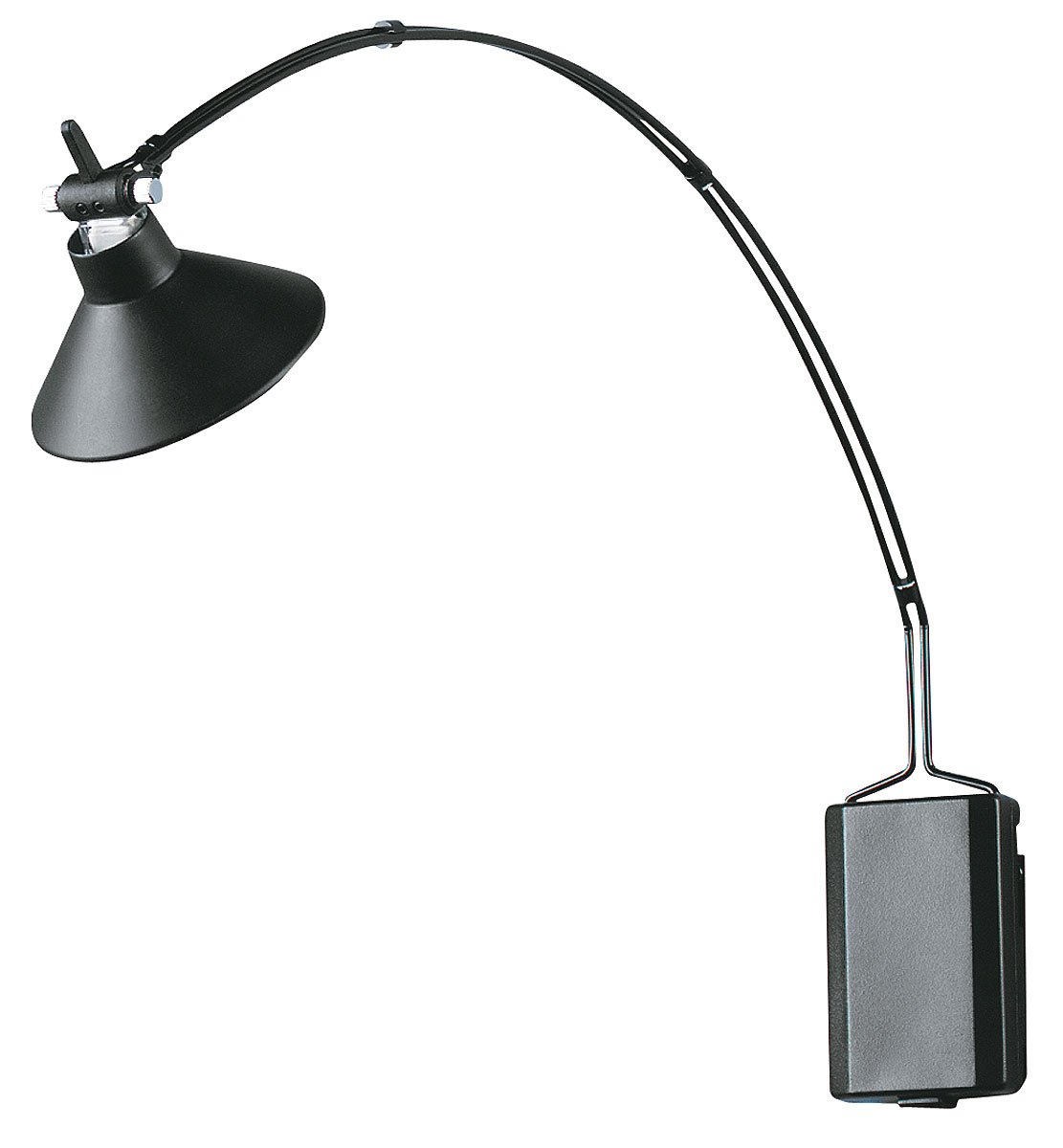
An image showing the Access Lighting 85004-BL Sm-Art Picture Light in black finish, suitable for illuminating artwork.
Safety Information
Always follow basic safety precautions when installing and operating electrical equipment to reduce the risk of fire, electric shock, and personal injury.
- UL Listed: This product is UL (Underwriter's Laboratory) listed, ensuring it meets recognized safety standards.
- Dry Location Rated: This fixture is rated for interior dry installation only. Do not install in damp or wet locations.
- Electrical Disconnection: Always disconnect power at the circuit breaker or fuse box before installation, servicing, or changing the light bulb.
- Qualified Electrician: If you are unsure about the installation process, consult a qualified electrician.
- Voltage Requirement: Ensure the power supply is 12 volts, as specified for this fixture. Using an incorrect voltage can damage the fixture and pose a safety risk.
- Bulb Type: Use only the specified bulb type: one 35 watt MR16 GU5.3 12 volt halogen light bulb.
Package Contents
Verify that all components are present before beginning installation:
- Access Lighting 85004-BL Sm-Art Picture Light Fixture
- Mounting Hardware (screws, anchors, etc.)
- Instruction Manual
Note: The 35 watt MR16 GU5.3 12 volt halogen light bulb and 12-volt power supply are typically sold separately unless otherwise specified by your retailer.
Setup and Installation
This fixture is designed for semi-flush mount installation. Follow these steps carefully:
- Prepare for Installation: Turn off power at the main circuit breaker or fuse box. Ensure the power is completely disconnected before proceeding.
- Unpack and Inspect: Carefully remove all contents from the packaging. Inspect the fixture for any damage. Do not install if the product is damaged.
- Identify Mounting Location: Choose a suitable location on the wall or ceiling for the picture light, ensuring it is a dry interior location.
- Install Mounting Bracket: Secure the mounting bracket to the wall or ceiling using the provided mounting hardware. Ensure it is firmly attached.
- Electrical Connection: Connect the fixture's wires to the 12-volt power supply (not included) according to local electrical codes. Ensure all connections are secure and properly insulated. This fixture requires a 12-volt power source.
- Attach Fixture: Carefully attach the picture light fixture to the installed mounting bracket. Secure it with the provided screws or fasteners.
- Install Bulb: Insert one 35 watt MR16 GU5.3 12 volt halogen light bulb into the socket. Handle halogen bulbs with a clean cloth to avoid oil transfer from fingers, which can reduce bulb life.
- Restore Power: Once installation is complete and all connections are secure, restore power at the circuit breaker.
Operating Instructions
The Access Lighting 85004-BL Sm-Art Picture Light operates by simply turning on the power supply to which it is connected. Ensure the 12-volt power supply is switched on to illuminate the fixture. Turn off the power supply to turn off the light.
Maintenance
Regular maintenance ensures optimal performance and longevity of your picture light.
- Cleaning: Disconnect power before cleaning. Wipe the fixture with a soft, dry cloth. Do not use abrasive cleaners, solvents, or polishes as they may damage the finish.
- Bulb Replacement:
- Turn off power at the circuit breaker and allow the bulb to cool completely.
- Carefully remove the old 35 watt MR16 GU5.3 12 volt halogen light bulb.
- Insert a new 35 watt MR16 GU5.3 12 volt halogen light bulb. Avoid touching the new bulb with bare hands; use a clean cloth or gloves.
- Restore power.
Troubleshooting
If you encounter issues with your picture light, refer to the following common problems and solutions:
- Light Does Not Turn On:
- Check if the power is on at the circuit breaker.
- Ensure the 12-volt power supply is functioning and switched on.
- Verify the light bulb is correctly installed and not burnt out. Replace if necessary.
- Check electrical connections for looseness or damage.
- Light is Dim or Flickering:
- Ensure the correct 35 watt MR16 GU5.3 12 volt halogen bulb is used.
- Check for loose electrical connections.
- The bulb may be nearing the end of its life; try replacing it.
Specifications
| Brand | Access Lighting |
| Model Number | 85004-BL |
| Product Type | Picture Light |
| Color | Black |
| Material | Metal Shades |
| Style | Transitional Lighting |
| Light Source Type | Halogen Bulbs |
| Number of Light Sources | 1 |
| Bulb Type | MR16 GU5.3 |
| Wattage | 35 Watts |
| Voltage | 12 Volts |
| Power Source | Corded Electric |
| Installation Type | Semi Flush Mount |
| Width | 12 inches |
| Height | 13 inches |
| Item Weight | 2.27 kg (5 Pounds) |
| Safety Certification | UL Listed |
| Room Type | Laboratory (Note: This is a general classification; suitable for various interior dry rooms.) |
Warranty and Support
This Access Lighting product is covered by a manufacturer's warranty. For specific warranty details, terms, and conditions, please refer to the documentation provided with your purchase or contact Access Lighting customer support directly.
For technical assistance, replacement parts, or further inquiries, please visit the official Access Lighting website or contact their customer service department. When contacting support, please have your model number (85004-BL) and purchase information readily available.