
Introduction
The Peerless-AV PT650 Universal Tilt Wall Mount is designed to securely hold 39-inch to 75-inch flat panel displays. This mount offers adjustable tilt functionality to optimize viewing angles and features a robust design for various wall types. Please read this manual thoroughly before installation and use to ensure safe and proper operation.
What's in the Box
Verify that all components are present before beginning installation.
- Universal Tilt Wall Mount for 39in to 75in Displays
- Wall and Display Installation Hardware Kit
- Installation Instructions Manual (this document)
Specifications
| Mounting Type | Wall Mount |
| Movement Type | Fixed, Tilt |
| Brand | Peerless-AV |
| Color | Black |
| Compatible Devices | Television |
| Maximum Tilt Angle | 15 Degrees (forward) |
| Minimum Tilt Angle | -5 Degrees (backward) |
| Maximum Supported Screen Size | 75 Inches |
| Minimum Supported Screen Size | 39 Inches |
| Weight Capacity | 175 Pounds |
| Mounting Pattern (Max) | 29.06" W x 17.67" H |
| Item Weight | 10.3 Pounds |
Safety Information
- Weight Limit: Do not exceed the maximum weight capacity of 175 pounds (79.4 kg). Exceeding this limit can result in serious injury or equipment damage.
- Screen Size: This mount is designed for displays between 39 and 75 inches. Using displays outside this range may compromise stability.
- Wall Structure: Ensure the mounting surface can safely support the combined weight of the mount and the display. Mount only to wood studs, concrete, cinder block, or metal studs (metal stud accessory required, sold separately).
- Professional Installation: If you are unsure about the installation process or the integrity of your wall, consult a qualified professional installer.
- Hardware: Use only the provided hardware or appropriate alternatives as specified in the instructions. Incorrect hardware can lead to mount failure.
- Cables: Ensure all cables are routed safely and are not pinched or stressed after installation.
Setup and Installation
Proper installation is crucial for the safety and performance of your display. Follow these steps carefully.
Tools Required (Not Included):
- Stud Finder
- Drill with appropriate drill bits
- Level
- Measuring Tape
- Pencil
- Socket Wrench or Adjustable Wrench
Step-by-Step Installation:
- Prepare the Wall:
Locate and mark the center of two adjacent wood studs using a stud finder. For concrete or cinder block walls, mark your desired mounting points. For metal studs, a metal stud accessory kit is required (sold separately).
- Attach Wall Plate:
Position the wall plate at the desired height, ensuring it is level. Mark the drilling locations through the holes on the wall plate. Drill pilot holes according to the instructions provided with your hardware kit for your specific wall type. Secure the wall plate to the wall using the appropriate lag bolts and washers. Ensure it is firmly attached.
The open wall plate design allows for greater access to electrical outlets and cable management after installation.
- Attach Display Brackets:
Identify the correct size screws (M4, M5, M6, or M8) and spacers from the hardware kit that fit your display's mounting holes. Attach the two vertical display brackets to the back of your television. Ensure the brackets are centered and securely fastened. The universal mount accommodates screens with mounting patterns up to 29.06 inches W x 17.67 inches H.
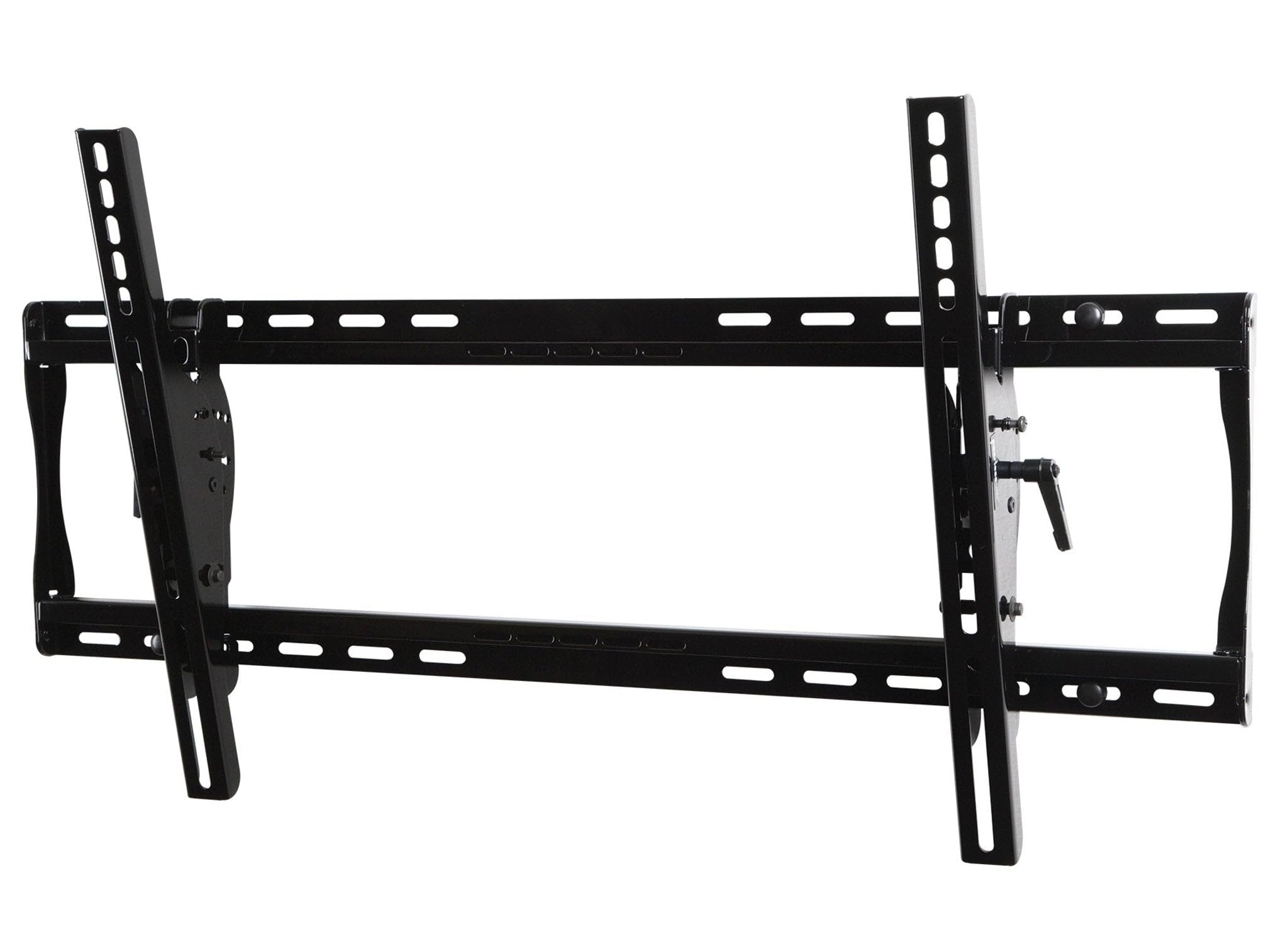
Image: The Peerless-AV PT650 wall mount, showing the main wall plate and the vertical display brackets. This image illustrates the components before or during the installation process.
- Hang the Display:
With assistance, carefully lift the display and hook the attached display brackets onto the wall plate. Ensure both brackets are securely seated on the wall plate. Engage the safety locking mechanisms (if present) to prevent accidental dislodgement.
- Adjust Horizontal Position:
The display can be horizontally adjusted up to 8 inches (depending on screen model) for perfect screen placement after hanging.
Operating the Tilt Function
The PT650 mount allows for easy adjustment of your display's viewing angle.
- Standard Tilt: The mount offers an adjustable tilt range of +15 degrees forward and -5 degrees backward. To adjust, gently push or pull the bottom of the display to achieve the desired angle.
- IncreLock Feature: For fixed tilt angles, the optional IncreLock feature allows you to set the display at specific angles: -5 degrees, 0 degrees, 5 degrees, 10 degrees, or 15 degrees. Consult the detailed instructions in the hardware kit for engaging and disengaging the IncreLock mechanism.
Maintenance
The Peerless-AV PT650 mount requires minimal maintenance.
- Cleaning: Wipe the mount with a soft, dry cloth to remove dust. Do not use abrasive cleaners or solvents.
- Periodic Checks: Periodically check all screws and bolts to ensure they remain tight. Over time, vibrations or adjustments can cause fasteners to loosen.
- Moving the Display: If you need to move the display, always remove it from the mount before relocating the mount itself.
Troubleshooting
If you encounter issues during or after installation, refer to these common solutions.
- Display is not level:
Ensure the wall plate was installed perfectly level. Some mounts offer post-installation leveling adjustments; consult your specific hardware kit instructions. If not, the wall plate may need to be re-installed.
- Difficulty tilting the display:
Check if the IncreLock feature is engaged. Disengage it if you desire free tilt movement. Ensure no cables are obstructing the tilt mechanism. The tilt mechanism may require a firm but gentle push/pull.
- Mount feels unstable:
Immediately remove the display. Re-check all wall plate fasteners and display bracket screws for tightness. Verify that the wall structure is appropriate and that the weight of your display does not exceed the mount's capacity.
Warranty and Support
This Peerless-AV PT650 Universal Tilt Wall Mount comes with a Limited 5 Year Warranty.
For detailed warranty information, technical support, or to purchase accessories, please visit the official Peerless-AV website or contact their customer service department.
You can also visit the Peerless-AV Store on Amazon for more product information and support resources.


