
1. Product Overview
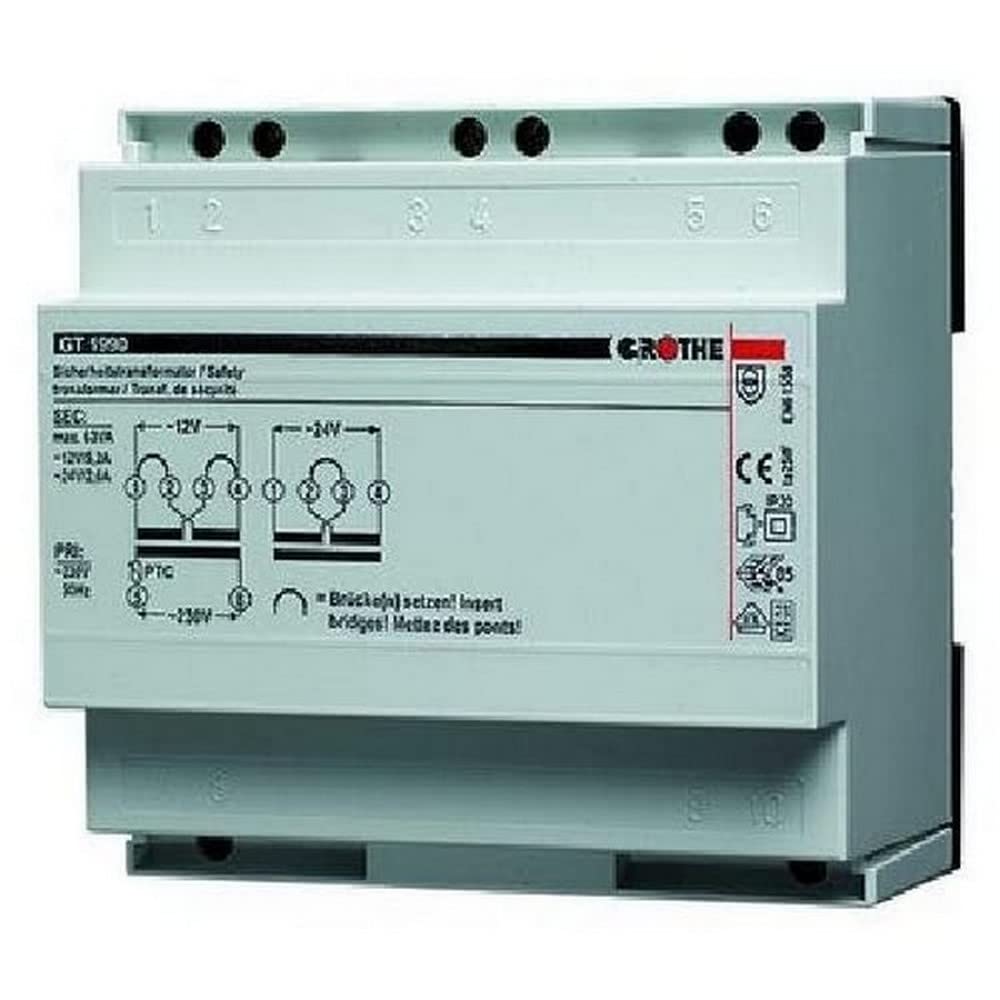
The Grothe GT 1980 Safety Transformer (Model 1512008) is designed for converting 230V AC input voltage to a safe 12-32V AC output. This flush-mounted transformer is suitable for various professional and personal electrical applications requiring a stable and safe low-voltage supply.
Key Features:
- Compact design for flush mounting.
- Converts 230V AC to 12-32V AC.
- TÜV certified for safety.
2. Safety Information
WARNING: Risk of electric shock. Installation and maintenance must be performed by qualified personnel only. Disconnect power before installation or servicing.
- Always disconnect the main power supply before working with electrical components.
- Ensure all wiring complies with local electrical codes and regulations.
- Do not expose the transformer to moisture or extreme temperatures.
- Verify correct input and output voltage connections to prevent damage to the transformer or connected devices.
- Never attempt to open or modify the transformer casing.
3. Package Contents
- 1x Grothe GT 1980 Safety Transformer
4. Setup and Installation
The Grothe GT 1980 transformer is designed for flush mounting. Ensure all electrical work is performed by a qualified electrician and that power is disconnected before installation.
Installation Steps:
- Disconnect Main Power: Turn off the main power supply at the circuit breaker before beginning any electrical work.
- Prepare Mounting Location: Select a suitable location for flush mounting, ensuring adequate space and ventilation according to local electrical codes.
- Connect Input Wires: Connect the 230V AC input wires to the designated input terminals on the transformer. Ensure connections are secure.
- Connect Output Wires: Connect the 12-32V AC output wires to the designated output terminals. Ensure connections are secure.
- Secure Transformer: Mount the transformer securely in its flush-mounted position.
- Restore Power: Once all connections are verified and the transformer is securely mounted, restore the main power supply and test the output voltage.
5. Operating Instructions
Once correctly installed and powered, the Grothe GT 1980 Safety Transformer operates automatically, providing a stable 12-32V AC output from a 230V AC input. No user interaction is required for its basic function. Ensure that the connected load does not exceed the transformer's specified power rating.
6. Maintenance
The Grothe GT 1980 Safety Transformer requires minimal maintenance. Follow these guidelines:
- Regular Inspection: Periodically inspect the transformer and its connections for any signs of damage, wear, loose wiring, or overheating.
- Keep Clean: Ensure the mounting area remains clear of dust and obstructions to allow for proper ventilation.
- No User-Serviceable Parts: Do not attempt to open or repair the transformer. It contains no user-serviceable parts. Any repairs should be handled by qualified service personnel.
7. Troubleshooting
No Output Voltage:
- Check if the main power supply is connected and active.
- Verify all input and output wiring connections are secure.
- Ensure the input voltage is 230V AC.
- If the issue persists, consult a qualified electrician.
Incorrect Output Voltage:
- Confirm the load connected to the transformer is within its specified operating range.
- Check for any loose connections.
- If the issue persists, consult a qualified electrician.
8. Specifications
| Manufacturer | Grothe |
| Model Number | 1512008 |
| Product Dimensions (L x W x H) | 9.4 x 9.3 x 7.5 cm |
| Weight | 199.58 grams |
| Power Source | Wired Electric |
| Input Voltage | 230 Volts AC |
| Output Voltage | 12-32 Volts AC |
| Power | 1 Watt |
| Number of Items in Package | 1 |
| Mounting Type | Flush Mount |
| Certifications | TÜV |
| Recommended Use | Professional and Personal |
| Batteries Included | No |
| Batteries Required | No |
| Spare Parts Availability | Information unavailable |
9. Warranty and Support
For warranty information and technical support, please contact your retailer or the manufacturer, Grothe, directly. Information regarding spare parts availability is currently not provided. Please refer to your purchase documentation for specific warranty terms and contact details.


