1. Product Overview
The GE Z-Wave Wireless Smart Lighting Control Outdoor Module (Model 45604) allows you to wirelessly control outdoor lighting and appliances. This plug-in module integrates with Z-Wave certified gateways, enabling remote on/off control and scheduling from a mobile device or computer. Its weather-resistant design is suitable for various outdoor applications.
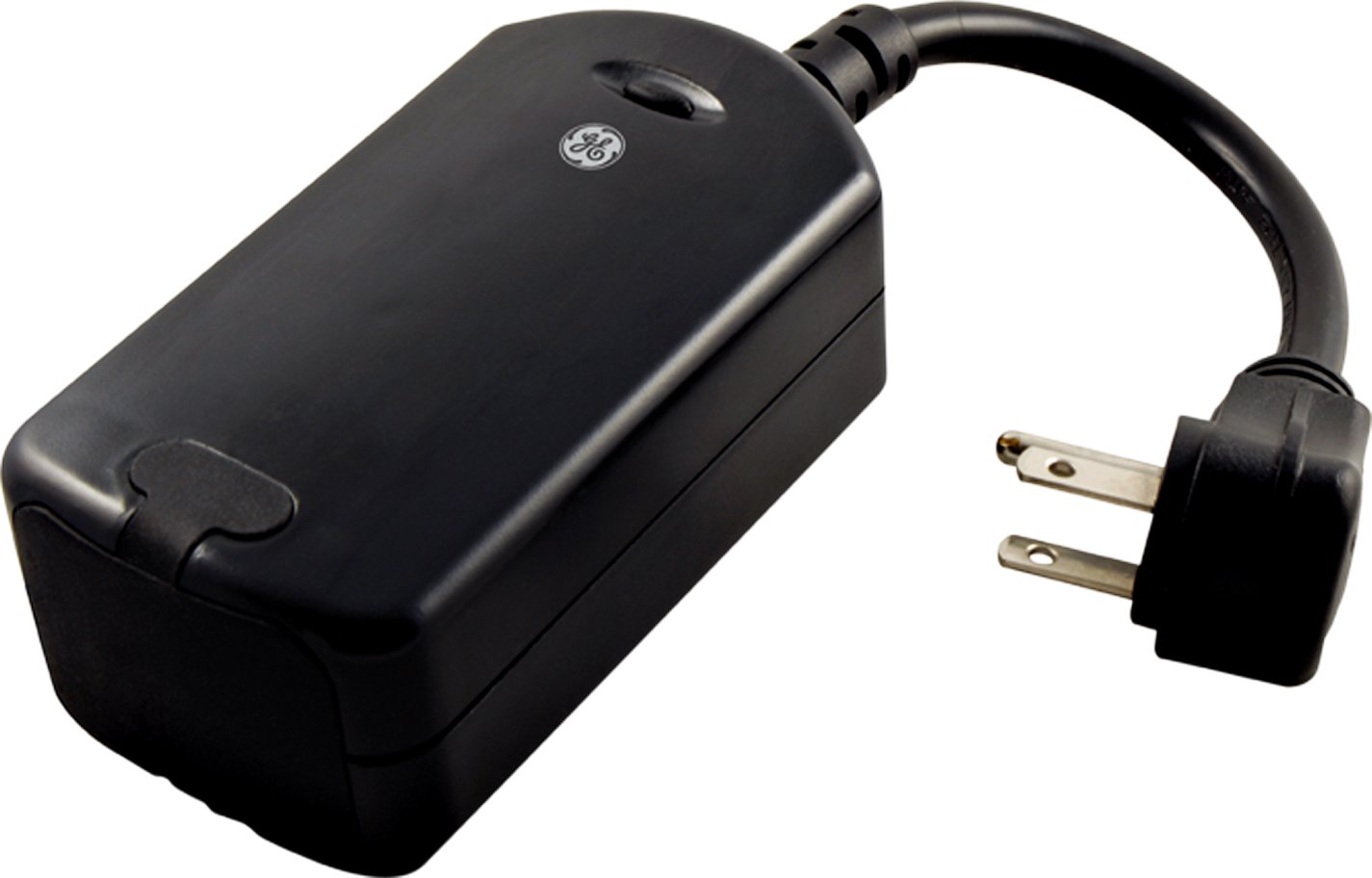
Figure 1: GE Z-Wave Wireless Smart Lighting Control Outdoor Module in its retail packaging. The image shows the black module and highlights its outdoor use and Z-Wave compatibility.
2. Setup and Installation
Follow these steps to set up your GE Z-Wave Outdoor Module:
- Placement: Select an outdoor location that is protected from direct heavy rain or submersion. The module is weather and impact resistant, but not fully waterproof. Ensure the location is within range of your Z-Wave gateway.
- Plug In: Plug the GE Z-Wave Outdoor Module into a standard 120V AC outdoor electrical outlet.
- Connect Appliance: Plug the outdoor lighting or appliance you wish to control into the module's integrated outlet.
- Pair with Z-Wave Gateway:
- Put your Z-Wave certified gateway (e.g., SmartThings, Wink, Vera, Nexia, Honeywell) into inclusion or pairing mode. Refer to your gateway's instruction manual for specific steps.
- Press the manual push-button control on the GE Outdoor Module once. The module will attempt to pair with the gateway.
- Confirm successful pairing through your gateway's interface.
- Alexa Compatibility: For voice control with Amazon Alexa, an Alexa-supported Z-Wave hub is required (sold separately). The module cannot connect directly to Echo Plus.

Figure 2: A close-up view of the GE Outdoor Smart Plug, showing its robust design suitable for outdoor use. This image illustrates the module's physical appearance and integrated outlet.
3. Operation
Once successfully paired, you can control the connected device using the following methods:
- Wireless Control: Use your Z-Wave certified gateway's mobile application or web interface to turn the connected outdoor lighting or appliance on and off. You can also set schedules and timers for automated control.
- Manual Control: The module features a manual push-button control on its front. Press this button once to toggle the power to the connected device ON or OFF.
- Voice Control (with compatible hub): If connected to an Alexa-supported Z-Wave hub, you can use voice commands through your Amazon Alexa device to control the module.

Figure 3: An illustrative image depicting wireless control, symbolizing the ability to manage the outdoor module remotely via a smart device or Z-Wave controller.
4. Maintenance
The GE Z-Wave Outdoor Module is designed for durability in outdoor environments. To ensure optimal performance and longevity:
- Protection: While weather and impact resistant, avoid direct exposure to heavy rain or submersion in water. Position the module in a sheltered outdoor location.
- Outlet Cover: When no appliance is plugged into the module, ensure the integrated protective outlet cover is securely closed to prevent dirt and debris from entering the outlet.
- Cleaning: Disconnect the module from the power outlet before cleaning. Wipe the exterior with a soft, damp cloth. Do not use harsh chemicals or abrasive cleaners.
5. Troubleshooting
If you experience issues with your GE Z-Wave Outdoor Module, consider the following:
- Device Not Responding:
- Ensure the module is properly plugged into a live outlet.
- Verify the connected appliance is functioning correctly when plugged directly into a standard outlet.
- Check if the module is still paired with your Z-Wave gateway. If not, attempt to re-pair it.
- Range Issues: Z-Wave uses a mesh network. The range can be affected by walls, construction materials, and distance.
- Ensure there are other Z-Wave devices between the module and your gateway to act as repeaters, extending the network's reach.
- Relocate the module or gateway to improve signal strength.
- Inclusion/Exclusion Problems: If you have difficulty pairing or unpairing the device, try performing an exclusion process on your Z-Wave gateway first, then attempt inclusion again.

Figure 4: An illustration representing Z-Wave signal transmission and range extension, highlighting the mesh networking capability that helps overcome range limitations.
7. Warranty and Support
Warranty Information: This GE Z-Wave Outdoor Module is covered by a 1-year limited manufacturer's warranty. Please retain your proof of purchase for warranty claims. The warranty covers defects in materials and workmanship under normal use.
Customer Support: For technical assistance, troubleshooting beyond this manual, or warranty inquiries, please contact GE customer support or refer to the support resources provided by Jasco, the manufacturer. Contact information can typically be found on the product packaging or the manufacturer's official website.


