
KRUPS B90
BeerTender from Heineken and Krups B90 Home Beer-Tap System
Model: B90 | Brand: KRUPS
Introduction
The Krups BeerTender B90 system, developed in partnership with Heineken, provides an optimal home beer-tap experience. This system is designed for use with 5-liter Heineken DraughtKegs, ensuring fresh, crisp beer with a signature head of foam.
Key features include:
- Silent cooling system maintains an ideal serving temperature of 41 degrees F (5 degrees C).
- Keeps beer fresh for up to 30 days thanks to the DraughtKeg's internal carbonator pressure unit.
- Integrated LCD display panel shows both volume and temperature indicators.
- Features detachable components for easy cleaning, including a pour handle, draw spout, and removable tray.

Product Components
The BeerTender B90 system consists of several key parts designed for ease of use and maintenance:
- Main Unit: Houses the cooling system and keg compartment.
- Pour Handle: Detachable handle for dispensing beer.
- Draw Spout: Detachable spout where beer is dispensed.
- Removable Drip Tray: Collects any spills for easy cleaning.
- LCD Display Panel: Provides real-time information on beer volume and temperature.


Setup Instructions
Follow these steps to set up your BeerTender B90 system:
- Unpack the Unit: Carefully remove all components from the packaging. Ensure all protective materials are removed.
- Place the Drip Tray: Position the removable drip tray at the base of the BeerTender unit.
- Insert the Keg: Open the top lid of the BeerTender. Place a 5-liter Heineken DraughtKeg into the designated compartment. Ensure it is seated firmly.

Figure 4: Proper placement of the DraughtKeg into the BeerTender system. - Connect the Tube: Attach the plastic tube from the DraughtKeg to the BeerTender tap mechanism. This connection should be secure to prevent leaks.
- Plug In: Connect the power cord to a suitable electrical outlet. The unit will begin its silent cooling process.
- Allow to Chill: For optimal serving temperature, allow the BeerTender to cool the keg for several hours until the temperature indicator on the LCD display shows the ideal temperature (41 degrees F / 5 degrees C).
Operating Instructions
Using your BeerTender B90 is straightforward:
- Check Display: Before pouring, verify the LCD display panel. It will show the current beer volume level and the internal temperature. A green indicator typically signifies the ideal serving temperature has been reached.

Figure 5: The LCD display panel, indicating beer volume and temperature status. - Pouring Beer: Place a glass under the draw spout. Pull the pour handle forward to dispense beer. For a perfect pour with the signature head, tilt the glass at a 45-degree angle initially, then straighten it as it fills.
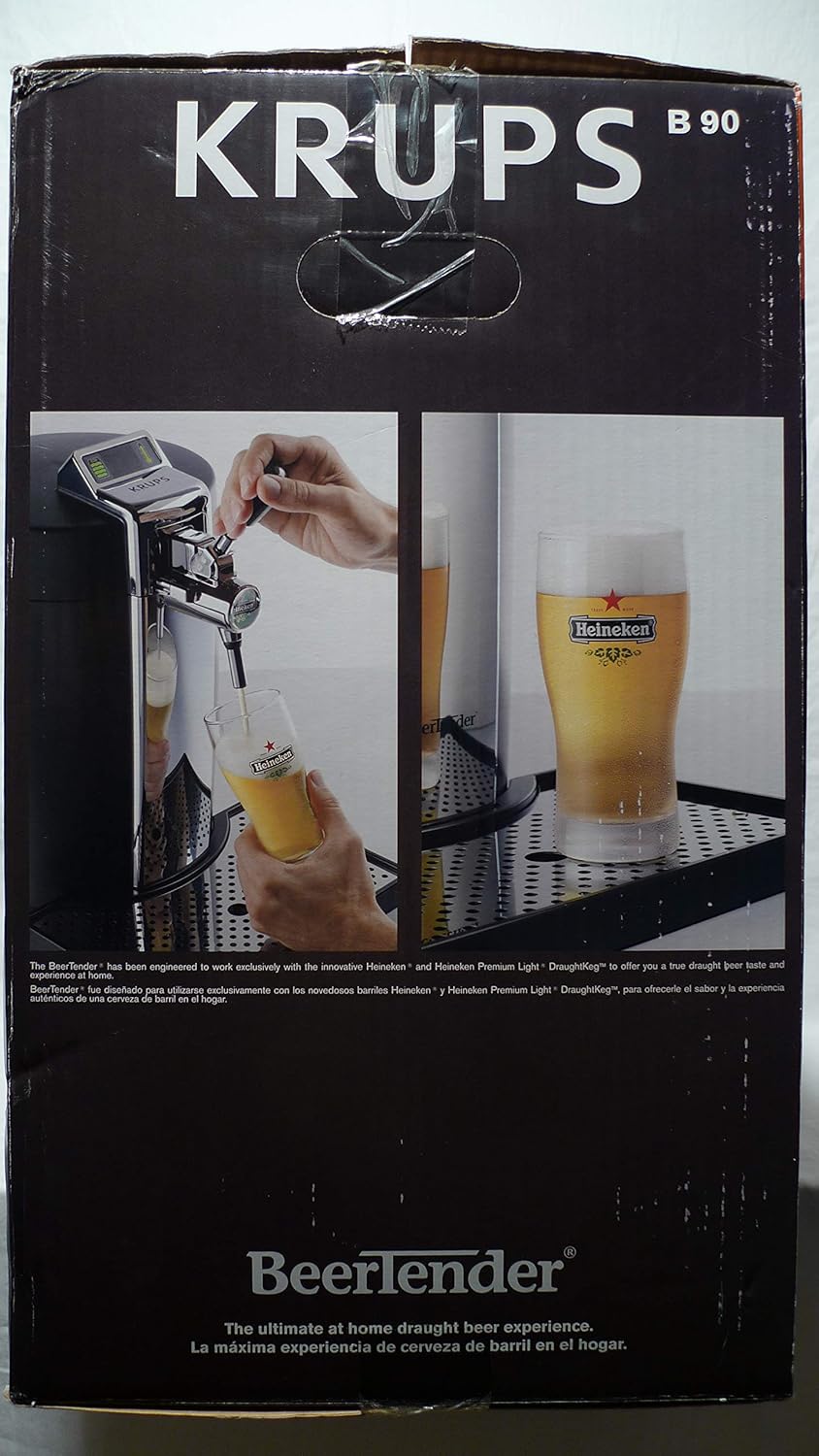
Figure 6: Demonstrating the proper technique for pouring beer from the BeerTender. - Stopping the Pour: Push the pour handle back to its original position to stop the flow of beer.
- Keg Freshness: The BeerTender system, in conjunction with the Heineken DraughtKeg, keeps beer fresh for up to 30 days after the first tap.
Maintenance and Cleaning
Regular cleaning ensures optimal performance and hygiene of your BeerTender B90. The detachable parts make cleaning easy.
- Unplug the Unit: Always unplug the BeerTender from the power outlet before cleaning.
- Empty and Clean Drip Tray: Remove the drip tray, empty any collected liquid, and wash it with warm, soapy water. Rinse thoroughly and dry.
- Clean Pour Handle and Draw Spout: Detach the pour handle and draw spout. Wash them with warm, soapy water, ensuring no beer residue remains. Rinse well and allow to air dry completely before reattaching.
- Wipe Down Exterior: Use a damp cloth to wipe the exterior of the BeerTender unit. Do not immerse the main unit in water.
- Replace Kegs: When replacing a keg, ensure the area around the keg compartment is clean and dry.
Troubleshooting
If you encounter issues with your BeerTender B90, refer to the following common problems and solutions:
| Problem | Possible Cause | Solution |
|---|---|---|
| Unit not cooling | Not plugged in; poor ventilation; internal malfunction. | Ensure unit is securely plugged in. Check for adequate space around the unit for air circulation. If problem persists, contact customer service. |
| Beer not dispensing | Keg empty; tube not connected properly; tap mechanism clogged. | Check keg volume on LCD. Ensure the plastic tube from the keg is securely attached to the tap. Clean the draw spout and pour handle. |
| Excessive foam | Beer not cold enough; pouring too quickly; dirty spout. | Allow more time for the beer to chill to 41°F. Pour slowly and at the correct angle. Clean the draw spout. |
| LCD display not working | Power issue; display malfunction. | Ensure unit is powered on. Try unplugging and replugging the unit. If the display remains off, contact customer service. |
Specifications
Detailed technical specifications for the Krups BeerTender B90 Home Beer-Tap System:
- Model Number: B90
- Product Dimensions: 19.5 x 12 x 18 inches (49.5 x 30.5 x 45.7 cm)
- Item Weight: 13.23 pounds (6 kg)
- Manufacturer: Krups
- ASIN: B00132J8RK
- Power: 120V ~ 60Hz, 0.9A
- Compatible Kegs: 5L Heineken DraughtKeg and Heineken Premium Light DraughtKeg
- Ideal Serving Temperature: 41 degrees F (5 degrees C)
- Beer Freshness: Up to 30 days
Warranty and Support
For warranty information, service, or technical support regarding your Krups BeerTender B90, please contact Krups Consumer Service.
Consumer Service Telephone: 1-800-526-5377
Please have your model number (B90) and purchase information ready when contacting support.
Related documentsB90


Ask a question about this manual
Ask about setup, troubleshooting, compatibility, parts, safety, or missing instructions. Manuals+ will review the question and use this page’s manual context to help answer it.