
Introduction
This manual provides detailed instructions for the installation, operation, and maintenance of your Meliconi Space System BOX 480021 shelf. Please read these instructions carefully before installation and retain them for future reference.
Product Overview
The Meliconi Space System BOX 480021 is a wall-mounted shelf designed to support various audio-visual components such as VCRs, DVD players, satellite decoders, and digital terrestrial decoders. Constructed from painted steel, it features a design that helps conceal connecting cables for a tidy appearance. The shelf is equipped with anti-slip rubber feet to ensure device stability.
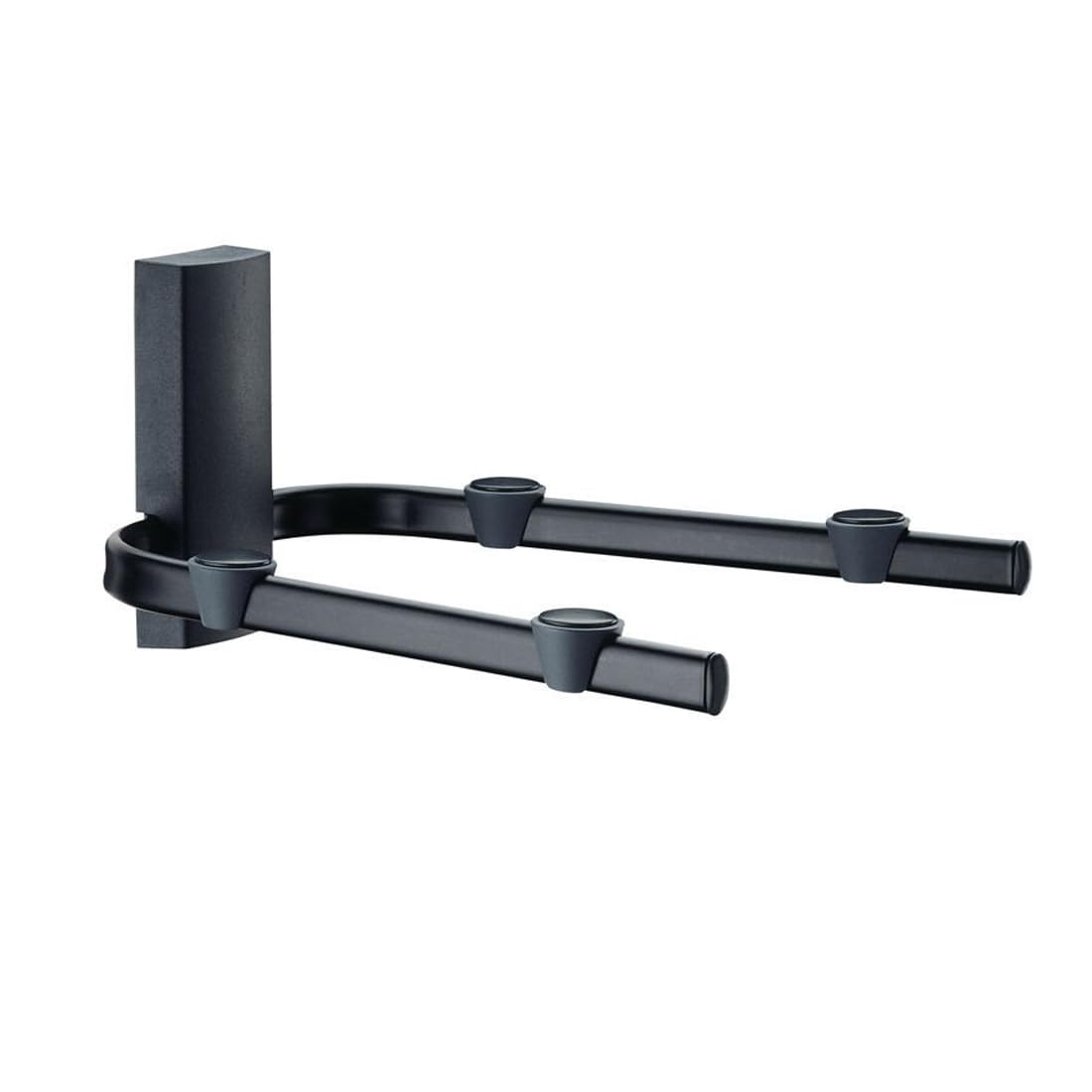
Image: The Meliconi Space System BOX 480021 shelf, shown in black, designed to hold a media device. Note the cable management features.
Package Contents
Please verify that all components are present before beginning installation:
- Meliconi Space System BOX 480021 Shelf
- Anti-slip rubber feet
- Mounting hardware (screws, wall plugs)
- Instruction Manual
Setup and Installation
Important: Ensure the wall material is suitable for supporting the shelf and its maximum load capacity. If unsure, consult a qualified professional.
- Choose Location: Select a suitable wall location, ensuring it is free from electrical wires or plumbing. Mark the desired height for the shelf.
- Mark Drilling Points: Hold the shelf against the wall at the desired height and use a pencil to mark the drilling points for the mounting screws.
- Drill Holes: Using an appropriate drill bit for your wall type and the provided wall plugs, drill holes at the marked points.
- Insert Wall Plugs: Insert the wall plugs into the drilled holes until they are flush with the wall surface.
- Mount Shelf: Align the shelf's mounting holes with the wall plugs and secure it firmly to the wall using the provided screws. Do not overtighten.
- Attach Anti-slip Feet: Apply the anti-slip rubber feet to the designated areas on the shelf surface to prevent devices from sliding.
- Cable Management: Utilize the integrated cable management features to route and conceal connecting cables for a neat installation.
Safety Note: Always use appropriate safety gear, such as eye protection, during installation. Ensure the shelf is securely fastened before placing any devices on it.
Operating Instructions
Once installed, the Meliconi Space System BOX 480021 shelf is ready for use. Simply place your VCR, DVD player, decoder, or other compatible audio-visual device onto the shelf. Ensure the device's weight does not exceed the maximum load capacity of 20 kg (44 lbs). Arrange cables through the designated channels for an organized setup.
Maintenance
To maintain the appearance and functionality of your shelf:
- Cleaning: Wipe the shelf with a soft, damp cloth. Avoid abrasive cleaners or solvents, which may damage the finish.
- Inspection: Periodically check the mounting screws to ensure they remain tight and secure.
- Weight Limit: Do not exceed the maximum weight capacity of 20 kg (44 lbs) to prevent damage to the shelf or injury.
Troubleshooting
- Shelf feels unstable:
- Ensure all mounting screws are securely tightened.
- Verify that the wall material is appropriate and the wall plugs are correctly installed.
- Check that the total weight on the shelf does not exceed 20 kg.
- Devices sliding on shelf:
- Ensure the anti-slip rubber feet are properly attached to the shelf surface.
- Verify that the shelf is level after installation.
Specifications
| Brand | Meliconi |
| Model Number | 480021 |
| Series | SpaceSystem Box |
| Color | Black |
| Product Dimensions (L x W x H) | 28.3 x 33 x 17.5 cm (11.14 x 12.99 x 6.89 inches) |
| Item Weight | 1.6 kg (3.53 lbs) |
| Maximum Load Capacity | 20 kg (44 lbs) |
| Material | Painted Steel |
Warranty and Support
For warranty information or technical support, please refer to the documentation provided with your purchase or visit the official Meliconi website. Keep your proof of purchase for any warranty claims.
Meliconi Official Website: www.meliconi.com