
1. Introduction
The Ravelli ATD Tripod Dolly is engineered to provide smooth, rolling movement for your tripod or light stand, eliminating the need to lift and reposition equipment. It features robust construction with ball-bearing rubber wheels designed for stability and ease of motion. This manual provides essential information for the proper assembly, operation, and maintenance of your ATD Tripod Dolly.

Figure 1: The Ravelli ATD Tripod Dolly, fully assembled, shown with its included carry bag.
2. Product Components
The Ravelli ATD Tripod Dolly includes the following main components:
- Dolly Frame: Consists of a central hub and three extendable legs.
- 3-inch Ball-Bearing Rubber Wheels: Three wheels, each with a step-lock mechanism for securing the dolly in place.
- Sliding Adjustable Foot Locks: Three clamps located on each leg to securely hold tripod feet of various sizes.
- Carry Handle: Integrated into the central hub for easy transport when folded.
- Carry Bag: A dedicated bag for convenient storage and transportation.
- Leg Sections: The legs can be disassembled into two sections for more compact storage.
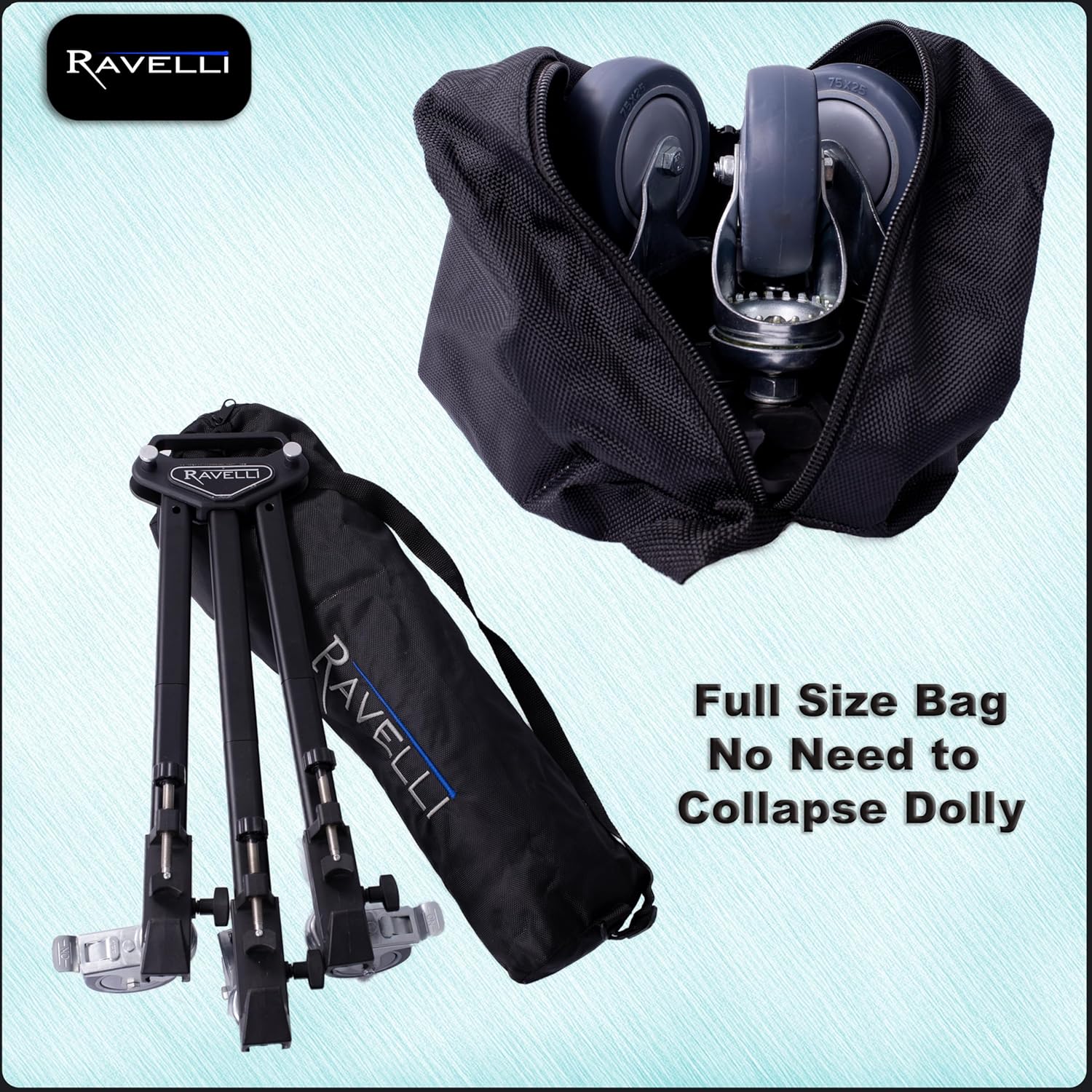
Figure 2: The Ravelli ATD Tripod Dolly in its compact, folded state, ready for storage in the included carry bag.
3. Setup Instructions
- Unpack and Extend Legs: Remove the dolly from its carry bag. If the legs are disassembled, connect the two sections of each leg using the push-button interlocks until they click into place. Extend the three legs outwards from the central hub until they are fully spread.
- Position Tripod: Place your tripod or light stand onto the dolly. Align each tripod foot with one of the sliding adjustable foot locks on the dolly's legs.
- Secure Tripod Feet: Adjust the sliding foot locks to firmly grip each tripod foot. Tighten the knobs on the foot locks to ensure the tripod is stable and cannot slip.
- Unlock Wheels: Ensure all three wheel step-locks are in the unlocked position to allow for movement.
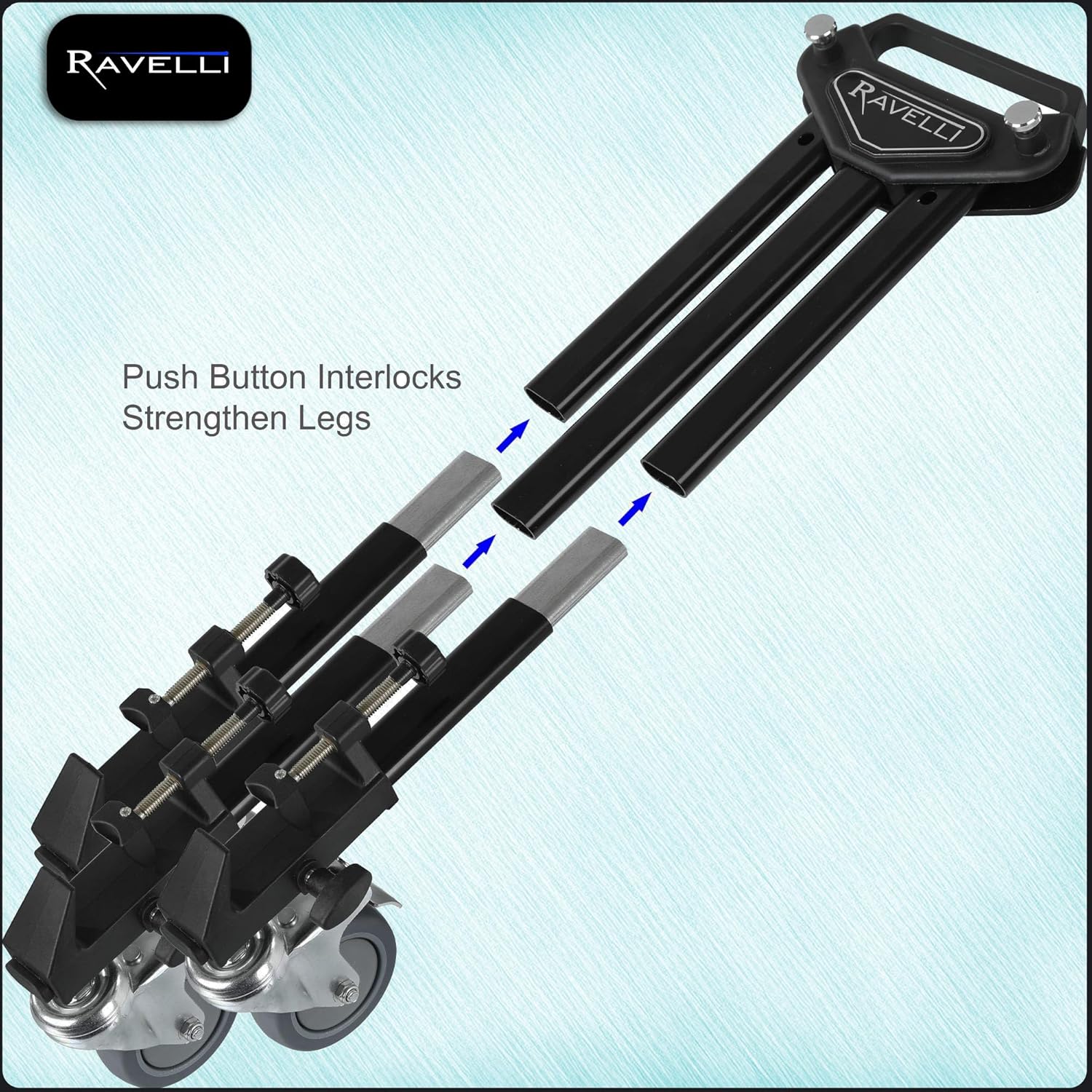
Figure 3: Detail of the 3-inch rubber wheel with its step-lock brake and the adjustable clamp designed to secure a tripod foot.

Figure 4: Illustration of the push-button interlocks used to connect and strengthen the two sections of each dolly leg.
4. Operating Instructions
- Movement: With the tripod securely mounted and wheels unlocked, gently push the dolly to move your equipment. The ball-bearing wheels are designed for smooth motion.
- Locking Position: To secure the dolly in a stationary position, press down on the step-lock mechanism located on each wheel. Ensure all three wheels are locked to prevent unintended movement.
- Unlocking Position: To resume movement, lift the step-lock mechanism on each wheel until it disengages.
- Surface Considerations: For the smoothest possible video shots, operate the dolly on a clean, level, and smooth surface. Uneven surfaces or debris may introduce vibrations or hinder movement.
5. Maintenance
- Cleaning: Regularly wipe down the dolly frame and wheels with a damp cloth to remove dust and debris. Avoid harsh chemicals.
- Wheel Inspection: Periodically check the wheels for any accumulation of hair, string, or other obstructions that could impede smooth rolling. Clean as necessary.
- Fastener Check: Ensure all knobs and fasteners, especially those on the foot locks and leg extensions, remain tight. Tighten if any looseness is detected.
- Storage: When not in use, fold the dolly for compact storage and place it in its carry bag to protect it from dust and damage. Store in a dry environment.
6. Troubleshooting
- Dolly not moving smoothly:
- Check if any wheel locks are engaged.
- Inspect wheels for debris or damage.
- Ensure the operating surface is clean and level.
- Wheels not locking:
- Verify that the step-lock mechanism is fully depressed.
- Check for any obstructions preventing the lock from engaging.
- Tripod feels unstable on the dolly:
- Ensure all three sliding adjustable foot locks are securely tightened around the tripod feet.
- Confirm the tripod's weight does not exceed the dolly's maximum weight limit of 45 lbs.
7. Specifications
| Feature | Specification |
|---|---|
| Model Number | ATD |
| Product Dimensions (Folded) | 22.1 x 6.5 x 6 inches |
| Item Weight | 4.8 pounds |
| Material | Alloy Steel, Aluminum |
| Weight Limit | 45 Pounds |
| Maximum Spread | 37 inches |
| Folded Length | 21 inches |
| Wheel Size | 3 inches (diameter) |
| Compatible Devices | Camcorder, Camera, Smartphone, Tablet, Telescope |
8. Warranty and Support
For detailed warranty information and customer support, please refer to the official Ravelli website or contact their customer service directly. While some product reviews mention a 10-year warranty, specific terms and conditions may apply and should be verified with the manufacturer.
Ravelli Store: Visit the Ravelli Store on Amazon