
Introduction
The SiriusXM Stiletto 2 is a versatile portable satellite radio receiver and MP3 player designed for on-the-go entertainment. It allows you to receive live Sirius satellite radio broadcasts, connect via Wi-Fi for Sirius Internet Radio, and play your personal MP3/WMA music files. This manual provides essential information for setting up, operating, maintaining, and troubleshooting your device.
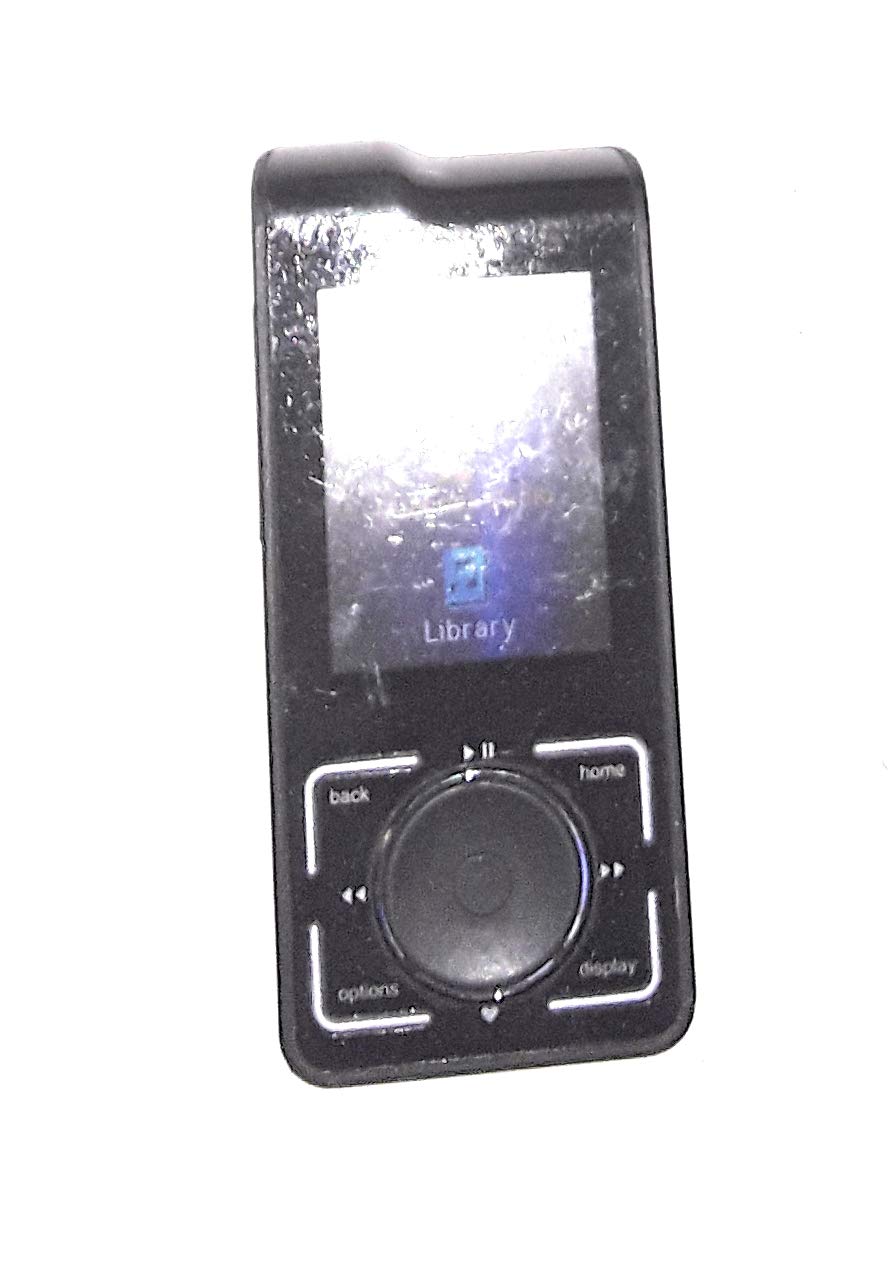
Image: The SiriusXM Stiletto 2 portable satellite radio and MP3 player, featuring a compact design and color display.
What's in the Box
Carefully unpack your Stiletto 2 and ensure all components are present:
- Stiletto 2 receiver/MP3 player
- Rechargeable Battery
- AC Power Adapter
- Altec Lansing Headphones (with integrated antenna)
- Ear Buds
- PC Cable (USB)
- My Sirius Studio Software (CD or download instructions)
- MicroSD Card (pre-installed or included separately)
Note: The AC Power Adapter and PC Cable are essential for charging and data transfer. The included headphones are designed for optimal satellite reception.
Setup
1. Initial Charging
Before first use, fully charge the Stiletto 2 battery. Connect the AC power adapter to the device and plug it into a standard wall outlet. The charging indicator will illuminate. A full charge typically takes several hours.
2. Inserting MicroSD Card
The Stiletto 2 supports removable microSD flash memory cards to expand storage. Locate the microSD card slot on the device. Gently insert the microSD card until it clicks into place. Ensure the device is powered off before inserting or removing the card.
3. Powering On/Off
To power on, press and hold the Power button until the display illuminates. To power off, press and hold the Power button until the shutdown prompt appears, then confirm.
Operating Instructions
Basic Controls
- Media Dial: Rotate to scroll through menus and options. Press to select.
- Six-Way Navigation Control: Use for directional navigation within menus and content.
- Volume Buttons: Adjust audio output level.
- Menu Button: Access main menu options.
- Back Button: Return to the previous screen or menu.
Satellite Radio Reception
For optimal satellite reception, use the included Altec Lansing headphones, which feature an integrated antenna. Ensure you are in an open area with a clear view of the sky. The built-in antenna allows reception without an external car or home docking station in many environments.
Wi-Fi Connectivity
The Stiletto 2 can access Sirius Internet Radio (SIR) via Wi-Fi. Navigate to the Wi-Fi settings in the device menu, scan for available networks, and connect using the appropriate password. An additional subscription may be required for premium audio quality SIR offerings.
MP3/WMA Playback
Transfer MP3 and WMA files to the Stiletto 2's internal memory or an inserted microSD card using the included PC cable and My Sirius Studio software. Access your music library through the device's media player menu.
Recording and Storing Content (Sirius Replay)
The Sirius Replay feature allows you to pause, rewind, and replay up to 60 minutes of live radio programming. You can also schedule recordings to capture up to 100 hours of your favorite Sirius shows or programs. Use the 'Song Tagging' feature to bookmark songs heard live for later purchase through compatible online music services.
Parental Channel Lockout
To restrict access to certain channels, use the parental channel lockout feature. This can be configured in the device's settings menu, typically requiring a PIN.
Game Alert and Game Zone
The Game Alert feature allows you to track your favorite sports teams and receive alerts when scores change. Game Zone provides a consolidated listing of your favorite teams, making it easy to follow their broadcasts.
Maintenance
Cleaning
Wipe the device with a soft, dry cloth. Do not use liquid cleaners or abrasive materials, as they may damage the display or casing.
Battery Care
To prolong battery life, avoid exposing the device to extreme temperatures. If storing the device for an extended period, ensure it has a partial charge (around 50%) and recharge it periodically.
Troubleshooting
- No Satellite Signal: Ensure you are in an open area with a clear view of the sky. Check that the antenna headphones are properly connected and positioned. Move away from tall buildings or dense foliage.
- Wi-Fi Connection Issues: Verify your Wi-Fi network is active and you have entered the correct password. Ensure the device is within range of the Wi-Fi router.
- MP3/WMA Playback Problems: Confirm that the audio files are in a supported format (MP3, WMA) and are not corrupted. Ensure the files are properly transferred to the device or microSD card.
- Device Not Powering On: Connect the device to the AC power adapter and allow it to charge for at least 30 minutes. If the issue persists, the battery may need replacement.
- Display Issues: If the screen is unresponsive or frozen, try performing a soft reset by holding down the Power button for an extended period (e.g., 10-15 seconds) until the device restarts.
For further assistance, refer to the support section or contact SiriusXM customer service.
Specifications
| Brand | SiriusXM |
| Model Number | SL2PK1 |
| Color | Black |
| Connectivity Technology | Wi-Fi |
| Radio Bands Supported | Satellite |
| Internal Storage | 2 GB (up to 100 hours of recorded content) |
| Expandable Memory | MicroSD Card Slot |
| Display Type | 2.2-inch Color LCD |
| Power Source | Battery Powered |
| Item Weight | 0.28 Pounds (approx. 4.3 ounces) |
| Compatible Devices | MP3 Player |
Warranty and Support
Warranty Information
The SiriusXM Stiletto 2 (Model SL2PK1) comes with a 1 Year Parts and Labor warranty from the manufacturer. Please retain your proof of purchase for warranty claims.
Customer Support
For technical assistance, troubleshooting, or warranty service, please visit the official SiriusXM website or contact their customer support directly. You can find contact information on the SiriusXM website or in the documentation included with your product.
Online resources may include FAQs, user forums, and software updates for your device.


