
Aristo AH7011
Aristo A1 Drawing System User Manual
Model: AH7011
1. Introduction
This user manual provides comprehensive instructions for the setup, operation, and maintenance of your Aristo A1 Drawing System. Designed for both educational and professional use, this drawing system combines a drawing table with a precision drawing machine to facilitate accurate technical drawings.
The Aristo A1 Drawing System (Model AH7011) is an essential tool for architects, engineers, designers, and students requiring a stable and precise platform for their work. Its robust construction and ergonomic features ensure a comfortable and efficient drawing experience.

Image 1.1: The Aristo A1 Drawing System, showcasing the drawing board, parallel drawing rail, and quick drawing head.
2. Safety Instructions
Please read and understand all safety instructions before using the Aristo A1 Drawing System. Failure to follow these instructions may result in injury or damage to the product.
- Ensure the drawing system is placed on a stable, level surface to prevent tipping.
- Keep hands and fingers clear of moving parts, especially when adjusting the tilt mechanism or the drawing machine.
- Do not apply excessive force to the drawing machine or quick drawing head, as this may affect accuracy or cause damage.
- Keep the drawing surface clean and free of debris to ensure smooth operation of the drawing machine.
- Store the drawing system in a dry, dust-free environment when not in use.
3. Package Contents
Verify that all components are present in the package before beginning assembly:
- Aristo A1 Drawing System (consisting of drawing table AR701199 and drawing machine AR7021)
Note: Additional accessories such as paper, pencils, or other drawing tools are sold separately.
4. Setup
The Aristo A1 Drawing System comes largely pre-assembled. Follow these steps to prepare it for use:
- Unpacking: Carefully remove all components from the packaging. Retain packaging for future storage or transport.
- Placement: Place the drawing table on a sturdy, flat surface. Ensure there is sufficient space around the table for comfortable operation.
-
Adjusting the Tilt Angle: The plastic-coated drawing table features a 4-stage tilt mechanism for ergonomic working.

Image 4.1: Side view illustrating the adjustable tilt mechanism.
To adjust the angle, gently lift the drawing board and engage the support legs into the desired notches. Ensure both sides are set to the same level for stability.
-
Securing Paper: Use the integrated paper clamps along the top and sides of the board to secure your drawing paper.
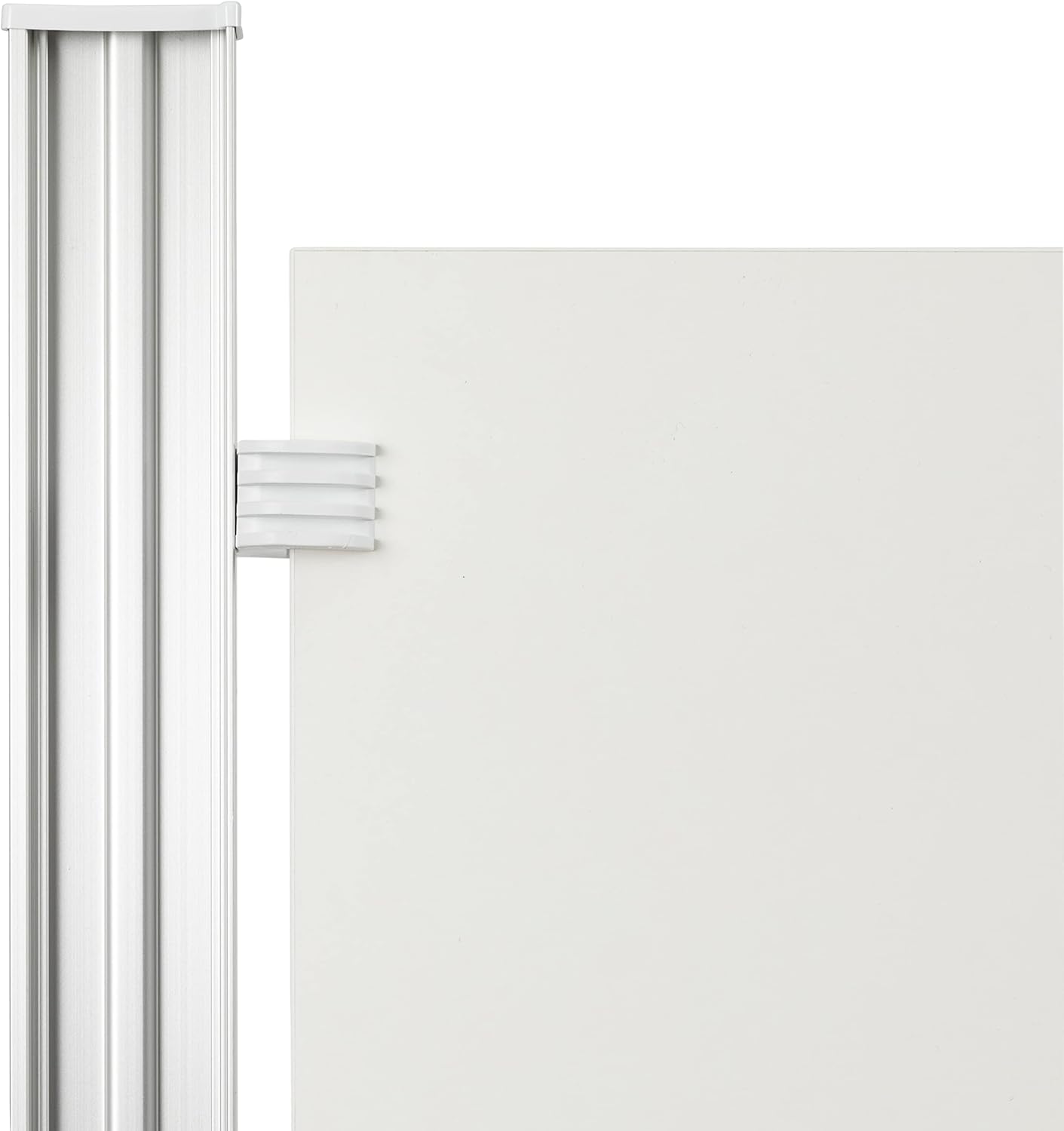
Image 4.2: Detail of the paper clamps on the drawing board.
5. Operating Instructions
The Aristo A1 Drawing System is designed for precise and efficient drawing. Familiarize yourself with its key components and their functions.
5.1. Parallel Drawing Machine
The parallel drawing machine is ball-bearing mounted, ensuring very smooth movement across the board. It allows for precise horizontal and vertical lines.

Image 5.1: Overview of the parallel drawing machine and quick drawing head.
-
"Stop-and-Go" Mechanism: This feature allows you to fix the drawing rail in place during drawing. Press the yellow button on the drawing machine carriage to engage or disengage the lock.

Image 5.2: Detail of the yellow "stop-and-go" button for locking the drawing machine.
- Free-Running Mechanism: When the "stop-and-go" mechanism is disengaged, the drawing machine moves freely along the rail, allowing for quick repositioning.
-
Smooth Movement: The ball-bearing system ensures consistent and smooth gliding of the drawing machine along the side rail.

Image 5.3: The drawing machine carriage smoothly moving along the rail.
5.2. Quick Drawing Head
The quick drawing head is integrated with the drawing machine and allows for precise angle adjustments.

Image 5.4: Detail of the quick drawing head, showing the protractor and adjustment knob.
- Angle Adjustment: Angles can be set precisely using the two ruler legs. Use the detent mechanism for common angles or the fine adjustment for arbitrary angles.
- Ruler Scales: The integrated rulers provide clear and accurate measurements for your drawings.
6. Maintenance
Proper maintenance will extend the lifespan and ensure the continued accuracy of your Aristo A1 Drawing System.
- Cleaning the Board: Wipe the plastic-coated drawing surface with a soft, damp cloth. Avoid abrasive cleaners or solvents that could damage the surface.
- Cleaning the Drawing Machine: Periodically clean the rails and the ball bearings of the drawing machine with a dry, lint-free cloth to remove dust and graphite residue. Do not lubricate the rails.
- Storage: When not in use, store the drawing system in a clean, dry place, ideally flat or at its lowest tilt setting to prevent strain on the mechanism.
7. Troubleshooting
This section addresses common issues you might encounter with your drawing system.
| Problem | Possible Cause | Solution |
|---|---|---|
| Drawing machine does not glide smoothly. | Dust or debris on the rails. | Clean the rails and ball bearings with a dry, lint-free cloth. |
| Drawing machine does not lock in place. | "Stop-and-Go" mechanism not fully engaged or damaged. | Ensure the yellow button is fully pressed. If issue persists, contact support. |
| Board is wobbly or unstable. | Not placed on a level surface; tilt mechanism not properly engaged. | Place on a level surface. Ensure both support legs of the tilt mechanism are engaged in the same notch. |
| Angles are not accurate with quick drawing head. | Quick drawing head not properly calibrated or damaged. | Check for any loose parts. If calibration is off, use the fine adjustment. If damage is suspected, contact support. |
8. Specifications
| Feature | Detail |
|---|---|
| Brand | Aristo |
| Model Number | AH7011 |
| Product Dimensions | 109.5 x 81 x 13.89 cm (L x W x H) |
| Weight | 13.2 Kilograms |
| Size | A1 |
| Color | Grey |
| Material | Plastic (board surface), Metal (frame, rails) |
| Tilt Adjustment | 4-stage mechanism |
| Drawing Machine | Ball-bearing mounted, "stop-and-go" mechanism, free-running function |
| Quick Drawing Head | Angle adjustment with detent and fine-tuning |
9. Warranty and Support
For warranty information, please refer to the documentation provided with your purchase. Aristo products are manufactured with high-quality standards, and specific warranty terms may vary by region and retailer.
For technical support, spare parts, or further inquiries, please visit the official Aristo website or contact their customer service department. Contact details can typically be found on the product packaging or the brand's official online presence.
You can visit the Aristo store on Amazon for more information: Aristo Store
Ask a question about this manual
Ask about setup, troubleshooting, compatibility, parts, safety, or missing instructions. Manuals+ will review the question and use this page’s manual context to help answer it.