
1. Introduction
This manual provides detailed instructions for the installation, operation, and maintenance of the Fantech FG8 8-inch Duct Inline Centrifugal Fan. Please read this manual thoroughly before installation and operation to ensure safe and efficient use of the product. Retain this manual for future reference.
The Fantech FG8 is an inline centrifugal fan designed for duct applications, offering efficient air movement with a capacity of 481 CFM. It is 100% speed controllable and rated for airstream temperatures up to 140°F.
2. Safety Information
Always observe the following safety precautions to reduce the risk of fire, electric shock, or injury:
- Disconnect power before servicing or cleaning the unit.
- Installation must be performed by qualified personnel in accordance with all local and national electrical and building codes.
- Ensure the fan is securely mounted to prevent vibration and movement.
- Do not operate the fan with a damaged cord or plug.
- Do not use this fan with any solid-state speed control device unless specifically designed for this purpose.
- This product is UL Listed and CSA Certified, indicating compliance with safety standards.
3. Setup and Installation
The Fantech FG8 fan is designed for inline installation within an 8-inch duct system. Proper installation is crucial for optimal performance and safety.
3.1 Unpacking
Carefully remove the fan from its packaging. Inspect the unit for any shipping damage. Report any damage to your supplier immediately.
3.2 Mounting
The fan can be mounted at any angle. Ensure that the mounting location provides adequate support for the fan's weight and allows for future access for maintenance. Use appropriate fasteners to secure the fan to a sturdy surface or structure.
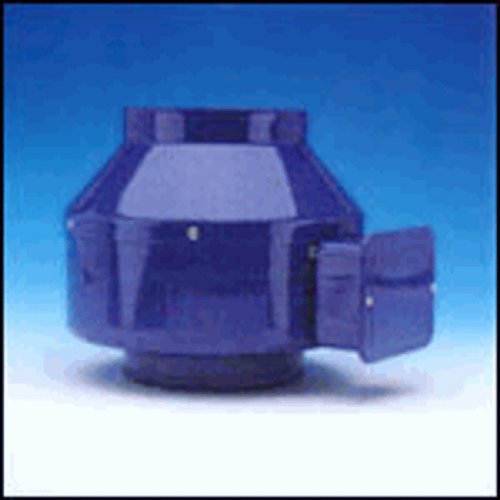
An image showing the Fantech FG8 inline centrifugal fan, designed for duct installation. This fan features a robust housing and connections for 8-inch ductwork.
3.3 Duct Connection
Connect the 8-inch ductwork to both the inlet and outlet ports of the fan. Ensure all connections are sealed properly to prevent air leakage, which can reduce efficiency. Flexible duct connectors are recommended to minimize vibration transmission.
3.4 Electrical Wiring
The Fantech FG8 fan uses a 3-Pin power connector. All electrical wiring must comply with local and national electrical codes. Consult a qualified electrician for wiring if you are not experienced with electrical installations. Ensure the power supply matches the fan's voltage requirements.
4. Operating Instructions
Once installed and wired correctly, the Fantech FG8 fan is ready for operation.
4.1 Powering On/Off
Activate the fan by turning on the power switch connected to the unit. To turn off, simply switch off the power.
4.2 Speed Control
The Fantech FG8 is 100% speed controllable. If a compatible speed controller is installed, adjust the fan speed to achieve the desired airflow. The fan operates at a maximum rotational speed of 1500 RPM, providing an air flow capacity of 481 Cubic Feet Per Minute (CFM).
4.3 Operating Environment
The fan is rated for airstream temperatures up to 140°F (60°C). Ensure the operating environment and the air being moved do not exceed this temperature limit.
5. Maintenance
Regular maintenance ensures the longevity and efficient operation of your Fantech FG8 fan. Always disconnect power before performing any maintenance.
5.1 Cleaning
- Periodically inspect the fan blades and housing for dust and debris accumulation.
- Use a soft brush or vacuum cleaner to gently remove any buildup. Do not use harsh chemicals or abrasive materials.
- Ensure the motor is kept clean and free from obstructions.
5.2 Inspection
- Check electrical connections for tightness and signs of wear.
- Inspect duct connections for leaks or damage.
- Listen for unusual noises during operation, which may indicate a problem.
6. Troubleshooting
If you encounter issues with your Fantech FG8 fan, refer to the following common troubleshooting steps:
- Fan Not Operating: Check if the power supply is connected and active. Verify that the circuit breaker or fuse has not tripped. Ensure all wiring connections are secure.
- Reduced Airflow: Inspect ductwork for obstructions or leaks. Clean fan blades and housing if dust or debris has accumulated. Check if the speed controller (if installed) is set to the desired level.
- Excessive Noise or Vibration: Ensure the fan is securely mounted and all duct connections are tight. Check for any foreign objects inside the fan housing.
If problems persist after attempting these steps, contact a qualified technician or Fantech customer support for assistance.
7. Specifications
| Feature | Specification |
|---|---|
| Brand | FANTECH |
| Model | FG8 |
| Duct Diameter | 8 inches |
| Air Flow Capacity | 481 CFM (Cubic Feet Per Minute) |
| Maximum Rotational Speed | 1500 RPM |
| Power Connector Type | 3-Pin |
| Rated Airstream Temperature | Up to 140°F (60°C) |
| Certifications | UL Listed, CSA Certified |
| Compatible Devices | Data Center, Industrial Equipment, Server Rack |
| Manufacturer | Fantech |
8. Warranty Information
The Fantech FG8 8-inch Duct Inline Centrifugal Fan comes with a five-year factory warranty. This warranty covers defects in materials and workmanship under normal use and service. Please retain your proof of purchase for warranty claims. For specific terms and conditions, refer to the official Fantech warranty documentation or contact Fantech customer support.
9. Support
For technical assistance, replacement parts, or further inquiries regarding your Fantech FG8 fan, please contact Fantech customer support. Visit the official Fantech website for contact information and additional resources.
You can also visit the FANTECH Store on Amazon for more product information.


