
Introduction
The Trimax MAG200 is a 5/8-inch pin trailer receiver lock designed for securing your trailer, camper, or heavy-duty vehicle to a hitch. This lock features a resettable combination mechanism, eliminating the need for keys. It is constructed from triple-plated chrome for durability and corrosion resistance, and includes a protective cover to shield the lock mechanism from environmental elements.
Safety Information
- Ensure the lock is fully engaged and the combination is scrambled after installation to prevent accidental disengagement or theft.
- Regularly inspect the lock for any signs of wear, damage, or corrosion. Replace if compromised.
- Keep the combination private and stored in a secure, memorable location.
- Do not attempt to force the lock if it is stiff; apply lubricant as per maintenance instructions.
Package Contents
- 1 x Trimax MAG200 Trailer Receiver Lock (5/8" pin)
- 1 x Protective Rubber Cap
Setup
Setting the Combination
The Trimax MAG200 lock comes with a factory preset combination of 0-0-0-1. Follow these steps to set your personal combination:
- Align the preset combination (0-0-0-1) on the lock.
- Separate the two parts of the lock by pulling the shaft away from the combination head.
- With the combination head separated, turn the collar counter-clockwise and pull it off. This will expose the internal mechanism.
- Carefully remove the four number rings from the combination head.
- Observe the four black dots on the internal core of the combination head. These dots indicate where your chosen numbers should align.
- Place the number rings back onto the core, one by one, aligning your desired combination with the black dots. For example, if your desired combination is 1-2-3-4, place the '1' ring first, aligning '1' with the first black dot, then the '2' ring aligning '2' with the second black dot, and so on.
- Once all four rings are in place with your new combination aligned, reattach the collar by turning it clockwise until it locks securely.
- Test your new combination by aligning the numbers and ensuring the shaft can be inserted and removed freely. Scramble the numbers to lock it.
Video: Demonstration of setting the combination for the Trimax MAG200 Trailer Receiver Lock.
Installation on a Receiver Hitch
The Trimax MAG200 is compatible with Class III, IV, and V hitches.
- Insert your hitch accessory (e.g., ball mount, bike rack) into the receiver tube of your vehicle.
- Align the pin holes of the hitch accessory with the receiver tube.
- Ensure the lock's combination is set to your chosen code (or the factory default 0-0-0-1) to allow the shaft to slide freely.
- Insert the shaft of the Trimax MAG200 lock through the aligned pin holes.
- Push the combination head onto the end of the shaft until it clicks into place.
- Scramble the numbers on the combination head to secure the lock.
- Slide the protective rubber cap over the combination head to shield it from dirt, moisture, and debris.
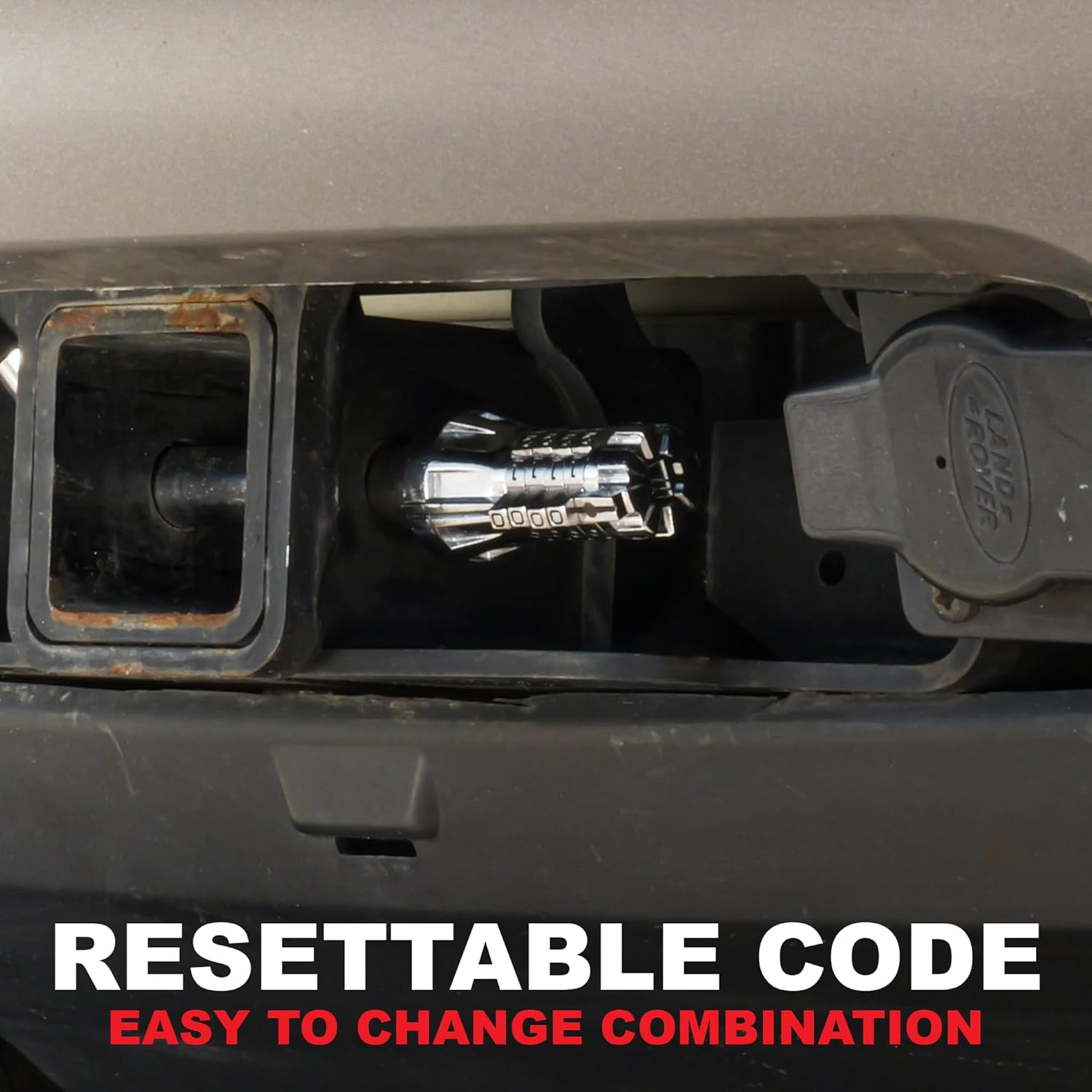
Image: The Trimax MAG200 lock installed in a receiver hitch, demonstrating its secure fit and the visible combination mechanism.

Image: The Trimax MAG200 lock shown in a receiver hitch, illustrating its compatibility with different hitch classes.
Operating Instructions
Locking the Receiver Lock
- Ensure the shaft is fully inserted through the hitch and receiver.
- Push the combination head onto the shaft until it clicks.
- Scramble the numbers on the combination head to a random sequence. This secures the lock.
- Place the protective rubber cap over the combination head.
Unlocking the Receiver Lock
- Remove the protective rubber cap.
- Rotate the number rings to align your personal combination with the indicator marks.
- Pull the combination head away from the shaft to disengage the lock.
- Remove the shaft from the receiver hitch.
Maintenance
- Cleaning: Periodically clean the lock mechanism, especially the number rings and the shaft, to remove dirt, salt, and debris. Use a mild soap and water solution, then rinse thoroughly.
- Lubrication: Apply a silicone-based lubricant or a light oil to the moving parts of the combination mechanism and the shaft periodically, especially in harsh weather conditions or after cleaning. This helps ensure smooth operation and prevents corrosion.
- Protective Cap: Always use the protective rubber cap when the lock is installed to prevent water, dirt, and road grime from entering the mechanism.
- Storage: When not in use, store the lock in a clean, dry place.
Troubleshooting
- Lock is stiff or hard to turn: Apply a penetrating lubricant to the number rings and the internal mechanism. Allow it to soak in, then try operating the lock. Ensure no debris is obstructing the movement.
- Cannot remember the combination: If you forget your combination, there is no master key or reset button other than the process described in the 'Setting the Combination' section. If the lock is currently locked and you cannot recall the combination, you may need to contact Trimax customer support for assistance or consider professional locksmith services.
- Shaft does not insert/remove easily: Ensure the combination is correctly aligned. Check for any bends or damage to the shaft or obstructions within the hitch pin hole. Lubricate the shaft if necessary.
Specifications
| Model Number | MAG200 |
| Pin Diameter | 5/8 inch |
| Material | Alloy Steel |
| Finish Type | Powder Coated, Triple Plated Chrome |
| Vehicle Service Type | Marine-Personal-Craft, Trailer, Truck |
| Automotive Fit Type | Universal Fit (Class III, IV, & V Hitches) |
| Item Weight | 10.9 ounces |
| Product Dimensions | 17 x 13 x 13 inches |
Warranty
The Trimax MAG200 Trailer Receiver Lock is backed by a limited lifetime warranty. For specific terms and conditions, please refer to the warranty information provided with your product packaging or contact Trimax customer support.
Support
For further assistance, technical support, or warranty claims, please contact Trimax customer service. Contact information can typically be found on the product packaging or the official Trimax website.

