
1. Introduction
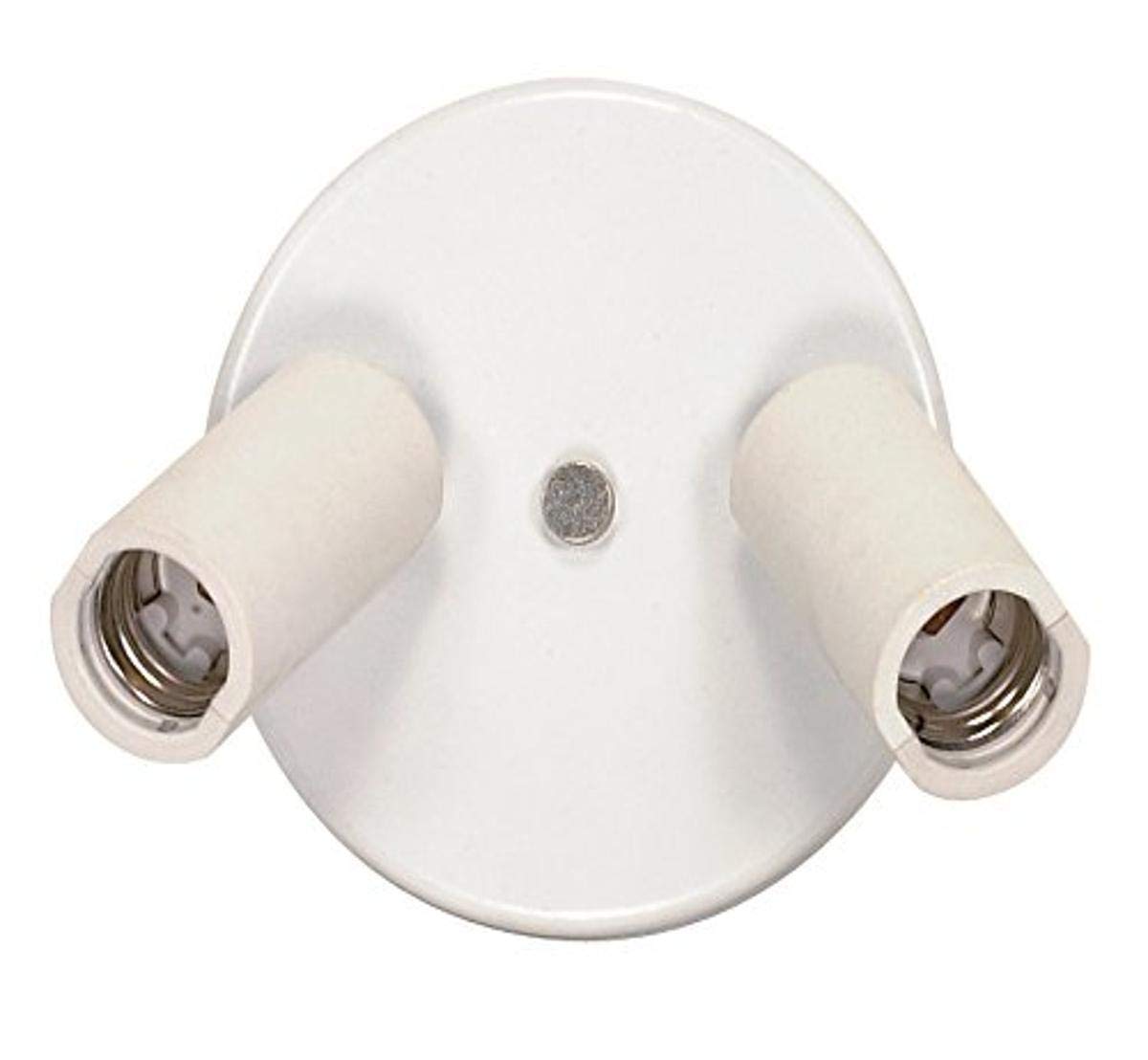
This manual provides detailed instructions for the safe installation, operation, and maintenance of your Satco SF77/602 Two-Light Ceiling Swivel Fixture. Please read all instructions carefully before beginning installation and retain this manual for future reference. This fixture is designed for indoor use and features two adjustable heads for directional lighting.
2. Safety Information
- WARNING: Risk of electric shock. Disconnect power at the circuit breaker or fuse box before installation or servicing.
- All electrical connections must be in accordance with local codes, ordinances, or the National Electric Code (NEC). Consult a qualified electrician if you are unfamiliar with proper electrical wiring connections.
- Do not exceed the maximum wattage specified for this fixture (150 watts total).
- Ensure the fixture is securely mounted to a structural element of the ceiling.
- Do not install this fixture in wet or damp locations. It is rated for indoor use only.
- Allow bulbs to cool before touching or replacing them.
3. Package Contents
Verify that all components are present before beginning installation:
- Satco SF77/602 Two-Light Ceiling Swivel Fixture (1)
- Mounting Hardware Kit (1)
- Socket Adapter (1)
- Instruction Manual (1)
4. Installation Instructions
Estimated Installation Time: 30-60 minutes
- Turn Off Power: Before starting, ensure the power to the circuit where you are installing the fixture is turned off at the main circuit breaker or fuse box.
- Prepare Mounting Surface: Ensure the ceiling junction box is securely installed and capable of supporting the fixture's weight.
- Attach Mounting Bracket: Secure the mounting bracket (included in hardware kit) to the junction box using the provided screws.
- Wiring Connections: Carefully connect the fixture's wires to the corresponding house wires.
- Connect the black (live) wire from the fixture to the black (live) wire from the junction box.
- Connect the white (neutral) wire from the fixture to the white (neutral) wire from the junction box.
- Connect the green or bare copper (ground) wire from the fixture to the green or bare copper (ground) wire from the junction box.
- Mount Fixture: Carefully tuck all wires into the junction box. Align the fixture base with the mounting bracket and secure it with the provided screws or nuts.
- Install Bulbs: Insert two standard base household bulbs (E26 Medium, not included) into the sockets. Do not exceed 150 watts total for the fixture.
- Restore Power: Once installation is complete and all connections are secure, restore power at the circuit breaker.
5. Operating Instructions
The Satco SF77/602 fixture is operated via a standard wall switch (not included) connected to the circuit. Once power is supplied, the lights will turn on.
- Adjusting Light Heads: The two light heads are fully adjustable. They can rotate 360 degrees horizontally and angle up to 90 degrees vertically. Gently grasp the head of the spotlight and pivot it to direct light as desired. Avoid excessive force.
- Bulb Type: This fixture is designed for use with standard base (E26 Medium) household bulbs or reflector type flood/spot bulbs.
6. Maintenance
Regular maintenance ensures optimal performance and longevity of your fixture.
- Cleaning: Disconnect power before cleaning. Wipe the fixture with a soft, dry cloth. Do not use abrasive cleaners, solvents, or polishes as they may damage the finish.
- Bulb Replacement: Disconnect power before replacing bulbs. Allow bulbs to cool completely. Unscrew the old bulb and screw in a new E26 Medium base bulb, ensuring it does not exceed the 150-watt maximum for the fixture.
7. Troubleshooting
| Problem | Possible Cause | Solution |
|---|---|---|
| Fixture does not light up. | 1. Power is off. 2. Loose wiring connection. 3. Faulty bulb. | 1. Check circuit breaker or wall switch. 2. Turn off power, check wiring connections. 3. Replace bulb. |
| Bulbs flicker. | 1. Loose bulb. 2. Loose wiring connection. 3. Incorrect bulb type. | 1. Tighten bulb. 2. Turn off power, check wiring connections. 3. Ensure correct bulb type and wattage. |
| Fixture makes humming noise. | Incompatible dimmer switch (if applicable). | Ensure dimmer switch is compatible with the bulb type used. |
8. Specifications
| Feature | Detail |
|---|---|
| Model Number | SF77/602 |
| Brand | Satco |
| Fixture Type | Two-Light Ceiling Swivel Fixture |
| Color | White |
| Material | Metal, Plastic |
| Dimensions (L x W x H) | 5.25 x 5.25 x 2.5 inches |
| Item Weight | 1.05 pounds |
| Number of Light Sources | 2 |
| Bulb Base | E26 Medium |
| Max Wattage | 150 watts (total) |
| Voltage | 250 Volts (rated) |
| Indoor/Outdoor Usage | Indoor |
| Special Feature | Adjustable heads (360° rotation, 90° angle) |
| Certifications | C.U.L. Listed |
9. Warranty Information
Satco products are manufactured to high standards and are warranted against defects in materials and workmanship. Specific warranty terms and duration may vary. Please refer to the packaging or contact Satco customer support for detailed warranty information.
10. Customer Support
If you have any questions, require assistance with installation, or need to report a defect, please contact Satco customer support:
- Website: Visit the official Satco website for support resources and contact information.
- Phone: Refer to the product packaging or Satco's website for the most current customer service phone number.
Please have your model number (SF77/602) and purchase date available when contacting support.