
Introduction
This manual provides detailed instructions for the installation and maintenance of the Leviton 83009 2-Gang Toggle Device Switch Wallplate. This standard-sized wallplate is constructed from aluminum and designed for mounting over two toggle-style electrical switches.
Safety Information
- WARNING: To avoid fire, shock, or death, always turn off power at the circuit breaker or fuse box before installation or servicing.
- This product is intended for indoor use only.
- Ensure all connections are secure and comply with local electrical codes.
- If you are unsure about any part of these instructions, consult a qualified electrician.
Package Contents
- 1 x Leviton 83009 2-Gang Toggle Device Switch Wallplate
- Color-matched metal mounting screws
Setup and Installation
- Turn Off Power: Locate the circuit breaker or fuse box controlling the electrical outlet or switch where the wallplate will be installed. Turn off the power completely to prevent electrical shock.
- Remove Existing Wallplate (if applicable): Carefully unscrew and remove the old wallplate.
- Prepare the New Wallplate: The Leviton 83009 wallplate ships with a protective film (blue or clear) to prevent scratches during transit. This film must be removed prior to installation.

Image: Removing the protective film from the wallplate. The film ensures the plate remains scratch-free until installation.
- Position the Wallplate: Align the new Leviton 83009 wallplate over the electrical device(s) and the wall box openings.
- Secure the Wallplate: Use the provided color-matched metal mounting screws to firmly attach the wallplate to the electrical device(s) and/or wall box. Do not overtighten.
- Restore Power: Once the wallplate is securely installed, return to the circuit breaker or fuse box and turn the power back on.
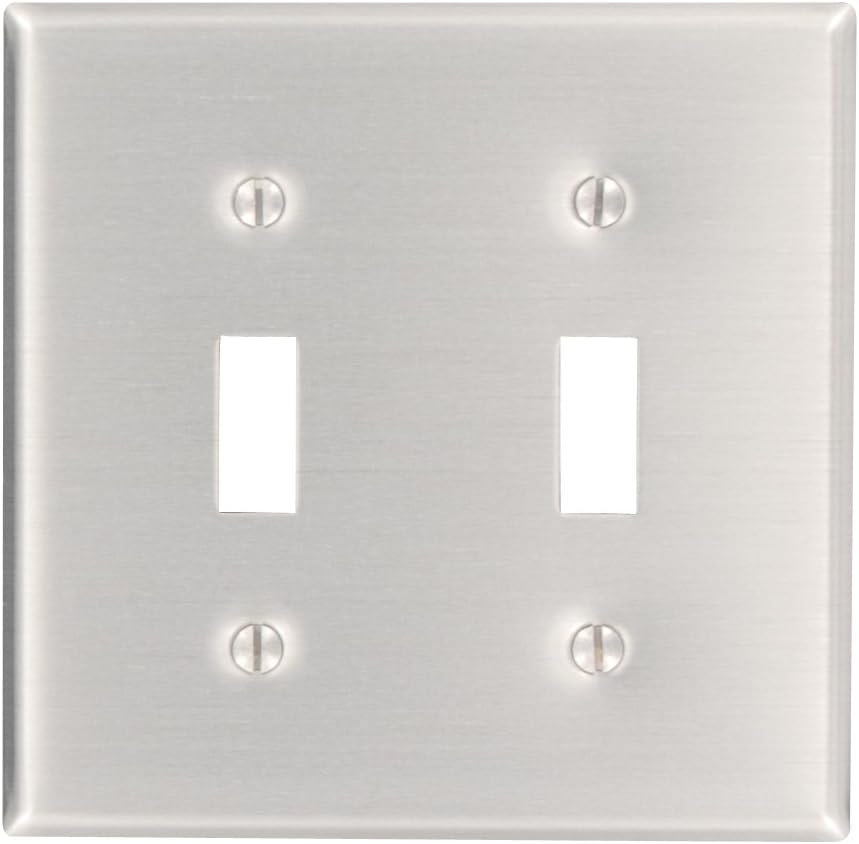
Image: The Leviton 83009 2-Gang Toggle Device Switch Wallplate installed, featuring two openings for toggle switches.
Operating Instructions
The Leviton 83009 wallplate functions as a protective and decorative cover for your electrical toggle switches. Once installed, it requires no active operation. Ensure the switches beneath operate freely without obstruction from the wallplate.
Maintenance
To maintain the appearance and cleanliness of your wallplate:
- Wipe the surface regularly with a soft, damp cloth.
- Avoid using abrasive cleaners, harsh chemicals, or scouring pads, as these can damage the finish.
- For stubborn marks, a mild soap solution can be used, followed by wiping with a clean, dry cloth.
Troubleshooting
- Wallplate does not fit flush: Ensure the electrical device(s) are properly seated within the wall box and that no wires are pinched behind the device or wallplate. Check for any obstructions in the wall box.
- Scratches on surface: The wallplate comes with a protective film. If scratches are present after removing the film, contact Leviton customer support.
- Screws do not tighten: Ensure you are using the correct screws provided with the wallplate. If the screw holes in the electrical device are stripped, the device itself may need replacement.
Specifications
| Feature | Detail |
|---|---|
| Brand | Leviton |
| Model Number | 83009 |
| Configuration | 2-Gang |
| Switch Style | Toggle |
| Material | Aluminum |
| Color | Aluminum |
| Finish Type | Aluminum |
| Installation Type | Screw-In |
| Product Dimensions | 4.88 x 4.8 x 0.08 inches |
| Item Weight | 1.28 ounces |
| Certifications | UL Listed and CSA Certified |
Warranty Information
This Leviton product is covered by a 10-Year Limited Warranty. For specific terms, conditions, and to make a warranty claim, please refer to the official Leviton warranty documentation or contact Leviton customer support.
Support
For technical assistance, product inquiries, or warranty claims, please contact Leviton customer support:
- Website: Visit the official Leviton website for support resources and contact information.
- Phone: Refer to the contact section of the Leviton website for customer service phone numbers.
When contacting support, please have your product model number (83009) and purchase details readily available.
