
1. Introduction
This manual provides instructions for the SIIG PremiumHD Cable, model CB-000012-S1. This 2-meter HDMI cable is designed to transmit high-definition digital video and multi-channel digital audio between compatible devices. Please read this manual thoroughly before use to ensure proper installation and optimal performance.
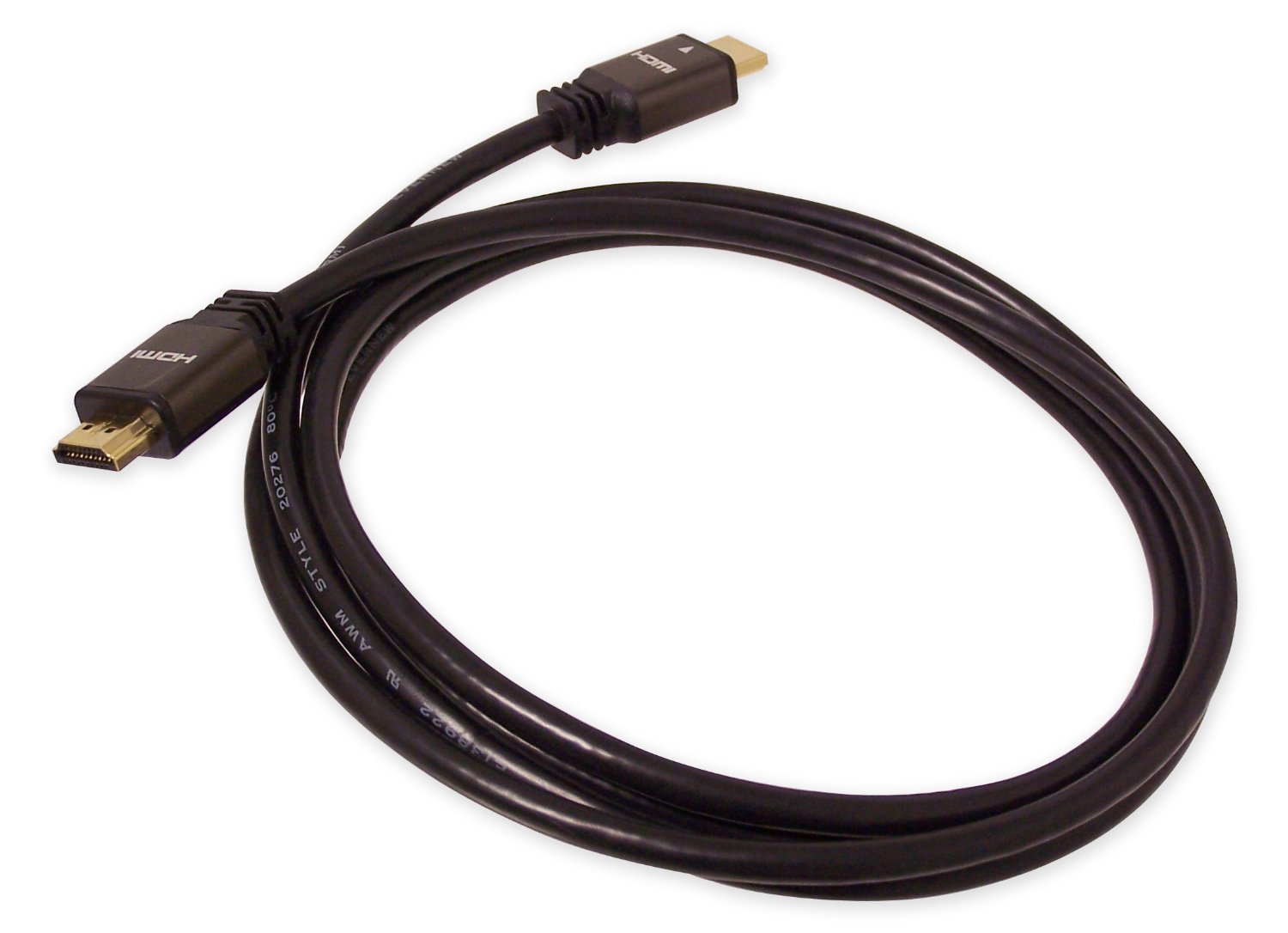
Figure 1: SIIG PremiumHD Cable (CB-000012-S1). This image shows the 2-meter HDMI cable with its male connectors.
2. Product Features
The SIIG PremiumHD Cable offers the following key features:
- Length: 2 meters (approximately 6.56 feet) for flexible placement.
- Connectors: Male HDMI connectors on both ends for direct connection.
- Compliance: Compliant with HDMI 1.2a specification, supporting high-quality audio and video.
- Shielding: Double-shielded cable construction to prevent electromagnetic interference (EMI) and radio-frequency interference (RFI), ensuring a clear signal.
- Durability: Gold-plated connectors resist corrosion and provide optimal signal transfer.

Figure 2: Illustration of a high-speed HDMI cable. This image highlights the robust construction typical of high-quality HDMI cables.
3. Setup Instructions
Follow these steps to connect your SIIG PremiumHD Cable:
- Identify Ports: Locate the HDMI output port on your source device (e.g., DVD player, gaming console, computer) and the HDMI input port on your display device (e.g., TV, monitor, projector).
- Connect Source: Gently insert one end of the SIIG PremiumHD Cable into the HDMI output port of your source device. Ensure it is fully seated.
- Connect Display: Gently insert the other end of the SIIG PremiumHD Cable into the HDMI input port of your display device. Ensure it is fully seated.
- Power On Devices: Turn on both your source device and your display device.
- Select Input: On your display device, use the remote control or on-screen menu to select the correct HDMI input source that corresponds to the port you used.
Note: Always ensure devices are powered off before connecting or disconnecting cables to prevent potential damage.
4. Operating Instructions
Once the SIIG PremiumHD Cable is correctly connected and the input source is selected on your display, the cable will automatically transmit digital video and audio signals from your source device to your display. No additional configuration is typically required for the cable itself.
- Video Transmission: The cable supports high-definition video resolutions as per the HDMI 1.2a specification.
- Audio Transmission: Multi-channel digital audio is transmitted alongside the video signal.
- CEC (Consumer Electronics Control): If both your source and display devices support CEC, they may be able to communicate and control each other through the HDMI connection. Refer to your device manuals for CEC functionality.
5. Maintenance
To ensure the longevity and optimal performance of your SIIG PremiumHD Cable, follow these simple maintenance guidelines:
- Handling: Avoid bending the cable sharply or placing heavy objects on it, as this can damage the internal wiring.
- Cleaning: If necessary, gently wipe the cable and connectors with a soft, dry, lint-free cloth. Do not use liquid cleaners or solvents.
- Storage: When not in use, store the cable in a cool, dry place, ideally coiled loosely to prevent kinks.
- Connection: Always grasp the connector housing when plugging or unplugging the cable, not the cable itself.
6. Troubleshooting
If you encounter issues with your SIIG PremiumHD Cable, refer to the following common problems and solutions:
| Problem | Possible Cause | Solution |
|---|---|---|
| No video or audio signal. |
|
|
| Poor picture quality (e.g., flickering, distorted image). |
|
|
| No audio, but video is present. |
|
|
7. Specifications
Detailed specifications for the SIIG PremiumHD Cable (CB-000012-S1):
- Brand: SIIG
- Model: CB-000012-S1
- Length: 2 Meters (6.56 feet)
- Connector Type: HDMI Male-to-Male
- Cable Type: HDMI
- HDMI Specification: 1.2a compliant
- Shielding: Double-shielded
- Connectors: Gold-plated
- Data Transfer Rate: Up to 10.2 gigabits per second
- Number of Pins: 19
- Color: Black
- Compatible Devices: TVs, Monitors, Projectors, DVD Players, Gaming Consoles (e.g., PS3, Xbox), PCs, and other devices with HDMI ports.
- Special Features: High Speed, CEC (Consumer Electronics Control) support.
- Indoor/Outdoor Usage: Indoor, Outdoor
- Item Weight: 100 g

Figure 3: Close-up of HDMI cable connectors. This image illustrates the design of the male HDMI connectors.
8. Warranty and Support
For warranty information and technical support regarding your SIIG PremiumHD Cable, please refer to the official SIIG website or contact SIIG customer service directly. Specific warranty terms may vary by region and purchase date.
SIIG Official Website: www.siig.com
Please note that product specifications and support details are subject to change without prior notice.