
Byron 776
Byron 776 Wired Doorbell Instruction Manual
Model: 776
1. Product Overview
The Byron 776 Wired Doorbell is a surface-mounted electric wired doorbell designed to provide a classic "ding-dong" sound. It features an integrated transformer and is intended for use with existing doorbell systems. This manual provides essential information for safe installation, operation, and maintenance.

Figure 1: Front view of the Byron 776 Wired Doorbell.
2. Important Safety Information
Please read all safety instructions carefully before installation and operation. Failure to follow these instructions may result in electric shock, fire, or other hazards.
- Electrical Safety: This doorbell is designed for specific voltage requirements. As indicated on the product packaging, this unit operates on 220-240V AC. It is not compatible with 110-120V AC electrical systems commonly found in North America. Attempting to connect this doorbell to an incompatible voltage supply will damage the unit and poses a significant safety risk, including fire and electric shock.
- Professional Installation Recommended: Electrical installation should only be performed by a qualified electrician in accordance with all local electrical codes and regulations.
- Power Disconnection: Always ensure the main power supply to the circuit is turned OFF at the circuit breaker or fuse box before beginning any installation, maintenance, or troubleshooting. Verify power is off using a voltage tester.
- Indoor Use Only: This product is designed for indoor use only. Do not expose it to moisture, rain, or extreme temperatures.
- Avoid Obstruction: Ensure the chime mechanism is not obstructed to allow for proper sound projection.

Figure 2: Product packaging indicating 220-240V input voltage.
3. Package Contents
Verify that all components are present before beginning installation:
- 1 x Byron 776 Wired Doorbell Unit
- Mounting Materials (screws, wall plugs)
- Instruction Manual (this document)
4. Installation Guide
The Byron 776 doorbell is designed for simple two-wire installation. Ensure you have the necessary tools (drill, screwdriver, voltage tester) and follow these steps carefully.
- Prepare for Installation:
- IMPORTANT: Turn off the main power supply to the doorbell circuit at your home's circuit breaker or fuse box. Use a voltage tester to confirm that the power is completely off before proceeding.
- Identify the desired mounting location for the doorbell chime. It should be an indoor location, typically near the front door or in a central area of the home.
- Mount the Doorbell Unit:
- Remove the front cover of the doorbell unit to expose the mounting holes and wiring terminals.
- Position the doorbell unit against the wall at the chosen location. Mark the positions for the mounting screws using a pencil.
- Drill pilot holes at the marked positions. Insert wall plugs if necessary (for drywall or masonry).
- Secure the doorbell unit to the wall using the provided mounting screws. Ensure it is firmly attached.
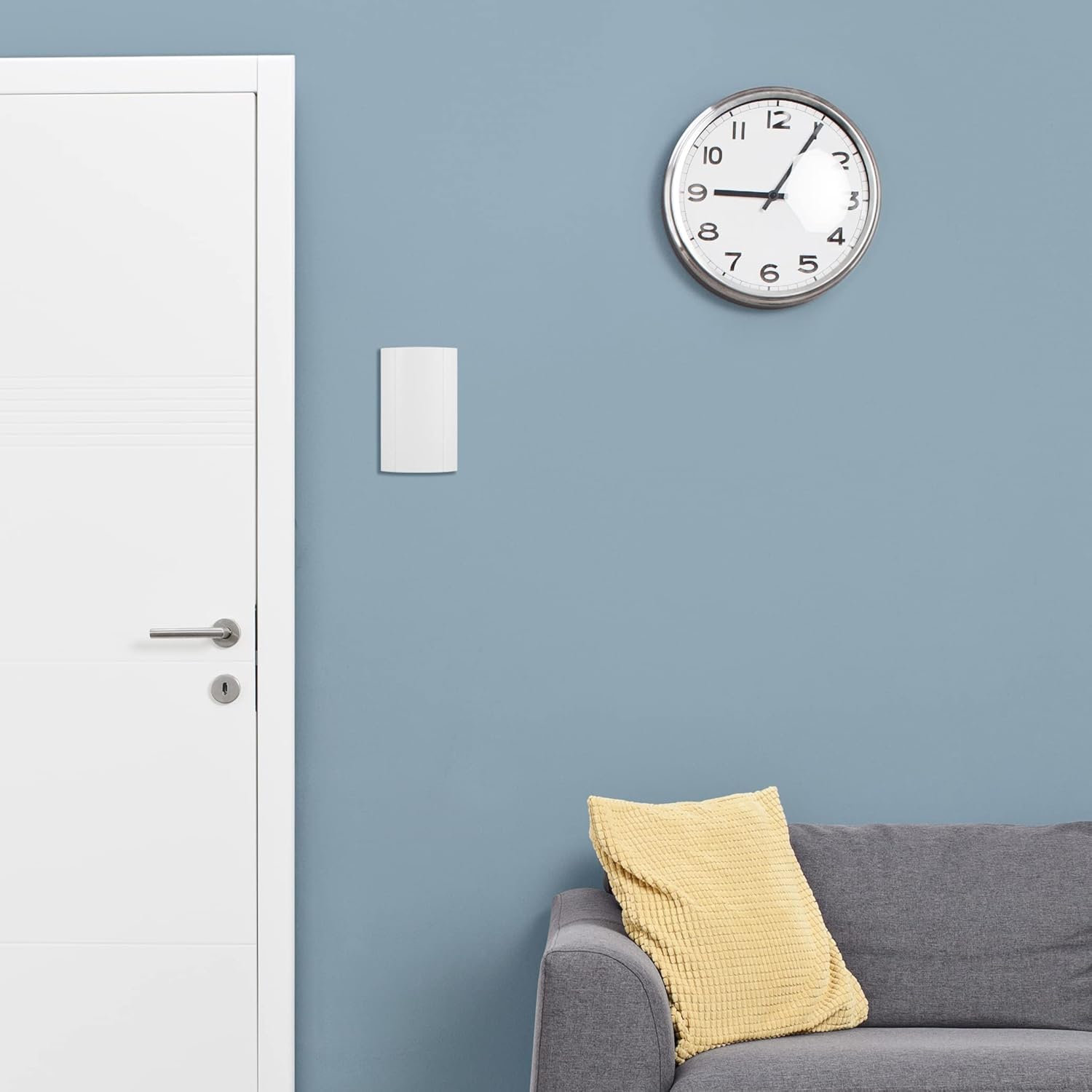
Figure 3: Example of the doorbell unit mounted on a wall.
- Wire the Doorbell:
- Connect the two wires from your existing doorbell push button to the designated terminals on the Byron 776 unit. The unit features an integrated transformer, simplifying the wiring process.
- Ensure the wires are securely fastened in the terminals. Avoid loose connections.

Figure 4: Close-up view of typical two-wire connection.
- Test the Doorbell:
- Once wiring is complete and secure, replace the front cover of the doorbell unit.
- Turn the main power supply back ON at the circuit breaker or fuse box.
- Press your doorbell push button to test the chime. You should hear the classic "ding-dong" sound.
Installation Video
Video 1: Product Summary and Installation Overview. This video provides a visual guide to the product's features and demonstrates the simple two-wire installation process. (Duration: 0:45)
5. Operation
The Byron 776 Wired Doorbell operates automatically when the connected doorbell push button is pressed. It produces a traditional "ding-dong" sound at approximately 80 decibels.
- Sound Activation: A single press of the external doorbell button will activate the chime.
- Compatibility: This chime is compatible with standard wired doorbell push buttons and can also work with certain smart doorbells, such as Ring doorbells, provided the voltage requirements are met.
6. Maintenance
The Byron 776 Wired Doorbell requires minimal maintenance to ensure long-lasting performance.
- Cleaning: Periodically wipe the exterior of the doorbell unit with a soft, dry cloth to remove dust and dirt. Do not use abrasive cleaners or solvents.
- No User-Serviceable Parts: The internal components of the doorbell are not user-serviceable. Do not attempt to open or repair the unit yourself. Refer to qualified personnel for any repairs.
7. Troubleshooting
If you experience issues with your Byron 776 Wired Doorbell, refer to the following common problems and solutions:
| Problem | Possible Cause | Solution |
|---|---|---|
| Doorbell does not chime. |
|
|
| Chime sound is weak or distorted. |
|
|
8. Specifications
| Feature | Detail |
|---|---|
| Model Number | 776 |
| Brand | Byron |
| Manufacturer | Smartwares Safety & Lighting |
| Type | Wired Doorbell Chime |
| Sound Output | 80 Decibels (Classic Ding-Dong) |
| Power Source | AC (Integrated Transformer) |
| Input Voltage | 220-240 Volts (as per packaging) |
| Material | Plastic |
| Color | White |
| Dimensions (L x W x H) | 4.13 x 2.17 x 7.48 inches |
| Item Weight | 1.18 pounds |
9. Warranty and Support
For warranty information or technical support, please refer to the contact details provided on the product packaging or visit the official Byron website. Keep your proof of purchase for warranty claims.
Manufacturer: Smartwares Safety & Lighting
Ask a question about this manual
Ask about setup, troubleshooting, compatibility, parts, safety, or missing instructions. Manuals+ will review the question and use this page’s manual context to help answer it.