
1. Introduction
This manual provides comprehensive instructions for the setup, operation, and maintenance of your Timex T5J571 1440 Men's Sports Digital Watch. Please read this manual carefully to ensure proper use and to maximize the features of your watch.
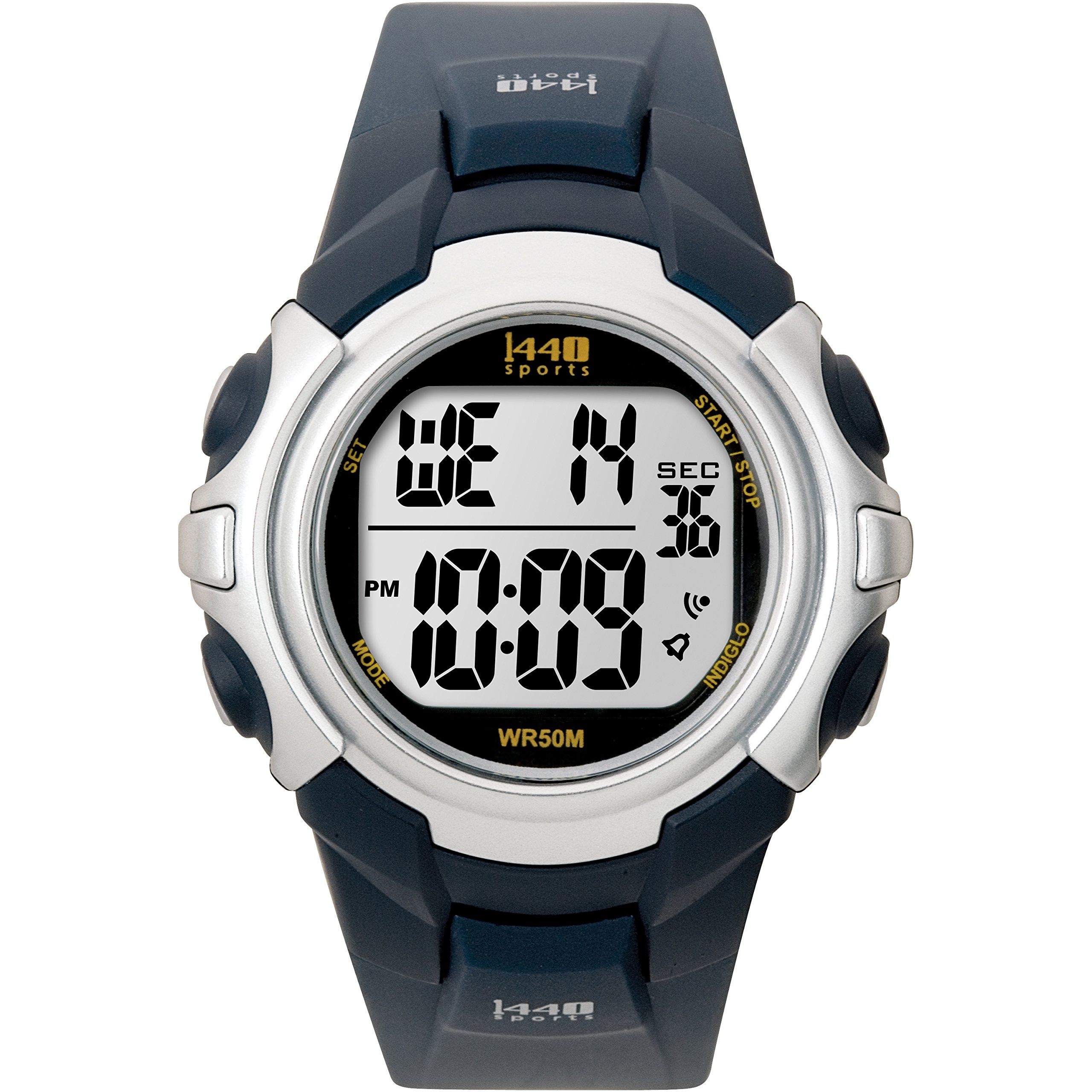
Image: Timex T5J571 1440 Men's Sports Digital Watch, featuring a blue resin band and a gray digital display.
Key Features:
- Digital time display with day, date, and month calendar.
- 24-hour chronograph (stopwatch) function.
- 24-hour countdown timer.
- Daily alarm.
- Indiglo night-light for low-light visibility.
- Dual time zone tracking.
- Durable resin case and blue resin band with buckle clasp.
- Acrylic dial window for scratch protection.
- Water resistant to 50 meters (165 feet).
2. Setup
Battery Information:
Your watch comes with a pre-installed lithium metal battery. No initial battery installation is required. If the display becomes dim or unresponsive, the battery may need replacement. Refer to the Maintenance section for battery replacement guidelines.
Initial Time and Date Setting:
- Press and hold the SET button (usually located on the top left or right) until the time display flashes.
- Use the MODE or ADJUST button (typically on the bottom right) to cycle through hours, minutes, seconds, month, date, and day.
- Use the START/STOP or LIGHT button (typically on the top right or left) to increase the flashing value.
- Once all settings are correct, press the SET button again to exit the setting mode.
3. Operating Instructions
Time and Date Display:
The watch displays the current time, day, date, and month. Press the MODE button to cycle through different display modes if available (e.g., time, date, dual time).
Using the Alarm:
- Press the MODE button repeatedly until the alarm time is displayed.
- Press and hold the SET button until the alarm time flashes.
- Use the MODE or ADJUST button to select hours and minutes.
- Use the START/STOP or LIGHT button to change the flashing value.
- Press SET to confirm and exit.
- To activate/deactivate the alarm, press the START/STOP or LIGHT button while in alarm mode. An alarm icon will appear/disappear.
Using the Chronograph (Stopwatch):
- Press the MODE button until the chronograph display appears (usually showing 00:00:00).
- Press the START/STOP button to start the chronograph.
- Press START/STOP again to pause.
- Press the RESET button (often the SET button when chronograph is paused) to reset to zero.
Using the Countdown Timer:
- Press the MODE button until the countdown timer display appears.
- Press and hold the SET button to set the desired countdown time.
- Use the MODE or ADJUST button to select hours, minutes, and seconds.
- Use the START/STOP or LIGHT button to change the flashing value.
- Press SET to confirm.
- Press START/STOP to start the countdown. An audible alert will sound when the timer reaches zero.
Indiglo Night-Light:
Press the LIGHT button (usually on the top left) to activate the Indiglo night-light, illuminating the display for easy viewing in low-light conditions.
Dual Time Zone Tracker:
Your watch supports setting a second time zone. Refer to the detailed instructions below:
- Press the MODE button until the dual time zone display appears (often labeled T2).
- Press and hold the SET button until the T2 time flashes.
- Use the MODE or ADJUST button to select hours and minutes.
- Use the START/STOP or LIGHT button to change the flashing value.
- Press SET to confirm and exit.
4. Maintenance
Water Resistance:
This watch is water resistant to 50 meters (165 feet). This means it is suitable for recreational swimming in shallow water. It is not suitable for diving, snorkeling, or high-impact water sports. Do not operate buttons underwater.
Cleaning:
Clean your watch with a soft, damp cloth. Avoid using harsh chemicals or abrasive materials, as these can damage the resin case, band, or acrylic window.
Battery Replacement:
When the battery needs replacement, it is recommended to take your watch to an authorized Timex service center or a qualified watch technician. Improper battery replacement can compromise the watch's water resistance and internal components.
5. Troubleshooting
Display is Blank or Dim:
- Cause: Low or depleted battery.
- Solution: Replace the battery.
Buttons Not Responding:
- Cause: Watch may be in a locked mode or internal malfunction.
- Solution: Try pressing all buttons simultaneously for a few seconds to perform a soft reset. If the issue persists, contact customer support.
Time is Inaccurate:
- Cause: Incorrect time setting or internal movement issue.
- Solution: Re-set the time according to the 'Initial Time and Date Setting' instructions. If the problem continues, the watch may require servicing.
6. Specifications
| Feature | Detail |
|---|---|
| Brand | Timex |
| Model Number | T5J571 (also T5J5714E, T5J5719J) |
| Movement | Quartz |
| Display Type | Digital |
| Case Material | Resin |
| Case Diameter | 43 Millimeters |
| Case Thickness | 15 Millimeters |
| Band Material | Resin |
| Band Color | Blue |
| Band Width | 18 Millimeters |
| Clasp Type | Buckle |
| Dial Window Material Type | Acrylic |
| Dial Color | Gray |
| Water Resistance Depth | 50 Meters (165 Feet) |
| Special Features | Alarm, Backlight (Indiglo), Day Indicator, Chronograph, Countdown Timer, Dual Time Zone |
| Battery | 1 Lithium Metal Battery (included) |
| Item Weight | 90.72 g (0.2 Pounds) |
7. Warranty and Support
Your Timex watch is covered by a limited warranty. For specific warranty terms and conditions, please refer to the warranty card included with your purchase or visit the official Timex website. For technical support, service, or inquiries, please contact Timex customer service through their official channels.
For more information, visit the official Timex website: www.timex.com
