
Introduction
Thank you for choosing the Bell and Howell Sunlight Desk Lamp. This lamp is designed to provide balanced, full-spectrum lighting that simulates natural sunlight, enhancing visibility and reducing eye strain for various tasks such as reading, working, and hobbies. This manual provides essential information for the safe and efficient use of your lamp.
Safety Instructions
- Always unplug the lamp from the power outlet before cleaning or performing any maintenance.
- Do not use the lamp near water or in excessively humid environments.
- Ensure the lamp is placed on a stable, flat surface to prevent tipping.
- Do not attempt to modify or repair the lamp yourself. Contact qualified service personnel for assistance.
- Keep the lamp away from flammable materials.
- Use only the specified bulb type and wattage (27-watt fluorescent bulb).
Package Contents
- Bell and Howell Sunlight Desk Lamp (Base, Gooseneck, Lamp Head)
- 27-watt Full Spectrum Fluorescent Bulb
- User Manual
Setup
Follow these steps to assemble your Bell and Howell Sunlight Desk Lamp:
- Unpack Components: Carefully remove all parts from the packaging. Ensure all components listed in "Package Contents" are present.
- Insert Bulb: Gently insert the provided 27-watt fluorescent bulb into the lamp head socket. Ensure it is securely seated.

Image: Close-up of the lamp head showing the fluorescent bulb and the power switch.
- Attach Gooseneck to Base: Securely attach the flexible gooseneck to the lamp base. Some models may require screwing the gooseneck into the base. Ensure the connection is firm.
- Position the Lamp: Place the lamp on a stable, flat surface. The weighted base is designed for stability.

Image: Assembled Bell and Howell Sunlight Desk Lamp.
- Connect to Power: Plug the power cord into a standard 120V AC electrical outlet.
Operating Instructions
- Power On/Off: Locate the power switch on the lamp head (refer to the image in the Setup section). Flip the switch to the "ON" position to turn on the lamp, and to the "OFF" position to turn it off.
- Adjusting the Light: The lamp features a flexible gooseneck. Gently bend and position the gooseneck to direct the light precisely where needed. The lamp head can also be angled for optimal illumination.
- Optimal Use: For best results in reducing eye strain and enhancing color perception, position the lamp to illuminate your work area directly without creating glare on screens or reflective surfaces.
Maintenance
Cleaning
- Ensure the lamp is unplugged and cool before cleaning.
- Wipe the exterior surfaces with a soft, dry cloth.
- Do not use abrasive cleaners, solvents, or harsh chemicals, as these may damage the finish.
Bulb Replacement
The lamp uses a 27-watt full-spectrum fluorescent bulb designed for long life (up to 5000 hours). When replacement is necessary:
- Unplug the Lamp: Always disconnect the lamp from the power source before replacing the bulb.
- Allow to Cool: If the lamp has been in use, allow the bulb to cool completely before handling.
- Remove Old Bulb: Carefully remove the old fluorescent bulb from its socket.
- Insert New Bulb: Insert a new 27-watt full-spectrum fluorescent bulb into the socket, ensuring it is firmly seated.
- Dispose Responsibly: Dispose of old fluorescent bulbs according to local regulations, as they may contain small amounts of mercury.
Troubleshooting
| Problem | Possible Cause | Solution |
|---|---|---|
| Lamp does not turn on. |
|
|
| Light flickers. |
|
|
| Lamp head is difficult to adjust. |
|
|
Specifications
| Model Number | 7649 |
| Brand | Bell+Howell |
| Lamp Type | Desk Lamp |
| Bulb Type | 27-watt Full Spectrum Fluorescent |
| Wattage | 27 watts (equivalent to 150-watt incandescent) |
| Bulb Life | Up to 5000 hours |
| Color Temperature | 6500K |
| Lumens | 1300 Lumens |
| Color Rendering Index (CRI) | 80-85 |
| Input Voltage | 120 volts AC |
| Product Dimensions | 5"D x 5"W x 3"H (Base dimensions, overall height varies with gooseneck adjustment) |
| Weight | 5.5 Pounds |
| Base Material | Metal |
| Finish Type | Clear |
| Shade Color | Grey |
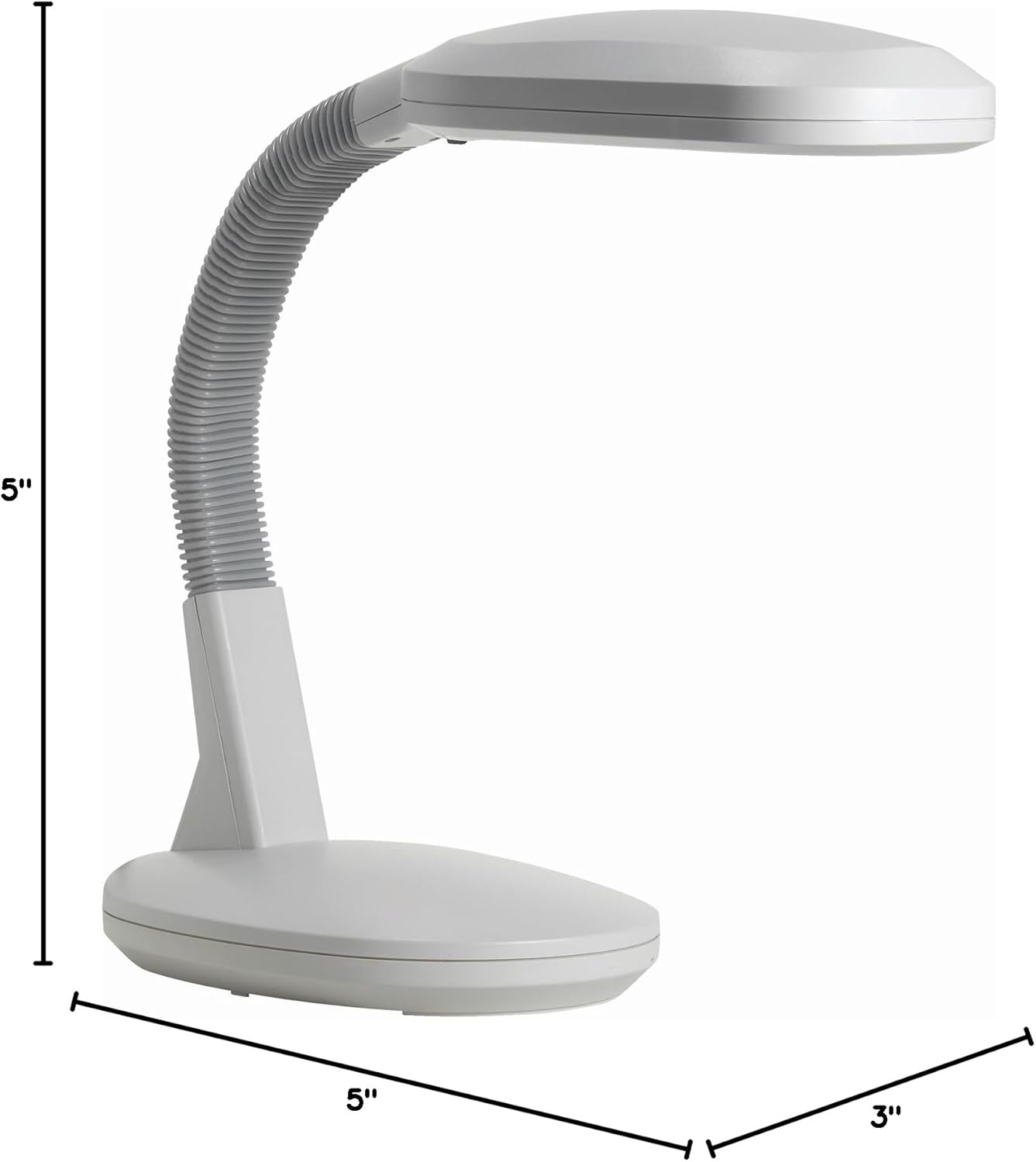
Image: Product dimensions diagram.
Warranty and Support
For information regarding product warranty, please refer to the documentation included with your purchase or contact Bell+Howell customer support.
Manufacturer: Bell and Howell
ASIN: B000RY1TQI
Item Model Number: 7649
Optional protection plans are available for purchase separately. These plans offer extended coverage beyond the standard manufacturer's warranty.
- 3-Year Protection Plan
- 4-Year Protection Plan
- Complete Protect (monthly plan covering multiple eligible purchases)
For further assistance or to inquire about protection plans, please visit the Bell+Howell Store on Amazon or contact your retailer.