
1. Introduction
Thank you for choosing the Lasko Wind Curve Oscillating Tower Fan. This manual provides important information regarding the safe operation, assembly, maintenance, and troubleshooting of your fan. Please read it thoroughly before use and retain it for future reference.
Note: This product contains chemicals known to the State of California to cause cancer and birth defects or other reproductive harm. For more information, visit www.P65Warnings.ca.gov.
2. Product Features
- 42-inch Tower Design: High-reaching design for maximum air delivery.
- 3 Quiet Speeds: Adjustable settings for personalized comfort.
- Widespread Oscillation: Ensures broad air circulation across the room.
- Fresh Air Ionizer: Emits negative ions to help reduce airborne particles, creating a fresher environment.
- Electronic Controls: Easy-to-use interface for all functions.
- Multi-function Remote Control: Conveniently adjust settings from a distance.
- 7.5-hour Timer: Program the fan to turn off automatically.
- Built-in Carry Handle: For easy portability.
- The Blue Plug Patented Safety Fuse Technology: Enhanced safety feature.
3. Setup and Assembly
Your Lasko Wind Curve Tower Fan requires simple assembly before first use.
3.1 Unpacking
Carefully remove the fan and all components from the packaging. Ensure all parts are present: main fan body, two-piece base, and remote control.
3.2 Base Assembly
- Connect the two halves of the round base together.
- Align the assembled base with the bottom of the fan body.
- Secure the base to the fan body using the provided screws. Refer to the user manual PDF for detailed diagrams.
3.3 Placement
Place the fan on a firm, level surface. Its slim, space-saving design allows it to fit beautifully into various rooms, including kitchens, bedrooms, living rooms, and home offices. Ensure the fan is placed away from curtains or other objects that could obstruct airflow or interfere with oscillation.
3.4 Power Connection
Plug the fan into a standard 120V AC electrical outlet. The fan uses a corded electric power source with a NEMA 5-15P main power connector type.

Figure 1: Lasko Wind Curve Tower Fan with remote, illustrating air flow.
4. Operating Instructions
Your Lasko Wind Curve Tower Fan can be operated using the electronic controls on the top panel or the multi-function remote control.
4.1 Control Panel Overview

Figure 2: Detailed view of the fan's electronic control panel.
4.2 Remote Control
The included remote control provides convenient access to all fan functions. It can be stored in a dedicated slot on the back of the fan to prevent misplacement.

Figure 3: The multi-function remote control for the Lasko fan.

Figure 4: Remote control storage slot on the back of the fan.
4.3 Functions
- Power (On/Off): Press the power button to turn the fan on or off.
- Speed: Cycle through 3 quiet speeds (Low, Medium, High) by pressing the speed button.
- Oscillation (OSC): Activate or deactivate the widespread oscillation feature to distribute air across a wider area.
- Timer: Set the fan to automatically turn off after a specified period, up to 7.5 hours.
- Ionizer: Turn the Fresh Air Ionizer on or off. This feature helps to clean the air by releasing negative ions.
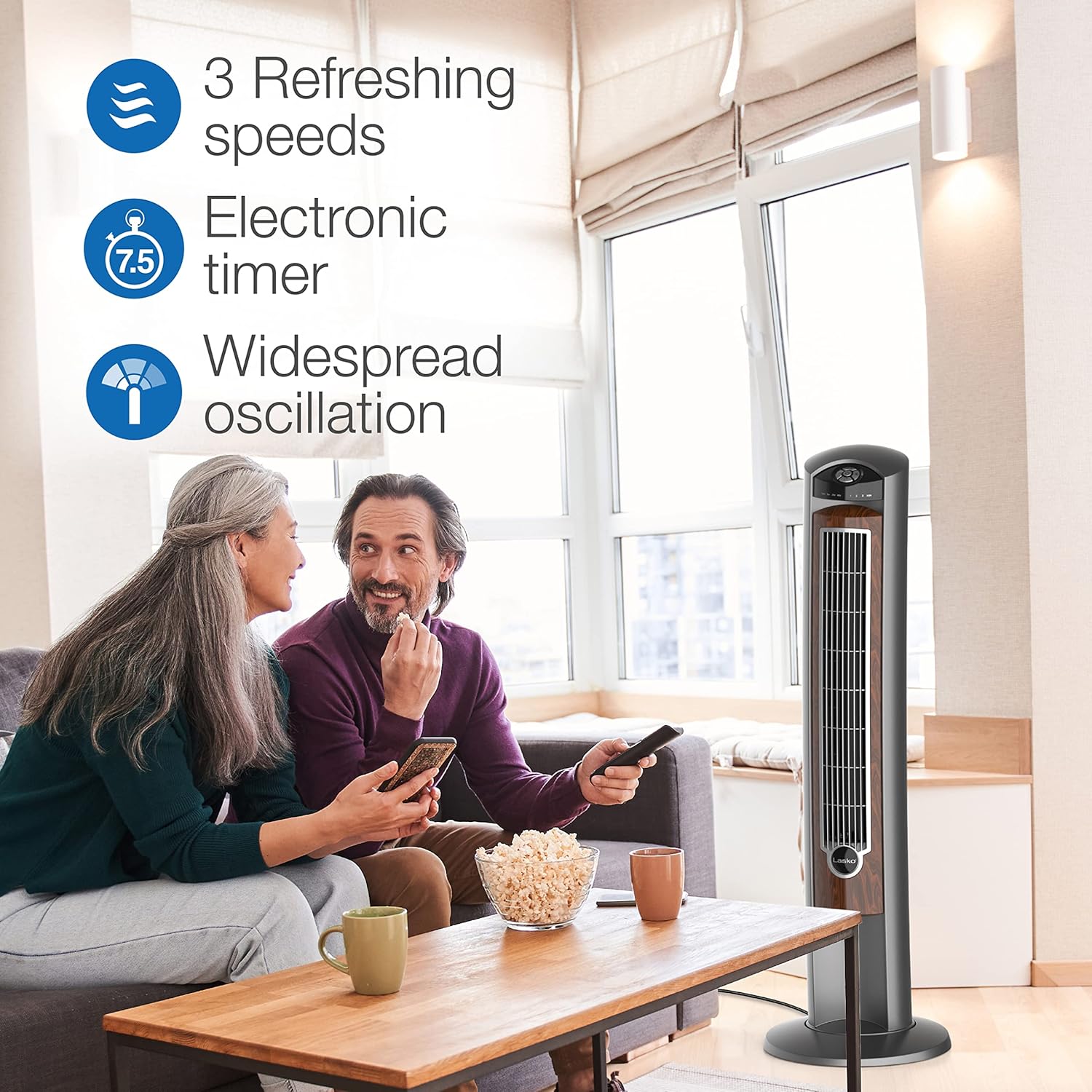
Figure 5: The fan's features enhance comfort in living spaces.
5. Maintenance
Regular maintenance ensures optimal performance and longevity of your Lasko Wind Curve Tower Fan.
5.1 Cleaning
- Always unplug the fan before cleaning.
- Use a soft cloth to gently wipe the exterior surfaces.
- For dust accumulation on the air intake/output grilles, use a vacuum cleaner with a brush attachment or compressed air to carefully remove debris.
- Do not immerse the fan in water or allow water to drip into the motor housing.
- Do not use abrasive cleaners or solvents as they may damage the fan's finish.
5.2 Storage
When not in use, store the fan in a cool, dry place. It is recommended to store it in its original box to protect it from dust and damage.
6. Troubleshooting
If your fan is not operating as expected, please refer to the following common issues and solutions:
| Problem | Possible Cause | Solution |
|---|---|---|
| Fan does not turn on. | Not plugged in; power outlet issue; safety fuse tripped. | Ensure fan is securely plugged into a working outlet. Check household circuit breaker. The Blue Plug safety fuse may have tripped; unplug and check the fuse in the plug. |
| Reduced airflow. | Dust accumulation on grilles; fan speed set too low. | Clean the air intake and output grilles. Increase the fan speed setting. |
| Fan is noisy. | Obstruction; loose parts; fan not on a level surface. | Check for any obstructions. Ensure all assembly screws are tight. Place the fan on a stable, level surface. |
| Remote control not working. | Dead batteries; obstruction between remote and fan sensor. | Replace AAA batteries in the remote. Ensure a clear line of sight to the fan's control panel sensor. |
If the problem persists after trying these solutions, please contact Lasko customer support.
7. Specifications
| Feature | Detail |
|---|---|
| Brand | Lasko |
| Model Name | Wind Curve |
| Model Number | 2554 |
| Color | Silverwood 2554 |
| Style | Tower Fan |
| Product Dimensions | 13"D x 13"W x 42.5"H |
| Item Weight | 10.62 pounds |
| Power Source | Corded Electric |
| Voltage | 120V |
| Wattage | 49 watts |
| Air Flow Capacity | 720 Cubic Feet Per Minute |
| Number of Power Levels | 3 |
| Special Features | 3 Speeds, Auto-Off Timer, Widespread Oscillation, Fresh Air Ionizer, Remote Control |
| Included Components | Remote, Lasko #2554 42-Inch Wind Curve Fan |
| Indoor/Outdoor Usage | Indoor |
| Control Method | Touch, Remote Control |
| Assembly Required | Yes |
| Country of Origin | China (Made in USA) |
8. Warranty and Support
Your Lasko Wind Curve Tower Fan is backed by a 1-year manufacturer's warranty. For warranty claims or technical support, please contact Lasko customer service.
For a downloadable PDF version of the user manual, please visit: Lasko Wind Curve User Manual (PDF)
9. Additional Product Information
9.1 Product Images

Figure 6: Lasko is recognized as the #1 Fan Brand in the USA.

Figure 7: The fan's slim design integrates seamlessly into any room.

Figure 8: Ideal for living rooms, bedrooms, studios, and more.
9.2 Official Product Videos
No official product videos from the seller were found for this product.


