
Introduction
This manual provides instructions for the installation, operation, and maintenance of the PetSafe Surge Protector, Model LP-4100-1. This device is designed to protect your PetSafe in-ground pet fence transmitter from damage caused by electrical surges and lightning strikes. Please read these instructions thoroughly before installation and use to ensure proper function and safety.
Safety Information
- This device is for indoor use only.
- Do not expose the surge protector to water or excessive moisture.
- Ensure the wall outlet used is properly grounded.
- Disconnect the surge protector from the wall outlet during severe electrical storms or when not in use for extended periods.
- Do not attempt to open or repair the device. Refer all servicing to qualified personnel.
Setup and Installation
The PetSafe Surge Protector is designed for simple, tool-free installation. It integrates directly with your existing PetSafe in-ground fence system.
- Unplug Transmitter: Disconnect your PetSafe in-ground fence transmitter from its power outlet.
- Connect Loop Wires: Locate the loop wires from your in-ground fence system. Connect these wires to the "LOOP" terminals on the surge protector. Ensure a secure connection.
- Connect Transmitter Wires: Connect the wires from your in-ground fence transmitter to the "TRANSMITTER" terminals on the surge protector. Ensure a secure connection.
- Plug into Outlet: Plug the PetSafe Surge Protector directly into a standard, grounded wall outlet.
- Plug Transmitter into Protector: Plug your PetSafe in-ground fence transmitter's power cord into the AC outlet on the front of the surge protector.
The surge protector is now installed and ready to protect your system.

Image: The PetSafe Surge Protector, showing its AC outlet and wire terminals for connecting to the fence system.
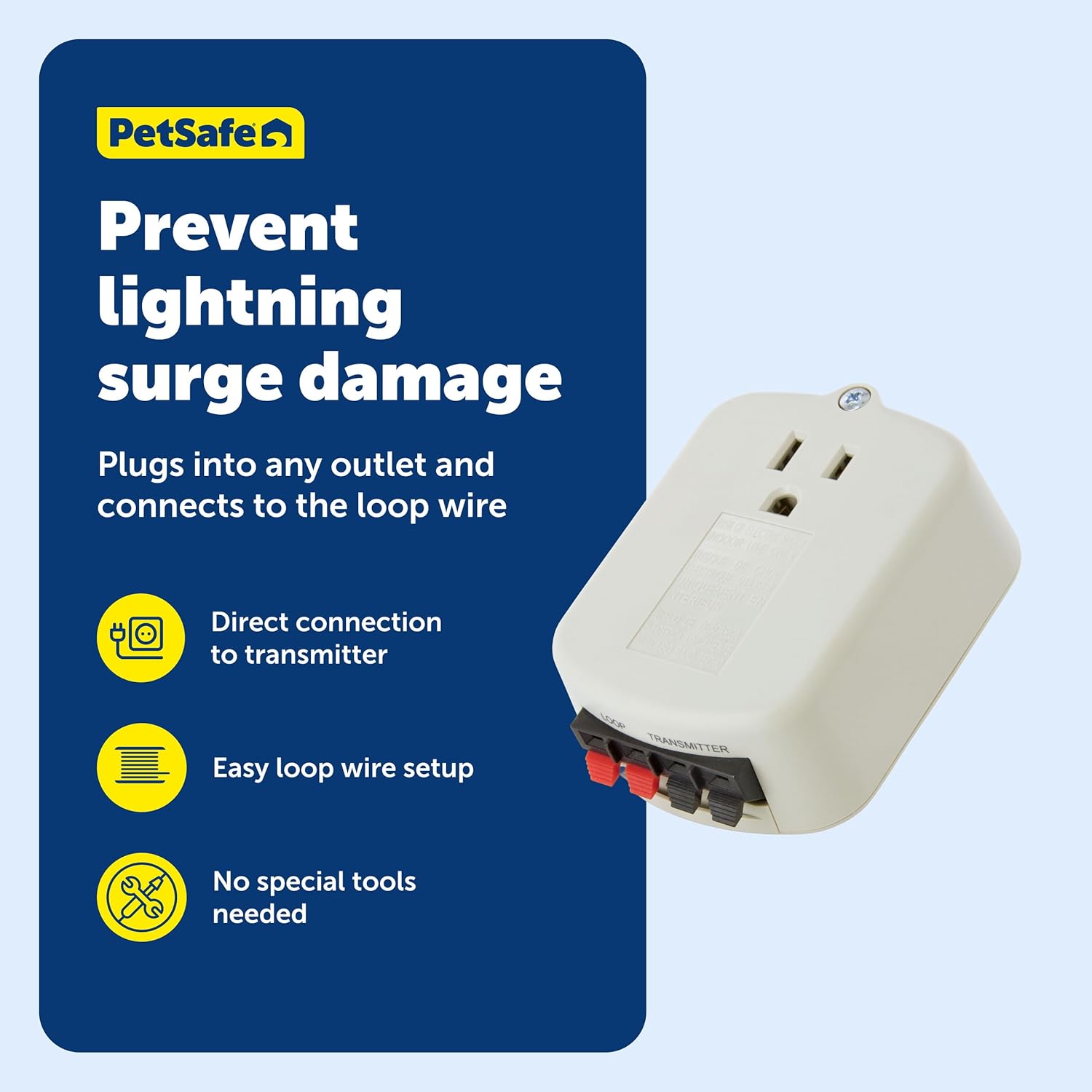
Image: Visual representation of the surge protector's connections to prevent lightning damage.
Operation
Once installed, the PetSafe Surge Protector operates continuously to safeguard your in-ground pet fence system. It provides reliable protection against electrical surges and power spikes that can occur due to lightning strikes or fluctuations in the power supply.
- The device automatically detects and diverts excess voltage away from your fence transmitter.
- It ensures the continuous and reliable operation of your pet containment system.
- The surge protector works with all compatible PetSafe in-ground fences.

Image: A dog enjoying a protected yard, symbolizing the surge protector's function.

Image: A dog within a safely guarded boundary, demonstrating continuous fence operation.
Maintenance
The PetSafe Surge Protector requires minimal maintenance. Regular inspection is recommended to ensure optimal performance.
- Periodically check the device and its connections for any signs of damage or wear.
- Ensure all wire connections to the "LOOP" and "TRANSMITTER" terminals remain secure.
- Keep the surge protector clean and free from dust. Wipe with a dry cloth if necessary.
- If the surge protector has absorbed a significant surge (e.g., after a direct lightning strike nearby), it may need replacement. While the device is designed to protect, its internal components can be sacrificed to save your transmitter.
Troubleshooting
If your in-ground fence system stops functioning after an electrical event (e.g., a thunderstorm), the surge protector may have absorbed the surge to protect your transmitter.
- No Power to Transmitter: Check if the transmitter's power light is off. If so, try plugging the transmitter directly into a known working wall outlet (bypassing the surge protector). If the transmitter powers on, the surge protector likely failed and needs replacement.
- Fence Not Working: If the transmitter has power but the fence is not working, ensure all wire connections to the surge protector are secure. If issues persist, contact PetSafe Customer Support.
The PetSafe Surge Protector does not feature an indicator light to show its operational status. If you suspect it has failed, follow the steps above.
Compatibility
The PetSafe Surge Protector (Model LP-4100-1) is compatible with all PetSafe in-ground pet fence systems, including but not limited to:
- Stubborn Dog In-Ground Fence™
- Rechargeable In-Ground Fence System™
- In-Ground Cat Fence™
- Deluxe Little Dog In-Ground Fence™
- Basic In-Ground Fence™
- YardMax® Rechargeable In-Ground Fence™
Specifications
| Feature | Detail |
|---|---|
| Model Number | LP-4100-1 |
| Brand | PetSafe |
| Color | White |
| Item Dimensions (LxWxH) | 4.25 x 3.5 x 7.25 inches |
| Item Weight | 3.84 ounces |
| Included Components | Surge Protector |
| Manufacturer | Radio Systems Corporation |
Warranty
The PetSafe Surge Protector (Model LP-4100-1) comes with a 1 Year Limited Warranty. For specific terms and conditions, please refer to the warranty documentation included with your purchase or visit the official PetSafe website.
Customer Support
For further assistance, technical support, or warranty claims, please contact PetSafe Customer Support. PetSafe is committed to providing exceptional customer support for its products.
- Refer to the contact information provided in your product packaging.
- Visit the official PetSafe website for support resources, FAQs, and contact details.

