
1. Introduction
The Peerless-AV SP850-UNLP Pull-Out Swivel Mount is engineered for securely mounting flat panel displays ranging from 32 inches to 65 inches. This mount features a pull-out and swivel mechanism, allowing for easy access to the rear of the display and flexible viewing angle adjustments. Its ultra-thin design ensures the display remains close to the wall when retracted, maintaining a clean aesthetic.
2. Safety Information
Before installation, read all instructions carefully. Improper installation can result in property damage or personal injury. If you do not understand these instructions or have doubts about the safety of the installation, consult a qualified professional.
- Weight Capacity: Do not exceed the maximum weight capacity of 150 lbs (68 kg).
- Wall Structure: Ensure the mounting surface can safely support the combined weight of the mount and the display. This mount is designed for installation on 16-inch wood studs, concrete, or cinder block walls.
- Personal Safety: Always use appropriate safety equipment during installation. Two people are recommended for lifting and positioning the display.
- Cable Management: Route all cables to prevent pinching or damage during movement of the mount.
3. Package Contents
Verify that all components are present before beginning installation:
- SP850-UNLP Pull-Out Swivel Mount Assembly
- PLP-UNL Universal Adapter Plate
- Mounting Hardware Kit (various screws, washers, spacers, wall anchors)
- Security Lock Out Screw
- Lock Key Installation Tool
- Installation Instructions (this document)
4. Setup and Installation
This section outlines the general steps for installing your Peerless-AV SP850-UNLP mount. Refer to the detailed diagrams provided with your physical product for precise measurements and hardware usage.
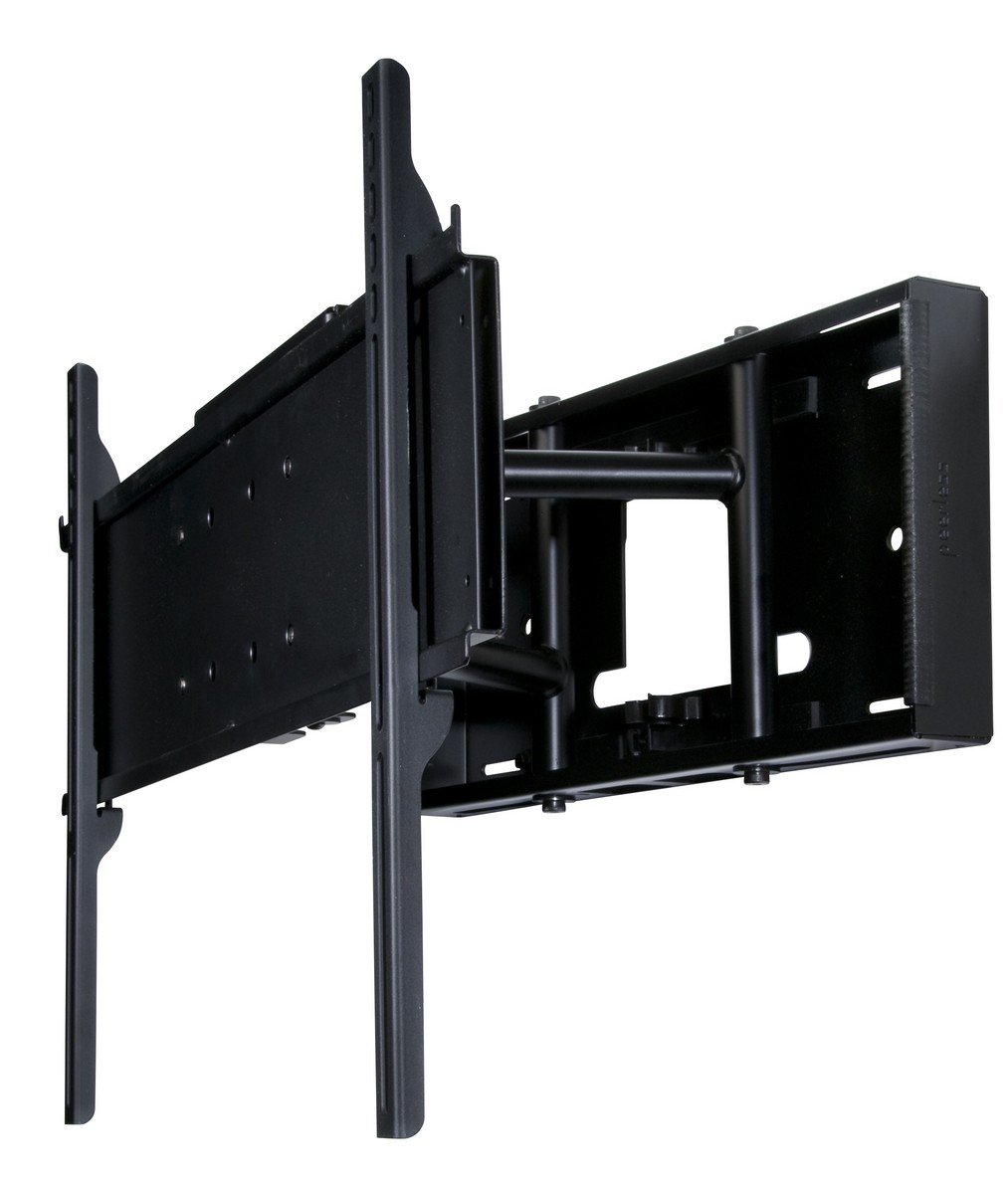
Image 1: Peerless-AV SP850-UNLP Pull-Out Swivel Mount. This image shows the mount in its retracted position, highlighting its compact design and the wall plate.
4.1. Tools Required (Not Included)
- Stud finder (for wood stud installation)
- Drill with appropriate drill bits
- Level
- Tape measure
- Socket wrench or adjustable wrench
- Phillips head screwdriver
4.2. Wall Plate Installation
- Locate and mark the desired mounting position on the wall. For wood stud installation, use a stud finder to identify the center of two adjacent 16-inch studs.
- Position the wall plate against the wall, ensuring it is level. Mark the drilling locations.
- Drill pilot holes at the marked locations. For wood studs, drill appropriate size pilot holes. For concrete/cinder block, use a masonry drill bit and insert wall anchors.
- Secure the wall plate to the wall using the provided lag bolts and washers. Ensure all fasteners are tightened securely.
4.3. Display Bracket Installation
- Attach the PLP-UNL universal adapter plate to the back of your flat panel display. The adapter plate supports VESA 100 and 200 hole patterns. Use the appropriate screws and spacers from the hardware kit to ensure a secure fit without overtightening. The I-shaped design helps avoid blocking display connections.
- Carefully lift the display and hook the adapter plate onto the mount arms.
- Secure the display to the mount arms using the provided locking mechanisms or screws.
- Adjust the horizontal alignment using the +/- 1 degree roll feature if needed.
- Insert the security lock out screw to prevent unwanted extension of the mount, if desired.
5. Operating Instructions
The SP850-UNLP mount offers flexible positioning for your display.
5.1. Pull-Out and Swivel Function
- To extend the display, gently pull the screen forward from the wall. The swivel arms will extend up to 10.5 inches (26.7 cm) from the wall.
- Once extended, you can swivel the display up to 45 degrees left or right, depending on the screen size, to achieve your desired viewing angle.
- To retract the display, gently push the screen back towards the wall until it is flush.
5.2. Tilt Adjustment
- The mount allows for incremental tilt adjustments of 0, 5, or 10 degrees.
- To adjust the tilt, loosen the tilt adjustment knobs or bolts (refer to your product's specific hardware).
- Tilt the display to the desired angle and then securely tighten the knobs or bolts to lock the tilt in place.
6. Maintenance
Regular maintenance ensures the longevity and safe operation of your mount.
- Periodic Checks: Periodically check all mounting screws and connections to ensure they remain tight and secure. Retighten if necessary.
- Cleaning: Clean the mount with a soft, dry cloth. Avoid abrasive cleaners or solvents that could damage the finish.
- Movement: If the pull-out or swivel mechanism becomes stiff, ensure no debris is obstructing the moving parts. Do not apply lubricants unless specifically recommended by the manufacturer.
7. Troubleshooting
If you encounter issues with your SP850-UNLP mount, refer to the following common solutions:
- Display is not level: Use the +/- 1 degree roll adjustment feature to fine-tune the horizontal alignment of the display. Ensure the wall plate was installed level.
- Difficulty pulling out or swiveling: Check for any obstructions behind the display or around the mount arms. Ensure the security lock out screw is not engaged if you intend to use the pull-out feature. Verify the display weight does not exceed the mount's capacity.
- Mount feels loose: Immediately check and retighten all wall mounting bolts and display attachment screws. If the issue persists, consult a professional installer.
- Cables are pinched: Carefully reroute cables to ensure they have enough slack and do not interfere with the mount's movement.
8. Specifications
| Feature | Specification |
|---|---|
| Model | SP850-UNLP |
| Brand | Peerless-AV |
| Mounting Type | Wall Mount |
| Movement Type | Swivel, Tilt |
| Material | Metal |
| Color | Black |
| Compatible Devices | Television, Monitor |
| Minimum Supported Screen Size | 32 Inches |
| Maximum Supported Screen Size | 65 Inches |
| Weight Capacity | 150 lbs (68 kg) |
| Distance from Wall (Closed) | 2 inches (5.1 cm) |
| Distance from Wall (Extended) | Up to 10.5 inches (26.7 cm) |
| Maximum Tilt Angle | 10 Degrees (0, 5, or 10 degrees lockable) |
| Swivel Range | Up to +/- 45 degrees (depending on screen size) |
| Roll Adjustment | +/- 1 degree for horizontal alignment |
| Mounting Pattern | VESA 100, VESA 200 (via adapter plate) |
| Stud Spacing | 16 inches (40.6 cm) |
| Item Weight | 12.69 Kilograms (27.98 lbs) |
| Certifications | RoHS |
9. Warranty and Support
For specific warranty information regarding your Peerless-AV SP850-UNLP mount, please refer to the warranty card included with your product or visit the official Peerless-AV website. For technical support, product inquiries, or assistance with installation, please contact Peerless-AV customer service directly through their official channels.