
Introduction
The STANLEY 10-817 Fat Max Xtreme Snap Off Knife is engineered for demanding job site conditions. Its robust die-cast all-metal construction ensures durability and reliability. This utility knife features a blade knob for securely locking the blade in place during heavy-duty tasks, and diamond-shaped texturing combined with a textured die-cast finish for a positive, slip-resistant grip. It includes a convenient stainless steel 4-blade cartridge system.
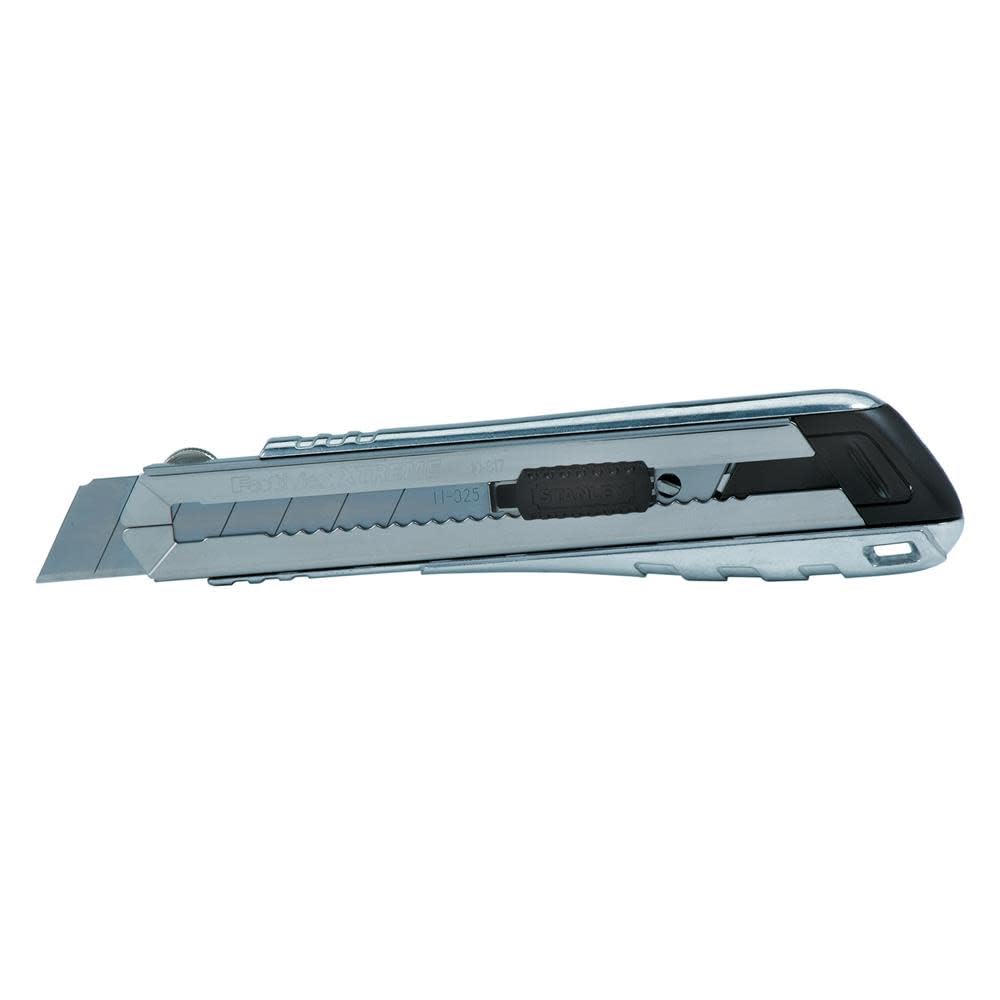
Image: The STANLEY 10-817 Fat Max Xtreme Snap Off Knife, showcasing its robust metal body and extended blade.
Safety Information
Always exercise extreme caution when handling any cutting tool. Improper use can result in serious injury. Adhere to the following safety guidelines:
- Always wear appropriate personal protective equipment, including safety glasses.
- Keep fingers and body parts clear of the blade path.
- Ensure the blade is fully retracted or locked when not in use.
- Use the blade knob to secure the blade firmly for cutting tasks to prevent accidental retraction or extension.
- Cut away from your body.
- Do not apply excessive force; let the sharp blade do the work.
- Keep out of reach of children.
- Dispose of dull or broken blades safely in a designated container.
Proposition 65 Warning: This product may contain chemicals known to the State of California to cause cancer and birth defects or other reproductive harm.
Product Features
- Die-Cast All-Metal Construction: Provides exceptional durability and strength for demanding use.
- Blade Knob: Securely locks the blade in place, preventing movement during heavy-duty applications.
- Diamond-Shaped Texturing: Enhances grip for improved control and safety.
- Textured Die-Cast Finish: Contributes to a positive, slip-resistant hold.
- Stainless Steel 4-Blade Cartridge: Offers convenient storage and quick access to spare blades.
Setup
Loading Blades
- Ensure the blade knob is fully loosened by turning it counter-clockwise.
- Slide the inner blade cartridge straight out from the back of the knife handle. The plastic slide knob will become completely free; set it aside carefully to avoid losing it.
- Insert new 25mm snap-off blades into the cartridge. The knife is designed to hold up to four spare blades.
- Partially re-insert the cartridge into the handle (approximately 90% of the way).
- Place the plastic slide knob back onto the top of the cartridge, aligning it with the track.
- Push the cartridge fully into the handle until it clicks into place.
- Tighten the blade knob by turning it clockwise to secure the blade.
Operating Instructions
Extending and Retracting the Blade
- To Extend: Loosen the blade knob slightly. Push the plastic slide knob forward to extend the blade to the desired length.
- To Lock: Once the blade is at the desired length, firmly tighten the blade knob by turning it clockwise until the blade is securely held in position. This prevents the blade from moving during cutting.
- To Retract: Loosen the blade knob. Pull the plastic slide knob backward until the blade is fully retracted into the handle. Tighten the blade knob for storage.
Cutting Techniques
- Always use a cutting mat or a sacrificial surface underneath your material.
- For precise cuts, use a straight edge or ruler as a guide.
- Apply steady, even pressure. Multiple shallow passes are often safer and more effective than a single deep cut, especially on thicker materials.
- Ensure your grip is firm and stable, utilizing the knife's textured handle.
Blade Replacement and Snapping
Snapping a Dull Blade Segment
When the blade tip becomes dull, you can snap off the used segment to reveal a fresh, sharp edge. The STANLEY 10-817 includes a plastic blade snapper integrated into the handle.
- Extend the blade slightly so that the first score line is visible and accessible.
- Locate the plastic blade snapper, typically found at the rear end of the knife, which can be slid out.
- Carefully insert the dull blade segment into the slot of the blade snapper.
- With a firm, controlled motion, snap the segment downwards. The blade segment should break cleanly along the score line.
- Immediately dispose of the snapped-off blade segment in a safe, puncture-proof container.
Replacing the Entire Blade
When all segments of a blade have been used, or if the blade is damaged, replace it by following the "Loading Blades" instructions in the Setup section.
Maintenance
- Cleaning: Periodically clean the knife body and blade channel to remove debris, dust, or adhesive residue. Use a dry cloth or a brush. Avoid using harsh chemicals that could damage the finish or internal components.
- Lubrication: If the blade mechanism feels stiff, a small amount of dry lubricant can be applied to the slide mechanism.
- Blade Condition: Always use sharp blades. Dull blades require more force, increasing the risk of injury and producing poor cuts.
- Storage: Store the knife in a dry place with the blade fully retracted and locked.
Troubleshooting
- Blade does not extend or retract smoothly:
- Ensure the blade knob is sufficiently loosened.
- Check for debris or obstructions in the blade channel. Clean as per maintenance instructions.
- Verify that the blade cartridge is correctly seated within the handle.
- Blade feels loose or wobbly when extended:
- Ensure the blade knob is fully tightened.
- Inspect the blade for damage or improper seating. Replace if necessary.
- Blade segments do not snap cleanly:
- Ensure the blade snapper is correctly positioned over the score line.
- Apply firm, quick pressure.
- Ensure the blade is not worn beyond its snapping points.
Specifications
| Attribute | Detail |
|---|---|
| Model Number | 10-817 |
| Brand | STANLEY |
| Material | Metal (Die-Cast) |
| Handle Material | Metal |
| Blade Material | Stainless Steel |
| Blade Width | 25 Millimeters |
| Item Weight | 0.09 Kilograms (approx. 3.17 oz) |
| Color | Sliver |
| UPC | 076174108170 |
Warranty and Support
This STANLEY product comes with a Limited Lifetime Warranty. For detailed warranty information, service, or support, please visit the official STANLEY website or contact their customer service department.
You can also visit the STANLEY Store on Amazon for additional product information and resources.
