
1. Introduction
This manual provides detailed instructions for the installation, operation, and maintenance of your Urmet 1055/101 Infrared Detector. Please read this manual thoroughly before using the device to ensure proper functionality and safety. Keep this manual for future reference.
2. Safety Information
- Do not expose the device to extreme temperatures, direct sunlight, or high humidity.
- Ensure the device is installed in a stable location to prevent accidental falls.
- Handle batteries with care. Do not short-circuit, recharge (if non-rechargeable), or dispose of batteries in fire.
- Keep the device and batteries out of reach of children.
- Refer to local regulations for proper disposal of electronic waste and batteries.
3. Package Contents
Verify that all items are present in the package:
- Urmet 1055/101 Infrared Detector
- 3.6V Battery
- Mounting Hardware (screws, wall plugs - assumed)
- User Manual (this document)
4. Product Overview
The Urmet 1055/101 is a battery-powered infrared detector designed for motion sensing. It features a swivel joint for flexible positioning.
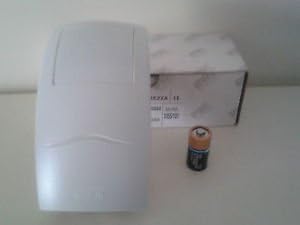
Figure 1: Urmet 1055/101 Infrared Detector, 3.6V battery, and product packaging. This image displays the Urmet 1055/101 Infrared Detector, a white rectangular device with a slightly curved front. Beside it is a 3.6V battery, and in the background, a white product box is partially visible. The detector appears compact and designed for indoor use.
Key Components:
- Infrared Sensor Lens: Detects changes in infrared radiation caused by motion.
- Battery Compartment: Houses the 3.6V battery.
- Swivel Joint: Allows for adjustment of the detector's angle.
- Mounting Base: For securing the detector to a surface.
5. Setup
5.1 Battery Installation
- Carefully open the battery compartment cover, typically located on the back or side of the detector.
- Insert the provided 3.6V battery, ensuring the correct polarity (+ and -) as indicated inside the compartment.
- Close the battery compartment cover securely.
5.2 Mounting
- Choose a suitable location for the detector, ensuring it has a clear line of sight to the area you wish to monitor. Avoid placing it near heat sources or in direct airflow.
- Using the mounting base as a template, mark the positions for drilling holes on the wall or ceiling.
- Drill the marked holes and insert the wall plugs (if required).
- Secure the mounting base to the surface using the provided screws.
- Attach the detector to the mounting base, utilizing the swivel joint to adjust the detection angle as needed.
6. Operating
Once the battery is installed and the detector is mounted, it will typically enter an operational state. The Urmet 1055/101 is designed to detect infrared changes caused by movement within its detection zone. Specific operational indicators (e.g., LED flashes) may be present to confirm detection or battery status. Refer to any markings on the device for these indicators.
7. Maintenance
7.1 Battery Replacement
When the battery level is low (indicated by a specific LED pattern or system notification, if applicable), replace the 3.6V battery by following the installation steps in Section 5.1. Always use a battery of the same type and voltage.
7.2 Cleaning
To clean the detector, gently wipe the exterior with a soft, dry cloth. Do not use abrasive cleaners, solvents, or excessive moisture, as these can damage the device or its sensor lens.
8. Troubleshooting
- Device not detecting motion: Check battery level and ensure correct installation. Verify the sensor lens is clean and unobstructed. Adjust the detector's angle using the swivel joint.
- False alarms: Ensure the detector is not placed near heat sources (e.g., vents, radiators) or in areas with strong air currents that could cause false readings.
- Short battery life: Ensure you are using the correct 3.6V battery type. Extreme temperatures can affect battery performance.
9. Specifications
| Feature | Specification |
|---|---|
| Brand | Urmet |
| Model | 1055/101 |
| Voltage | 3.6 Volt |
| ASIN | B000ONKXOG |
| First Available Date | September 23, 2015 |
10. Warranty and Support
Specific warranty information for the Urmet 1055/101 Infrared Detector is typically provided with the product packaging or available on the official Urmet website. Please refer to these sources for details regarding warranty coverage and terms.
For technical support or further assistance, please contact Urmet customer service through their official website or the contact information provided on the product packaging.