
M-AUDIO EX-P
M-AUDIO EX-P Expression Pedal User Manual
Model: EX-P
1. Introduction
The M-AUDIO EX-P Expression Pedal is a versatile accessory designed to expand the creative capabilities of your MIDI controllers, keyboards, and supported guitar effects pedals. It allows real-time manipulation of various MIDI assignable controls and parameters, such as volume, modulation, panning, and filter sweep. Its robust design and universal compatibility make it suitable for both studio and live performance environments.
2. Package Contents
- EX-P Expression Pedal
- Hardwired 1.8m 1/4” TRS Cable
- Textured Footrest (integrated)
3. Key Features
- Expressive Control: Manipulate MIDI assignable parameters like volume, modulation, panning, and filter sweep in real-time.
- Universal Compatibility: Features a built-in polarity switch for broad compatibility with most keyboards, controllers, synthesizers, and effect devices equipped with an expression pedal input.
- Durable Construction: Molded construction ensures robustness and durability for reliable performance.
- Secure Connection: Equipped with a hardwired 1.8m (6 ft) 1/4" TRS cable for secure and industry-standard connections.
- Stable Operation: Includes a textured footrest for non-slip use and a smooth, wide-angled action for precise control.
4. Setup
Follow these steps to set up your M-AUDIO EX-P Expression Pedal:
- Connect the Cable: Plug the hardwired 1/4" TRS cable from the EX-P pedal into the expression pedal input on your keyboard, MIDI controller, synthesizer, or guitar effects device. Ensure the connection is secure.
- Adjust Polarity: Locate the polarity switch on the underside of the pedal. Set the switch to 'M-AUDIO' for M-AUDIO devices or 'OTHER' for most other brands to ensure correct operation.
- Set Range (if applicable): If your device supports it, use the range adjusting knob on the side of the pedal to fine-tune the range of the TRS output for optimal control.
- Position the Pedal: Place the pedal on a stable surface. The textured footrest and non-slip base are designed to keep the pedal in place during use.

Image: Underside of the M-Audio EX-P Expression Pedal, highlighting the polarity switch and textured footrest for stability.
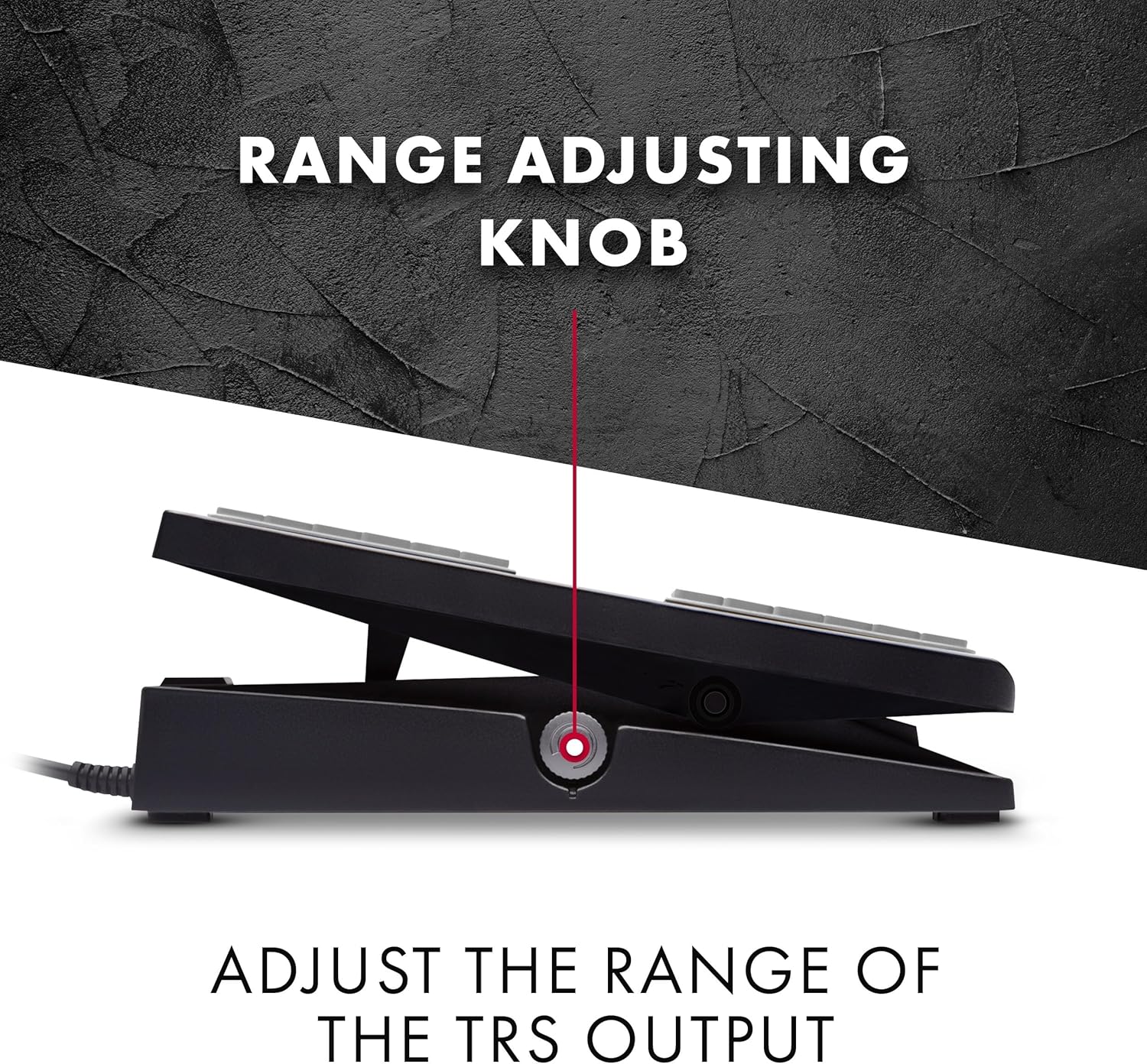
Image: Side view of the M-Audio EX-P Expression Pedal, indicating the range adjusting knob.

Image: The M-Audio EX-P Expression Pedal with its attached 1/4 inch (6.35 mm) TRS jack cable.
5. Operating Instructions
Once connected and configured, the M-AUDIO EX-P Expression Pedal allows you to dynamically control various parameters of your musical instrument or device. The pedal's smooth action provides precise control over the assigned function.
- Expression Control: Use the pedal to control parameters such as volume, modulation, panning, or filter sweep. The specific parameter controlled depends on how your connected device is configured to respond to expression pedal input.
- Smooth Action: The pedal is designed for a smooth, wide-angled action, enabling subtle and accurate adjustments during performance.
- Stability: The textured footrest ensures your foot remains stable on the pedal, preventing slips during intense playing.

Image: A foot operating the M-Audio EX-P Universal Expression Pedal, demonstrating its use.
6. Maintenance
To ensure the longevity and optimal performance of your M-AUDIO EX-P Expression Pedal, follow these simple maintenance guidelines:
- Cleaning: Wipe the pedal with a soft, dry cloth to remove dust and debris. For stubborn dirt, a slightly damp cloth can be used, followed by immediate drying. Avoid using harsh chemicals or abrasive cleaners.
- Storage: Store the pedal in a clean, dry environment away from extreme temperatures and direct sunlight when not in use.
- Cable Care: Avoid kinking or sharply bending the cable. Store it neatly coiled to prevent damage.
7. Troubleshooting
If you encounter issues with your M-AUDIO EX-P Expression Pedal, consider the following common troubleshooting steps:
- No Response:
- Ensure the 1/4" TRS cable is fully inserted into both the pedal and your instrument's expression input.
- Check the polarity switch on the underside of the pedal. Try switching it to the alternative setting ('M-AUDIO' or 'OTHER') as different devices may require different polarities.
- Verify that your instrument or software is configured to receive expression pedal input and that the correct parameter is assigned.
- Inconsistent Control:
- Adjust the range knob on the side of the pedal to fine-tune the output.
- Ensure the pedal mechanism is free from obstructions and moves smoothly.
- Slipping on Floor:
- Ensure the floor surface and the pedal's non-slip base are clean and free of dust or debris.
- Place the pedal on a non-slip mat if necessary.
If these steps do not resolve the issue, please refer to the support information in Section 9.
8. Specifications
| Brand | M-AUDIO |
| Model Name | EX-P |
| Style | Expression Pedal EXP-2 |
| Color | Black |
| Product Dimensions (L x W x H) | 8.26" x 3.54" x 2.24" (20.98 cm x 8.99 cm x 5.69 cm) |
| Item Weight | 1.1 Pounds (0.5 kg) |
| Connector Type | 1/4-inch TRS |
| Included Components | Expression Pedal, Hardwired 1.8m 1/4” TRS Cable, Textured Footrest |
9. Warranty and Support
Warranty: This product is covered by a 1-year manufacturer's warranty from the date of purchase. Please retain your proof of purchase for warranty claims.
Support: For technical assistance, troubleshooting beyond this manual, or warranty inquiries, please visit the official M-AUDIO website or contact their customer support. Contact information can typically be found on the product packaging or the M-AUDIO website.
Related documentsEX-P


Ask a question about this manual
Ask about setup, troubleshooting, compatibility, parts, safety, or missing instructions. Manuals+ will review the question and use this page’s manual context to help answer it.