
NEIKO 01408A
NEIKO 01408A 8-inch Electronic Digital Caliper User Manual
Model: 01408A
Introduction
The NEIKO 01408A 8-inch Electronic Digital Caliper is designed for precise and accurate measurements in various applications. This tool provides clear, easy-to-read digital displays and offers conversion between inch, fractional, and millimeter units. Constructed from polished stainless steel, it ensures durability and consistent performance.
Key Features
- Measurement Modes: Quick-change button for inch, fractions, and millimeter conversions.
- High Precision: Measurement Range: 0-8 inches (0-200mm); Resolution: 0.0005" / 1/128" / 0.01mm; Accuracy: 0.001" / 0.02mm.
- Durable Construction: Finely polished stainless steel frame with knurled thumb roller and locking screw for smooth operation and accurate positioning.
- Versatile Measurement: Capable of measuring outside diameter, inside diameter, depth, and step.
- Clear Display: Extra-large LCD screen for easy and clear readings.
- Power: Includes two long-life batteries (one spare).
Setup
- Battery Installation: The caliper comes with batteries installed. If the display is not active, open the battery compartment and ensure the battery is correctly seated. A spare battery is included.
- Cleaning: Before first use, gently wipe the measuring surfaces with a clean, dry cloth to remove any protective oils or dust.
- Power On: Press the "ON" button to turn on the caliper.
- Zero Setting: Close the jaws completely and press the "ZERO" button. The display should read 0.000. This calibrates the caliper for accurate measurements.
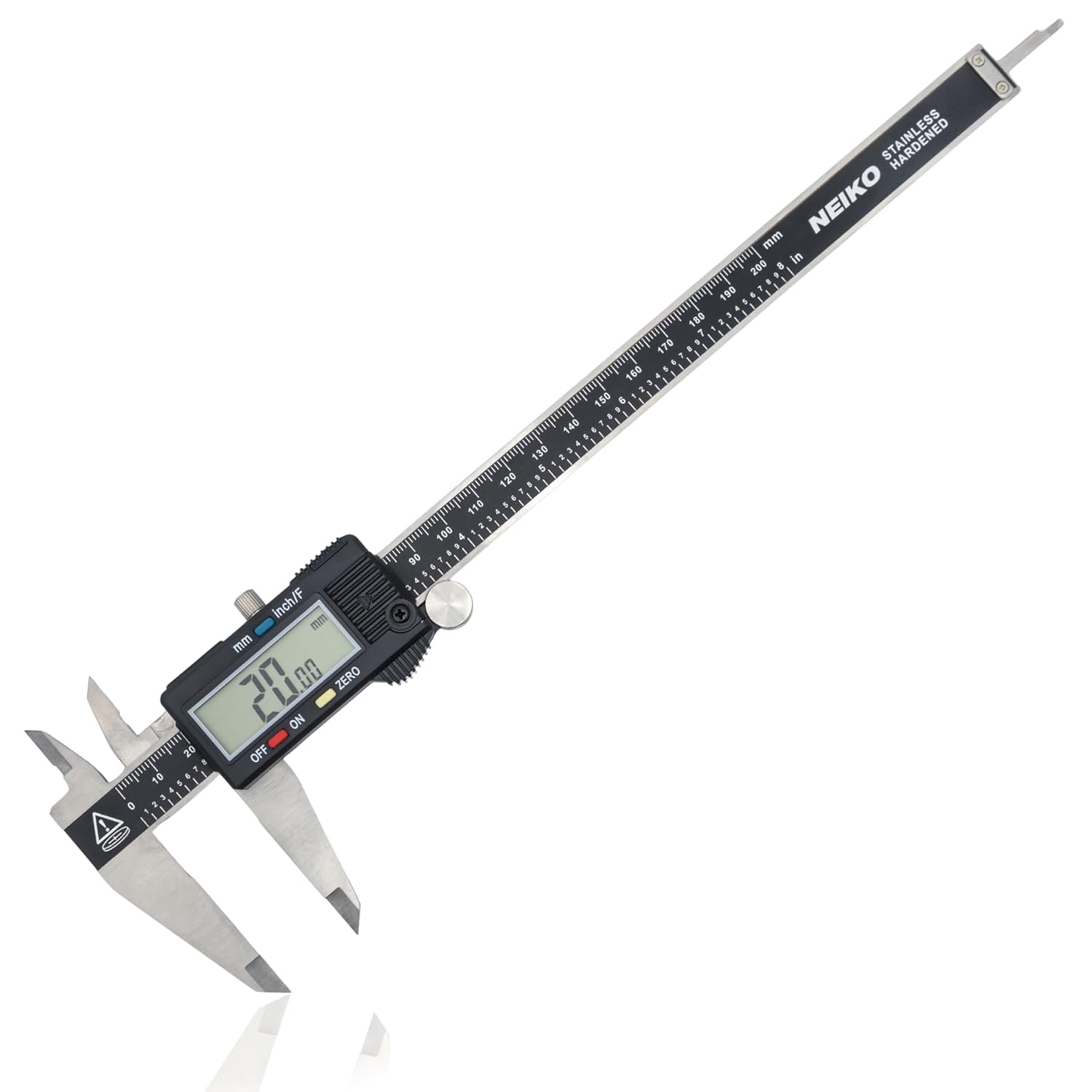
Image: The NEIKO 01408A digital caliper measuring the outside diameter of a nut, displaying 0.540 inches.
Operating Instructions
The NEIKO 01408A digital caliper allows for four types of measurements:
1. Outside Measurement
Use the large jaws to measure external dimensions. Open the jaws, place the object between them, and slide the movable jaw until it firmly contacts the object. Read the measurement on the LCD screen.
2. Inside Measurement
Use the small upper jaws to measure internal dimensions. Insert the small jaws into the opening of the object and expand them until they firmly contact the inner surfaces. Read the measurement on the LCD screen.
3. Depth Measurement
Use the depth rod located at the end of the movable jaw. Place the end of the main beam on the top surface of the object and extend the depth rod until it touches the bottom of the hole or step. Read the measurement on the LCD screen.
4. Step Measurement
Use the step measuring faces. Place the end of the main beam on the upper surface of the step and slide the movable jaw until its step measuring face rests on the lower surface. Read the measurement on the LCD screen.

Image: A visual guide demonstrating the versatility of the digital caliper for outside, inside, depth, and step measurements.
Measurement Modes Conversion
The caliper features a dedicated button for switching between measurement units:
- Press the "inch/F" button to cycle between inches (decimal), fractions, and millimeters.
- The current unit will be displayed on the LCD screen.

Image: The digital caliper's display showing different measurement units: decimal inches, fractions, and millimeters.
Maintenance
- Cleaning: Keep the caliper clean and dry. Wipe the measuring surfaces with a soft, lint-free cloth after each use. Avoid using solvents or harsh chemicals.
- Storage: Store the caliper in its protective case when not in use to prevent damage and keep it free from dust and moisture.
- Battery Replacement: If the display becomes dim or erratic, replace the battery. The caliper uses a standard button cell battery (typically CR2032).
- Lubrication: Periodically apply a small amount of light machine oil to the sliding surfaces to ensure smooth movement.

Image: The NEIKO digital caliper securely stored in its blow-molded, cushioned case, highlighting its portability and protection.
Troubleshooting
| Problem | Possible Cause | Solution |
|---|---|---|
| Display is blank or dim | Low or dead battery; Incorrect battery installation. | Replace the battery; Ensure battery is installed with correct polarity. |
| Inaccurate readings | Jaws not fully closed when zeroed; Dirt or debris on measuring surfaces; Caliper not zeroed correctly. | Clean measuring surfaces thoroughly; Close jaws completely and press "ZERO" button. |
| Jaws do not slide smoothly | Lack of lubrication; Dirt or debris in the slide mechanism. | Clean the slide mechanism; Apply a small amount of light machine oil. |
Specifications
| Feature | Detail |
|---|---|
| Brand | NEIKO |
| Model | 01408A |
| Material | Stainless Steel |
| Measurement Range | 0 - 8 inches (0 - 200mm) |
| Resolution | 0.0005" / 1/128" / 0.01mm |
| Accuracy | 0.001" / 0.02mm |
| Display | Extra Large LCD |
| Power Source | 1 Product Specific battery (included, plus 1 spare) |
| Item Weight | 14.24 ounces |
| Product Dimensions | 4.17"L x 12.2"W |
Official Product Video
Video: An official NEIKO video demonstrating the features and usage of the digital caliper, including various measurement types.
Warranty and Support
For warranty information and customer support, please refer to the documentation included with your product or visit the official NEIKO website. NEIKO tools are designed for durability and performance.
If you encounter any issues not covered in this manual, please contact NEIKO customer service for assistance.
Related documents01408A

Ask a question about this manual
Ask about setup, troubleshooting, compatibility, parts, safety, or missing instructions. Manuals+ will review the question and use this page’s manual context to help answer it.