
1. Introduction
Welcome to the world of Venture for the Atari 2600. In this classic arcade-style game, you assume the role of Winky, a heroic adventurer exploring a deep underground cave system. Your objective is to navigate through numerous dungeons, collect valuable treasures, and overcome dangerous monsters that guard them. Success requires skill and strategy to avoid both the dungeon inhabitants and the unpredictable wall monsters.
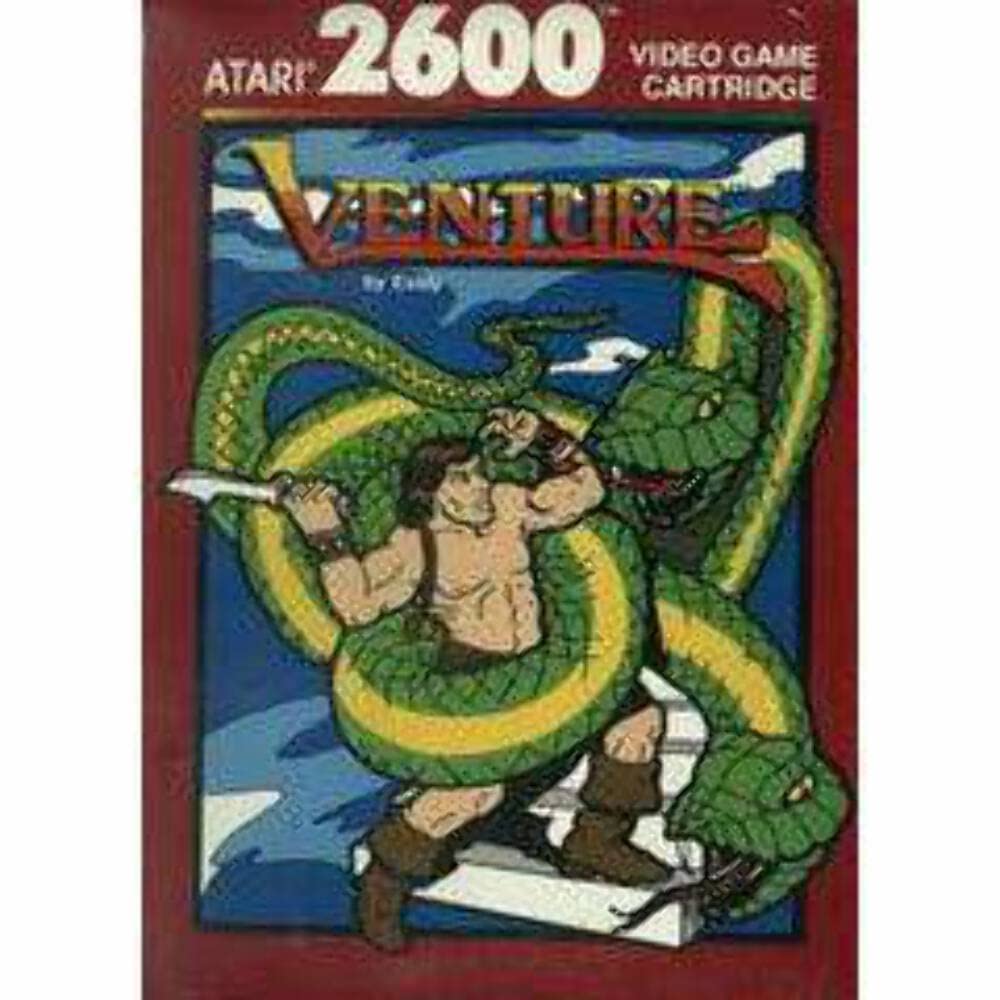
Figure 1: Atari Venture 2600 Game Cartridge Box Art. This image displays the original box art for the Venture game, featuring the character Winky engaged in combat with a large green snake, set against a blue background with the Atari 2600 logo.
2. Setup
To begin playing Venture, follow these steps to set up your Atari 2600 console and game cartridge:
- Connect your Atari 2600 console: Ensure your Atari 2600 console is properly connected to your television or display device according to its own instruction manual. This typically involves connecting the RF cable to your TV's antenna input and the power adapter to an electrical outlet.
- Insert the Venture cartridge: With the console powered off, gently insert the Venture game cartridge into the cartridge slot on top of the Atari 2600 console. Ensure it is fully seated. Do not force the cartridge.
- Connect controllers: Plug your Atari joystick controllers into the controller ports on the front of the console. Venture is designed for single-player use.
- Power on the console and TV: Turn on your television and select the correct input channel (usually channel 2 or 3, or the AV input if using an adapter). Then, power on your Atari 2600 console. The game should appear on your screen.
3. Operating Instructions
Once the game is loaded, you will use the joystick controller to navigate Winky and interact with the game environment.
- Joystick Movement: Use the joystick to move Winky in eight directions (up, down, left, right, and diagonals).
- Fire Button: Press the red fire button on the joystick to make Winky shoot his bow and arrow. This is used to defeat monsters.
- Game Select Switch: On the Atari 2600 console, the "Game Select" switch can be used to choose between different game variations (if available for Venture, though typically it's a single game mode).
- Game Reset Switch: The "Game Reset" switch will restart the current game from the beginning.
- Difficulty Switches: The "Difficulty" switches (labeled A and B) on the console may alter gameplay elements such as monster speed or Winky's arrow speed. Experiment to find your preferred setting.
4. Gameplay
The core objective of Venture is to collect treasures from various dungeon rooms. The game begins with Winky on the outside of a maze of rooms. You must guide Winky into each room to retrieve the treasure within.
- Dungeon Exploration: Navigate the maze to find entrances to different dungeon rooms.
- Collecting Treasures: Inside each room, your goal is to reach and collect the treasure.
- Monster Encounters: Each treasure is guarded by various monsters. Use Winky's bow and arrow to defeat them. Be aware that monsters can also appear from the walls of the maze, posing a threat even outside the dungeon rooms.
- Survival: Avoid contact with monsters and their projectiles. Losing all of Winky's lives will end the game.
- Scoring: Points are awarded for defeating monsters and collecting treasures.
5. Maintenance
Proper care of your Venture game cartridge will ensure its longevity and continued performance:
- Storage: Store the cartridge in its original case or a protective sleeve when not in use to prevent dust accumulation and physical damage. Keep it away from direct sunlight, extreme temperatures, and high humidity.
- Cleaning: If the game does not load properly, the electrical contacts on the bottom of the cartridge may need cleaning. Use a cotton swab lightly dampened with isopropyl alcohol to gently wipe the gold contacts. Allow to dry completely before reinserting into the console.
- Handling: Always handle the cartridge by its edges. Avoid touching the electrical contacts with your fingers to prevent transferring oils or dirt.
6. Troubleshooting
If you encounter issues while playing Venture, try the following solutions:
- Game Not Loading:
- Ensure the cartridge is fully and correctly inserted into the console slot.
- Clean the cartridge contacts as described in the Maintenance section.
- Verify that your Atari 2600 console is powered on and properly connected to your TV.
- Check that your TV is set to the correct input channel.
- Flickering Screen or Graphics Glitches:
- Remove and reinsert the cartridge firmly.
- Clean the cartridge contacts.
- Ensure all cables (power, RF/AV) are securely connected.
- Controller Not Responding:
- Ensure the joystick controller is securely plugged into the console.
- Test with another controller if available to rule out a faulty joystick.
If problems persist, consult the Atari 2600 console's instruction manual or contact Atari customer support.
7. Specifications
| Product Name: | Venture |
| Platform: | Atari 2600 |
| Manufacturer: | Exidy |
| Item Weight: | 3.5 ounces |
| Product Dimensions: | 7.6 x 5.5 x 1 inches |
| Date First Available: | February 6, 2007 |
8. Warranty and Support
For information regarding warranty coverage or technical support for your Venture game cartridge, please refer to the original packaging or contact the manufacturer, Atari, directly. Contact details can typically be found on their official website or through product documentation.


