
Extech 445702
Extech 445702 Relative Humidity/Temperature Indicator with Clock User Manual
Model: 445702
1. Introduction
The Extech 445702 is a versatile instrument designed to simultaneously display time, relative humidity, and ambient temperature. This device is suitable for various environments where monitoring these parameters is essential. It features a clear digital display, maximum/minimum value tracking, and a 12/24-hour clock function. This manual provides detailed instructions for the proper setup, operation, and maintenance of your Extech 445702.
2. Safety Information
Please read this manual thoroughly before operating the device. Keep this manual for future reference.
- Do not expose the device to extreme temperatures, direct sunlight, or high humidity.
- Avoid dropping the device or subjecting it to strong impacts.
- Do not attempt to disassemble or modify the device. Refer all servicing to qualified personnel.
- Dispose of used batteries according to local regulations.
3. Package Contents
Verify that all items are present and in good condition:
- Extech 445702 Relative Humidity/Temperature Indicator with Clock
- Built-in tilt stand
- Wall mounting bracket
- 1 AAA battery
- User Manual (this document)
4. Product Overview
The Extech 445702 features a clear LCD with three distinct display areas for time, temperature, and relative humidity. Four control buttons are located on the front panel for easy operation.

Figure 1: Front view of the Extech 445702 displaying time, temperature in Fahrenheit, and relative humidity. The four control buttons are visible at the bottom.
Key Features:
- Simultaneous display of Time, Temperature, and Relative Humidity.
- 12/24 hour clock display.
- Maximum/Minimum temperature and humidity memory with reset function.
- Temperature range: 14°F to 140°F (-10°C to 60°C).
- Humidity range: 10% to 85% RH.
- Integrated tilt stand and wall mounting bracket for flexible placement.
5. Setup
5.1 Battery Installation
The device operates on one AAA battery, which is included. To install or replace the battery:
- Locate the battery compartment cover on the back of the unit.
- Slide the cover off in the direction indicated by the arrow.
- Insert one AAA battery, observing the correct polarity (+ and -) as marked inside the compartment.
- Replace the battery compartment cover.
The display should now activate. If not, check battery polarity or replace with a fresh battery.
5.2 Mounting the Device
The Extech 445702 can be placed on a flat surface using its built-in tilt stand or mounted on a wall.
- Using the Tilt Stand: Pull out the stand located on the back of the unit until it locks into position. Place the unit on a stable, flat surface.
- Wall Mounting: Use the integrated wall mounting bracket. Secure a screw (not included) into the desired wall location, ensuring it is appropriate for the device's weight. Hang the unit onto the screw using the keyhole slot on the back.
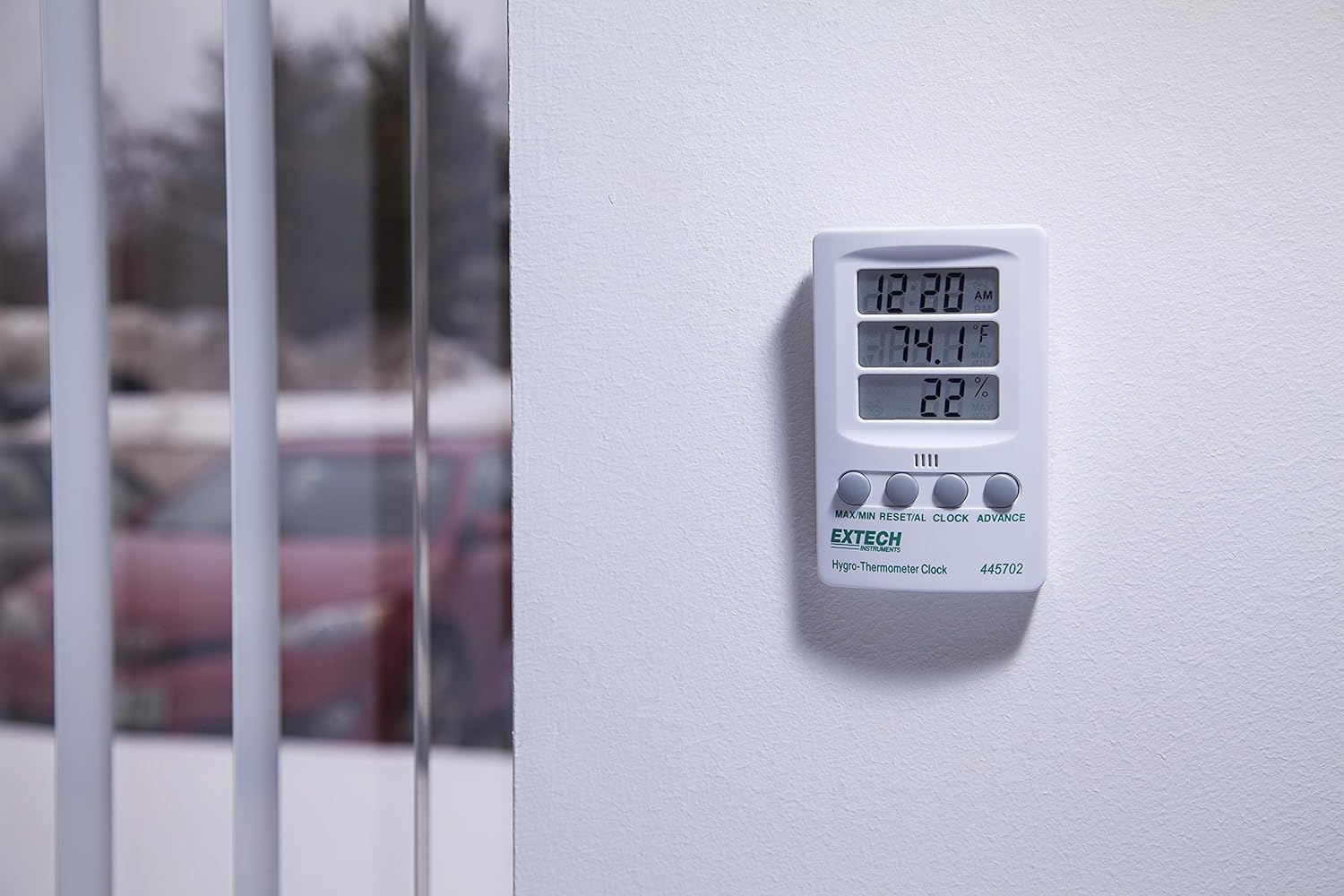
Figure 2: The Extech 445702 shown mounted on a wall, providing a clear view of its display in a room setting.
6. Operation
The device features four control buttons on the front panel:
- MAX/MIN: Displays maximum or minimum recorded values for temperature and humidity.
- RESET/AL: Resets MAX/MIN values or sets the alarm.
- CLOCK: Enters clock setting mode.
- ADVANCE: Adjusts values during setting or switches temperature units.
6.1 Setting the Clock
- Press and hold the CLOCK button for approximately 3 seconds until the hour digits begin to flash.
- Press the ADVANCE button to adjust the hour.
- Press the CLOCK button again to move to the minute setting. The minute digits will flash.
- Press the ADVANCE button to adjust the minutes.
- Press the CLOCK button a third time to confirm the time and exit setting mode.
- To switch between 12-hour (AM/PM) and 24-hour format, briefly press the ADVANCE button while in normal time display mode (not in setting mode).
6.2 Temperature Unit Selection
To switch between Fahrenheit (°F) and Celsius (°C) temperature units:
- In normal display mode, briefly press the ADVANCE button. The temperature unit will toggle between °F and °C.
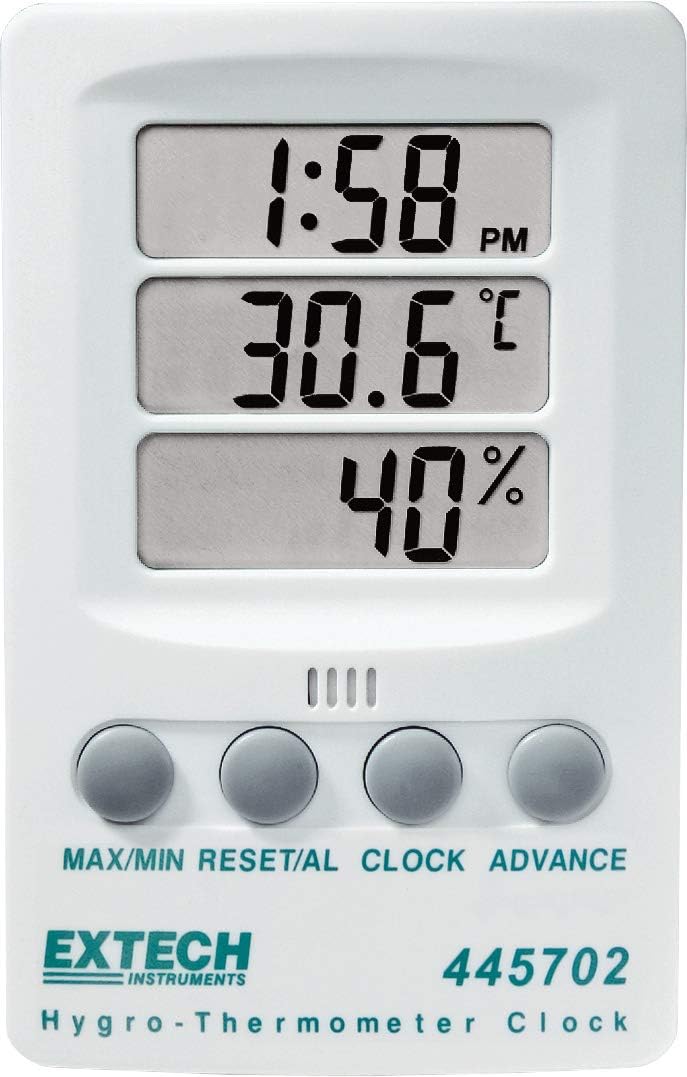
Figure 3: Display showing temperature in Fahrenheit.
Figure 4: Display showing temperature in Celsius.
6.3 Viewing and Resetting MAX/MIN Values
The device records the maximum and minimum temperature and humidity values since the last reset.
- Press the MAX/MIN button once to display the maximum recorded temperature and humidity. The "MAX" indicator will appear on the display.
- Press the MAX/MIN button again to display the minimum recorded temperature and humidity. The "MIN" indicator will appear.
- To reset the MAX/MIN values, press and hold the RESET/AL button while MAX or MIN values are displayed. The display will return to current readings, and new MAX/MIN values will begin recording.
- Press the MAX/MIN button a third time to return to the current temperature and humidity display.
6.4 Setting the Alarm (if applicable)
The RESET/AL button suggests an alarm function. If your model supports an alarm, follow these general steps:
- From normal time display, press the RESET/AL button once to display the alarm time. The "AL" indicator may appear.
- Press and hold the RESET/AL button until the hour digits of the alarm time flash.
- Use the ADVANCE button to set the desired alarm hour.
- Press RESET/AL again to set the alarm minutes.
- Use the ADVANCE button to set the desired alarm minutes.
- Press RESET/AL to confirm and exit alarm setting mode.
- To activate/deactivate the alarm, briefly press the ADVANCE button while the alarm time is displayed. An alarm icon (e.g., bell) will indicate activation.
7. Maintenance
7.1 Cleaning
To ensure accurate readings and prolong the life of your device:
- Wipe the unit regularly with a soft, damp cloth.
- Do not use abrasive cleaners, solvents, or harsh chemicals, as these may damage the plastic casing or display.
- Keep the humidity and temperature sensors free from dust and debris.
7.2 Battery Replacement
When the display becomes dim or the unit stops functioning, it is time to replace the AAA battery. Refer to Section 5.1 for battery installation instructions. Always use a fresh AAA alkaline battery for optimal performance.
8. Troubleshooting
| Problem | Possible Cause | Solution |
|---|---|---|
| No display or dim display | Dead or low battery; incorrect battery polarity. | Replace the AAA battery, ensuring correct polarity. |
| Incorrect time display | Time not set correctly. | Refer to Section 6.1 to reset the clock. |
| Inaccurate temperature/humidity readings | Sensor obstructed; device placed in extreme conditions; device malfunction. | Ensure sensors are clear. Move the device to a stable environment. If problem persists, contact customer support. |
| MAX/MIN values not resetting | Button not held long enough. | Press and hold the RESET/AL button for several seconds while MAX or MIN values are displayed. |
9. Specifications
| Parameter | Value |
|---|---|
| Model | 445702 |
| Temperature Range | 14°F to 140°F (-10°C to 60°C) |
| Temperature Accuracy | ±1.8°F (±1°C) |
| Humidity Range | 10% to 85% RH |
| Humidity Accuracy | ±6% RH |
| Clock Display | 12/24 hour selectable |
| Power Source | 1 x AAA Alkaline battery (1.5 Volts) |
| Item Weight | 0.11 Kilograms (3.87 ounces) |
| Product Dimensions | 2.8 x 0.8 x 4.3 inches |
| Mounting Type | Wall Mount or Tilt Stand |
| Material | Plastic |
10. Warranty and Support
The Extech 445702 comes with a 1-year warranty from the date of purchase. This warranty covers defects in materials and workmanship under normal use.
For technical support, warranty claims, or service inquiries, please visit the official Extech website or contact their customer service department. You can find more information and contact details at the Extech Store on Amazon.
Related documents445702


Ask a question about this manual
Ask about setup, troubleshooting, compatibility, parts, safety, or missing instructions. Manuals+ will review the question and use this page’s manual context to help answer it.