
Introduction
The Manfrotto 234RC is a tilt head designed for monopods, enabling a camera to be rotated 90° for vertical or horizontal framing. It features a quick release camera plate system and a secondary safety lock for secure attachment. This manual provides instructions for proper setup, operation, and maintenance of your 234RC tilt head.
Product Overview
The Manfrotto 234RC Monopod Tilt Head is engineered for stability and ease of use with monopods. Its robust design ensures secure camera mounting and flexible positioning.

Front view of the Manfrotto 234RC Monopod Tilt Head, showing the quick release plate and locking knob.
Setup
Attaching the Tilt Head to a Monopod
- Ensure your monopod has a standard 3/8-inch or 1/4-inch mounting screw. The 234RC head is designed to accommodate both.
- Align the base of the 234RC tilt head with the mounting screw on your monopod.
- Rotate the tilt head clockwise onto the monopod's screw until it is securely tightened. Do not overtighten.
Attaching Your Camera to the Quick Release Plate
- Locate the quick release plate (200PL) included with your 234RC head.
- Screw the quick release plate onto the tripod mount thread at the bottom of your camera. Ensure it is firmly attached.
- With the quick release lever on the tilt head in the open position, slide the camera with the attached plate into the receiver on the tilt head.
- Push the quick release lever to the closed position. Listen for a click, indicating the plate is locked.
- Verify the secondary safety lock is engaged. This prevents accidental release of the camera.

The Manfrotto 234RC Monopod Tilt Head showing the quick release plate mechanism.
Operating Instructions
Tilting the Camera
- The 234RC allows for 90° tilt in one direction, ideal for switching between horizontal (landscape) and vertical (portrait) camera orientations.
- To tilt the camera, loosen the large locking knob on the side of the head.
- Adjust the camera to the desired angle (up to 90°).
- Tighten the locking knob firmly to secure the camera in position.
Using the Quick Release System
- To quickly remove your camera, first ensure you have a firm grip on the camera.
- Disengage the secondary safety lock.
- Open the quick release lever.
- Slide the camera with the attached plate out of the head.
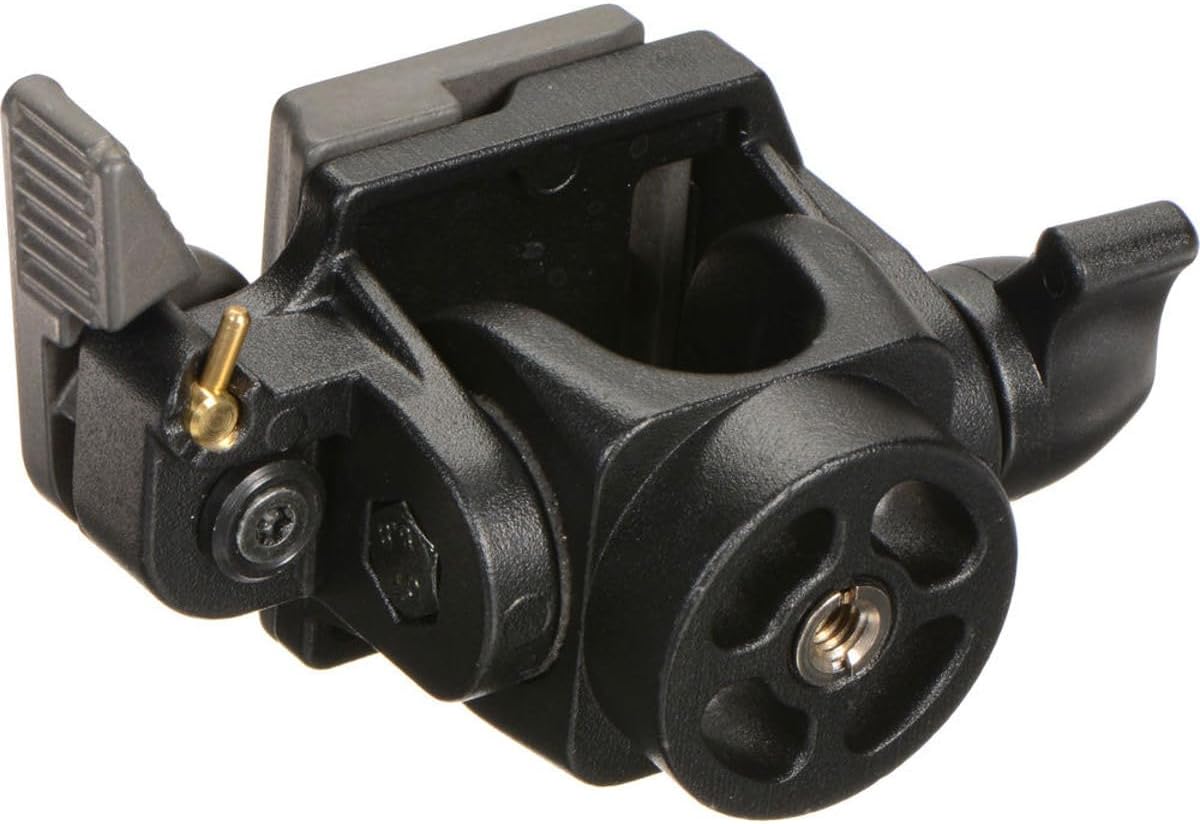
Side view of the Manfrotto 234RC Monopod Tilt Head, highlighting the locking knob for tilt adjustment.
Video Demonstration: Camera Mounting
This video demonstrates the process of mounting a camera onto a monopod using a similar tilt head mechanism. Note: The video shows a general mounting process and may not feature the exact 234RC model.
Maintenance
- Cleaning: Wipe the head with a soft, dry cloth after use to remove dust and dirt. For stubborn grime, use a slightly damp cloth and mild soap, then dry thoroughly.
- Lubrication: Avoid applying lubricants to the moving parts unless specifically instructed by Manfrotto. Improper lubrication can attract dust and hinder performance.
- Storage: Store the tilt head in a clean, dry environment, away from extreme temperatures and humidity.
- Inspection: Periodically check all screws and connections to ensure they are tight. Do not use the head if any parts appear damaged or loose.
Troubleshooting
- Camera not securely attached:
- Ensure the quick release plate is fully seated in the receiver and the quick release lever is in the locked position. Check that the secondary safety lock is engaged. Verify the quick release plate is tightly screwed onto the camera.
- Difficulty tilting the camera:
- Loosen the large locking knob sufficiently to allow free movement. If movement is still stiff, check for any obstructions or debris. Do not force the mechanism.
- Head feels loose on the monopod:
- Tighten the tilt head clockwise onto the monopod's mounting screw until it is firm. If the issue persists, inspect the monopod's mounting screw for damage.
Specifications
| Feature | Detail |
|---|---|
| Model Name | 234RC |
| Brand | Manfrotto |
| Color | Black |
| Compatible Devices | Camera |
| Item Weight | 0.6 Pounds (approx. 0.27 kg) |
| Maximum Weight Recommendation | 5 Kilograms (approx. 11 lbs) |
| Quick Release Plate | Included (Type 200PL) |
| Tilt Range | 90 degrees (one direction) |
| Made In | Italy |
Warranty and Support
The Manfrotto 234RC Monopod Tilt Head comes with a 1 Year Limited Warranty. For warranty claims or technical support, please refer to the official Manfrotto website or contact their customer service department. Keep your proof of purchase for warranty validation.
Safety Information
- Always ensure your camera and lens combination does not exceed the maximum weight recommendation of 5 kg (11 lbs).
- Before moving your monopod, always double-check that the camera is securely locked onto the tilt head and the tilt mechanism is tightened.
- Avoid exposing the product to extreme weather conditions or corrosive substances.
- Do not attempt to disassemble or modify the product, as this may void the warranty and compromise safety.

Manfrotto emphasizes safety with its UNI Safety Payload standards, ensuring equipment is designed for secure use.


