
Nokia 7610
Nokia 7610 User Manual
Comprehensive Guide for Your Nokia 7610 Unlocked Cell Phone
Introduction
The Nokia 7610 is a powerful and distinctively designed mobile phone, featuring a 1-megapixel camera and advanced multimedia capabilities. This manual provides essential information to help you set up, operate, maintain, and troubleshoot your device, ensuring you get the most out of its features.

Image: The Nokia 7610 Unlocked Cell Phone, showcasing its unique design and display.
Getting Started: Setup
Before using your Nokia 7610, follow these steps to prepare your device for operation.
1. Unboxing and Package Contents
Carefully unpack your Nokia 7610. Verify that all components are present.
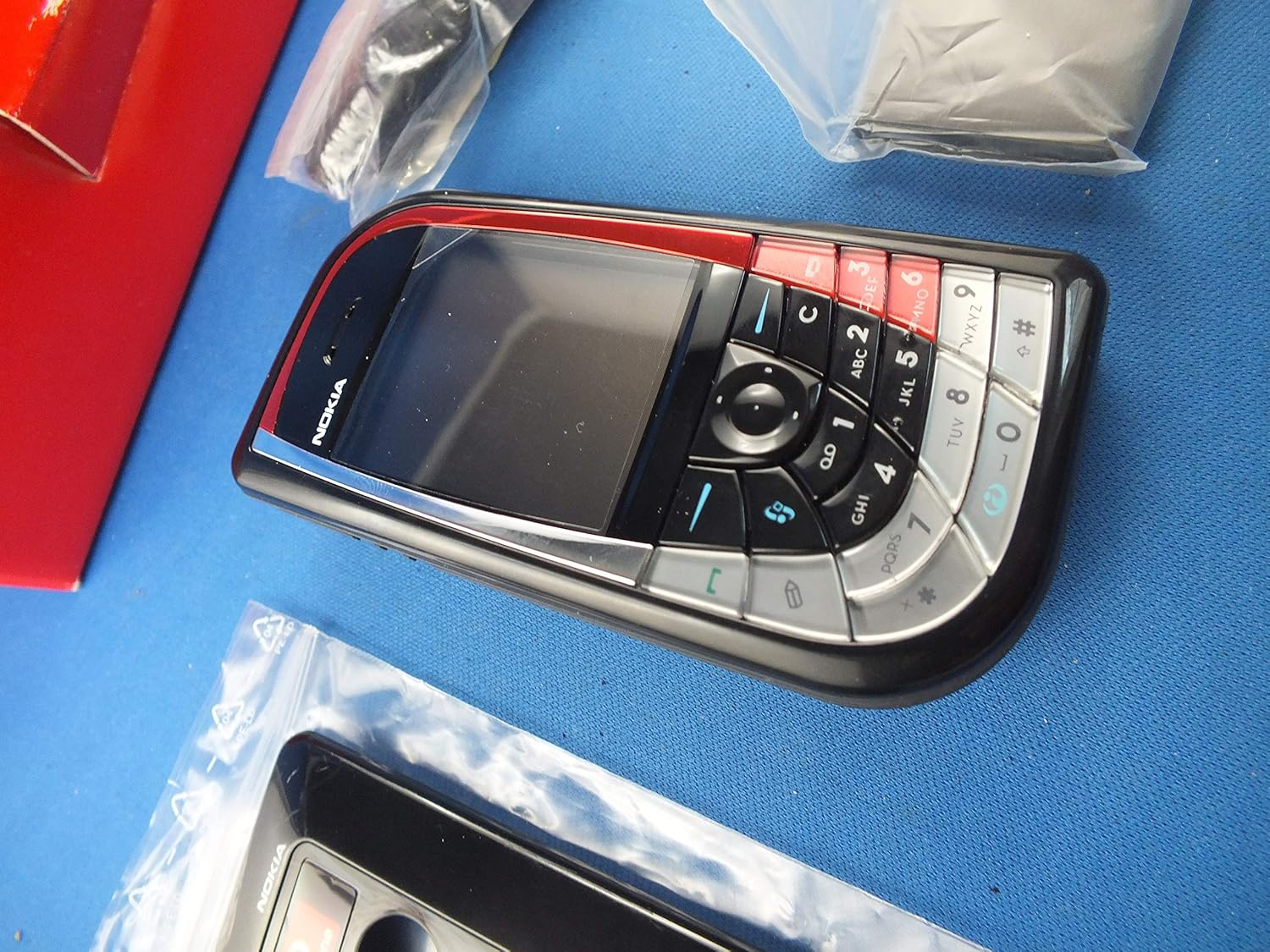
Image: Contents of the Nokia 7610 package, including the phone, charger, and additional accessories.
- Nokia 7610 Handset
- Battery
- Charger
- RS-MMC Memory Card (may vary by package)
- User Guide (this document)
2. Inserting the SIM Card and Battery
The SIM card provides your subscription information to the network. The Nokia 7610 uses a standard SIM card.
- Ensure the phone is powered off and disconnected from the charger.
- Remove the back cover by gently prying it from the designated notch.
- Locate the SIM card slot. Insert the SIM card with the gold contacts facing down and the cut corner aligned with the slot.
- Insert the battery into its compartment, ensuring the contacts align.
- Replace the back cover, pressing firmly until it clicks into place.
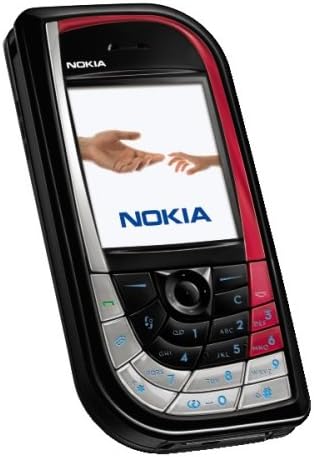
Image: The rear view of the Nokia 7610 with the back cover removed, showing the battery compartment and SIM card slot.
3. Charging the Battery
Before first use, fully charge the battery.
- Connect the charger to a wall outlet.
- Connect the charger cable to the charging port on your phone.
- The battery indicator on the screen will show charging progress.
- Once fully charged, disconnect the charger.
4. Powering On/Off
- To power on, press and hold the power key (usually located on the top or side) until the Nokia logo appears.
- To power off, press and hold the power key until the "Power off" option appears, then select it.
Operating Your Nokia 7610
1. Basic Navigation and Keypad
The Nokia 7610 features a unique keypad design for navigation and input.

Image: A detailed view of the Nokia 7610's keypad, highlighting the navigation cluster and alphanumeric keys.
- Navigation Key: Use the central five-way navigation key to scroll through menus and select items.
- Soft Keys: The keys directly below the display perform functions indicated by the text on the screen.
- Call/End Keys: Use the green key to make or answer calls, and the red key to end calls or return to the home screen.
- Alphanumeric Keys: For dialing numbers and typing text.
2. Making and Receiving Calls
- Making a Call: Enter the phone number using the keypad and press the green call key.
- Answering a Call: When the phone rings, press the green call key.
- Ending a Call: Press the red end key.
3. Messaging (SMS/MMS)
Send and receive text messages (SMS) and multimedia messages (MMS) with images and sounds.
- Navigate to the "Messaging" menu.
- Select "Create message" or "New message".
- Enter your message and add recipients. For MMS, attach media files.
- Select "Send".
4. Camera and Video Recording
The Nokia 7610 features a 1-megapixel camera for photos and video recording.
- Access the camera from the main menu.
- Use the navigation key to zoom or adjust settings.
- Press the center selection key to capture a photo or start/stop video recording.
- The "Movie Director" application allows for editing and creating up to 10-minute movies.
5. Multimedia Playback
Enjoy your favorite music and videos on the go.
- The phone supports MP3 and other audio formats.
- Video playback is supported, with the ability to convert movies to DivX (MPEG-4) format for full-screen viewing.
- Access the "Gallery" or "Music Player" from the main menu to manage and play media files.
6. Connectivity (Bluetooth and EDGE)
- Bluetooth 1.1: Connect to compatible hands-free devices, headsets, or transfer files with other Bluetooth-enabled devices.
- EDGE Data: Utilize EDGE (Enhanced Data rates for GSM Evolution) for faster internet browsing and data transfer compared to standard GPRS.
7. Organizer and Email
- The phone includes an organizer with features like a calendar, to-do lists, and alarm clock.
- Access your email accounts directly from the phone for on-the-go communication.
Maintenance
Proper care ensures the longevity and optimal performance of your Nokia 7610.
- Cleaning: Use a soft, lint-free cloth to clean the screen and body of the phone. Avoid abrasive cleaners or solvents.
- Battery Care:
- Avoid exposing the battery to extreme temperatures.
- Do not puncture or damage the battery.
- If the battery performance significantly degrades, consider replacing it with an original Nokia battery.
- Software Updates: Periodically check for software updates from Nokia (if available) to ensure your phone has the latest features and security enhancements.
Troubleshooting
If you encounter issues with your Nokia 7610, refer to the following common problems and solutions.
| Problem | Possible Solution |
|---|---|
| Phone does not power on. | Ensure the battery is charged. Check if the battery is correctly inserted. |
| No network signal. | Check if the SIM card is properly inserted. Ensure you are within network coverage. This phone is compatible with GSM carriers like AT&T and T-Mobile. It will not work with CDMA carriers like Verizon Wireless, Alltel, and Sprint. |
| Battery drains quickly. | Reduce screen brightness. Close unused applications. Limit background data usage. |
| Phone freezes or is unresponsive. | Remove and reinsert the battery to perform a soft reset. |
| Cannot connect via Bluetooth. | Ensure Bluetooth is enabled on both devices. Make sure devices are within range and discoverable. |
Specifications
Key technical specifications for the Nokia 7610.
| Feature | Detail |
|---|---|
| Model Name | Nokia 7610 |
| Dimensions | 4.28 x 2.09 x 0.74 inches |
| Item Weight | 4 ounces |
| Operating System | Symbian OS 7.0 |
| Screen Size | 4 Inches |
| Resolution | 1280 x 720 |
| Camera | 1-megapixel (Rear) |
| Connectivity | Bluetooth 1.1, Cellular (GSM) |
| Talk Time | Up to 3 Hours |
| Standby Time | Up to 250 Hours (10+ days) |
| Memory Storage Capacity | 8 GB (as per specifications, likely internal or bundled card) |
Warranty and Support
Your Nokia 7610 is covered by a manufacturer's warranty. Please refer to the warranty card included in your product packaging for specific terms and conditions, including warranty period and coverage details.
For technical support, service, or further inquiries, please contact Nokia customer support through their official website or designated service channels. Keep your proof of purchase handy when seeking support.
For additional resources and frequently asked questions, visit the official Nokia support website.
Related documents7610


Ask a question about this manual
Ask about setup, troubleshooting, compatibility, parts, safety, or missing instructions. Manuals+ will review the question and use this page’s manual context to help answer it.