
Introduction
This manual provides instructions for the safe and effective use of your Hot Tools Professional HT1038 Ionic Salon Dryer. Please read all instructions before use and retain this manual for future reference.
Important Safety Instructions
When using electrical appliances, especially when children are present, basic safety precautions should always be followed, including the following:
- DANGER: Keep away from water. As with most electrical appliances, electrical parts are electrically live even when the switch is off.
- Always unplug the appliance immediately after using.
- Do not use while bathing or in a shower.
- Do not place or store appliance where it can fall or be pulled into a tub or sink.
- Do not place in or drop into water or other liquid.
- If an appliance falls into water, unplug it immediately. Do not reach into the water.
- WARNING: To reduce the risk of burns, electrocution, fire, or injury to persons:
- An appliance should never be left unattended when plugged in.
- Close supervision is necessary when this appliance is used by, on, or near children or individuals with certain disabilities.
- Use this appliance only for its intended use as described in this manual. Do not use attachments not recommended by the manufacturer.
- Never operate this appliance if it has a damaged cord or plug, if it is not working properly, or if it has been dropped, damaged, or dropped into water. Return the appliance to a service center for examination and repair.
- Keep the cord away from heated surfaces. Do not wrap the cord around the appliance.
- Never block the air openings of the appliance or place it on a soft surface, such as a bed or couch, where the air openings may be blocked. Keep the air openings free of lint, hair, and the like.
- Never use while sleeping.
- Never drop or insert any object into any opening.
- Do not use outdoors or operate where aerosol (spray) products are being used or where oxygen is being administered.
- Do not use an extension cord with this appliance.
- Do not direct hot air towards eyes or other heat-sensitive areas.
- Attachments may be hot during use. Allow them to cool before handling.
- Do not place appliance on any surface while it is operating.
- While using the appliance, keep your hair away from the air inlets.
- The appliance is equipped with an Appliance Leakage Current Interrupter (ALCI) safety plug. This device is designed to make the appliance inoperable under some abnormal conditions, such as immersion in water. The ALCI safety plug is equipped with a test button. To ensure the ALCI is operating correctly, press the test button. The appliance should stop working. Press the reset button to resume operation. If the ALCI test button does not work, do not use the appliance.
Product Features
The Hot Tools Professional HT1038 Ionic Salon Dryer is designed for efficient and effective hair drying with advanced features:
- Direct ION TECHNOLOGY®: Injects a high volume of ions into the airstream, breaking apart water molecules for faster drying, reduced static, and increased shine.
- Power: 1875 watts for maximum drying power.
- Airflow: Velocity of 906 ft/min for increased airflow.
- Motor: Durable DC motor.
- Heat/Speed Settings: Two speed and six heat combinations with separate switches for precise control.
- Cool Shot Button: For setting hairstyles.
- Lightweight Design: Weighs approximately 1.3 pounds (18 oz.) for comfortable handling.
- Professional Cord: 8-ft. heavy-duty professional cord with a hanging ring/cord guard.
- Attachments: Includes a concentrator nozzle and a straightening pik.
- Universal Diffuser Compatibility: Accepts most universal fit diffusers (not included).
- Safety Plug: ProGuard® ALCI safety plug with test and reset features for immersion shock protection.
- Voltage: 125V AC.
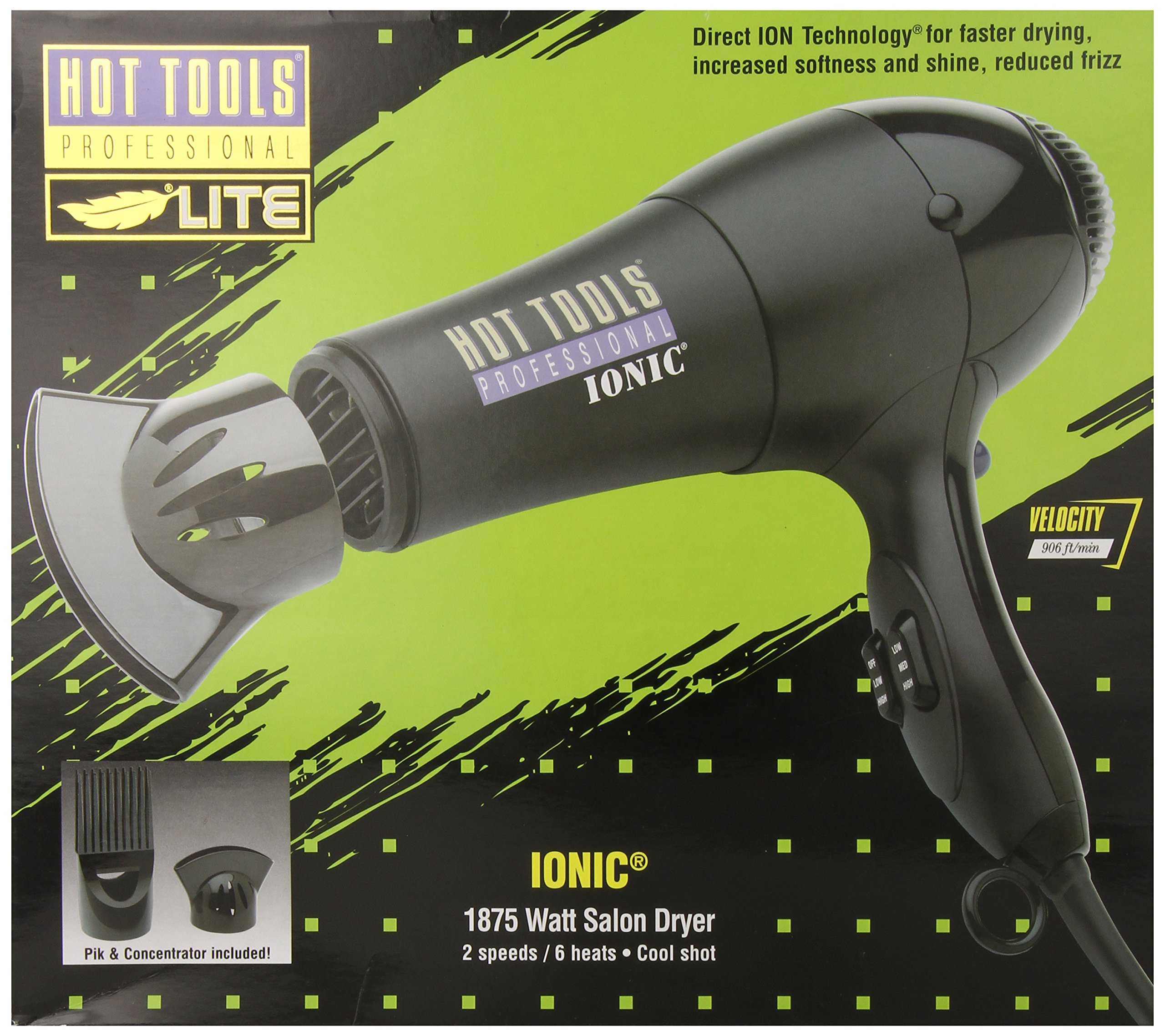
Image: Front packaging of the Hot Tools Professional HT1038 Ionic Salon Dryer, highlighting its 1875-watt power, ionic technology, and included accessories like the concentrator and pik.
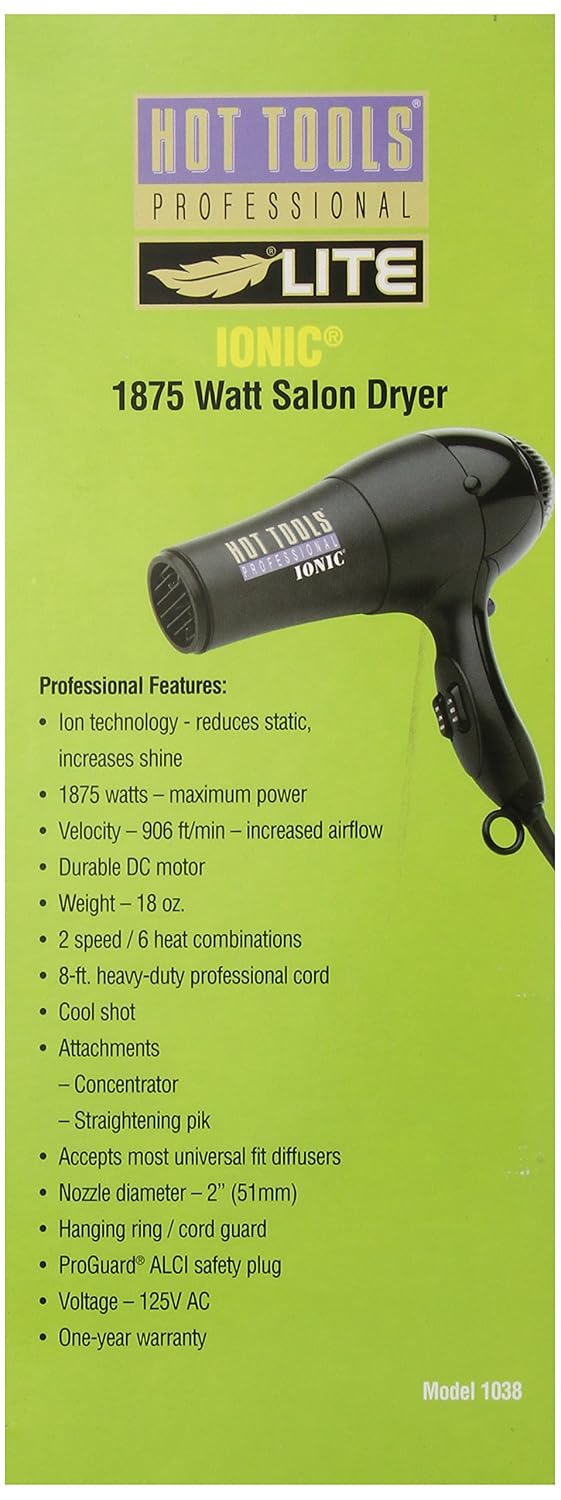
Image: Side packaging of the Hot Tools Professional HT1038 Ionic Salon Dryer, detailing professional features such as ion technology, 1875 watts, airflow velocity, and cord length.

Image: Diagram illustrating how Direct ION TECHNOLOGY works, showing large water droplets before and smaller droplets after, and rough hair cuticles before and soft cuticles after, explaining the benefits of ionic drying.
Setup
- Unpack: Carefully remove the dryer and all accessories from the packaging.
- Inspect: Check the dryer and cord for any signs of damage. Do not use if damaged.
- Attach Accessories:
- To attach the concentrator or straightening pik, align the attachment with the nozzle of the dryer and push firmly until it clicks into place.
- Ensure attachments are securely fastened before use.
- Plug In: Insert the ALCI safety plug into a standard 125V AC electrical outlet.
- Test ALCI: Before each use, press the "TEST" button on the ALCI plug. The dryer should stop operating. Press the "RESET" button to restore power. If the ALCI fails to reset or does not trip when tested, do not use the dryer.
Operating Instructions
- Power On: Plug in the dryer and ensure the ALCI safety plug is reset.
- Select Speed: Use the speed switch (typically located on the handle) to select your desired airflow speed (e.g., Low or High).
- Select Heat: Use the heat switch (separate from the speed switch) to choose your desired heat level (e.g., Cool, Warm, Hot). The HT1038 offers six heat combinations.
- Drying Hair:
- For general drying, hold the dryer approximately 6-8 inches from your hair.
- Move the dryer continuously to prevent concentrating heat in one area.
- Use the concentrator for precise styling and smoothing.
- Use the straightening pik for detangling and straightening hair sections.
- Cool Shot: Press and hold the cool shot button to deliver a burst of cool air. This helps to set your style and add shine. Release the button to return to the selected heat setting.
- Power Off: After use, switch both the speed and heat settings to the "OFF" position. Unplug the dryer from the electrical outlet.
Maintenance
Proper maintenance ensures the longevity and performance of your hair dryer.
- Cleaning the Air Filter:
- Ensure the dryer is unplugged and completely cool before cleaning.
- Locate the removable air filter cover at the rear of the dryer.
- Twist or pull off the cover (refer to your specific model for removal method).
- Gently brush away any accumulated lint, dust, or hair from the filter screen. A soft brush or vacuum cleaner can be used.
- Replace the filter cover securely.
- Clean the filter regularly (e.g., monthly) to maintain optimal airflow and prevent overheating.
- General Cleaning:
- Wipe the exterior of the dryer with a soft, damp cloth. Do not use abrasive cleaners or solvents.
- Ensure no water enters the internal components.
- Storage:
- Unplug the dryer and allow it to cool completely.
- Do not wrap the power cord tightly around the dryer, as this can damage the cord. Use the hanging ring for storage.
- Store in a cool, dry place, out of reach of children.
Troubleshooting
| Problem | Possible Cause | Solution |
|---|---|---|
| Dryer does not turn on. |
|
|
| Dryer stops during use. |
|
|
| Weak airflow or reduced heat. |
|
|
| Dryer is unusually loud. |
|
|
If the problem persists after attempting these solutions, discontinue use and contact customer support.
Specifications
- Model Number: HT1038
- Power: 1875 Watts
- Voltage: 125V AC
- Motor Type: Durable DC motor
- Speed Settings: 2
- Heat Settings: 6 combinations
- Airflow Velocity: 906 ft/min
- Weight: Approximately 1.3 pounds (18 oz.)
- Cord Length: 8-ft. professional cord
- Included Components: Concentrator, Straightening Pik
- Safety Feature: ProGuard® ALCI safety plug
- Product Dimensions: 9.25 x 3 x 9.75 inches
Warranty and Support
Warranty: The Hot Tools Professional HT1038 Ionic Salon Dryer comes with a one-year warranty from the date of purchase. This warranty covers defects in materials and workmanship under normal use. It does not cover damage resulting from misuse, abuse, accidents, unauthorized service, or modifications.
Customer Support: For warranty claims, technical assistance, or product inquiries, please contact Hot Tools Professional customer service. Refer to the product packaging or the official Hot Tools website for current contact information.
Please retain your proof of purchase for warranty validation.