
Antec BP350
Antec Basiq BP350 350 Watt Power Supply User Manual
Model: BP350
1. Introduction
This manual provides essential information for the installation, operation, and maintenance of your Antec Basiq BP350 350 Watt Power Supply. Please read this manual thoroughly before installation and keep it for future reference.
The Antec Basiq BP350 is designed to provide stable and reliable power for your personal computer system. It features ATX12V Version 2.01 compliance and dual +12V outputs for optimal performance.
2. Safety Precautions
- Always disconnect the power supply from the AC outlet before installation or maintenance.
- Do not open the power supply casing. High voltages are present inside, and there are no user-serviceable parts.
- Ensure proper grounding to prevent electrical shock.
- Install the power supply in a well-ventilated area to prevent overheating.
- Avoid exposing the power supply to moisture or extreme temperatures.
3. Package Contents
Verify that all items are present in the package:
- Antec Basiq BP350 350 Watt Power Supply Unit
- AC Power Cord
- Mounting Screws
- User Manual (this document)

Figure 3.1: Antec Basiq BP350 Power Supply retail packaging. The box displays the Antec logo, "Basiq" series name, and "350 Watt" rating, along with an image of the power supply unit.
4. Setup and Installation
Follow these steps to properly install your Antec Basiq BP350 Power Supply:
4.1 Prepare Your System
Before beginning installation, ensure your computer case is compatible with ATX power supplies. Turn off your computer and disconnect the AC power cord from the wall outlet. Open your computer case to access the power supply bay.
4.2 Install the Power Supply
Carefully slide the Antec Basiq BP350 into the designated power supply bay in your computer case. Align the screw holes on the power supply with those on the case. Secure the power supply using the provided mounting screws.

Figure 4.2.1: Rear view of the Antec Basiq BP350 Power Supply, showing the AC input, power switch, and exhaust fan grill. This side faces the exterior of the computer case.
4.3 Connect Cables
Connect the necessary power cables to your motherboard and other components. The BP350 includes:
- 20+4 Pin Main Power Connector (for motherboard)
- 4-Pin ATX12V Connector (for CPU)
- SATA Power Connectors (for hard drives, SSDs, optical drives)
- 4-Pin Molex Connectors (for older peripherals)
- Floppy Drive Power Connector (if applicable)
Ensure all connections are secure and properly seated. Refer to your motherboard and component manuals for specific power requirements and connector locations.

Figure 4.3.1: Side view of the Antec Basiq BP350 Power Supply, illustrating the attached power cables including the main 20+4 pin connector, 4-pin ATX12V, SATA, and Molex connectors.

Figure 4.3.2: Another side view of the Antec Basiq BP350 Power Supply, highlighting the various cable bundles extending from the unit, ready for connection to internal PC components.
4.4 Close Case and Connect Power
Once all connections are made, close your computer case. Connect the AC power cord to the power supply's input and then to a wall outlet or surge protector. Flip the power switch on the back of the power supply to the "ON" position.
5. Operating Instructions
The Antec Basiq BP350 operates automatically once installed and powered on. It provides stable power to your system components.
- Power On: After connecting the AC power cord and flipping the power switch to ON, press the power button on your computer case to start the system.
- Power Off: Shut down your computer through the operating system. The power supply will remain in a low-power standby mode. To completely cut power, flip the switch on the back of the power supply to the "OFF" position or unplug the AC cord.

Figure 5.1: Top view of the Antec Basiq BP350 Power Supply, showing the fan grill and the product label with specifications. This view is typical when installed in a standard ATX case.
6. Maintenance
The Antec Basiq BP350 is designed for minimal maintenance. However, regular checks can help ensure longevity and optimal performance:
- Dust Removal: Periodically (every 6-12 months), use compressed air to clean dust from the power supply's fan and vents. Ensure the computer is powered off and unplugged before cleaning.
- Cable Management: Ensure cables inside your computer case are neatly managed to allow for proper airflow, which helps in cooling the power supply and other components.
- Environmental Conditions: Operate the power supply in a clean, dry environment with adequate ventilation.
7. Troubleshooting
| Problem | Possible Cause | Solution |
|---|---|---|
| Computer does not power on. | Power cord not connected; Power switch OFF; Loose internal connections; Faulty component. | Check AC power cord connection. Ensure power supply switch is ON. Re-seat all power connectors (20+4 pin, 4-pin ATX12V, etc.). Test with another power supply if possible to rule out other component failures. |
| System powers on but shuts down immediately. | Overload; Overheating; Short circuit. | Ensure total power draw does not exceed 350W. Check for proper ventilation. Inspect cables and components for any short circuits. |
| Unusual noise from power supply. | Fan obstruction; Faulty fan. | Power off and unplug. Carefully inspect fan for obstructions. If noise persists, contact Antec support. |
| Peripherals (e.g., hard drive) not detected. | Loose power connection to peripheral. | Ensure SATA or Molex power connectors are firmly seated on the respective devices. |
If troubleshooting steps do not resolve the issue, please contact Antec customer support.
8. Specifications
- Model: Antec Basiq BP350
- Wattage: 350 Watts
- Form Factor: ATX12V
- ATX12V Version: 2.01 compliant
- Outputs: Dual +12V outputs
- Cooling: 80mm fan
- Protection Circuitry: Built-in industrial-grade protection against short circuits, power overloads, and over voltage.
- Dimensions (H x W x D): 3.5" x 5.8" x 5.5" (89mm x 147mm x 140mm)
- Weight: Approximately 3.6 pounds (1.6 kg)
- Input Voltage: 230 Volts (as per specification, though typically auto-sensing for global use)
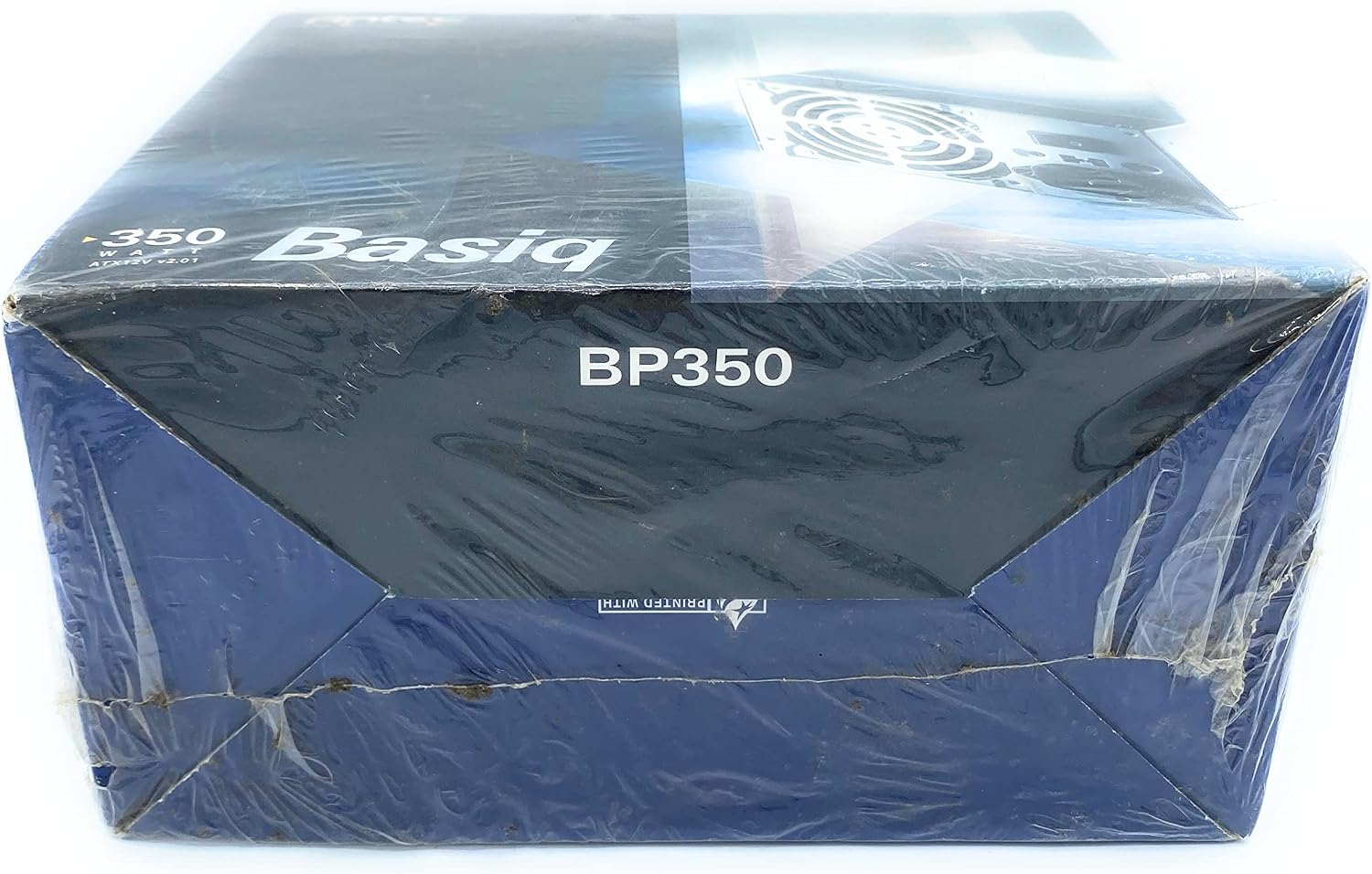
Figure 8.1: The Antec Basiq BP350 Power Supply with its cables neatly coiled, showcasing its compact form factor and the integrated fan for cooling.
9. Warranty and Support
The Antec Basiq BP350 Power Supply is backed by a 2-year parts and labor warranty.
For technical support, warranty claims, or further assistance, please contact Antec customer service:
- Website: www.antec.com
- Phone: 1-800-22ANTEC (Check regional availability for phone support)
Please have your product model number (BP350) and purchase information ready when contacting support.
Related documentsBP350


Ask a question about this manual
Ask about setup, troubleshooting, compatibility, parts, safety, or missing instructions. Manuals+ will review the question and use this page’s manual context to help answer it.