1. Introduction
The Audix Fireball-V is an ultra-small professional dynamic instrument microphone designed for clear and natural sound reproduction. It features a cardioid pickup pattern for effective isolation and feedback control, making it suitable for various musical applications. This manual provides essential information for the proper setup, operation, and maintenance of your Fireball-V microphone.
Key Features:
- Cardioid pickup pattern for isolation and feedback control
- Low impedance design
- Integrated volume control knob
- Frequency response of 50 Hz – 16 kHz
- Optimized for harmonicas (diatonic and chromatic) and beatbox
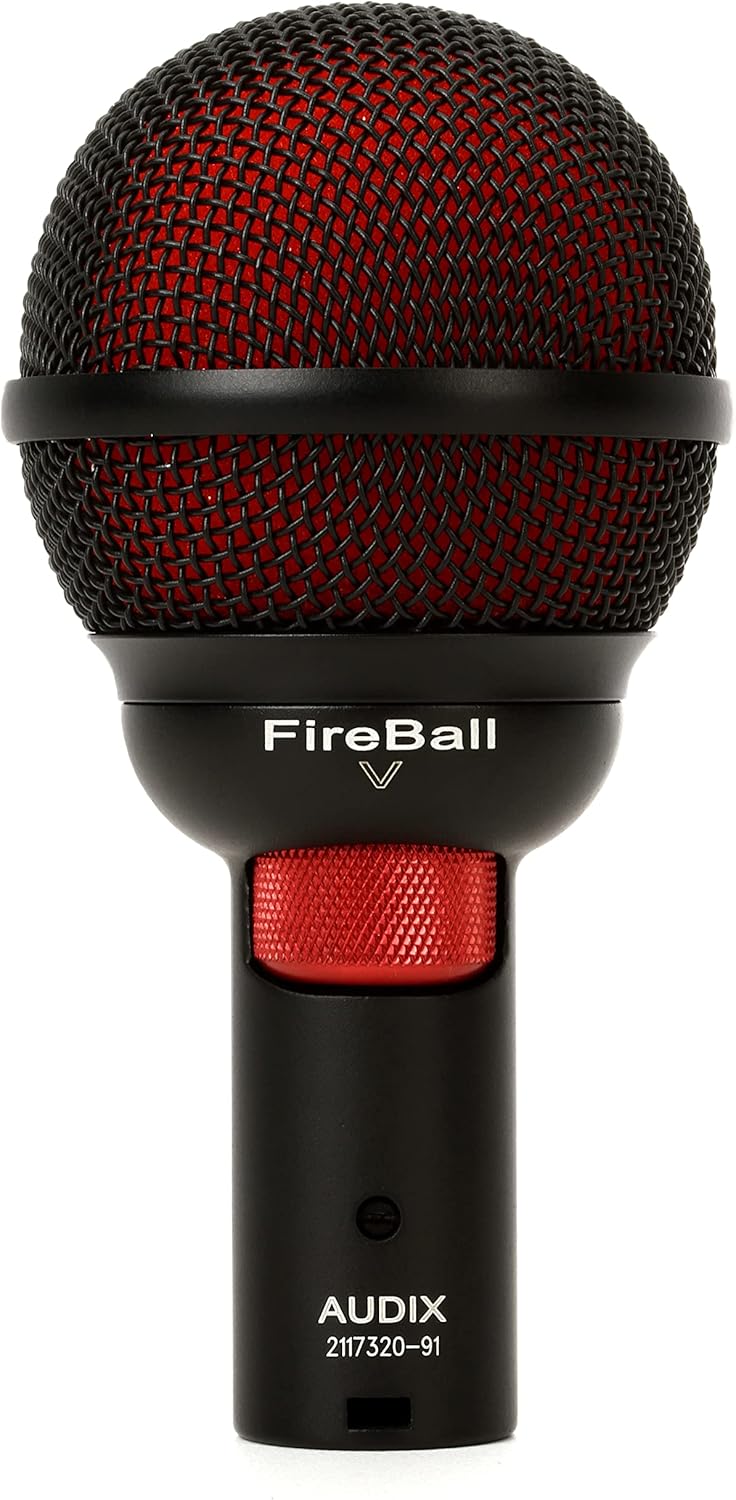
Figure 1: Front view of the Audix Fireball-V Dynamic Instrument Microphone.
2. What's in the Box
Upon unboxing your Audix Fireball-V, please ensure all components are present:
- Audix Fireball-V Dynamic Instrument Microphone
- Microphone Clip
- Carrying Pouch

Figure 2: Audix Fireball-V with included accessories.

Figure 3: Included microphone clip.

Figure 4: Audix carrying pouch.
3. Setup
Follow these steps to set up your Audix Fireball-V microphone:
- Attach the Microphone Clip: Securely fasten the provided microphone clip to a standard microphone stand.
- Mount the Microphone: Insert the Audix Fireball-V microphone into the clip. Ensure it is firmly seated.
- Connect the XLR Cable: Connect a standard XLR cable (not included) to the microphone's XLR output. The Fireball-V uses a 3-pin XLR connector.
- Connect to Audio Equipment: Plug the other end of the XLR cable into your mixer, audio interface, or amplifier. The microphone is designed for professional audio equipment.

Figure 5: Connecting an XLR cable to the microphone.
4. Operating Instructions
The Audix Fireball-V is a dynamic microphone, meaning it does not require phantom power. It is ready for use once connected to your audio system.
Volume Control:
The Fireball-V features an integrated volume control knob located on the microphone body. This allows for convenient adjustment of the microphone's output level directly at the source. Rotate the knob clockwise to increase volume and counter-clockwise to decrease it.

Figure 6: Detail of the microphone head and volume control.
Placement for Optimal Sound:
- Harmonica: For harmonica, hold the microphone close to the instrument, cupping it with your hands to achieve a full, rich tone. Experiment with distance and hand position to find your preferred sound.
- Beatbox: For beatboxing, position the microphone directly in front of your mouth. The cardioid pattern will help capture your vocal percussion while minimizing ambient noise.
- Other Instruments: For other instruments, position the microphone to capture the desired sound. The cardioid pattern is effective for isolating individual sound sources.
5. Maintenance
Proper care will extend the life and performance of your Audix Fireball-V microphone:
- Cleaning: Use a soft, dry cloth to clean the exterior of the microphone. Do not use liquid cleaners or solvents, as these can damage the finish or internal components.
- Storage: When not in use, store the microphone in its provided carrying pouch to protect it from dust, moisture, and physical damage.
- Handling: Avoid dropping the microphone or subjecting it to harsh impacts. While durable, excessive force can affect its performance.
- Environmental Conditions: Keep the microphone away from extreme temperatures, high humidity, and direct sunlight.
6. Troubleshooting
If you encounter issues with your Audix Fireball-V, consider the following:
- No Sound Output:
- Check all cable connections (microphone to XLR, XLR to audio equipment).
- Ensure the volume control knob on the microphone is not set to minimum.
- Verify that your audio equipment (mixer, interface) is powered on and input levels are correctly set.
- Test with a different XLR cable if possible.
- Poor Sound Quality / Feedback:
- Adjust microphone placement relative to the sound source and speakers to minimize feedback.
- Ensure the microphone is pointed directly at the sound source, utilizing its cardioid pattern for off-axis rejection.
- Check input gain levels on your audio equipment; excessive gain can lead to distortion or feedback.
- Intermittent Sound:
- Inspect the XLR cable for any damage or loose connections.
- Ensure the microphone's volume knob is stable and not accidentally moving.
7. Specifications
Detailed technical specifications for the Audix Fireball-V microphone:
| Feature | Specification |
|---|---|
| Item Weight | 12.3 ounces |
| Impedance | 150 Ohm |
| Microphone Form Factor | Microphone only |
| Product Dimensions (L x W x H) | 8.8 x 4.35 x 2.6 inches |
| Power Source | Corded Electric |
| Material | Metal |
| Signal-to-Noise Ratio | 76 dB |
| Number of Channels | 1 |
| Frequency Response | 50 Hz – 16 kHz |
| Connectivity Technology | XLR |
| Connector Type | XLR |
| Special Feature | Corded |
| Compatible Devices | Professional Audio Equipment (e.g., mixers, audio interfaces, and recorders) |
| Color | Black |
| Polar Pattern | Unidirectional (Cardioid) |
| Audio Sensitivity | 45 Decibels |

Figure 7: Technical diagrams including dimensions, frequency response, and polar patterns.
8. Warranty and Support
For warranty information and technical support, please refer to the official Audix website or contact their customer service directly. Keep your purchase receipt as proof of purchase for any warranty claims.


