
1. Introduction
This manual provides comprehensive instructions for the installation, operation, and maintenance of your Kidde AccessPoint 001413 KeySafe Slimline Push Button Combination Lock Box. Designed for secure, permanent wall-mount key storage, this device offers convenient access for authorized users without the need for traditional keys. Please read these instructions thoroughly before use to ensure proper functionality and security.
2. Product Overview
The Kidde AccessPoint KeySafe is a durable, weather-resistant metal lock box designed to securely store up to two keys. It features an easy-to-use push-button combination lock with over 1,000 personalized combinations available.
Key Features:
- Permanent wall-mount design for secure key storage.
- Accommodates up to 2 keys.
- Push-button combination lock with over 1,000 customizable codes.
- Weather-resistant metal construction for outdoor or indoor use.
- Includes mounting hardware for straightforward installation.
What's in the Box:
- Kidde AccessPoint KeySafe Unit
- Mounting Hardware (bolts, screws)

Figure 1: Front view of the Kidde AccessPoint KeySafe lock box.
3. Setup
3.1. Mounting the KeySafe
- Select a suitable location for mounting. The KeySafe can be installed on any wall or flat surface, indoors or outdoors. Ensure the surface is sturdy enough to support the unit securely.
- Using the KeySafe unit as a template, mark the positions for the mounting screws.
- Drill pilot holes at the marked positions. The size of the drill bit should be appropriate for the included mounting screws.
- Align the KeySafe with the pilot holes and secure it using the provided screws and bolts. Ensure the unit is firmly attached to prevent tampering.
3.2. Setting the Combination
The combination is set by adjusting small screws on the back of the removable keypad. Each number from 0-9 corresponds to a screw. To include a number in your combination, turn its corresponding screw 180 degrees to the 'ON' position. To exclude a number, turn it to the 'OFF' position. The order in which the numbers are pressed does not matter, but each number can only be used once in a combination.
- Open the KeySafe by entering the current combination (factory default or previously set) and pressing the 'OPEN' button.
- Carefully remove the keypad assembly from the mounted base.
- On the back of the keypad, locate the small screws next to each number (0-9).
- Using a small flat-head screwdriver (or the provided tool, if applicable), turn the screws for the desired numbers to the 'ON' position. Turn the screws for numbers not in your combination to the 'OFF' position.
- Once your new combination is set, re-insert the keypad assembly into the mounted base, ensuring it clicks securely into place.
- Test your new combination several times before closing the unit with keys inside.

Figure 2: Rear view of the KeySafe keypad, illustrating the combination setting screws.
4. Operation
4.1. Opening the KeySafe
- Press the buttons corresponding to your set combination. The order of pressing does not matter.
- Once all combination buttons are pressed, slide the 'OPEN' lever (located at the top of the keypad) downwards.
- The keypad assembly will release from the base, providing access to the stored keys.
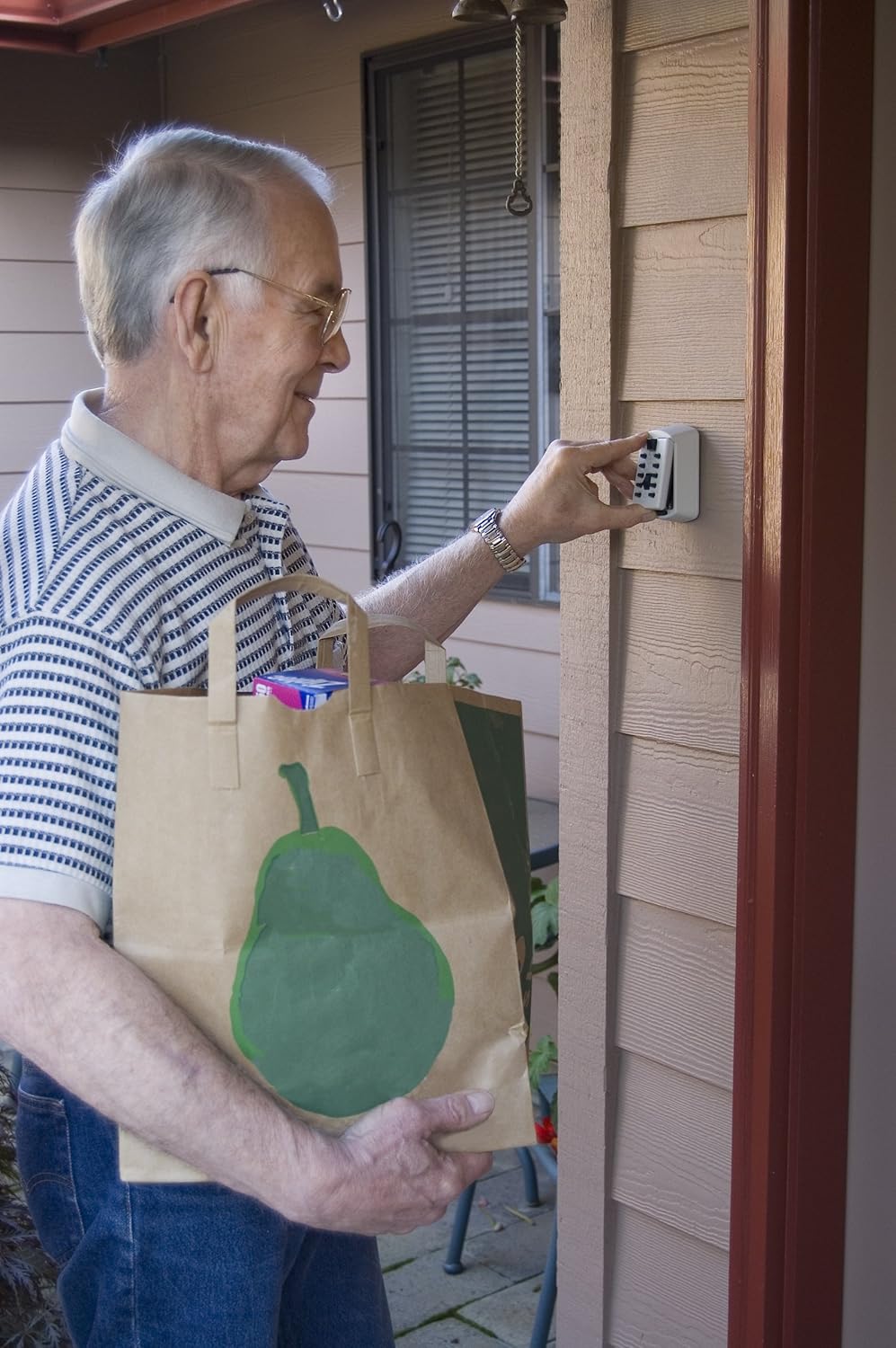
Figure 3: User interacting with the KeySafe keypad to enter the combination.
4.2. Storing Keys
- With the keypad assembly removed, locate the key hook(s) inside the base unit.
- Place your keys onto the hook(s). The unit is designed to hold up to two standard keys.

Figure 4: Keys securely stored inside the KeySafe unit.
4.3. Closing the KeySafe
- Ensure keys are properly seated on the hook(s) and do not obstruct the closing mechanism.
- Align the keypad assembly with the base unit and push it firmly back into place until it clicks.
- To secure the unit, slide the 'CLEAR' lever (located at the bottom of the keypad) upwards. This scrambles the entered combination, preventing unauthorized access.

Figure 5: Closing the KeySafe after use.
5. Maintenance
The Kidde AccessPoint KeySafe is constructed from durable, weather-resistant metal for long-lasting use. To ensure optimal performance and longevity:
- Periodically inspect the unit for any signs of wear, damage, or corrosion.
- Clean the exterior with a soft, damp cloth. Avoid abrasive cleaners or solvents that could damage the finish.
- Ensure the push buttons and levers operate smoothly. If they become stiff, a small amount of silicone-based lubricant can be applied.
- Regularly check the mounting screws to ensure they remain tight and secure.
6. Troubleshooting
6.1. KeySafe Will Not Open:
- Incorrect Combination: Double-check that you are pressing the correct combination buttons. Remember, the order does not matter, but each button should only be pressed once.
- Combination Not Cleared: Ensure the 'CLEAR' lever was slid upwards after the last use to scramble the previous entry. If not, the unit might still be in an 'open' state internally.
- Stuck Buttons/Lever: Check for any debris or obstruction preventing the buttons or 'OPEN' lever from moving freely.
6.2. KeySafe Will Not Close:
- Key Obstruction: Ensure keys are properly seated on the internal hook and are not blocking the keypad assembly from fully re-engaging with the base.
- Misalignment: Verify that the keypad assembly is correctly aligned with the base unit before attempting to push it back into place.
7. Specifications
| Feature | Detail |
|---|---|
| Brand | Kidde |
| Model Number | 001413 |
| Product Dimensions | 2"D x 4"W x 4.1"H |
| Lock Type | Combination, Key |
| Color | White |
| Material | Metal |
| Special Feature | Combination Lock |
| Mounting Type | Wall Mount |
| Included Components | Bolts, Screws |
| Water Resistance Level | Water Resistant |
| Key Capacity | 2 Keys |

Figure 6: Product dimensions of the KeySafe.
8. Warranty and Support
8.1. Warranty Information:
The Kidde AccessPoint 001413 KeySafe comes with a 1-year limited warranty against defects in workmanship and materials. Please retain your proof of purchase for warranty claims.
8.2. Customer Support:
For further assistance, technical support, or warranty inquiries, please contact Kidde customer service. Refer to the official Kidde website or product packaging for the most current contact information.


