
1. Safety Information
Please read all instructions carefully before installation and use. Failure to follow these instructions may result in property damage, personal injury, or death.
WARNING: This product contains chemicals known to the State of California to cause cancer and birth defects or other reproductive harm. For more information, go to www.P65Warnings.ca.gov.
Always exercise caution when dispensing hot water to prevent burns. Keep children away from the dispenser during operation.
2. Product Overview
The InSinkErator Indulge Contemporary F-HC1100 Instant Hot and Cold Water Dispenser Faucet in Chrome is designed to provide convenient access to near-boiling and cool drinking water. Its contemporary design features a high-arching swivel spout and two integrated levers.
Key Features:
- Dual Functionality: Dispenses both near-boiling hot water and filtered cold water.
- Durable Construction: Made from solid brass for longevity and corrosion resistance.
- Swivel Spout: 360-degree swivel for easy filling of various containers.
- Safety Hot Lever: Features an instant self-closing valve for safe hot water dispensing.
- Stay-On Cool Lever: Conveniently remains on for continuous cold water flow.
- Designer Finish: Chrome finish complements modern kitchen aesthetics.

Figure 2.1: InSinkErator F-HC1100C Contemporary Instant Hot & Cold Water Dispenser in Chrome.
3. Setup & Installation
This section provides general guidance for installing your InSinkErator F-HC1100C dispenser. For detailed, model-specific instructions, always refer to the complete manual included with your product. Professional installation is recommended.
3.1 Pre-Installation Checklist
- Ensure countertop thickness is 3 inches or less.
- Verify a standard 1-3/8 inch to 1-1/2 inch diameter hole is available for the faucet.
- Confirm a grounded electrical outlet is available under the sink.
- Ensure adequate clearance for dispenser handles to operate fully.
- The InSinkErator HWT-F1000S Hot Water Tank and Filtration System (sold separately) is required for operation.
3.2 Installation Steps Overview
- Turn off Water Supply: Locate and turn off the cold water supply valve under the sink.
- Prepare Faucet: Unpack all faucet components. Carefully straighten the copper tubing. Ensure the black O-ring is properly seated in the base of the dispenser head.
- Mount Faucet: Feed the tubes down through the countertop hole. Secure the faucet from underneath the sink using the circular mounting plate and hex nut. Tighten by hand, then use the supplied hex tool for final tightening, ensuring the faucet is at the desired angle.
- Mount Tank: Select a vertical mounting spot under the sink, within 16 inches of faucet water lines and 30 inches of a grounded outlet. Mark screw locations, pre-drill pilot holes, and install screws leaving about a quarter inch exposed. Hang the tank on the screws and tighten, but do not overtighten.
- Connect Faucet to Tank: Connect the blue, white, and clear tubes from the faucet to their corresponding fittings on the tank. Push the blue tube connector down until it clicks into place.
- Final Water Connection: Install a T-fitting (not included) onto the existing cold water supply line. A dedicated water control valve with a 1/4-inch compression fitting is recommended. Connect the copper inlet tubing to the T-fitting using the compression nut.
- Restore Water and Power: Turn on the water supply. Open the hot water faucet to fill the tank until water flows through the spout. Plug the tank's power cord into the grounded electrical outlet. The tank will begin heating the water.
Video 3.1: Official InSinkErator Installation Guide for Instant Hot & Cold Water Dispenser. This video provides a visual walkthrough of the installation process.

Figure 3.1: The InSinkErator faucet installed on a kitchen counter, ready for use.
4. Operating Instructions
The InSinkErator F-HC1100C is designed for simple and safe operation.
4.1 Dispensing Hot Water
- Place a heat-safe cup or container under the faucet spout.
- Push the hot water lever (typically marked with red) back and hold it. Hot water will dispense.
- Release the lever to stop the flow. The hot water lever is designed to automatically shut off for safety.
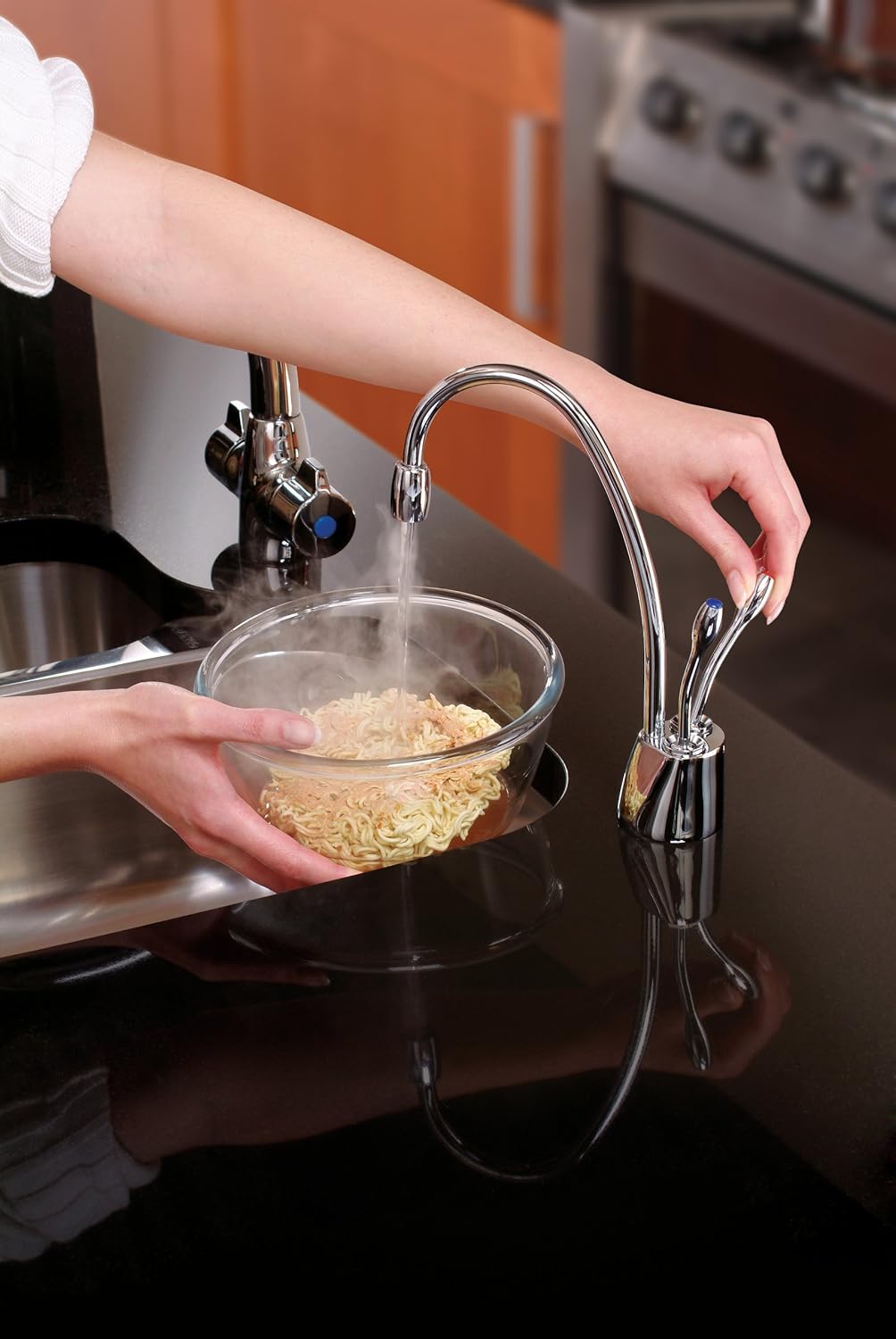
Figure 4.1: Dispensing hot water for instant meals.
4.2 Dispensing Cold Water
- Place a cup or container under the faucet spout.
- Push the cold water lever (typically marked with blue) forward. Cold water will dispense.
- The cold water lever will remain on until manually pushed back to the off position.

Figure 4.2: Using the cold water dispenser for drinking water.
5. Maintenance
Regular maintenance ensures optimal performance and longevity of your dispenser.
5.1 Filter Replacement
If using the optional InSinkErator HWT-F1000S Hot Water Tank and Filtration System, filter cartridges (e.g., F-201R) should be replaced periodically according to the filter manufacturer's recommendations or when water flow noticeably decreases.
- Refer to your filtration system's manual for specific filter replacement instructions.
- Always turn off the water supply to the filtration system before attempting to replace the filter.
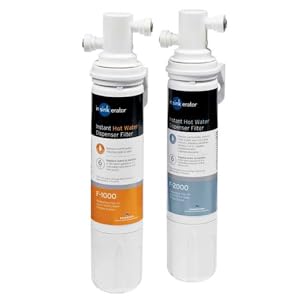
Figure 5.1: Example of an InSinkErator water filtration system.
5.2 Cleaning
- Clean the exterior of the faucet with a soft, damp cloth and mild soap. Avoid abrasive cleaners that may damage the finish.
- Periodically check for any leaks around connections and tighten if necessary.
6. Troubleshooting
If you encounter issues with your InSinkErator F-HC1100C, refer to the following common troubleshooting steps:
| Problem | Possible Cause | Solution |
|---|---|---|
| No hot water / Water not hot enough | Power not connected, water supply off, thermostat setting too low, tank not filled. | Check power connection and outlet. Ensure water supply is on. Adjust thermostat on the hot water tank. Open hot water faucet to fill tank until water flows. Allow 15-20 minutes for water to heat. |
| Water dripping from spout | Air in the system, sediment buildup, faulty valve. | Dispense hot water for 2-3 minutes to clear air. If dripping persists, contact customer support. |
| Low water flow | Clogged filter, kinked water line, low water pressure. | Replace water filter cartridge. Check water lines for kinks. Verify household water pressure. |
| Leaks from connections | Loose connections, damaged O-rings. | Carefully tighten connections. If leaks persist, inspect O-rings for damage and replace if necessary. |
If these steps do not resolve the issue, please contact InSinkErator Customer Support.
7. Specifications
| Feature | Detail |
|---|---|
| Model Number | F-HC1100C |
| Color | Chrome |
| Material | Brass |
| Capacity (Tank) | 2.5 Liters (Tank sold separately) |
| Product Dimensions | 18"D x 3.56"W x 11"H (Faucet) |
| Style | Hot and Cold |
| Weight | 3.7 Pounds (Faucet) |
| Wattage | 750 watts (Tank) |
| Installation Type | Under Sink |
| Number of Handles | 2 |
| Upper Temperature Rating | 190 Degrees Fahrenheit |
| Power Source | Corded Electric |
8. Warranty & Support
8.1 Warranty Information
The InSinkErator F-HC1100C Instant Hot and Cold Water Dispenser is covered by an exclusive 5-Year "We Come to You" In-Home Full Service Limited Warranty. This warranty includes free house calls (including parts and labor) for the entire warranty period. Please refer to the official warranty documentation included with your product for complete details and terms.
8.2 Customer Support
For technical assistance, troubleshooting, or warranty claims, please contact InSinkErator Customer Support. Contact information can typically be found on the manufacturer's website or in your product packaging.
Online Resources: Visit the official InSinkErator website for FAQs, product registration, and additional support materials.


