
1. Introduction
The Casio Collection HDC-600-1BVES is a versatile men's watch designed for reliability and functionality. It features a combination of analog and digital displays, providing clear timekeeping and additional functions. This model is equipped with an LED light for illumination in low-light conditions, housed in a durable resin case, and secured with a stainless steel bracelet. Powered by a precise quartz movement, it is built to offer consistent performance for everyday wear.
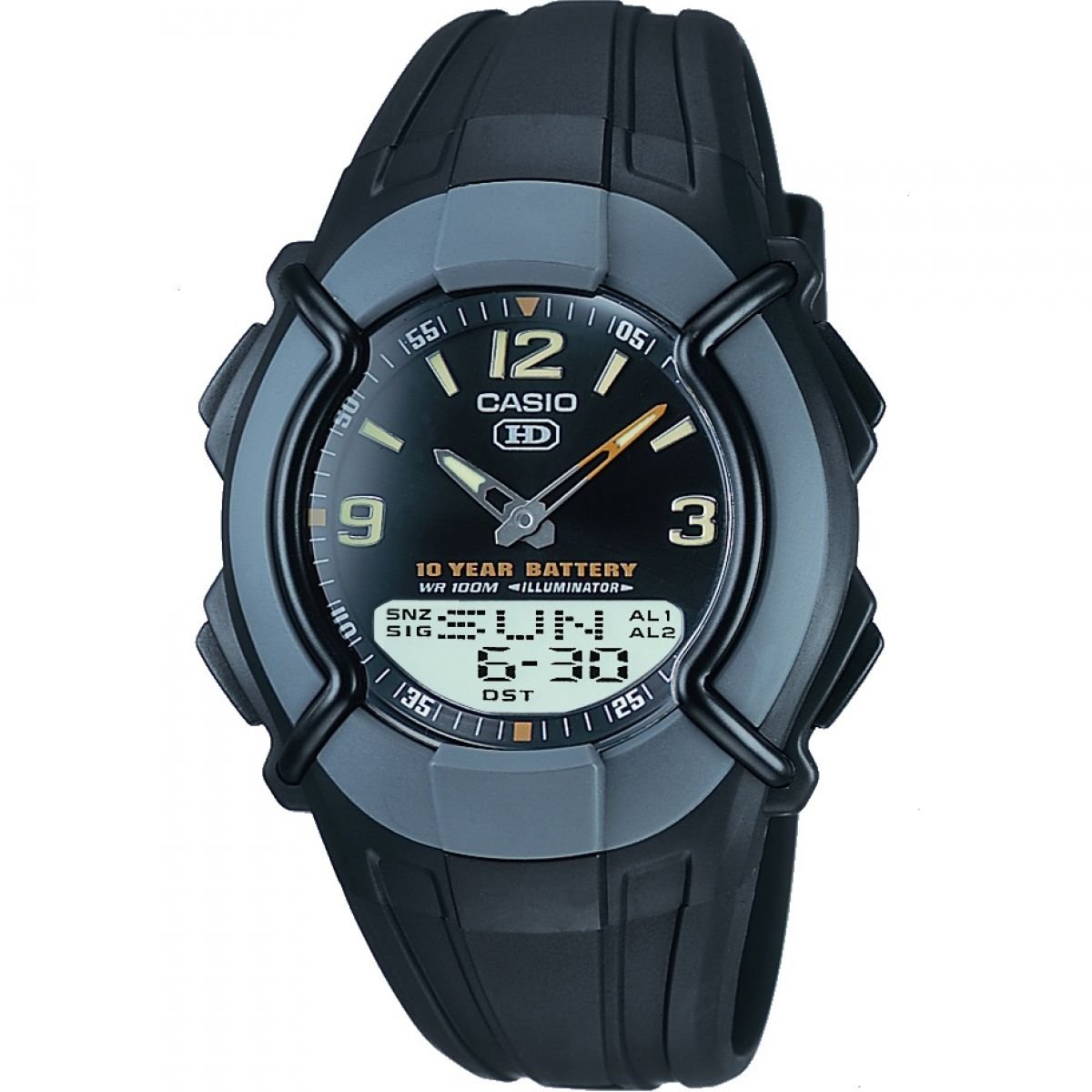
Image 1.1: Front view of the Casio Collection HDC-600-1BVES watch, showcasing its analog hands and digital display. The watch features a dark dial and a silver-tone stainless steel bracelet.
2. Setup
2.1 Initial Time Setting
Upon first use or after a battery change, you may need to set the time and date. Refer to the detailed instructions in the 'Operating Instructions' section for specific button functions.
- Digital Time: Use the mode button to navigate to the time setting screen. Adjust hours, minutes, seconds, and date using the adjustment buttons.
- Analog Time: The analog hands are typically synchronized with the digital time. If they are out of sync, a specific adjustment procedure will be required, usually involving holding a button in time setting mode.
2.2 Bracelet Adjustment
The stainless steel bracelet can be adjusted for a comfortable fit. It is recommended to have this procedure performed by a qualified jeweler or watch technician to prevent damage to the bracelet or watch.
3. Operating Instructions
3.1 Basic Timekeeping
The watch displays time in both analog and digital formats. The digital display typically shows hours, minutes, seconds, and the date. The analog hands provide a traditional time display.
3.2 Using the LED Light
To illuminate the watch face in dark conditions, press the dedicated light button (usually located on the side of the watch). The LED light will activate for a few seconds, making both the analog and digital displays visible.
3.3 Mode Functions
Your watch may include various modes accessible via the mode button. Common modes include:
- Stopwatch: For measuring elapsed time.
- Alarm: To set daily alarms.
- Dual Time: To display a second time zone.
- Timer: A countdown timer function.
Consult the full Casio module manual (often indicated by a 4-digit number on the watch's backplate) for detailed instructions on each mode's operation.
4. Maintenance
4.1 General Care
To ensure the longevity and appearance of your Casio watch:
- Cleaning: Wipe the watch regularly with a soft, dry cloth. For the stainless steel bracelet, a slightly damp cloth can be used, followed by drying. Avoid harsh chemicals.
- Water Resistance: While the watch features a resin case, its specific water resistance rating should be checked on the watch back or in the full manual. Avoid operating buttons underwater unless specified.
- Temperature: Avoid exposing the watch to extreme temperatures or direct sunlight for prolonged periods.
- Impact: Protect the watch from strong impacts.
4.2 Battery Replacement
The watch is powered by a Lithium metal battery. When the display becomes dim or functions cease, the battery may need replacement. It is highly recommended to have battery replacement performed by an authorized Casio service center or a professional watch repair shop to ensure proper sealing and water resistance.
5. Troubleshooting
If you encounter issues with your Casio HDC-600-1BVES watch, consider the following common solutions:
- Watch Not Keeping Time: Check if the battery needs replacement. A weak battery can cause inaccurate timekeeping or a blank display.
- Digital Display Blank/Dim: This often indicates a low battery. Replace the battery as described in the Maintenance section.
- Buttons Not Responding: Ensure the watch is not in a locked mode (if applicable). If the issue persists, a battery reset or replacement might be necessary.
- Analog Hands Out of Sync: Refer to the full module manual for instructions on how to manually align the analog hands with the digital time.
For persistent problems, contact Casio customer support or an authorized service center.
6. Specifications
| Model Number | HDC-600-1BVES |
| Manufacturer | Casio |
| Display Type | Analog/Digital |
| Movement Type | Quartz |
| Case Material | Resin |
| Bracelet Material | Stainless Steel |
| Illumination | LED Light |
| Battery Type | 1 Lithium Metal (included) |
| Product Dimensions | 4.01 x 1.47 x 5.05 cm |
| Weight | 120 grams |
7. Warranty and Support
For information regarding the warranty period and terms for your Casio HDC-600-1BVES watch, please refer to the warranty card included with your purchase or visit the official Casio website. For technical support, service, or inquiries about spare parts, please contact Casio customer service directly through their official channels.


