1. Product Overview
The Kensington K33374 Wireless Presenter with Laser Pointer is designed for effective presentations. It features intuitive controls, a reliable wireless connection, and a built-in laser pointer to highlight key information.

Image: The Kensington K33374 Wireless Presenter and its accompanying USB receiver. The presenter is black with silver control buttons and a blue Kensington logo.
2. Package Contents
Ensure all items are present in the package:
- Kensington K33374 Wireless Presenter
- USB Wireless Receiver
- 2 AAA Batteries (included)
- User Manual (this document)
3. Setup Instructions
3.1. Battery Installation
- Locate the battery compartment on the back of the presenter.
- Open the battery compartment cover.
- Insert two AAA batteries, ensuring correct polarity (+/-).
- Close the battery compartment cover securely.
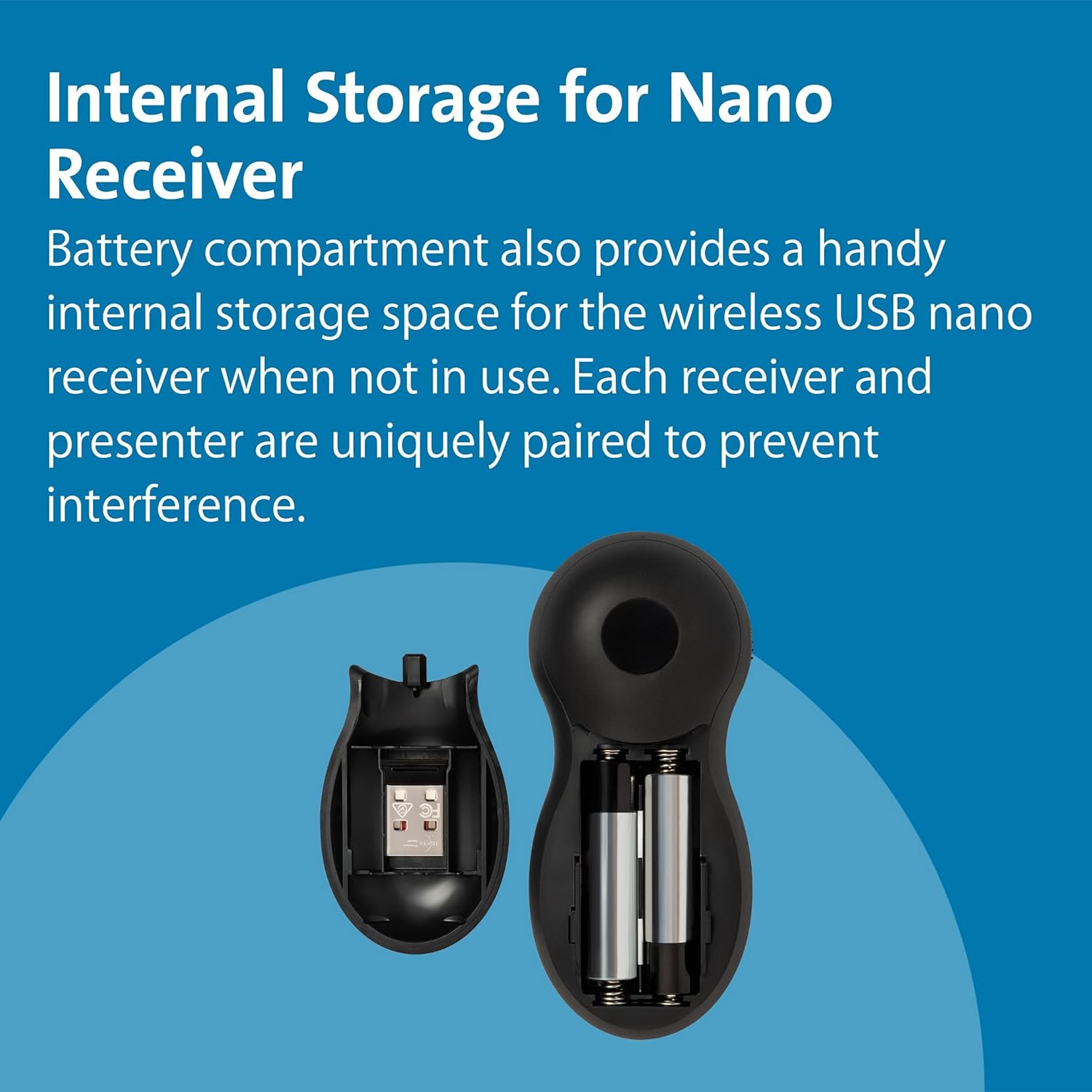
Image: The internal storage compartment of the presenter, showing the space for the USB receiver and two AAA batteries.
3.2. Connecting the USB Receiver
- Remove the USB receiver from its internal storage compartment within the presenter.
- Plug the USB receiver into an available USB port on your computer.
- The computer should automatically detect and install the necessary drivers (Plug & Play).

Image: The Kensington Wireless Presenter shown alongside its compact USB receiver, ready for connection.

Image: A hand holding the Kensington Wireless Presenter, with a "Plug & Play" logo indicating easy setup.
4. Operating Instructions
The presenter features intuitive 4-button controls for seamless navigation during your presentation.

Image: Close-up of the Kensington Wireless Presenter showing its four main control buttons and the side-mounted on/off switch.
4.1. Button Functions
- Forward Button (Right Arrow): Advances to the next slide in your presentation.
- Backward Button (Left Arrow): Returns to the previous slide in your presentation.
- Laser Pointer Button (Red Dot): Activates the red laser pointer to highlight specific areas on your screen.
- Black Screen Button (Square): Toggles the screen to black, allowing you to focus audience attention on yourself. Press again to return to the presentation.
- On/Off Switch: Located on the side of the presenter, slide to turn the device on or off to conserve battery life.

Image: The Kensington Wireless Presenter with a red laser beam projecting from its tip, demonstrating the laser pointer function.
4.2. Wireless Range
The 2.4GHz wireless technology provides an interference-free control range of up to 65 feet (approximately 20 meters), allowing you to move freely around the room during your presentation.
5. Maintenance
5.1. Battery Replacement
When the presenter's performance diminishes, replace the two AAA batteries following the installation steps in Section 3.1.
5.2. Cleaning
Wipe the presenter with a soft, dry cloth. Avoid using harsh chemicals or abrasive cleaners.
6. Troubleshooting
- Presenter not responding:
- Ensure the presenter is switched ON.
- Check if the batteries are correctly installed and have sufficient charge. Replace if necessary.
- Verify the USB receiver is securely plugged into a working USB port on your computer.
- Try plugging the USB receiver into a different USB port.
- Laser pointer not working:
- Ensure the presenter is switched ON.
- Check battery charge.
- Ensure you are pressing the correct button for the laser pointer.
- Interference or limited range:
- Ensure there are no large metallic objects or other wireless devices causing interference between the presenter and the receiver.
- Reduce the distance between the presenter and the USB receiver.
7. Specifications
| Feature | Detail |
|---|---|
| Brand | Kensington |
| Model Number | K33374EUB |
| Connectivity | 2.4GHz Wireless (USB Receiver) |
| Wireless Range | Up to 65 feet (20 meters) |
| Controls | 4-Button (Forward, Backward, Laser, Black Screen) |
| Laser Type | Class II Red Laser, 1mW power output |
| Battery Type | 2 x AAA batteries |
| Dimensions | 10.16 x 4.45 x 1.91 cm |
| Weight | 158.76 g |
| Compatible Devices | Projector, PC, Mac (Plug & Play) |
8. Warranty and Support
The Kensington K33374 Wireless Presenter comes with Kensington's one-year warranty. For warranty claims or technical support, please refer to the official Kensington website or contact their customer service directly.
For more information, visit the Kensington Store on Amazon.


