
1. Introduction
This manual provides instructions for the proper installation, operation, and maintenance of the Leviton PSC7-W 1-Gang Single 1.406-Inch Hole Device Receptacle Wallplate. This wallplate is designed to cover a single electrical device, providing both protection and a finished aesthetic to your electrical installations. It is constructed from durable thermoplastic nylon for longevity and resistance to impact.
2. Safety Information
WARNING: Risk of Electric Shock. Serious injury or death may occur.
- Always turn off power at the circuit breaker or fuse box before beginning any electrical work.
- Ensure the power is completely disconnected and verified with a voltage tester before touching any wires.
- If you are unsure about any part of the installation process, consult a qualified electrician.
- This product is intended for indoor use only.
3. Package Contents
- 1 x Leviton PSC7-W 1-Gang Single Receptacle Wallplate (White)
- 2 x Mounting Screws (typically included with wallplates)
4. Installation Instructions
Follow these steps to install your Leviton PSC7-W wallplate:
- Turn Off Power: Locate the circuit breaker or fuse that controls the power to the outlet or switch where you will be installing the wallplate. Turn off the power completely. Verify with a voltage tester that the power is off.
- Remove Existing Wallplate (if applicable): Carefully unscrew and remove the old wallplate.
- Position New Wallplate: Align the Leviton PSC7-W wallplate over the electrical device (e.g., receptacle, switch) and the wall box. Ensure the opening in the wallplate correctly frames the device.
- Secure Wallplate: Insert the provided mounting screws into the screw holes on the wallplate and thread them into the corresponding holes on the electrical device. Do not overtighten the screws, as this can crack the wallplate or damage the device. Tighten until snug.
- Restore Power: Once the wallplate is securely installed, return to your circuit breaker or fuse box and restore power to the circuit.
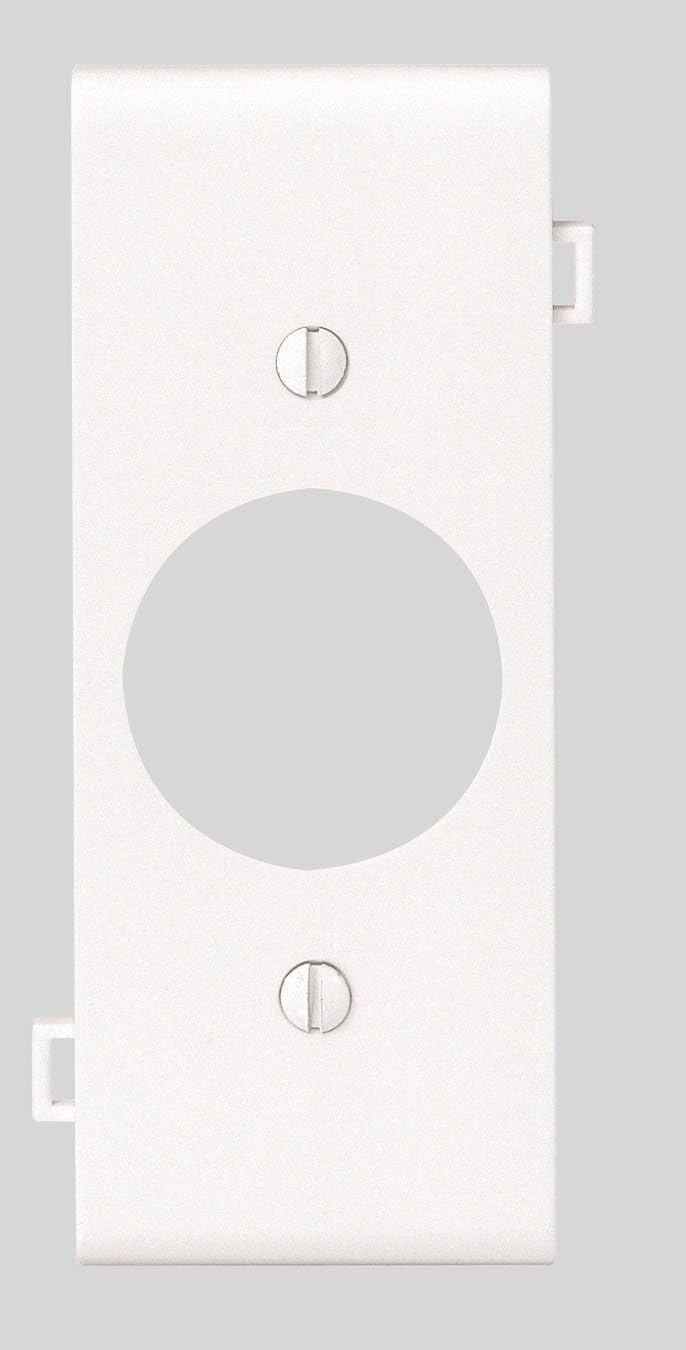
Image showing the front view of the Leviton PSC7-W 1-Gang Single Receptacle Wallplate in white, featuring a single opening for a device and two screw holes for mounting.
5. Operating Instructions
The Leviton PSC7-W wallplate serves as a protective and aesthetic cover for your electrical device. No specific operational steps are required after installation. Ensure the wallplate remains securely fastened to the electrical device and wall box.
6. Maintenance
- Cleaning: To clean the wallplate, use a soft, damp cloth with mild soap. Avoid abrasive cleaners or solvents, as these can damage the finish.
- Inspection: Periodically inspect the wallplate for any signs of damage, cracks, or discoloration. If damage is observed, replace the wallplate to maintain safety and appearance.
7. Troubleshooting
- Wallplate Does Not Fit: Ensure you have the correct wallplate configuration (1-gang single device) for your electrical device. Verify the device is properly mounted within the wall box.
- Screws Do Not Align: Check that the electrical device is correctly aligned and secured within the wall box. Adjust the device if necessary to align with the wallplate screw holes.
8. Specifications
| Feature | Detail |
|---|---|
| Brand | Leviton |
| Model Number | PSC7-W |
| Configuration | 1-Gang Single Device |
| Hole Size | 1.406-Inch (for single device receptacle) |
| Material | Thermoplastic Nylon |
| Color | White |
| Product Dimensions | 2.75"W x 4.5"H |
| Installation Type | Device Mount |
| Item Weight | 0.528 ounces |
9. Warranty and Support
Warranty: This Leviton product is covered by a 10-Year Limited Warranty. For detailed information regarding warranty terms and conditions, please refer to the official Leviton website or contact Leviton customer service.
Customer Support: For technical assistance, product inquiries, or warranty claims, please visit the official Leviton website at www.leviton.com or contact their customer service department directly. Contact information can typically be found on the website.