
Dremel 511E
Dremel 511E EZ Lock Finishing Abrasive Buffs User Manual
Model: 511E
Brand: Dremel
Introduction
This manual provides essential information for the safe and effective use of your Dremel 511E EZ Lock Coarse Grit and Medium Grit Finishing Abrasive Buffs. These buffs are designed to enhance the versatility of your Dremel rotary tool, making tasks such as cleaning, light sanding, and surface preparation more efficient.
The Dremel 511E buffs feature the patented EZ Lock system for quick accessory changes, and are constructed from non-woven fibers impregnated with aluminum oxide and silicon carbide for effective abrasive action. This pack includes one coarse grit (180-grit) and one medium grit (280-grit) abrasive buff.

Image: Dremel 511E EZ Lock Coarse and Medium Grit Finishing Abrasive Buffs. The image shows two circular abrasive buffs, one dark brown (coarse grit) and one light brown (medium grit), each with a central metal EZ Lock mechanism.
Setup
The Dremel 511E EZ Lock Finishing Abrasive Buffs are designed for use with Dremel rotary tools equipped with either the EZ402 EZ Lock Mandrel or the Standard 402 Mandrel. Ensure your rotary tool is unplugged or its battery is removed before attaching any accessories.
- Select the Mandrel: Identify if you are using an EZ402 EZ Lock Mandrel or a Standard 402 Mandrel. The EZ Lock system allows for faster changes.
- Attach the Buff (EZ Lock Mandrel): If using an EZ Lock Mandrel, simply pull back the spring-loaded collar on the mandrel, insert the abrasive buff, and release the collar. The buff will securely lock into place.
- Attach the Buff (Standard Mandrel): If using a Standard 402 Mandrel, unscrew the small screw at the end of the mandrel, place the abrasive buff onto the mandrel, and then re-tighten the screw to secure the buff.
- Verify Secure Attachment: Gently tug on the abrasive buff to ensure it is firmly attached to the mandrel before operating the tool.

Image: A Dremel rotary tool with an abrasive buff attached, being used on a wooden workpiece. This illustrates the buff securely mounted on the tool.
Operating Instructions
These abrasive buffs are suitable for cleaning and light sanding on various materials including metal, glass, wood, aluminum, and plastics. They are particularly effective for removing tarnish and preparing surfaces.
- Safety First: Always wear appropriate personal protective equipment (PPE), including safety glasses, a dust mask, and gloves, when operating a rotary tool with abrasive accessories.
- Material Compatibility: The coarse (180-grit) buff is ideal for more aggressive material removal or initial cleaning, while the medium (280-grit) buff provides a finer finish. Choose the appropriate grit for your task.
- Tool Speed: Start with a lower speed setting on your Dremel rotary tool and gradually increase it as needed for optimal performance and control. Avoid excessive pressure, as this can prematurely wear out the buff.
- Application: Apply the rotating buff to the workpiece with light, consistent pressure. Move the tool steadily across the surface to ensure even abrasion. For intricate areas, use the tip or edge of the buff.
- Surface Preparation: These buffs are excellent for refinishing furniture, cleaning grills, and removing paint or tarnish. They are not intended for heavy material removal or shaping.

Image: A Dremel rotary tool with an abrasive buff being used to smooth a carved wooden piece. This demonstrates precise application on detailed work.
Maintenance
Proper maintenance extends the life of your abrasive buffs and ensures consistent performance.
- Cleaning: After use, gently brush off any accumulated dust or debris from the buff. For stubborn residue, a stiff brush can be used. Do not use liquids or solvents to clean the buffs.
- Storage: Store the abrasive buffs in a clean, dry place, away from direct sunlight and extreme temperatures. Keeping them in their original packaging or a dedicated accessory case can protect them from damage.
- Inspection: Before each use, inspect the buffs for signs of wear, damage, or excessive clogging. Replace worn or damaged buffs immediately to ensure safety and optimal results.
Troubleshooting
| Problem | Possible Cause | Solution |
|---|---|---|
| Buff wears out quickly. | Excessive pressure applied; incorrect speed setting; using on overly aggressive material. | Reduce pressure; adjust tool speed; ensure material is suitable for light sanding/finishing. |
| Poor finishing results. | Buff is worn or clogged; incorrect grit selected; inconsistent application. | Replace buff; clean buff; select appropriate grit (coarse for initial, medium for finer); apply with steady, even pressure. |
| Buff detaches during use. | Buff not securely attached to mandrel; mandrel damaged. | Ensure buff is properly locked onto EZ Lock mandrel or screw is tightened on standard mandrel. Inspect mandrel for damage. |
Specifications
| Feature | Detail |
|---|---|
| Model Number | 511E |
| Grit Types Included | Coarse (180-grit), Medium (280-grit) |
| Material | Non-woven fibers, Aluminum Oxide, Silicon Carbide |
| Diameter | 15/16 inch (23.8 mm) |
| Compatibility | Dremel EZ402 EZ Lock Mandrel, Standard 402 Mandrel, All Dremel corded and cordless rotary tools. |
| Product Dimensions (approx.) | 1.55 x 0.79 x 4 inches (packaged) |
| Weight (approx.) | 0.71 ounces |
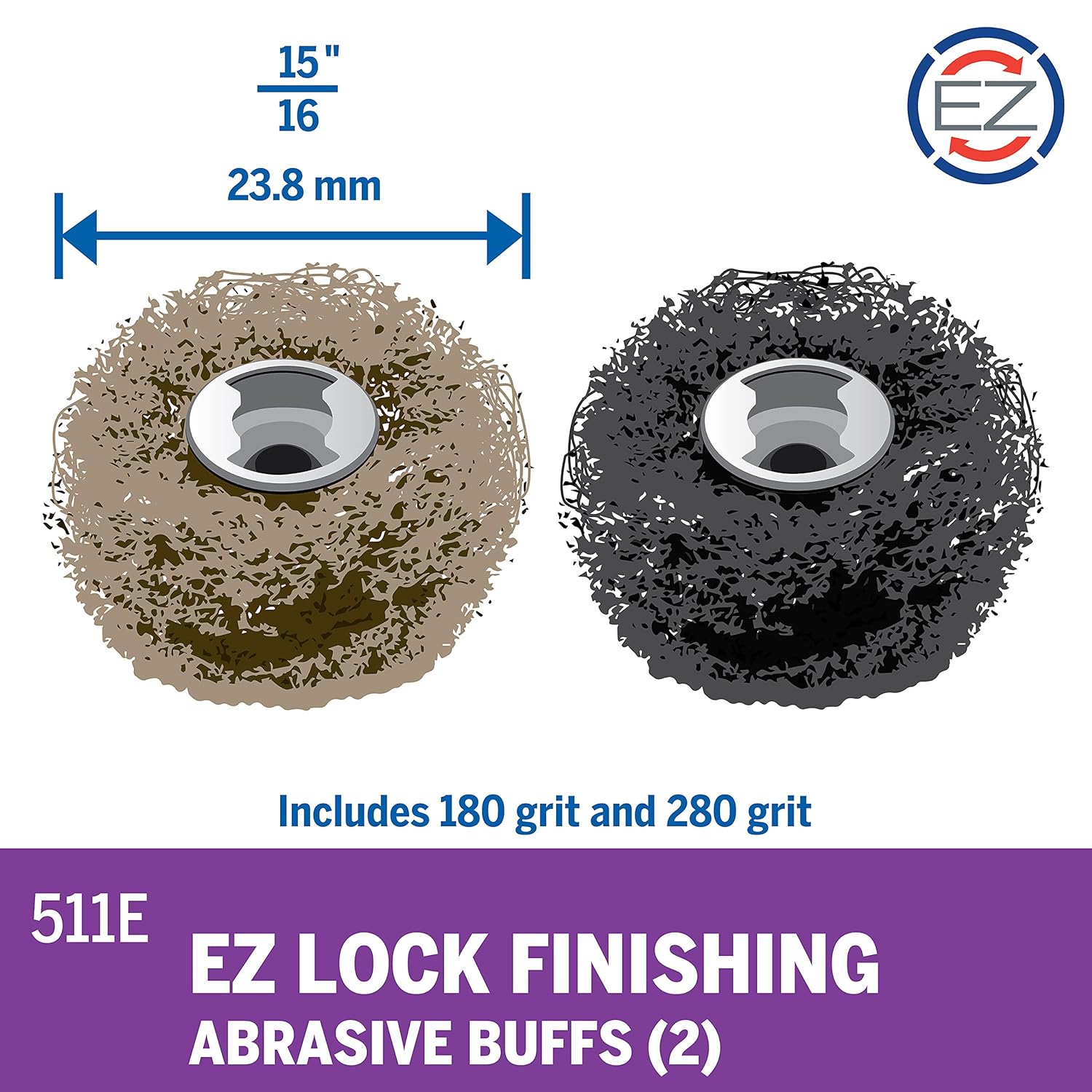
Image: Diagram showing the diameter of the Dremel 511E buffs as 15/16" (23.8mm) and indicating the inclusion of 180-grit and 280-grit buffs.
Support
For further assistance, product information, or to inquire about replacement parts, please visit the official Dremel website or contact Dremel customer support.
You may also refer to the official User Guide (PDF) for additional details.
Related documents511E


Ask a question about this manual
Ask about setup, troubleshooting, compatibility, parts, safety, or missing instructions. Manuals+ will review the question and use this page’s manual context to help answer it.