
1. Introduction
This manual provides essential information for the safe and efficient operation of your Panasonic D-dock SD Stereo System, model SC-PM730SD. Please read these instructions thoroughly before using the unit and retain them for future reference.
2. Product Overview
The Panasonic SC-PM730SD is a versatile stereo system featuring a 5-CD changer, MD player, SD card slot for recording and playback, AM/FM radio, and a cassette deck. It is designed for high-quality audio playback and convenient digital recording.
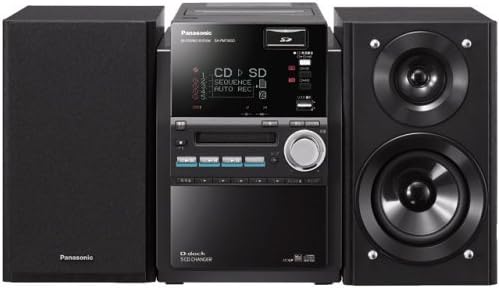
Figure 2.1: Complete Panasonic SC-PM730SD Stereo System with main unit and two speakers.

Figure 2.2: Front panel of the main unit, displaying the screen, CD tray, and various control buttons.

Figure 2.3: All components included with the SC-PM730SD system, including the main unit, remote control, and antenna.
3. Setup
3.1 Unpacking and Placement
- Carefully remove all components from the packaging.
- Place the main unit and speakers on a stable, flat surface. Ensure adequate ventilation around the unit.
- Keep the unit away from direct sunlight, heat sources, and moisture.
3.2 Speaker Connection
Connect the supplied speakers to the speaker terminals on the rear of the main unit. Ensure correct polarity (red to red, black to black) for optimal sound quality.
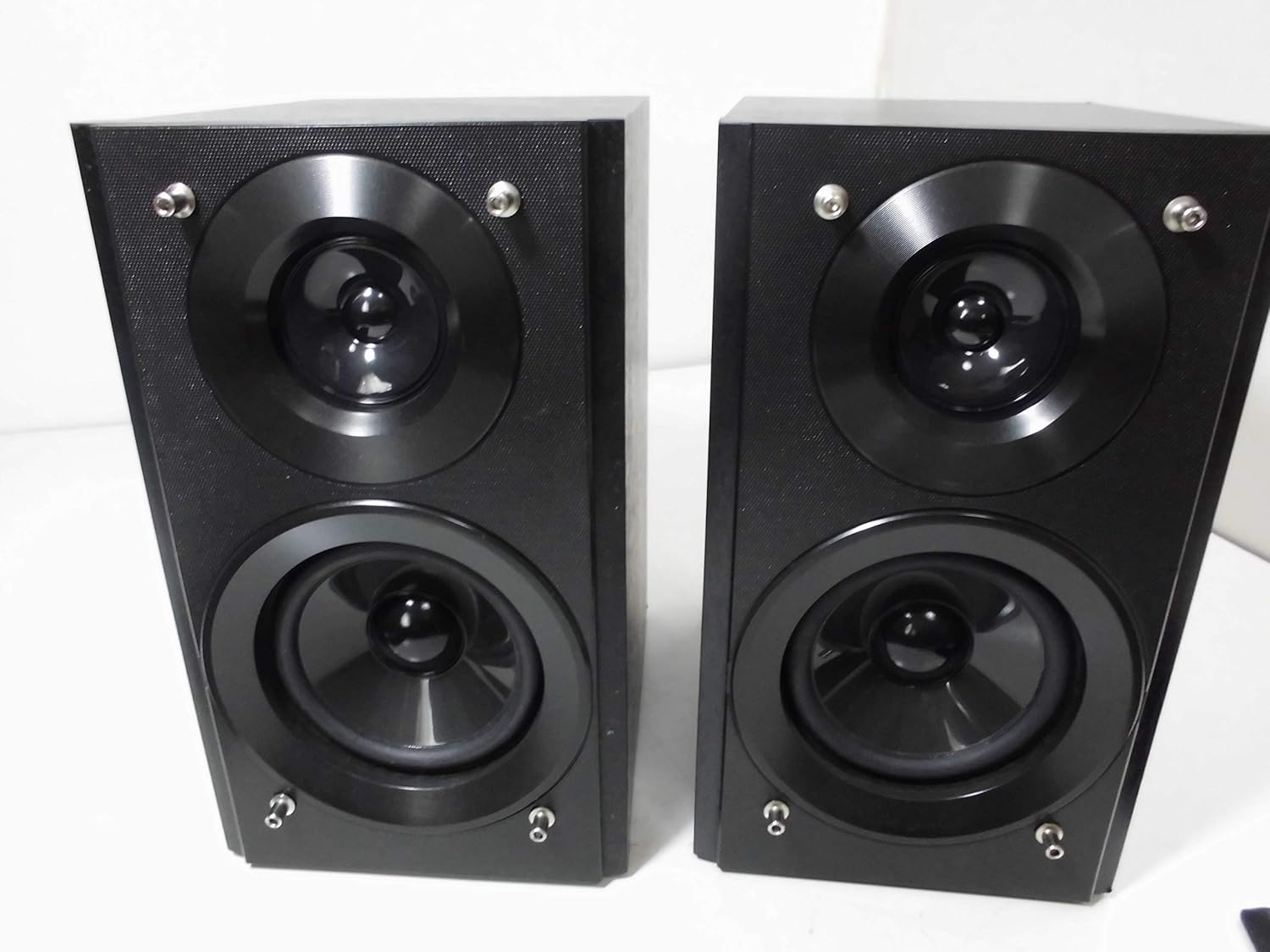
Figure 3.1: The two-way speakers included with the system.
3.3 Antenna Connection
Connect the FM antenna to the FM antenna terminal and the AM loop antenna to the AM antenna terminals on the rear of the unit for radio reception.
3.4 Power Connection
Plug the power cord into an AC outlet. The unit is now ready for operation.

Figure 3.2: Rear panel connections, including speaker terminals, antenna inputs, and power input.
4. Operating Instructions
4.1 Power On/Off
- Press the POWER button on the unit or remote control to turn the system on or off.
4.2 CD Playback
- Press the CD button to select the CD function.
- Open the CD tray and place up to 5 CDs.
- Press PLAY to start playback.
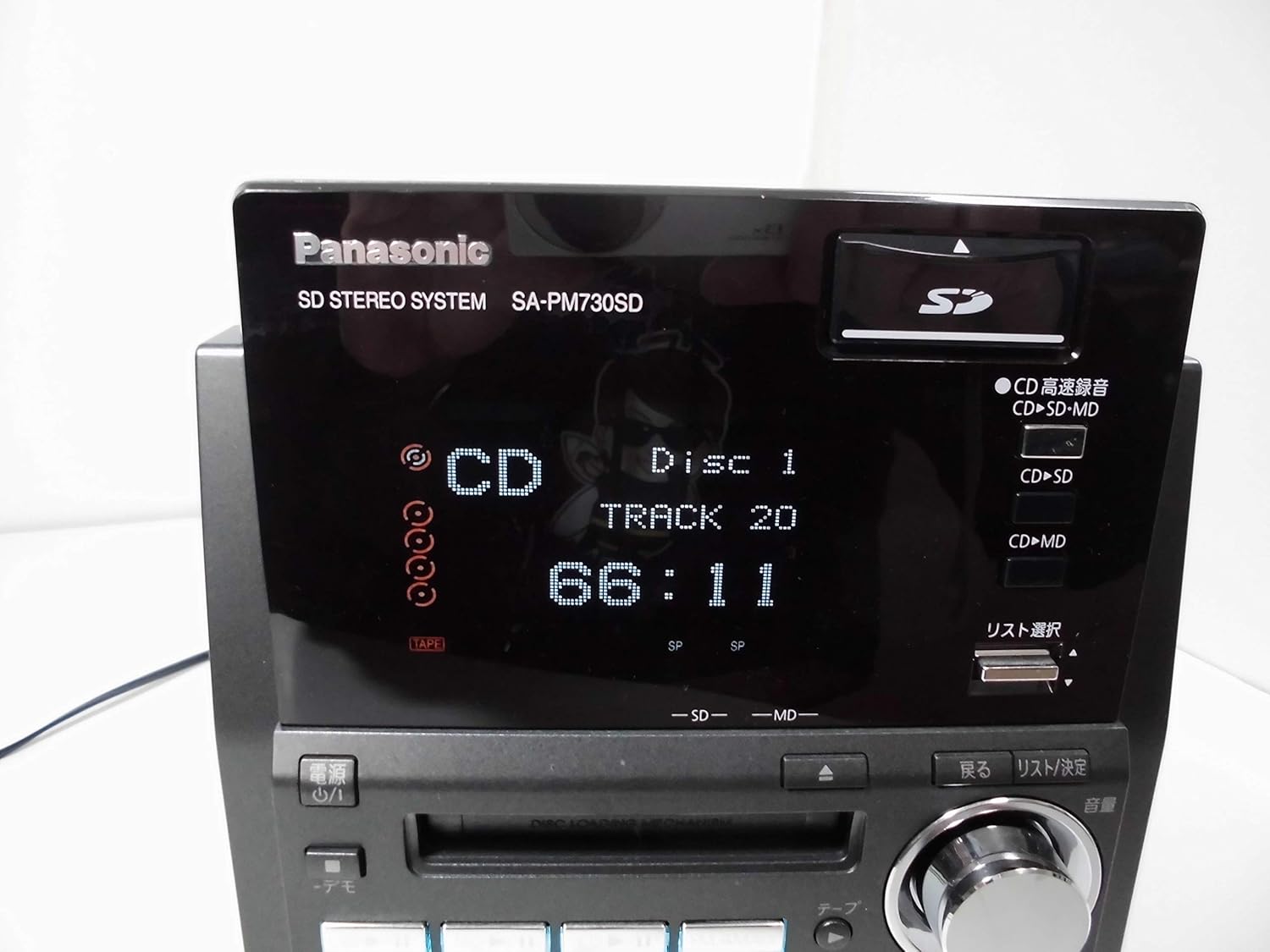
Figure 4.1: The display showing CD playback details, including disc and track number, and elapsed time.
4.3 MD Playback
- Press the MD button to select the MD function.
- Insert an MD into the MD slot.
- Press PLAY to start playback.
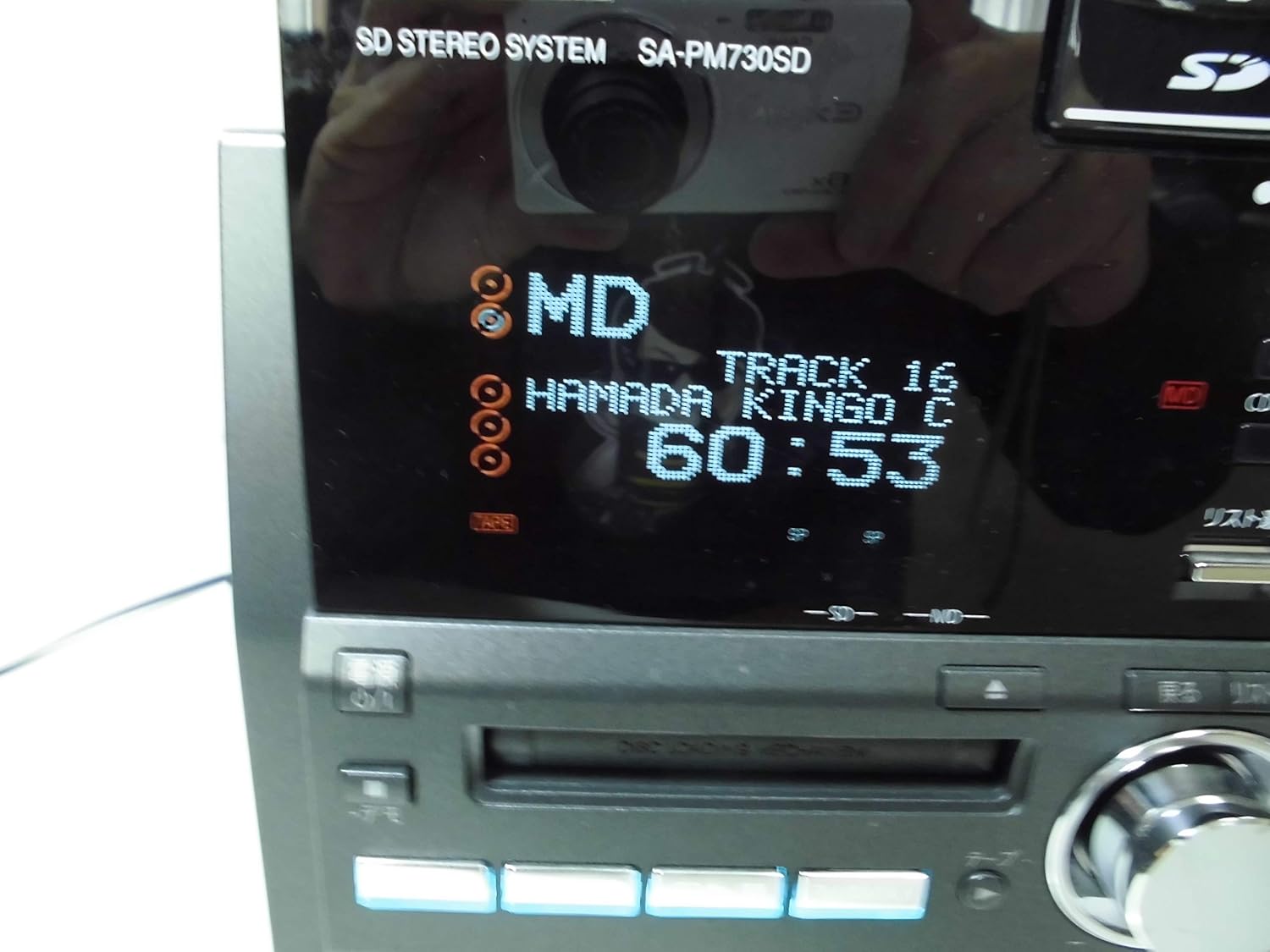
Figure 4.2: The display showing MD playback details, including track number and elapsed time.
4.4 SD Card Playback
- Insert an SD card into the SD card slot.
- Press the SD button to select the SD function.
- Use the navigation buttons to select desired tracks or albums.
- Press PLAY to start playback.
- Note: A miniSD adapter is required for miniSD cards.
4.5 Radio Operation
- Press the TUNER/BAND button to select FM or AM radio.
- Use the tuning buttons to find desired stations.
- Press the PRESET buttons to store or recall favorite stations.
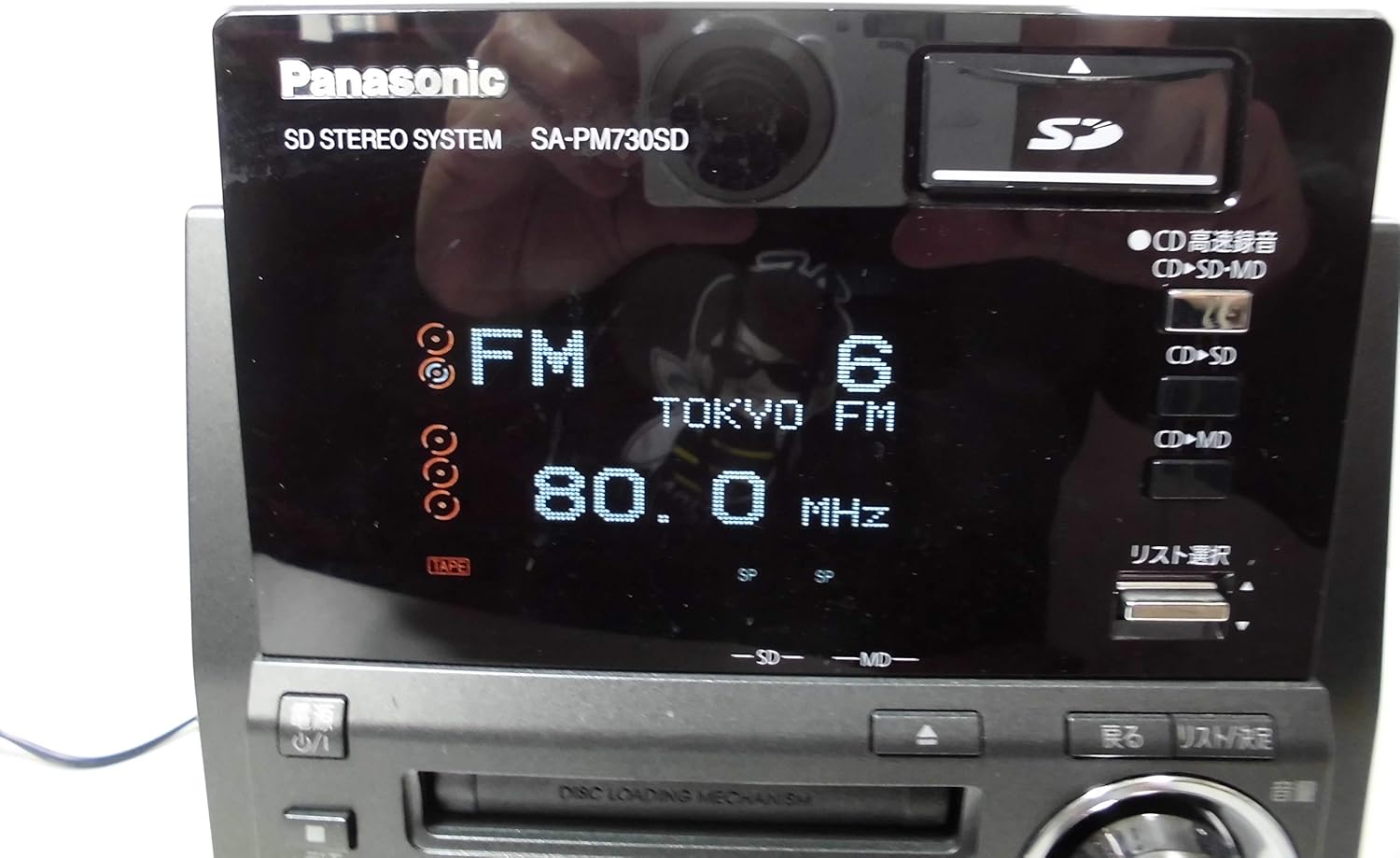
Figure 4.3: The display showing FM radio frequency and station name.
4.6 Cassette Playback
- Press the TAPE button to select the cassette function.
- Open the cassette deck and insert a cassette tape.
- Press PLAY to start playback.

Figure 4.4: The cassette deck opened, ready for tape insertion.
5. Recording Functions
The SC-PM730SD offers various recording options, including direct recording to SD cards without a PC.
5.1 CD to SD/MD Recording
- One-Button 5-CD Recording: Load up to 5 CDs. Press the dedicated recording button (often labeled 'One-Button' or 'CD-SD/MD Rec') to initiate continuous high-speed recording from all loaded CDs to an SD card or MD.
- CD to SD/MD Continuous Recording: This feature allows simultaneous recording to both SD and MD from a CD source.
- High-Speed CD to MD Recording: CD to MD recording can be performed at speeds up to 6x.
5.2 Recording from MD, Radio, or Tape to SD
- Select the desired source (MD, Radio, or Tape).
- Insert an SD card.
- Press the RECORD button to begin recording the audio from the selected source to the SD card.
5.3 Notes on High-Speed Recording
- Recordings from sources other than CD to MD or CD to SD will be analog recordings.
- After a high-speed recording session, approximately 74 minutes must pass before the same CD can be high-speed recorded again. This applies even if recording is stopped midway. Normal speed recording is still possible during this period.
- Up to 24 different CDs can be high-speed recorded within approximately 74 minutes. The 25th CD cannot be high-speed recorded within this timeframe.
- High-speed recording from CD to MD/SD memory card may not always reach maximum speed or may not be possible depending on the disc condition and other factors. CD-RW discs will record at 2x speed.
- High-speed recording is not possible when recording WMA/MP3 files or when the unit is switched to analog recording mode.
- High-speed recording does not always achieve maximum speeds (7x/6x/5x) due to inherent speed variations between the inner and outer circumference of the CD.
- Audio is not audible during high-speed recording.
- For an 80-minute MD, recording times are: up to 320 minutes in LP4 mode, up to 160 minutes in LP2 mode, and up to 80 minutes in SP mode.
6. Audio Quality Features
The SC-PM730SD is engineered to deliver high-quality sound through its advanced speaker design and audio processing.
- AAC Re-Master: This technology enhances the quality of SD audio, bringing it closer to CD-level fidelity.
- 2-Way Speakers: The system includes 2-way speakers designed for a balanced audio output.
- PP Mica Cone Tweeter: Utilizes a PP mica cone tweeter to produce clear and transparent high frequencies.
- PP Aramid Fiber Woofer: Features a PP aramid fiber woofer, which incorporates aramid fibers into the diaphragm to reproduce vocal ranges with enhanced clarity.
7. Display and Remote Control
The system is designed for user-friendliness with its intuitive display and remote control.
- Large 5-Line Display: The main unit features a large display capable of showing 5 lines of text, making information easy to read and navigate.
- Large Remote Control: The included remote control is designed for ease of use, with clear buttons and Japanese language display for intuitive operation.
8. Maintenance
8.1 Cleaning the Unit
- Wipe the unit with a soft, dry cloth.
- Do not use abrasive cloths, waxes, or solvents.
8.2 CD/MD/Cassette Care
- Handle CDs and MDs by their edges to avoid fingerprints and scratches.
- Keep cassette tapes away from magnetic fields.
9. Troubleshooting
If you experience issues with your SC-PM730SD, refer to the following common solutions:
- No Power: Ensure the power cord is securely plugged into both the unit and the AC outlet.
- No Sound: Check speaker connections, volume level, and ensure the correct input source is selected.
- Disc Playback Issues: Ensure the disc is clean and free of scratches. Try a different disc.
- Radio Reception Poor: Adjust the position of the FM and AM antennas.
- Recording Problems: Verify that the SD card or MD has sufficient free space and is not write-protected. Refer to the 'Notes on High-Speed Recording' section for specific limitations.
If problems persist, consult a qualified service technician.
10. Specifications
| Brand | Panasonic |
| Model Number | SC-PM730SD |
| Color | Black |
| Product Weight | 11698 grams |
| Media Support | CD, MD, SD Card, Cassette Tape |
| Recording Features | CD to SD/MD (High-Speed), MD/Radio/Tape to SD |
| Audio Enhancements | AAC Re-Master, 2-Way Speakers (PP Mica Cone Tweeter, PP Aramid Fiber Woofer) |
11. Warranty and Support
For warranty information and customer support, please refer to the warranty card included with your product or visit the official Panasonic website. Keep your purchase receipt as proof of purchase for any warranty claims.


