
Product Overview
The Viper 485M is a 4-button, 1-way replacement remote control transmitter designed for Viper V60 series car alarm and remote start systems. This remote is also compatible with and replaces models 491C, 491T, and 485T. It features a rolling code technology for enhanced security and operates using infrared (IR) connectivity.
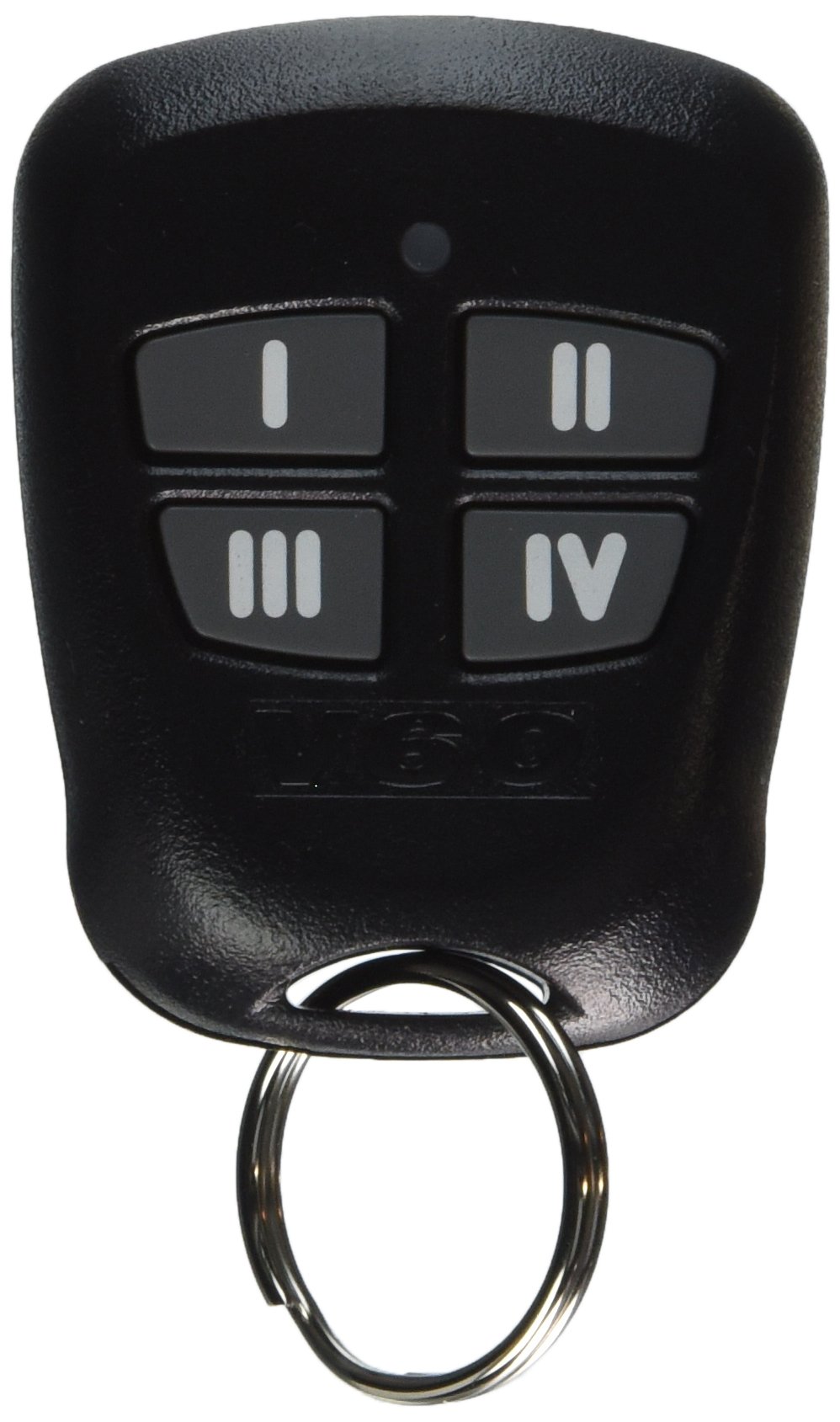
Image: Back view of the Viper 485M 4-button replacement remote control. The remote is black with a textured finish and features a metal key ring attached at the bottom. Faint text markings are visible on the back.
What's in the Box
- Viper 485M V60 1-Way 4-Button Remote Control Replacement Transmitter
- Owner's Manual (this document)
- 1 CR2 battery (pre-installed or included separately)
Setup
Battery Installation
The Viper 485M remote control requires one CR2 Lithium battery. This battery is typically included with the remote. If the battery needs replacement, follow these steps:
- Locate the battery compartment on the back of the remote. This may require a small screwdriver to open.
- Carefully open the compartment cover.
- Remove the old CR2 battery, noting its polarity (+/-).
- Insert the new CR2 battery, ensuring correct polarity.
- Replace the compartment cover securely.
Programming the Remote
This replacement remote control is designed to be compatible with your existing Viper system without requiring complex programming. It features "No Programming Required" functionality for direct use with compatible systems. For specific system pairing instructions, refer to your vehicle's alarm or remote start system manual.
Operating Instructions
The Viper 485M is a 4-button remote control. The functions of each button are determined by your specific Viper car alarm or remote start system. Common functions include:
- Lock: Typically arms the security system and locks the vehicle doors.
- Unlock: Typically disarms the security system and unlocks the vehicle doors.
- Remote Start: Activates the vehicle's remote start function (if equipped).
- Auxiliary/Trunk Release: May control an auxiliary function or open the trunk (if equipped and configured).
Refer to your vehicle's alarm or remote start system manual for detailed information on button assignments and advanced features.
Maintenance
Battery Replacement
When the remote's range decreases or it becomes unresponsive, the CR2 battery may need replacement. Follow the battery installation steps outlined in the "Setup" section.
Cleaning
To clean the remote, use a soft, dry cloth. Avoid using harsh chemicals, solvents, or abrasive cleaners, as these can damage the remote's casing or internal components.
Storage
Store the remote in a cool, dry place away from direct sunlight and extreme temperatures to prolong its lifespan.
Troubleshooting
- Remote not responding:
- Check the battery. Replace it if necessary.
- Ensure you are within range of the vehicle's receiver.
- Verify that the vehicle's alarm or remote start system is powered on and functioning correctly.
- Reduced operating range:
- Replace the battery.
- Ensure there are no obstructions between the remote and the vehicle.
- Avoid strong radio frequency interference sources.
- Specific button not working:
- Confirm the button's function is enabled and configured in your vehicle's alarm or remote start system.
- If other buttons work, the specific button might be faulty.
If issues persist, consult the manual for your vehicle's alarm or remote start system or contact customer support.
Specifications
| Brand | Directed Electronics / Viper |
| Model Name / Number | 485M |
| Compatible Models | 485M, 491C, 491T, 485T |
| Number of Buttons | 4 |
| Controller Type | Button Control, Remote Control |
| Connectivity Technology | Infrared (IR) |
| Special Features | No Programming Required |
| Compatible Devices | Vehicles (Car Alarm & Remote Start Systems) |
| Max Number of Supported Devices | 1 |
| Battery Type | 1 CR2 Lithium battery (included) |
| Item Weight | 0.02 Pounds (approx. 9 grams) |
| UPC | 093207485138 |
Warranty Information
Specific warranty details for the Viper 485M replacement remote control are typically provided by the retailer or the manufacturer, Directed Electronics. Please retain your proof of purchase for any warranty claims. For detailed warranty terms and conditions, refer to the documentation included with your original Viper system or contact Directed Electronics directly.
Customer Support
For technical assistance, troubleshooting beyond this manual, or inquiries regarding your Viper system, please contact Directed Electronics customer support. You may find contact information on their official website or in the documentation provided with your original vehicle security system.
Manufacturer: Viper (a brand of Directed Electronics)
Website: www.directed.com (This is a general link, specific support links may vary)


