
1. Introduction
This manual provides instructions for the Master Lock 1523D Set Your Own Combination Padlock. This padlock is designed for indoor security applications, such as gym lockers, school lockers, and cabinets. It features a resettable combination for keyless convenience and a durable construction for reliable use.

Figure 1: Master Lock 1523D Combination Padlock. A chrome-plated body with blue number dials, shown in a closed position.
2. Setting Your Combination
The Master Lock 1523D padlock allows you to set your own personalized four-digit combination. Follow these steps carefully to set or reset your combination:
- Open the Lock: Ensure the lock is currently open. If it's new, the factory preset combination is typically 0-0-0-0. If it's already set, use the current combination to open it.
- Rotate the Shackle: With the lock open, rotate the shackle 90 degrees counter-clockwise from its locked position.
- Press Down the Shackle: Press the shackle down firmly into the lock body.
- Set New Combination: While holding the shackle down, rotate the shackle another 90 degrees counter-clockwise (total 180 degrees from the original open position). You should feel a click or resistance.
- Dial Your Combination: With the shackle still pressed down and rotated 180 degrees, set your desired four-digit combination by rotating the number wheels. Align your chosen numbers with the indicator line on the lock body.
- Release and Return Shackle: Release the shackle and return it to its normal open position (90 degrees from the locked position).
- Test New Combination: Scramble the dials and then enter your new combination to ensure it opens correctly.

Figure 2: Setting the combination. A close-up view of hands manipulating the dials of the Master Lock 1523D to set a new combination, with the shackle open.
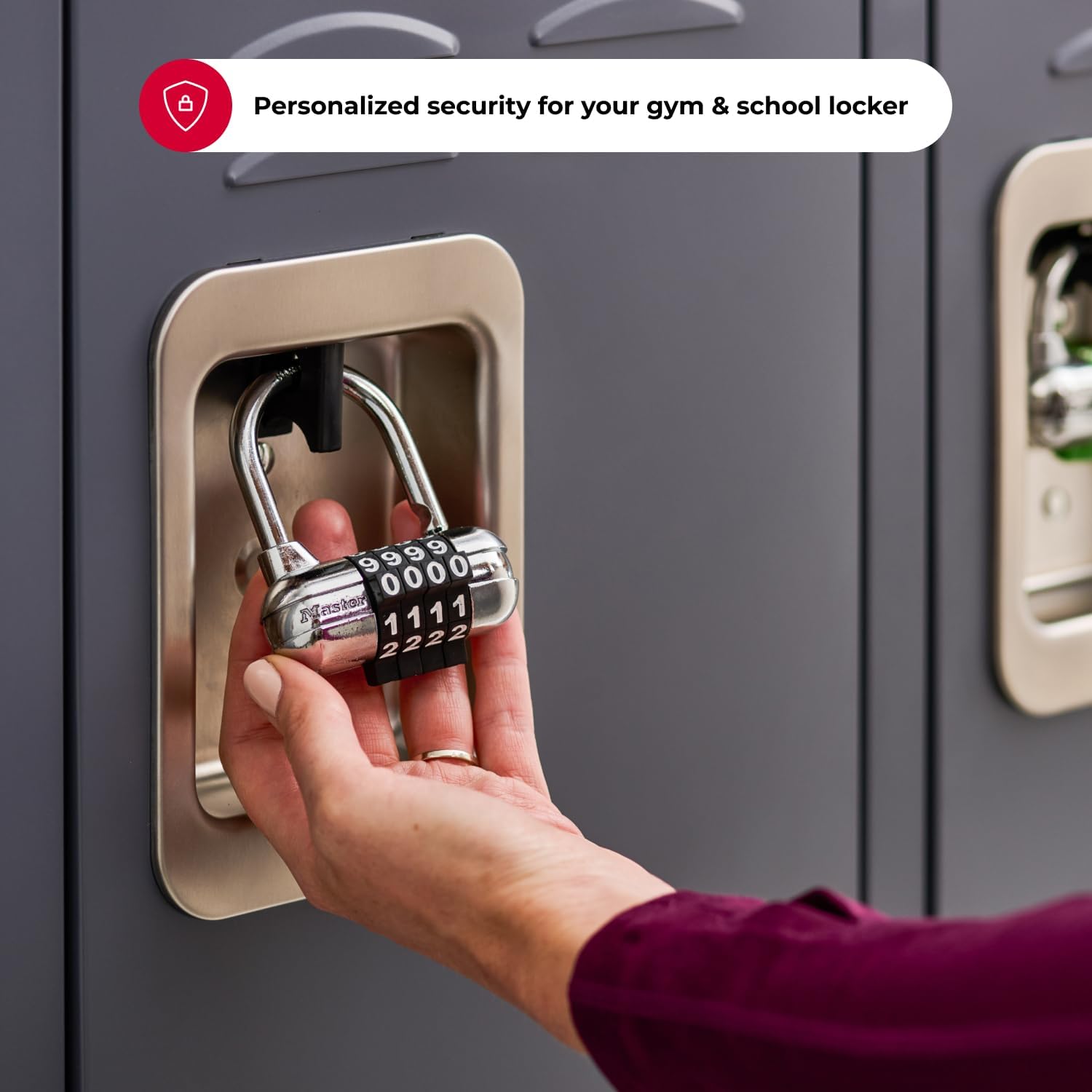
Figure 3: Detailed view of combination setting. A detailed image showing fingers adjusting the number wheels of the Master Lock 1523D to set a personalized combination.
Important: Remember your combination. Master Lock does not retain user-set combinations.
3. Operating the Padlock
3.1 Opening the Lock
- Rotate the dials to align your four-digit combination with the indicator line on the lock body.
- Pull up on the shackle to release it from the lock body.
3.2 Closing and Securing the Lock
- With the shackle in the open position, insert it into the desired hasp or opening.
- Press the shackle down firmly into the lock body until it clicks into place.
- Scramble the dials to a random set of numbers to secure the lock.

Figure 4: Operating the padlock. A user's hand holding the Master Lock 1523D combination padlock, which is attached to a locker, illustrating the process of opening or closing it.

Figure 5: Padlock securely closed. The Master Lock 1523D combination padlock shown in a securely locked position on a locker, with the dials set to a combination.
4. Maintenance
To ensure the longevity and proper function of your Master Lock 1523D padlock, consider the following maintenance guidelines:
- Indoor Use Only: This padlock is designed for indoor applications. Exposure to outdoor elements such as rain, dust, and extreme temperatures can affect the internal mechanisms and cause the number dials to fade or become difficult to operate.
- Cleaning: Wipe the lock body and shackle with a soft, dry cloth to remove dust and grime. Avoid using harsh chemicals or abrasive cleaners.
- Lubrication: If the shackle or dials become stiff, a small amount of graphite lubricant or a silicone-based spray lubricant can be applied to the shackle opening and dial mechanisms. Avoid oil-based lubricants as they can attract dirt.
- Regular Inspection: Periodically check the lock for any signs of wear or damage. Ensure the dials turn freely and the shackle operates smoothly.
5. Troubleshooting
If you encounter issues with your Master Lock 1523D padlock, refer to the following common problems and solutions:
- Lock Will Not Open:
- Ensure the correct combination is entered and aligned precisely with the indicator line.
- Try wiggling the shackle gently while pulling up after entering the combination.
- If the combination was recently reset, double-check that you are using the new combination.
- Shackle Will Not Close Fully:
- Ensure the dials are scrambled after attempting to close the lock. Sometimes, if the combination is still set, the shackle may not fully engage.
- Check for any obstructions or debris in the shackle opening.
- Apply a small amount of lubricant to the shackle and its entry point.
- Dials Are Stiff or Hard to Turn:
- Clean the dials and the areas around them to remove any accumulated dirt or dust.
- Apply a small amount of graphite or silicone-based lubricant to the dial mechanisms.
If these steps do not resolve the issue, please contact Master Lock customer support for further assistance.
6. Specifications
| Model Number | 1523D |
| Lock Type | Combination Lock |
| Special Feature | Resettable Combination |
| Body Material | Alloy Steel |
| Shackle Material | Hardened Steel |
| Body Width | 2-1/2 inches (64mm) |
| Shackle Diameter | 1/4 inch (6mm) |
| Shackle Length | 13/16 inch (21mm) |
| Dimensions (L x W x H) | 5.56 x 3.5 x 1.52 inches |
| Item Weight | 0.4 Pounds (6.4 ounces) |
| Recommended Use | Indoor Security (e.g., gym lockers, school lockers, cabinets) |

Figure 6: Product Dimensions. An illustrative diagram detailing the key dimensions of the Master Lock 1523D combination padlock, including body width, shackle diameter, width, and length.

Figure 7: Recommended Use Cases. A collage of images demonstrating suitable applications for the Master Lock 1523D, such as school lockers, gym lockers, and cabinets, alongside a clear indication that it is not recommended for outdoor use.
7. Warranty and Support
7.1 Warranty Information
The Master Lock 1523D Set Your Own Combination Padlock is backed by a Limited Lifetime Warranty. This warranty covers defects in material and workmanship under normal use. For specific terms and conditions, please refer to the official Master Lock warranty documentation or contact customer support.
7.2 Customer Support
For technical assistance, troubleshooting, or warranty claims, please contact Master Lock customer support. Visit the official Master Lock website for contact information and additional resources.


