Introduction
The Master Lock 178D Set Your Own Combination Padlock is designed for security in various indoor and outdoor applications. This padlock features a durable construction with a resettable 4-digit combination, eliminating the need for keys. This manual provides comprehensive instructions for setting up, operating, maintaining, and troubleshooting your padlock.
Product Overview
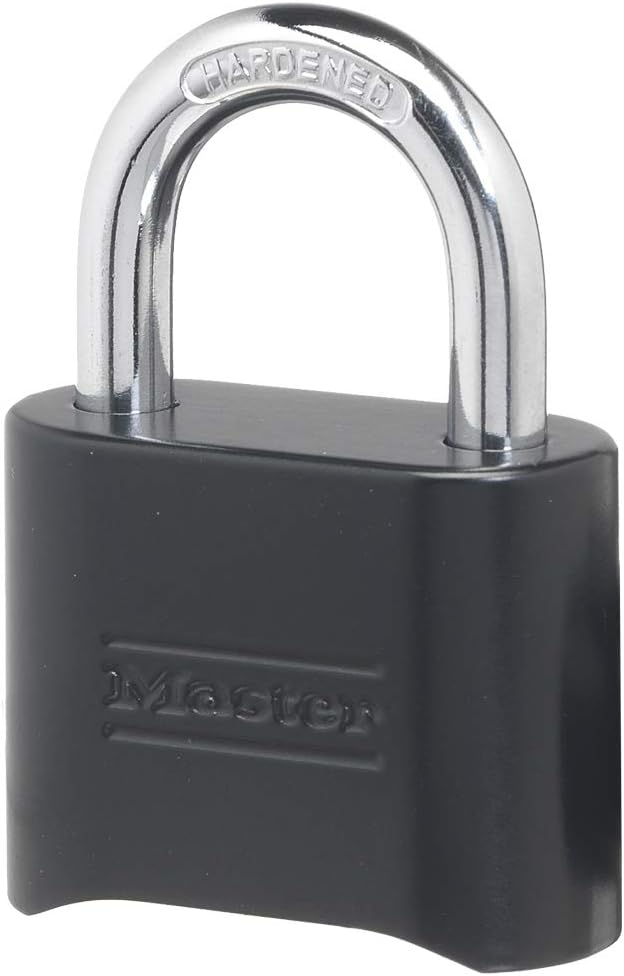
The Master Lock 178D padlock is engineered for strength and weather resistance. Its robust design makes it suitable for securing gym lockers, gates, sheds, and other property.
Key Features:
- Solid Body Construction: Provides enhanced strength and durability.
- Hardened Steel Shackle: Offers increased resistance against cutting and sawing attempts.
- 4-Digit Resettable Combination: Allows you to choose and reset your own memorable code.
- Indoor and Outdoor Use: Designed to withstand various environmental conditions.

Setup: Setting Your Combination
Your Master Lock 178D padlock comes preset to open at 0-0-0-0. Follow these steps to set your own personalized combination:
- Open the Lock: Ensure the padlock is open. If it's closed, dial the preset combination (0-0-0-0) and push the shackle down, then pull it up to open.
- Insert Reset Tool: Locate the small reset hole on the side of the padlock body. Insert the included combination change tool (a small key-like tool) into this hole.
- Turn the Tool: While the tool is inserted, turn it 90 degrees in either direction. You may need to exert slight force.
- Set New Combination: With the tool turned, set your desired 4-digit combination by rotating the dials. Ensure the numbers are clearly aligned with the indicator marks.
- Remove Reset Tool: Turn the reset tool back to its original position and remove it. Your new combination is now set.
- Test and Scramble: Close the shackle. Scramble the dials to lock the padlock. Then, dial your new combination and push the shackle down to confirm it opens correctly.

Operating Instructions
Opening the Padlock:
- Rotate the dials to align your 4-digit combination with the indicator marks on the padlock body.
- Firmly push the shackle down into the padlock body.
- Pull the shackle upwards to release it from the body. The padlock is now open.
Closing and Locking the Padlock:
- Insert the shackle fully into the padlock body.
- Scramble the dials to a random set of numbers. This secures the padlock and prevents unauthorized opening.


Maintenance
To ensure the longevity and smooth operation of your Master Lock 178D padlock, especially in outdoor environments, consider the following maintenance tips:
- Regular Cleaning: Periodically wipe down the padlock body and shackle with a clean, dry cloth to remove dirt, dust, and grime.
- Lubrication: For optimal performance, particularly in harsh weather conditions or if the dials become stiff, apply a small amount of silicone-based lubricant (such as WD-40) to the moving parts of the combination mechanism and the shackle. Avoid oil-based lubricants that can attract dirt.
- Inspect for Wear: Regularly check the shackle and body for any signs of damage or excessive wear.
Troubleshooting
Difficulty Opening the Lock:
- Verify Combination: Double-check that you have entered the correct 4-digit combination and that all numbers are perfectly aligned with the indicator marks.
- Firm Shackle Push: Ensure you are pushing the shackle down firmly after dialing the combination. Sometimes a slight resistance requires a more deliberate push.
- Lubrication: If the dials feel stiff or sticky, apply a lubricant as described in the Maintenance section.
Difficulty Resetting the Combination:
- Lock Must Be Open: The padlock must be in the open position before attempting to reset the combination.
- Tool Insertion: Ensure the reset tool is fully inserted into the reset hole.
- Tool Rotation: Confirm the reset tool is turned exactly 90 degrees and held in that position while setting the new combination.
Specifications
| Brand | Master Lock |
| Model Number | 178D |
| Lock Type | Combination Lock |
| Special Feature | Resettable Combination Lock |
| Body Width | 2 inches (51 mm) |
| Shackle Diameter | 5/16 inches (8 mm) |
| Shackle Length | 1 inch (25 mm) |
| Material | Zinc |
| Item Weight | 4.8 ounces |
| Product Dimensions (L x W x H) | 1.3 x 2.01 x 3.31 inches |

Warranty & Support
Limited Lifetime Warranty:
The Master Lock 178D Combination Padlock is backed by a Limited Lifetime Warranty. This warranty covers defects in material and workmanship for the life of the product. For specific terms and conditions, please refer to the warranty information provided with your purchase or visit the official Master Lock website.
Customer Support:
For further assistance, technical support, or to inquire about warranty claims, please contact Master Lock customer service through their official website or the contact information provided in your product packaging.


