
1. Introduction
The Bose Wave Radio II is a compact and elegant audio system designed to deliver rich, room-filling sound. It features an integrated CD player and AM/FM radio tuner, all controlled by a credit card-sized infrared remote. Engineered for superior sound quality, this system provides an immersive listening experience while occupying minimal space.
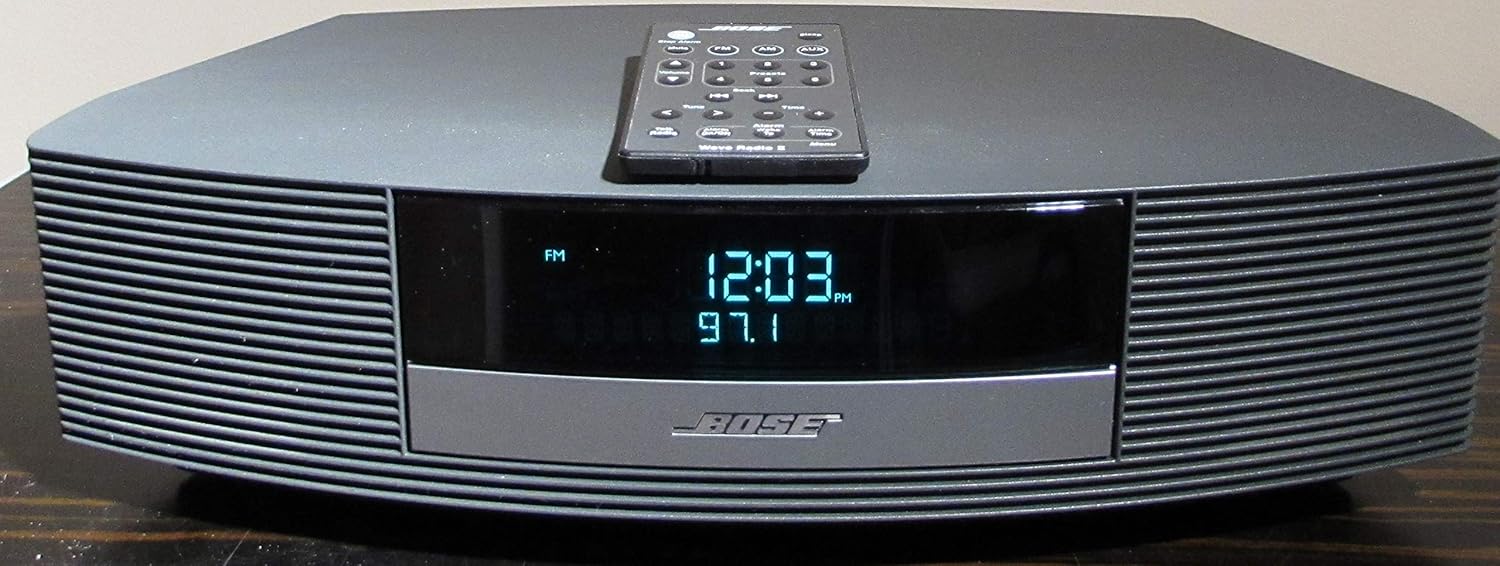
Figure 1.1: Bose Wave Radio II in Graphite Gray with its remote control.
2. What's in the Box
Upon unboxing your Bose Wave Radio II, ensure all components are present:
- Bose Wave Radio II unit
- Infrared Remote Control
- AC Power Adapter
- AM Antenna
- FM Antenna

Figure 2.1: Front view of the Bose Wave Radio II with its compact remote control.
3. Setup
- Placement: Place the Wave Radio II on a stable, flat surface. Ensure adequate ventilation around the unit.
- Connect Power: Connect the AC power adapter to the DC input on the back of the unit, then plug it into a wall outlet.
- Connect Antennas:
- For FM reception, connect the supplied FM antenna to the FM antenna jack. Extend the wire for optimal reception.
- For AM reception, connect the supplied AM loop antenna to the AM antenna jack. Position the loop for best reception.
- Set Clock: Once powered on, the display will show the time. Use the remote control to set the correct time. Refer to the "Operating" section for remote control functions.
- Auxiliary Input: If connecting an external audio device (e.g., MP3 player, smartphone), use a 3.5mm audio cable (not included) to connect it to the AUX IN port on the back of the unit.
4. Operating Instructions
The Bose Wave Radio II is primarily operated using its credit card-sized infrared remote control. Ensure the remote has fresh batteries and is pointed towards the front of the unit.
4.1. Basic Functions
- Power On/Off: Press the POWER button on the remote.
- Volume Control: Use the VOLUME + and VOLUME - buttons.
- Source Selection: Press FM/AM for radio, CD for CD player, or AUX for auxiliary input.
4.2. Radio Operation
- Tuning: Press FM/AM to select the desired band. Use the TUNE/MP3 > or TUNE/MP3 < buttons to manually tune to a station.
- Seek: Press and hold TUNE/MP3 > or TUNE/MP3 < to automatically seek the next strong station.
- Presets: Store your favorite stations by tuning to the station, then pressing and holding a numbered preset button (1-6) until you hear a beep. Recall a preset by pressing the corresponding numbered button.
4.3. CD Player Operation
- Insert CD: Gently insert a CD into the slot on the front of the unit with the label side facing up. The unit will automatically draw the CD in.
- Play/Pause: Press the PLAY/PAUSE button.
- Skip Tracks: Use the SEEK/TRACK > or SEEK/TRACK < buttons.
- Stop: Press the STOP button.
- Eject: Press the EJECT button.
4.4. Alarm and Snooze
- Setting Alarm: Use the ALARM SETUP button on the remote to configure alarm time and source (radio or CD).
- Snooze: When the alarm sounds, press the SNOOZE button on the remote or tap the top of the unit to activate snooze.
5. Maintenance
To ensure the longevity and optimal performance of your Bose Wave Radio II, follow these simple maintenance guidelines:
- Cleaning: Use a soft, dry cloth to clean the exterior surfaces. Do not use liquid cleaners or sprays.
- CD Care: Handle CDs by their edges. If a CD is dirty, wipe it gently with a soft, lint-free cloth from the center outwards.
- Ventilation: Ensure the ventilation openings on the unit are not blocked to prevent overheating.
- Remote Control: Replace batteries in the remote control when its range decreases or it becomes unresponsive.
6. Troubleshooting
If you encounter issues with your Bose Wave Radio II, try the following steps:
| Problem | Possible Solution |
|---|---|
| No power | Check if the power cord is securely plugged into the unit and the wall outlet. Try a different outlet. |
| No sound | Increase the volume. Ensure the correct source (CD, FM/AM, AUX) is selected. Check external device connections if using AUX. |
| Remote control not working | Ensure there are no obstructions between the remote and the unit. Replace the remote control batteries. |
| Poor radio reception | Adjust the position of the FM or AM antenna. Try moving the unit to a different location. |
| CD not playing/ejecting | Ensure the CD is inserted correctly. Try a different CD. Clean the CD if it appears dirty or scratched. |
If the issue persists, please contact Bose customer support for further assistance.
7. Specifications
- Brand: Bose
- Model: AWR1B1 (Wave Radio II)
- Product Dimensions: 14.6"L x 8.6"W x 4.2"H (37.1 cm x 21.8 cm x 10.7 cm)
- Item Weight: 10 pounds (4.5 kg)
- Color: Graphite Gray (also available in White)
- Power Source: AC adapter
- Connectivity Technology: Infrared (IR) for remote control
- Tuner Technology: AM/FM
- Special Features: Alarm, Snooze
- Date First Available: May 25, 2005
8. Warranty and Support
Bose products are designed for durability and performance. For information regarding your product's warranty, please refer to the documentation included with your purchase or visit the official Bose website. For technical support, troubleshooting assistance, or service inquiries, please contact Bose customer support directly.
You can find contact information and additional resources on the Bose Support Website.


