
Introduction
The CyberPower CP685AVRG Uninterruptible Power Supply (UPS) system is designed to provide battery backup and surge protection for electronic equipment. This unit safeguards against power events such as lightning-induced surges and utility power failures, ensuring continuous operation and protection for connected devices. Featuring line-interactive topology and simulated sine wave output, the CP685AVRG includes Automatic Voltage Regulation (AVR) to stabilize power fluctuations without relying on battery power, thereby extending battery life. This manual provides essential information for the proper setup, operation, and maintenance of your CyberPower CP685AVRG UPS system.
Setup
1. Initial Charging
Before initial use, connect the UPS to a standard wall outlet and allow it to charge for a minimum of 8-10 hours. This ensures the battery is fully charged and ready to provide optimal backup power.
2. Connecting Equipment
The CP685AVRG features eight NEMA 5-15R outlets. Four outlets provide both battery backup and surge protection, while the other four offer surge protection only. Connect critical devices such as computers, monitors, and networking equipment to the Surge + Battery outlets. Non-critical devices like printers or scanners can be connected to the Surge Only outlets.
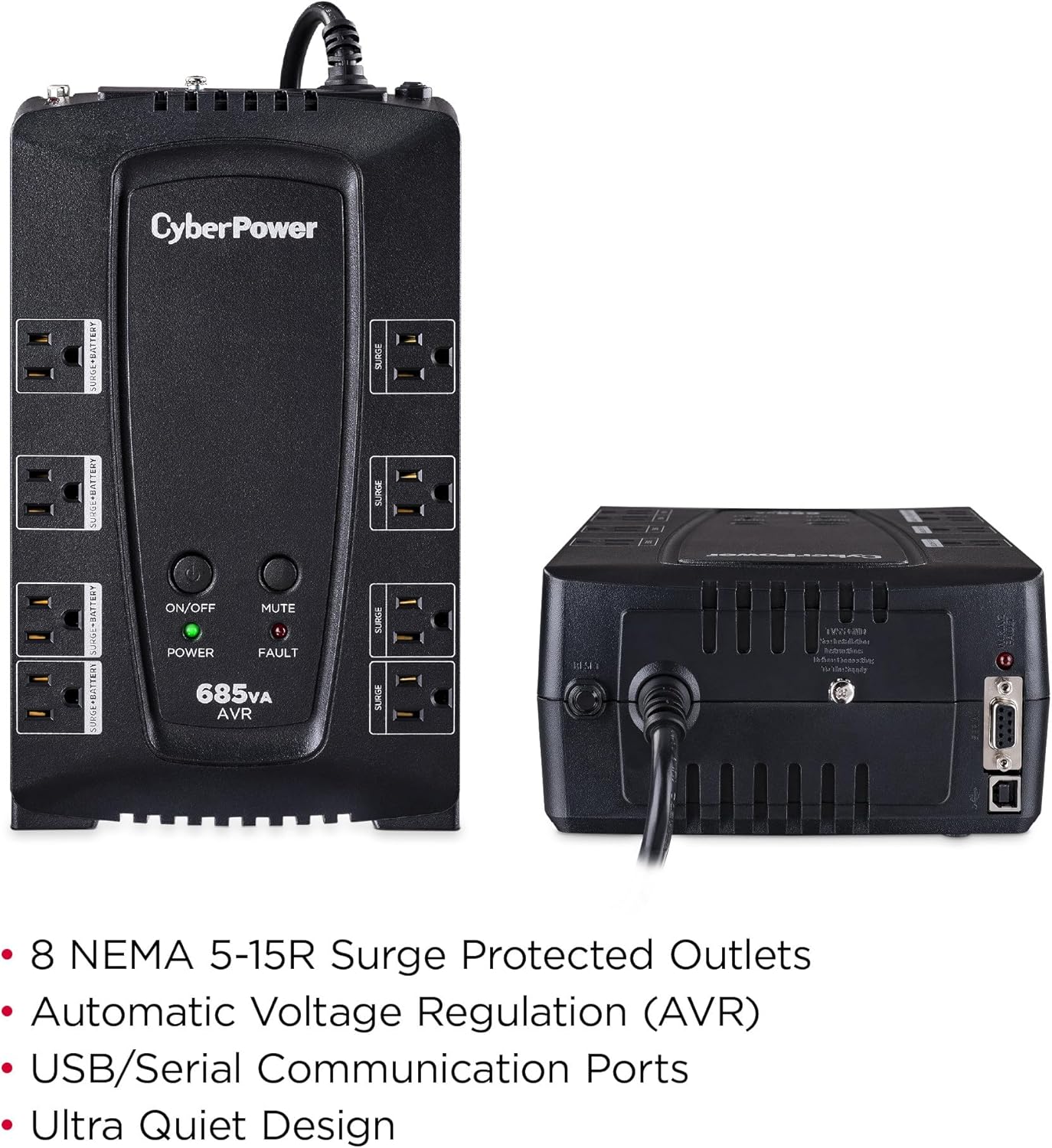
Figure 1: Front view of the CyberPower CP685AVRG UPS, illustrating the layout of the eight NEMA 5-15R outlets, clearly distinguishing between 'Surge + Battery' and 'Surge Only' ports.
3. Software Installation (Optional)
For advanced monitoring and management features, download and install the free PowerPanel Personal Edition Management Software from the CyberPower website. Connect the UPS to your computer using the provided USB cable to enable communication.
4. Dataline Protection
The UPS includes dataline protection ports for network (RJ45) and coaxial cable connections. Connect your network cable or coaxial cable through the 'IN' and 'OUT' ports on the back of the UPS to protect connected devices from surges traveling through these lines.

Figure 2: Rear panel of the CyberPower CP685AVRG UPS, highlighting the dataline protection ports (network, coaxial) and communication ports (USB, serial).
Operating Instructions
1. Power On/Off
To power on the UPS, press and hold the ON/OFF button until the green Power LED illuminates. To power off, press and hold the ON/OFF button again until the Power LED turns off.
2. LED Indicators
The front panel features LED indicators for status monitoring:
- Power (Green): Indicates the UPS is receiving utility power and providing power to connected devices.
- Fault (Red): Illuminates if a wiring fault is detected or if the battery is low/needs replacement.
- Mute: Press this button to silence the alarm during a power event.
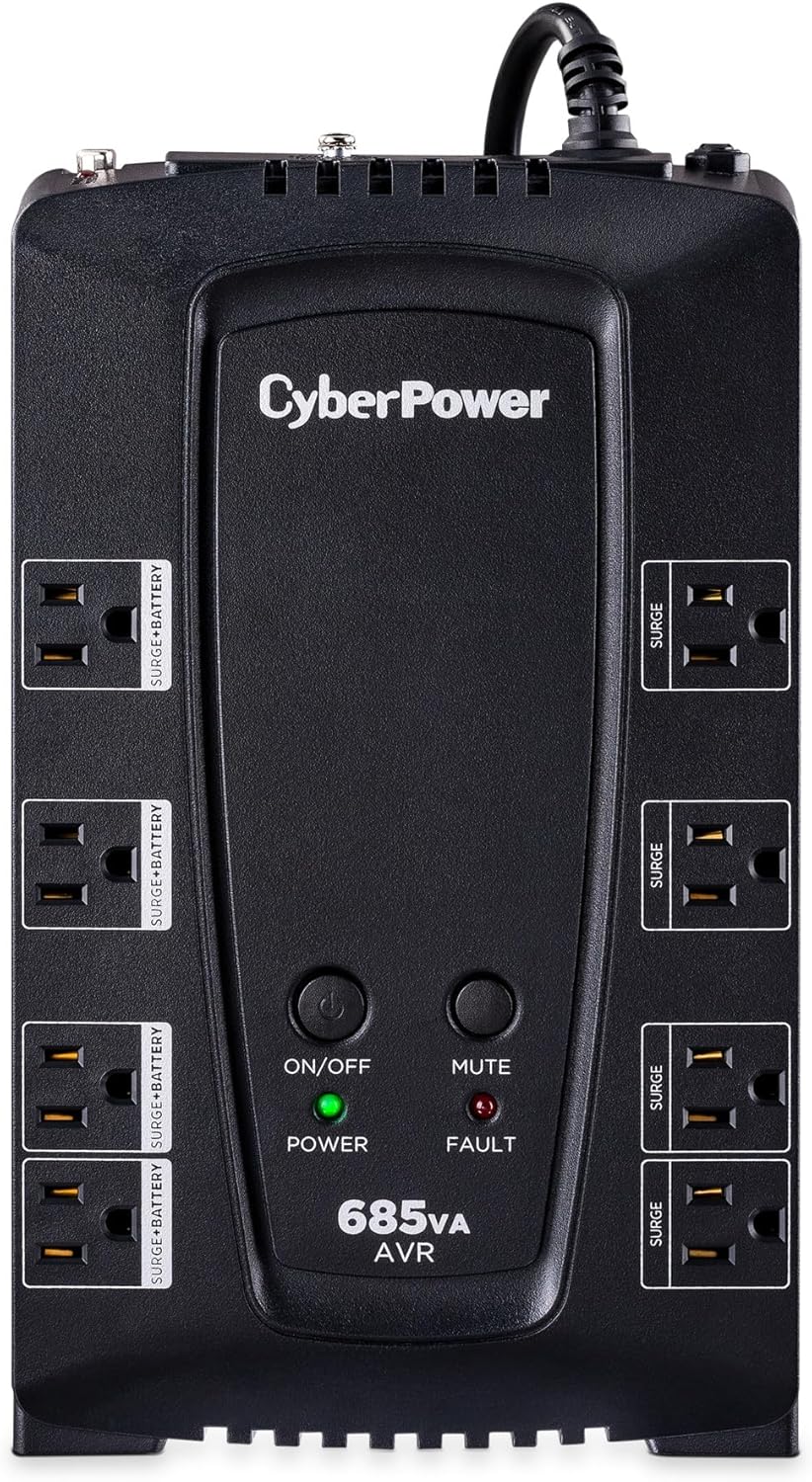
Figure 3: Front panel of the CyberPower CP685AVRG UPS, showing the control buttons and LED status indicators.
3. Automatic Voltage Regulation (AVR)
The AVR feature automatically corrects minor utility power fluctuations (sags and surges) without switching to battery power. This preserves battery life and ensures a stable power supply to your devices.
4. PowerPanel Software Monitoring
The PowerPanel Personal Edition software provides real-time monitoring of the UPS status, including input/output voltage, battery charge level, and estimated runtime. It also allows for scheduled shutdowns and reboots, and delivers event notifications.
Video 1: This official CyberPower video demonstrates the features of the AVR UPS Series, including battery backup, surge protection, Automatic Voltage Regulation (AVR), dataline protection, LED indicator lights, and the PowerPanel software for monitoring and management.
Maintenance
1. Battery Replacement
The sealed lead-acid battery typically lasts 3-5 years under normal conditions. If the Fault LED illuminates or the UPS consistently fails to provide adequate backup time, the battery may need replacement. Refer to the full product manual for specific battery replacement instructions or contact CyberPower support.
2. Cleaning
Periodically clean the exterior of the UPS with a soft, dry cloth. Ensure ventilation openings are free from dust and debris to maintain proper airflow and prevent overheating. Do not use liquid or aerosol cleaners.
Troubleshooting
If your CyberPower CP685AVRG UPS is not functioning as expected, review the following common issues:
- No Power: Ensure the UPS is securely plugged into a working wall outlet. Check the circuit breaker on the UPS (if applicable) and your building's electrical panel.
- Fault LED On: A red Fault LED indicates a potential wiring fault or a low/failing battery. Check the wiring of the wall outlet using a wiring tester. If the wiring is correct, the battery may need to be recharged or replaced.
- Short Battery Runtime: If the UPS provides significantly less backup time than expected, the battery may be old or not fully charged. Allow the UPS to charge for 8-10 hours. If the issue persists, consider battery replacement.
- Overload Alarm: If the UPS emits a continuous alarm and the Overload LED (if present) is lit, too many devices are connected to the battery backup outlets. Disconnect non-essential equipment until the alarm stops.
For more detailed troubleshooting, consult the PowerPanel Personal Edition software or the comprehensive user manual available on the CyberPower website.
Specifications
| Feature | Specification |
|---|---|
| Model Number | CP685AVRG |
| Capacity (VA/Watts) | 685VA / 390W |
| Input Voltage | 120 Volts |
| Output Voltage | 120 Volts (AC) |
| Number of Outlets | 8 (4 Battery Backup & Surge, 4 Surge Only) |
| Surge Protection Rating | 1030 Joules |
| Battery Type | Sealed Lead Acid |
| Typical Runtime (Half Load) | 10 minutes |
| Dimensions (D x W x H) | 3.5" x 11" x 6.8" |
| Weight | 11.62 Pounds |
| Frequency Range | 60 Hz |

Figure 4: Dimensions of the CyberPower CP685AVRG UPS.
Warranty and Support
1. Product Warranty
The CyberPower CP685AVRG UPS system comes with a 3-year warranty, which includes the batteries. This warranty covers defects in materials and workmanship under normal use and service.
2. Connected Equipment Guarantee
CyberPower offers a $125,000 Connected Equipment Guarantee. This guarantee provides financial protection for equipment properly connected to the UPS that is damaged by a power surge, spike, or lightning strike while connected to the UPS.
3. Technical Support
For technical assistance, troubleshooting, or warranty claims, please visit the official CyberPower website or contact their customer support. Ensure you have your product model number and purchase information ready when seeking support.


