
1. Introduction
This manual provides instructions for the proper use and maintenance of your Master Lock 5KA A389 Laminated Steel Pin Tumbler Padlock. This padlock is designed for security applications requiring a durable, keyed-alike locking solution.
The Master Lock 5KA A389 features a 2-inch (51mm) wide laminated steel body for strength and a hardened boron alloy shackle for superior cut resistance. It incorporates a 4-pin cylinder to help prevent picking and dual locking levers for enhanced pry resistance.
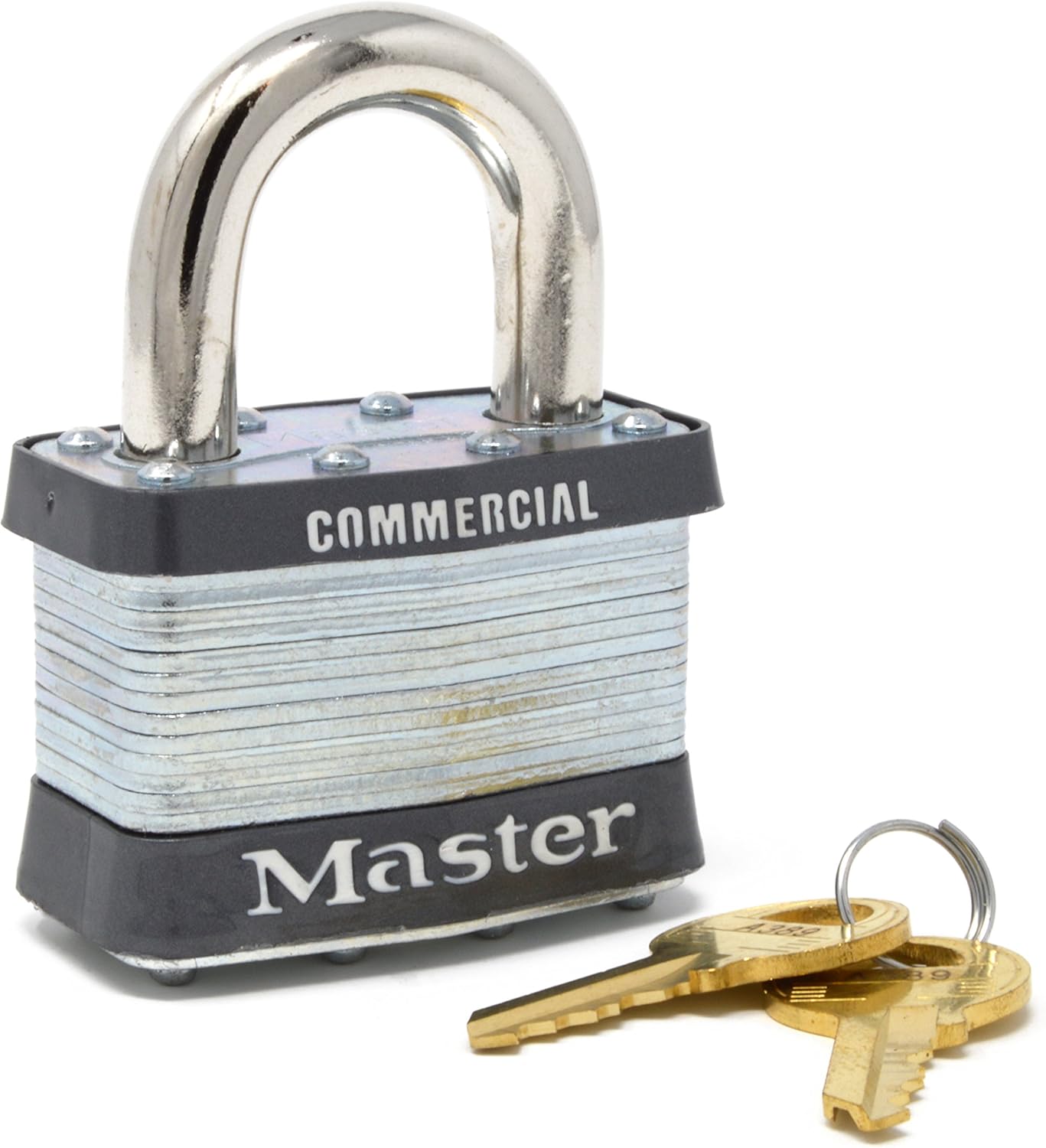
Figure 1: Master Lock 5KA A389 Laminated Steel Padlock with accompanying keys. This image shows the front view of the padlock, highlighting its laminated steel construction and the "COMMERCIAL" and "Master" branding.
2. Setup
The Master Lock 5KA A389 padlock is ready for immediate use upon receipt. No assembly is required.
2.1 Keyed Alike Feature
This padlock is part of a "Keyed Alike" system (W1 cylinder). If you have ordered multiple 5KA A389 padlocks with the same key code, all padlocks will operate with the same key. This simplifies key management for multiple locks.

Figure 2: Close-up view of the padlock's keyhole, demonstrating where the key is inserted for operation. The key is partially inserted, showing the A389 key code.
3. Operation
3.1 Locking the Padlock
- Ensure the shackle is in the open position.
- Position the shackle through the item(s) you wish to secure.
- Press the shackle firmly into the padlock body until it clicks into place. The padlock is now locked.

Figure 3: The Master Lock 5KA A389 padlock shown in a locked position, securing a metal hasp. This illustrates a typical application of the padlock.
3.2 Unlocking the Padlock
- Insert the correct key into the keyway.
- Turn the key clockwise until the shackle springs open.
- Remove the shackle from the secured item(s).
- Remove the key. The padlock is now unlocked.
4. Maintenance
Regular maintenance ensures the longevity and reliable operation of your Master Lock padlock.
- Cleaning: Periodically wipe the padlock body and shackle with a clean, dry cloth to remove dirt and debris.
- Lubrication: For optimal performance, especially in cold or harsh environments, apply a small amount of graphite lubricant or a silicone-based spray lubricant into the keyway and around the shackle mechanism once or twice a year. Avoid oil-based lubricants as they can attract dirt.
- Rust Protection: The padlock features proprietary rustproofing. However, for prolonged exposure to extreme moisture or corrosive conditions, additional protective measures may be considered.
5. Troubleshooting
| Problem | Possible Cause | Solution |
|---|---|---|
| Key is difficult to insert or turn. | Dirt or debris in the keyway; lack of lubrication; worn key. | Clean the keyway with compressed air. Apply graphite or silicone lubricant. Try a spare key if available. |
| Shackle sticks or does not spring open. | Lack of lubrication; corrosion; extreme cold temperatures. | Apply lubricant to the shackle mechanism and keyway. In cold weather, ensure the lock is not frozen; gently warm if necessary (avoid open flames). |
| Padlock does not lock securely. | Obstruction preventing shackle from fully engaging; internal mechanism issue. | Ensure no debris is blocking the shackle. If the issue persists, contact Master Lock customer support. |
6. Specifications
| Feature | Detail |
|---|---|
| Model Number | 5KA A389 |
| Body Width | 2 inches (51mm) |
| Body Material | Laminated Steel |
| Shackle Diameter | 3/8 inch (10mm) |
| Shackle Material | Hardened Boron Alloy |
| Shackle Clearance (Vertical) | 1 inch (25mm) |
| Locking Mechanism | 4-Pin Pin Tumbler Cylinder |
| Locking Levers | Dual Locking Levers |
| Keying | Keyed Alike (W1 Cylinder) |
| Dimensions (L x W x H) | 3.71 x 1.38 x 2.26 inches |
| Item Weight | 12.8 ounces |
| UPC | 071649036743 |
7. Warranty and Support
For information regarding warranty coverage, product support, or to contact customer service, please visit the official Master Lock website or refer to the product packaging.
You can also visit the Master Lock Store on Amazon for additional product information and resources.

Figure 4: Example of Master Lock product packaging. This packaging typically contains warranty details and contact information.


