
Introduction
The Lutron Diva 3-Speed Fan Control (model DVFSQ-F-AL) provides convenient control over your ceiling fan's speed. This switch allows you to select from three quiet fan speeds and turn the fan on or off. It is designed for use in both single-pole and 3-way wiring configurations. A coordinating Claro wall plate is sold separately.
Safety Information
WARNING: To avoid fire, shock, or death, turn off power at the circuit breaker or fuse box and test that power is off before wiring. This device must be installed by a qualified electrician in accordance with all national and local electrical codes. Use only with permanently installed ceiling paddle fans. Do not use with fans that have proprietary remote controls, DC motor fans, or exhaust fans.
- Do not exceed the maximum electrical ratings: 1.5 Amps, 120 Volts AC, 60 Hz.
- Ensure proper grounding.
- Do not use for controlling lighting loads.
What's Included
The package includes:
- One (1) Lutron Diva 3-Speed Fan Control (DVFSQ-F-AL)
Note: A coordinating Claro wall plate is sold separately and is not included with this unit.

Image: The Lutron Diva 3-Speed Fan Control in Almond, shown without a wall plate.
Compatibility
This fan control is designed for use with indoor ceiling paddle fans only. It is compatible with standard 3-speed ceiling fans that use a pull chain for speed control. It is not compatible with:
- Ceiling fans with proprietary remote controls.
- DC motor fans.
- Exhaust fans.
- Lights or other electrical loads.

Image: A compatibility chart showing a checkmark for ceiling fans with pull chains and an 'X' for ceiling fans with pull chains and remotes.
Setup and Installation
Before You Begin: Ensure power is turned off at the circuit breaker. This device requires a neutral wire for proper operation. If you are unsure about wiring, consult a qualified electrician.
Tools Required:
- Screwdriver (Phillips and flathead)
- Wire strippers
- Electrical tape
- Voltage tester
Wiring Instructions:
- Turn Off Power: Locate the circuit breaker controlling the fan and turn it off. Verify power is off using a voltage tester.
- Remove Existing Switch: Carefully remove the wall plate and unscrew the existing switch from the wall box. Disconnect the wires from the old switch.
- Identify Wires:
- Hot (Line) Wire: Typically black, brings power from the breaker.
- Load Wire: Typically black, goes to the fan.
- Neutral Wire: Typically white, required for this switch.
- Ground Wire: Typically bare copper or green.
- Traveler Wires (for 3-way only): Two wires (often red and black) that connect between two 3-way switches.
- Connect Wires:
- Connect the Ground wire from the wall box to the green ground wire on the Lutron fan control.
- Connect the Neutral wire from the wall box to the white neutral wire on the Lutron fan control.
- For Single-Pole installation: Connect the Hot (Line) wire to one of the black wires on the fan control. Connect the Load wire (to the fan) to the other black wire on the fan control.
- For 3-Way installation: This control can be used with a standard 3-way switch. Connect the Hot (Line) wire to one of the black wires on the fan control. Connect the Load wire (to the fan) to the other black wire on the fan control. The traveler wires will connect to the corresponding terminals on the standard 3-way switch. Refer to the diagram provided with your standard 3-way switch for specific traveler connections.
- Secure Wiring: Use wire nuts to secure all connections. Ensure no bare wire is exposed.
- Mount Switch: Gently fold the wires into the wall box and secure the fan control with the provided screws.
- Install Wall Plate: Attach the coordinating Claro wall plate (sold separately).
- Restore Power: Turn power back on at the circuit breaker.
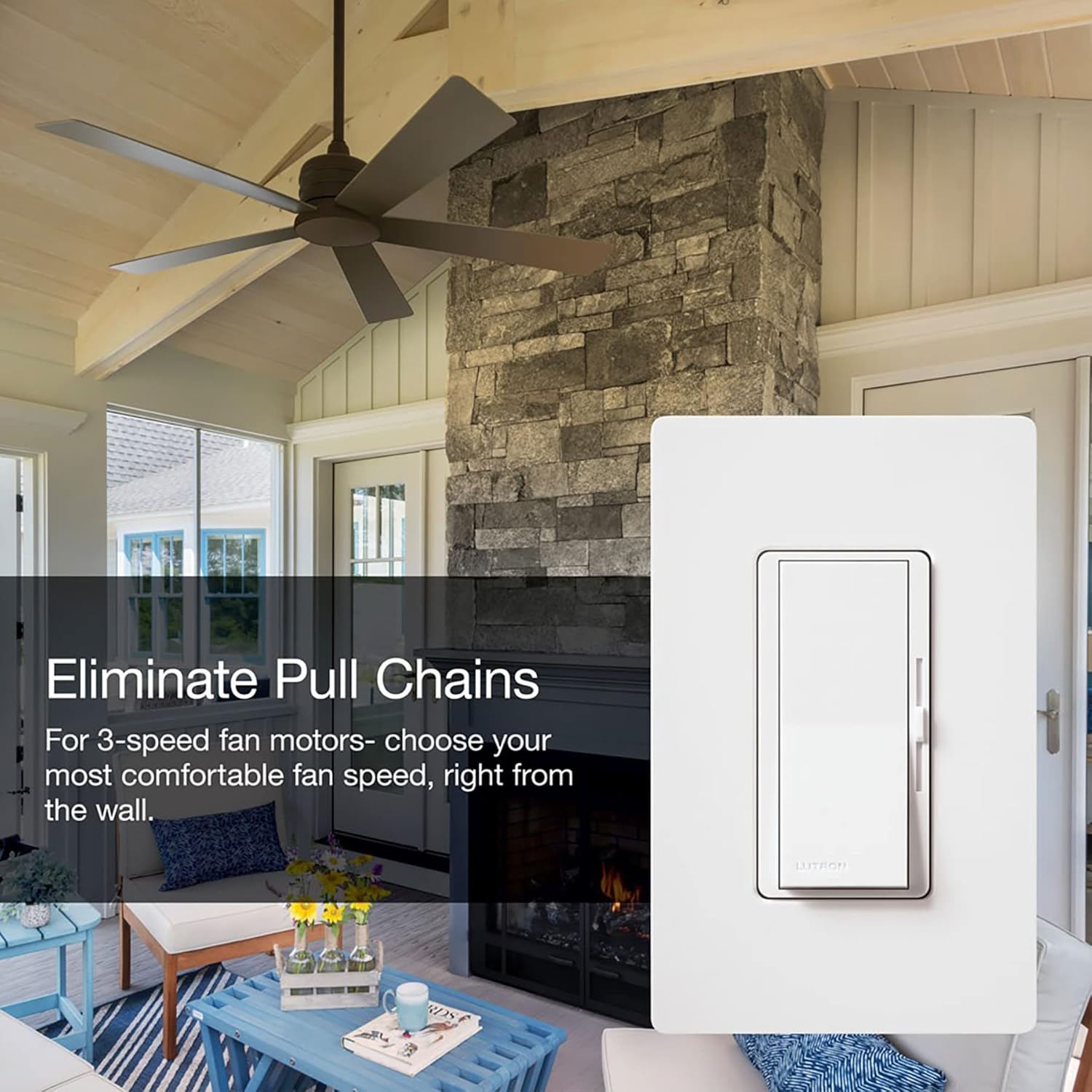
Image: The Lutron Diva 3-Speed Fan Control installed in a wall, demonstrating its appearance with a wall plate.
Operating Instructions
The Lutron Diva 3-Speed Fan Control features a large paddle switch and a linear slider for easy operation.
- Turning On/Off: Press the large paddle switch to turn the ceiling fan on or off. The fan will resume at the last selected speed setting.
- Adjusting Fan Speed: Use the small linear slider located on the right side of the paddle switch to adjust the fan speed.
- Slide the control up for higher fan speeds.
- Slide the control down for lower fan speeds.
- The control offers three distinct quiet fan speeds.

Image: A living space with a ceiling fan, illustrating the comfort provided by the 3 quiet fan speeds controlled by the Lutron Diva switch.

Image: The Lutron Diva fan control in a room setting, emphasizing its ability to eliminate the need for pull chains on ceiling fans.
Maintenance
The Lutron Diva 3-Speed Fan Control requires minimal maintenance.
- Cleaning: To clean the surface of the control, wipe with a soft, damp cloth. Do not use chemical cleaners or abrasive materials, as these can damage the finish.
- No User-Serviceable Parts: There are no user-serviceable parts inside the control. Do not attempt to disassemble or repair the unit.
Troubleshooting
| Problem | Possible Cause | Solution |
|---|---|---|
| Fan does not turn on. |
|
|
| Fan does not respond to speed changes. |
|
|
| Fan makes humming noise. |
|
|
Specifications
| Feature | Detail |
|---|---|
| Model | DVFSQ-F-AL |
| Brand | Lutron |
| Operation Mode | ON-OFF, Paddle Switch |
| Current Rating | 1.5 Amps |
| Operating Voltage | 120 Volts AC |
| Frequency | 60 Hz |
| Switch Type | Decora |
| Circuit Type | Single-pole / 3-way |
| Material | Plastic |
| Color | Almond |
| Item Dimensions (L x W x H) | 1.75 x 2.2 x 4.25 inches |
| Item Weight | 4 ounces |
| Temperature Rating | 32°F to 104°F (0°C to 40°C) |
| Certifications | CSA, UL |
Warranty and Support
Lutron provides comprehensive support for its products. For assistance with installation, operation, or troubleshooting, please contact Lutron customer support.
Video: Lutron 24/7 Support. This video highlights Lutron's commitment to customer assistance, available day or night.
Lutron offers 24/7 customer support to help you with your project. You can reach them anytime for assistance.
For the most current warranty information, please refer to the documentation included with your product or visit the official Lutron website.


