
beyerdynamic 459046
Beyerdynamic DT 770 Pro Studio Headphones User Manual
Model: DT 770 PRO (250 OHM) | Brand: beyerdynamic
Introduction
The Beyerdynamic DT 770 Pro 250 ohm Closed-back Studio Mixing Headphones are designed for professional audio monitoring and mixing. These closed dynamic headphones provide a pure and high-resolution sound, making them ideal for studio environments and mobile use. With a nominal sound pressure level of 96 dB, they deliver clear and accurate audio reproduction.
What's in the Box
- Beyerdynamic DT 770 Pro Headphone
- Protective Case
- 6.35 mm Jack Adapter
Key Features
- Closed over-ear design for professional mixing in the studio.
- Delivers pure and high-resolution sound, perfect for studio recordings.
- Soft, circumaural, and replaceable velour ear pads ensure high wearing comfort during extended use.
- Hard-wearing, durable, and robust workmanship, proudly Made in Germany.
- Features a practical single-sided 3.0m coiled cable for flexible movement.
Setup Guide
Follow these steps to set up your Beyerdynamic DT 770 Pro headphones:
- Unpack: Carefully remove the headphones, protective case, and 6.35 mm jack adapter from the packaging.
- Inspect: Check the headphones and cable for any visible damage.
- Connect:
- For devices with a 3.5 mm headphone jack, connect the headphone's integrated 3.5 mm plug directly.
- For devices with a 6.35 mm (1/4 inch) jack, screw the included 6.35 mm adapter onto the 3.5 mm plug of the headphone. Ensure it is securely fastened.
- Adjust Fit: Place the headphones over your ears. Adjust the headband length on both sides until the ear cups comfortably enclose your ears and the headband rests gently on your head. The soft velour ear pads are designed for extended comfort.
- Cable Management: The single-sided coiled cable provides flexibility. Ensure the cable is not tangled or under strain during use.
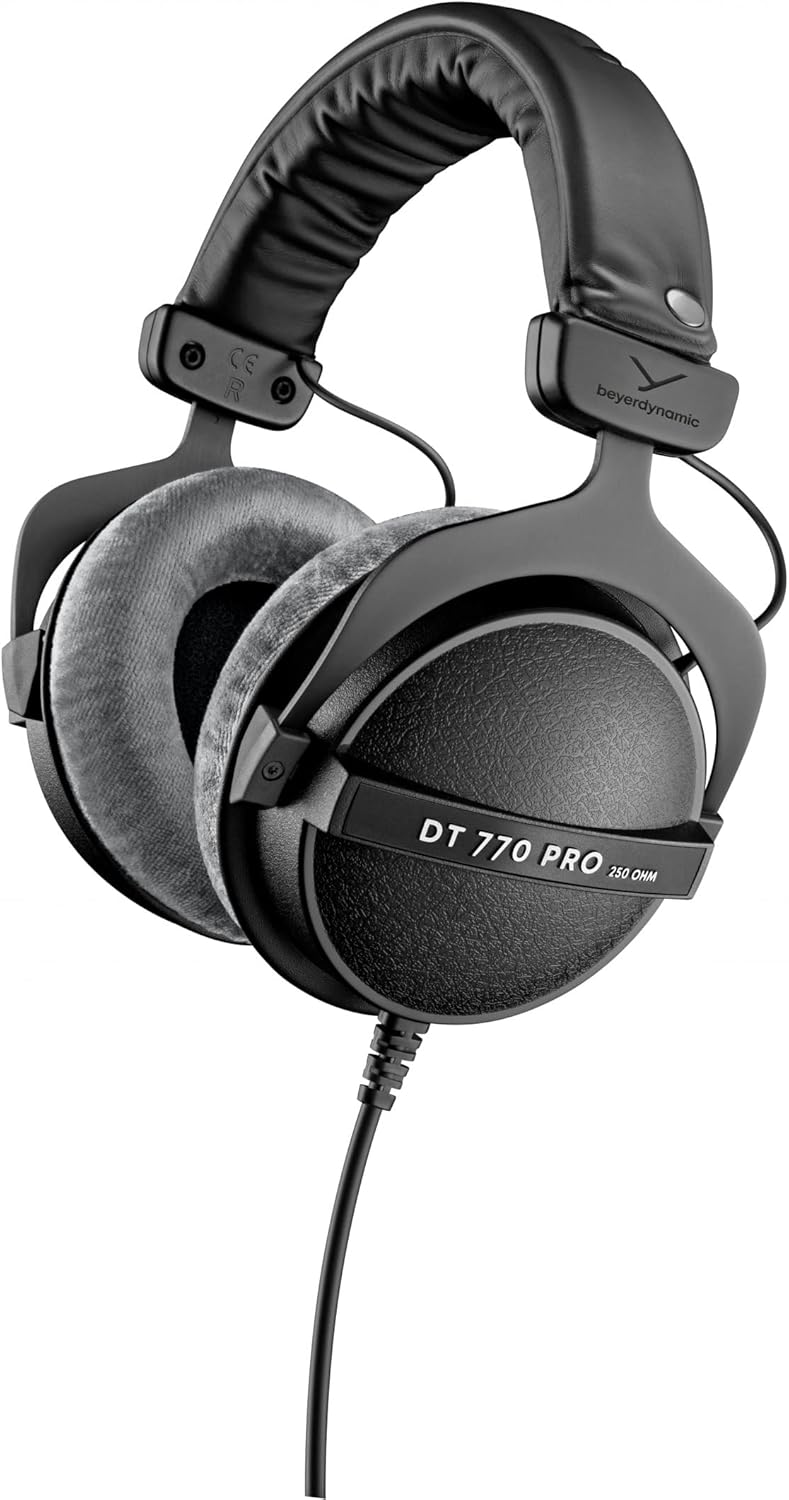
Image: Front view of the Beyerdynamic DT 770 Pro headphones, showcasing their robust design and velour ear pads.
Operating Instructions
The DT 770 Pro headphones are designed for straightforward operation in professional and personal audio setups.
- Audio Source Connection: Ensure your headphones are properly connected to your audio interface, mixing console, amplifier, or other audio source.
- Volume Control: Adjust the volume directly on your audio source. Start with a low volume and gradually increase it to a comfortable listening level. Avoid excessively high volumes to prevent hearing damage and preserve headphone longevity.
- Monitoring: These headphones are ideal for critical listening, mixing, and monitoring. Their closed-back design provides excellent sound isolation, minimizing external noise interference and preventing sound leakage during recording sessions.
- Comfort: The velour ear pads and adjustable headband allow for comfortable wear during long sessions. Periodically readjust if needed to maintain comfort.

Image: A person wearing the DT 770 Pro headphones, demonstrating their use in a studio environment for audio monitoring.
Maintenance
Proper maintenance ensures the longevity and optimal performance of your DT 770 Pro headphones.
- Cleaning Ear Pads: The velour ear pads are replaceable and can be gently hand-washed with mild soap and lukewarm water. Allow them to air dry completely before reattaching. Regular cleaning helps maintain hygiene and comfort.
- Headband Care: Wipe the headband with a soft, damp cloth. Avoid harsh chemicals.
- Cable Care: The coiled cable is durable, but avoid sharp bends or excessive pulling. Store the cable neatly when not in use to prevent tangles and damage.
- Storage: When not in use, store the headphones in the provided protective case to shield them from dust, moisture, and physical impact.
- General Cleaning: Use a soft, dry cloth to wipe down the exterior of the ear cups and other surfaces. Do not use abrasive cleaners or solvents.

Image: Close-up of hands demonstrating the removable velour ear pads on the DT 770 Pro headphones, highlighting their ease of maintenance.
Troubleshooting
If you encounter issues with your headphones, refer to the following common solutions:
| Problem | Possible Cause | Solution |
|---|---|---|
| No Sound |
|
|
| Distorted Sound / Poor Quality |
|
|
| Uncomfortable Fit |
|
|
Technical Specifications
| Feature | Detail |
|---|---|
| Model Name | DT 770 PRO |
| Impedance | 250 Ohm |
| Ear Placement | Over Ear |
| Form Factor | Over Ear |
| Connectivity Technology | Wired |
| Noise Control | Sound Isolation (Closed-back) |
| Sensitivity | 96 dB |
| Frequency Range | 5 - 35000 Hz |
| Cable Length | 3 Meters (Coiled) |
| Headphones Jack | 3.5 mm Jack (with 6.35 mm adapter) |
| Material | Steel (headband frame) |
| Item Weight | 10.2 ounces |
| Manufacturer | beyerdynamic |
| Country of Origin | Germany |

Image: The DT 770 Pro headphones positioned on a piano, illustrating their professional application.
Warranty and Support
Beyerdynamic products are known for their robust and durable workmanship, being "Made in Germany." For specific warranty details and support inquiries, please refer to the official Beyerdynamic website or the full user manual.
A comprehensive user manual in PDF format is available for download: Download User Manual (PDF)
For further assistance, you may contact Beyerdynamic customer support directly via their official channels.
Related documents459046

Ask a question about this manual
Ask about setup, troubleshooting, compatibility, parts, safety, or missing instructions. Manuals+ will review the question and use this page’s manual context to help answer it.